Free trial
No time-limited trial is described, but a free plan lets users generate short essays at no cost before upgrading to premium.
Learn moreAcademic essay generator with APA citations and references built in
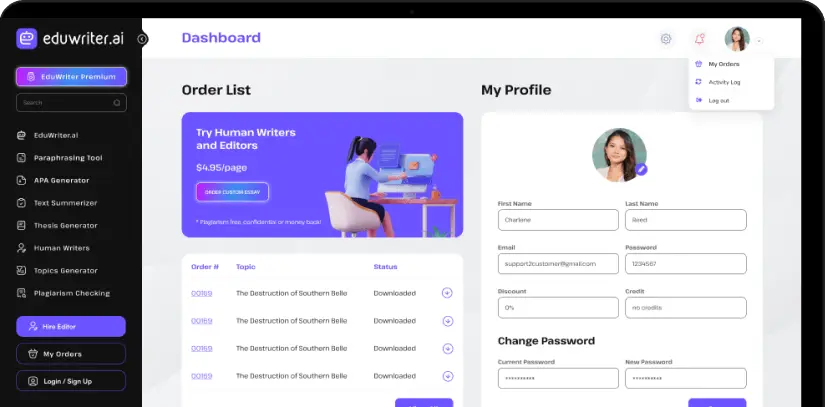
EduWriter is an AI ID editor tool. An academic essay generator for students that produces structured drafts with APA 7 formatting, citations and reference lists. Users set topic, document type, subject area, page length and instructions, then edit and export the result.
EduWriter.ai is an academic writing tool built around a single workflow: describe the assignment, pick the parameters, and receive a structured draft with APA 7 formatting, citations and a reference list. The generator accepts an essay topic plus assignment details, then lets the student pick a document type from a long menu that includes essays, term papers, research papers, coursework, book reports, movie reviews, annotated bibliographies, math problems, case studies and speech presentations. A subject area selector (literature, nursing, business, history, engineering, law, psychology and others) supplies the academic context, and a page count slider sets the target length at roughly 275 words per page. The interface offers several writer models with different emphases. Flex is positioned for shorter papers of one to five pages, Base Pro and Ninja are marketed around undetectability, and EduWriter Ultra 3 reads up to five attached files, separates instructions from reference material, cites the uploaded readings and adds journal sources. Output can be edited in the browser and downloaded, with export to Word and Google Docs noted for further personalization. The site claims most drafts appear in under 20 seconds and that the free tier covers short essays while longer page counts require a premium plan. EduWriter is aimed squarely at students in the US, Canada, UK and Australia working against deadlines and formatting requirements, especially those in disciplines where APA style is mandatory. It competes less with general chatbots than with the student essay sector, and the site draws that distinction itself: the pitch is formatting and citation structure rather than open-ended conversation. The site frames AI as a drafting and learning aid and tells users to review, edit and personalize output, and it includes human writer options for presentations, lab reports and statistics projects. Two caveats matter. The marketing leans hard on detection evasion, yet the FAQ concedes no tool can guarantee results against AI detectors. And a generated draft with plausible-looking references still needs verification, since the site itself tells users to check citations before submitting.
No time-limited trial is described, but a free plan lets users generate short essays at no cost before upgrading to premium.
Learn moreFree and premium tiers are both mentioned, with the free plan limited to short essays and premium unlocking longer papers, extra models and the Ultra 3 writer. The homepage shows a discounted human writer rate of $8 but no subscription prices, which are on a separate pricing page.
Learn moreThe site advertises 24/7 support and offers a contact page, plus a how-to page covering the writing workflow and a live chat prompt for unanswered questions.
Learn moreGenerated papers can be exported to Word or Google Docs for further editing; the homepage lists no other third-party integrations.
Generates essays, research papers, reports, case studies and other academic formats with APA 7 formatting, citations and references. Options include several writer models, subject area selection, page length up to five pages, file uploads for readings, and export to Word or Google Docs. The site claims drafts arrive in under 20 seconds on average.
Learn more AI Angels400+ customizable AI girlfriends for NSFW chat, voice calls, and roleplay
 Candy AIExperience the future of companionship with AI friends who chat, role-play, and connect with you on a human level.
 ourdream.aiA vast AI roleplay platform with millions of characters for chat, images, video and voiceAI Angels400+ customizable AI girlfriends for NSFW chat, voice calls, and roleplayCandy AIExperience the future of companionship with AI friends who chat, role-play, and connect with you on a human level.ourdream.aiA vast AI roleplay platform with millions of characters for chat, images, video and voice