Elser AI

Anime art, original characters and short videos from one workspace

Beginner
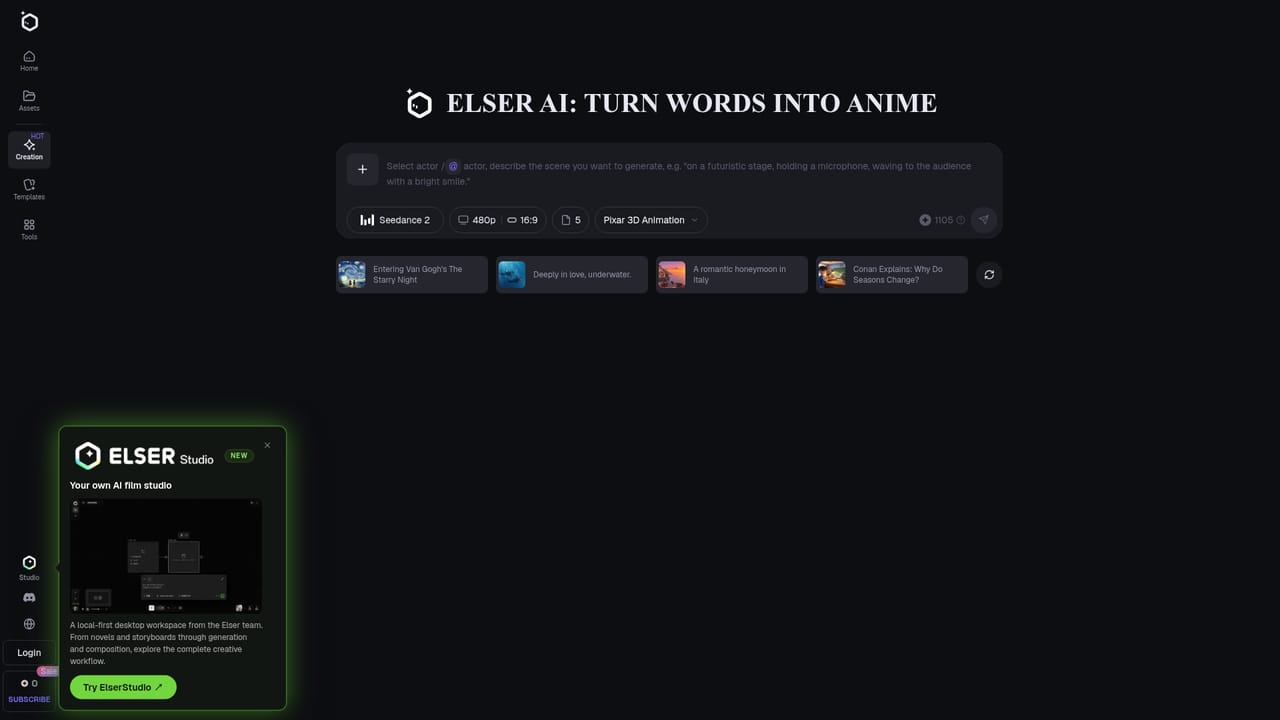
Screenshot of Elser AI, Anime art, original characters and short videos from one workspace

What is Elser AI?

Elser AI is a web platform for generating anime art, consistent original characters, comics, storyboards and short videos from text or images, with voice and audio tools and a large template library. A free plan is available.

Elser AI is a browser-based creation platform aimed at anime fans, original character (OC) makers and small studios who want finished anime content rather than isolated images. It combines an anime image generator, an image-to-video animator, a comic and manga generator, an AI storyboard tool and a set of audio utilities such as voice cloning, sound effects and music generation under one account. In practice, a session starts with a short text idea or an uploaded reference image. The platform produces anime-style visuals, and the same character can be carried across several scenes so a single prompt grows into a short with camera movement, voice and story flow. The homepage points to an AI storyboard agent for planning scenes, a lip sync tool, a video upscaler and enhancer, and an image unblur utility for cleanup. A large template library covers fandom-style OC makers (Pokemon, Genshin, Sonic and many more), photo-to-cartoon and Ghibli-style filters, chibi and pixel art generators, and character voice generators. A community feed shows other users' generations with a Recreate button, which makes it easy to start from an existing prompt. The company also lists newer models such as Seedance and GPT Image 2 among its options, and mentions a separate local-first desktop workspace called ElserStudio for longer workflows from novels to composition. The audience is broad. Beginners with no drawing or animation experience are the stated target, while creators publishing regularly can move to paid plans for advanced models, faster generation, longer videos and higher quality. Output can be downloaded in high resolution and shared to social platforms, and the site states that results may be used in personal and commercial projects. Among alternatives, Elser AI sits between general image generators and full video suites. Its value is the anime focus and the number of connected tools, though it is less suited to realistic footage or deep manual editing.
How do you use Elser AI?

  1. 1Open the anime generator
    Go to the AI anime generator page and sign in. Choose the image mode to start with a text idea or an uploaded reference picture.
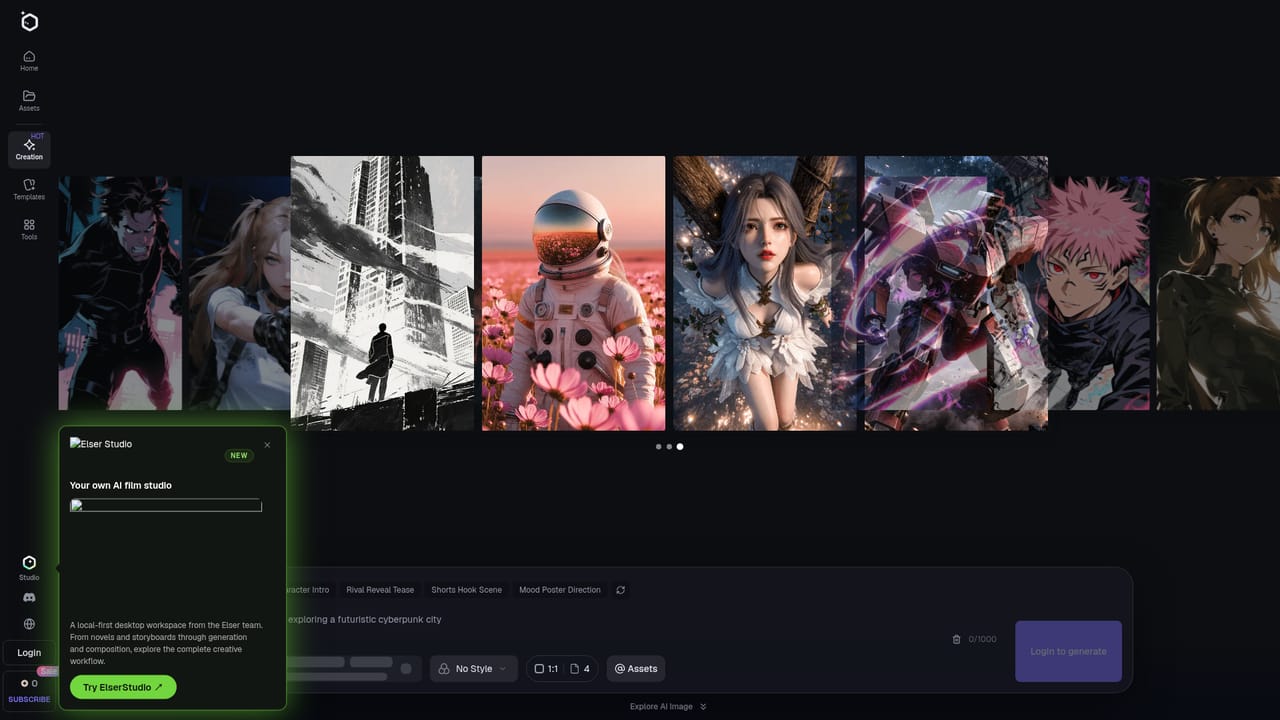
    Elser AI — Open the anime generator
  2. 2Describe your character or scene
    Write a short prompt covering the character, setting and action, or pick a template such as an OC maker. Generate a few variations and keep the one that fits.
  3. 3Animate the image
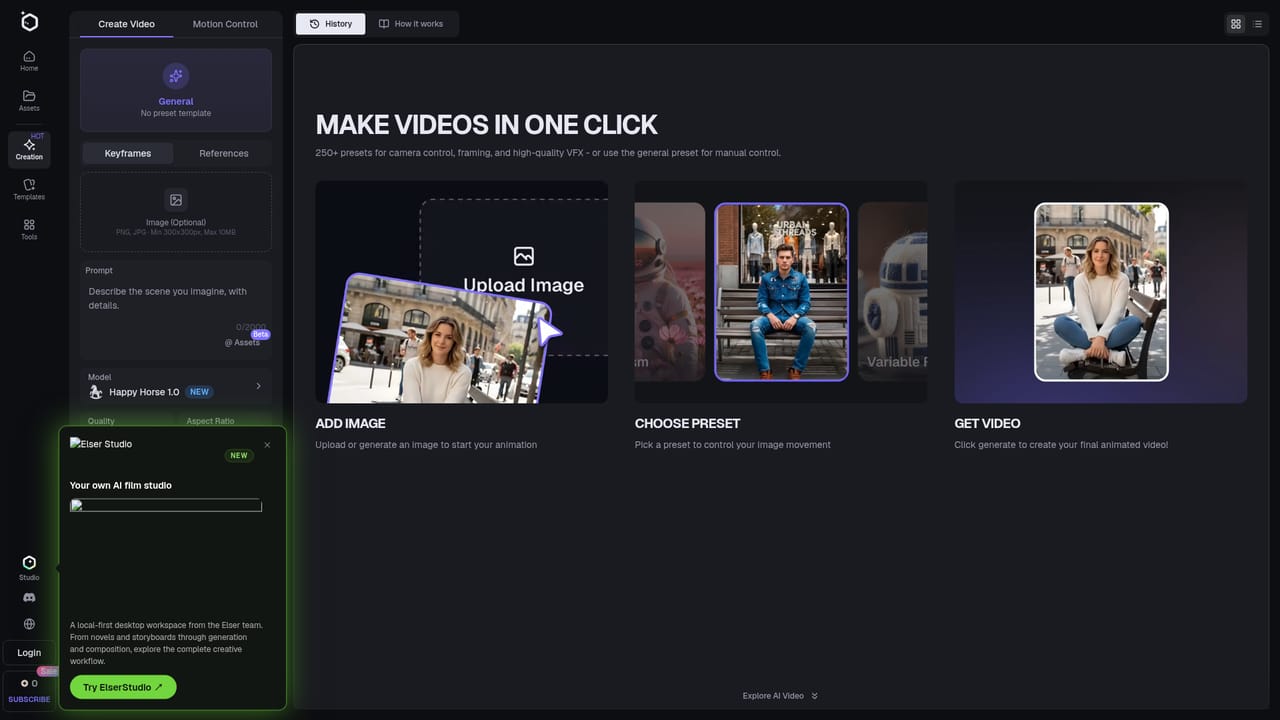
    Open the image animator and load your chosen picture. Describe the motion you want to turn it into a short video clip.
    Elser AI — Animate the image
  4. 4Plan a longer story
    Use the storyboard tool to lay out scenes for a multi-shot anime short, keeping the same characters across panels.
    Elser AI — Plan a longer story
  5. 5Download and share
    Export the finished art or video in high resolution and post it to social platforms or use it in a project.

Pros and cons

Pros

  • Covers images, video, comics, storyboards and audio in one account, so projects do not need several separate toolsAI
  • Large template library, including many fandom-style OC makers, lowers the effort of getting a first resultAI
  • Keeps characters consistent across scenes, which matters for anime shorts and serialized workAI
  • Free plan lets newcomers try image and video generation before payingAI
  • Community feed with a Recreate option makes it easy to learn from other people's promptsAI

Cons

  • Strongly anime-oriented, so it is a weaker fit for realistic or photographic video workAI
  • Advanced models, longer videos and faster speeds sit behind paid plans, limiting the free tierAI
  • Homepage lists no concrete prices or credit allowances, so costs are hard to compare up frontAI
  • Many tools and templates can feel crowded for someone who only needs a single taskAI
  • Fanart templates based on existing franchises may raise rights questions despite the commercial-use claimAI

How much does Elser AI cost?

Free trial

A free plan lets users try the anime generator, OC maker and fanart tools with basic image and video creation features.

Learn more

Pricing

A free plan covers basic image and video creation. Paid plans unlock advanced AI models, faster generation, longer videos and higher quality output. The homepage also mentions member promos with extra credits. No prices are listed.

Learn more

Integrations

No third-party integrations are listed. Output can be shared to Twitter, Discord and TikTok, and a separate desktop workspace, ElserStudio, is offered.

Features

Anime image generator, image-to-video animator, comic and manga generators, AI storyboard agent, OC makers, voice cloning, sound effects, music generation, lip sync, video upscaler, unblur, and 200+ templates with 40+ creation tools.

Learn more

Frequently asked questions about Elser AI

  • How much does Elser AI cost?
    A free plan covers basic image and video creation. Paid plans unlock advanced AI models, faster generation, longer videos and higher quality output. The homepage also mentions member promos with extra credits. No prices are listed.
  • Does Elser AI offer a free trial?
    A free plan lets users try the anime generator, OC maker and fanart tools with basic image and video creation features.
  • How do you use Elser AI?
    The walkthrough on this page covers 5 steps: 1. Open the anime generator 2. Describe your character or scene 3. Animate the image 4. Plan a longer story 5. Download and share.
  • What platforms does Elser AI support?
    Elser AI is available on Web App.
  • What does Elser AI integrate with?
    No third-party integrations are listed. Output can be shared to Twitter, Discord and TikTok, and a separate desktop workspace, ElserStudio, is offered.
  • What are the limitations of Elser AI?
    Strongly anime-oriented, so it is a weaker fit for realistic or photographic video work. Advanced models, longer videos and faster speeds sit behind paid plans, limiting the free tier. Homepage lists no concrete prices or credit allowances, so costs are hard to compare up front.

Status

StatusActive
Views0
Outbound clicks0
Added10/18/2026

Platforms

Web App

Pricing

FreemiumSubscription