Free trial
A free tier with manual accounts is available without a credit card. Live account connections sit behind a paid plan, so the free tier is best for testing the assistant workflow first.
Learn moreA financial hub where AI assistants read your accounts, bills and documents.

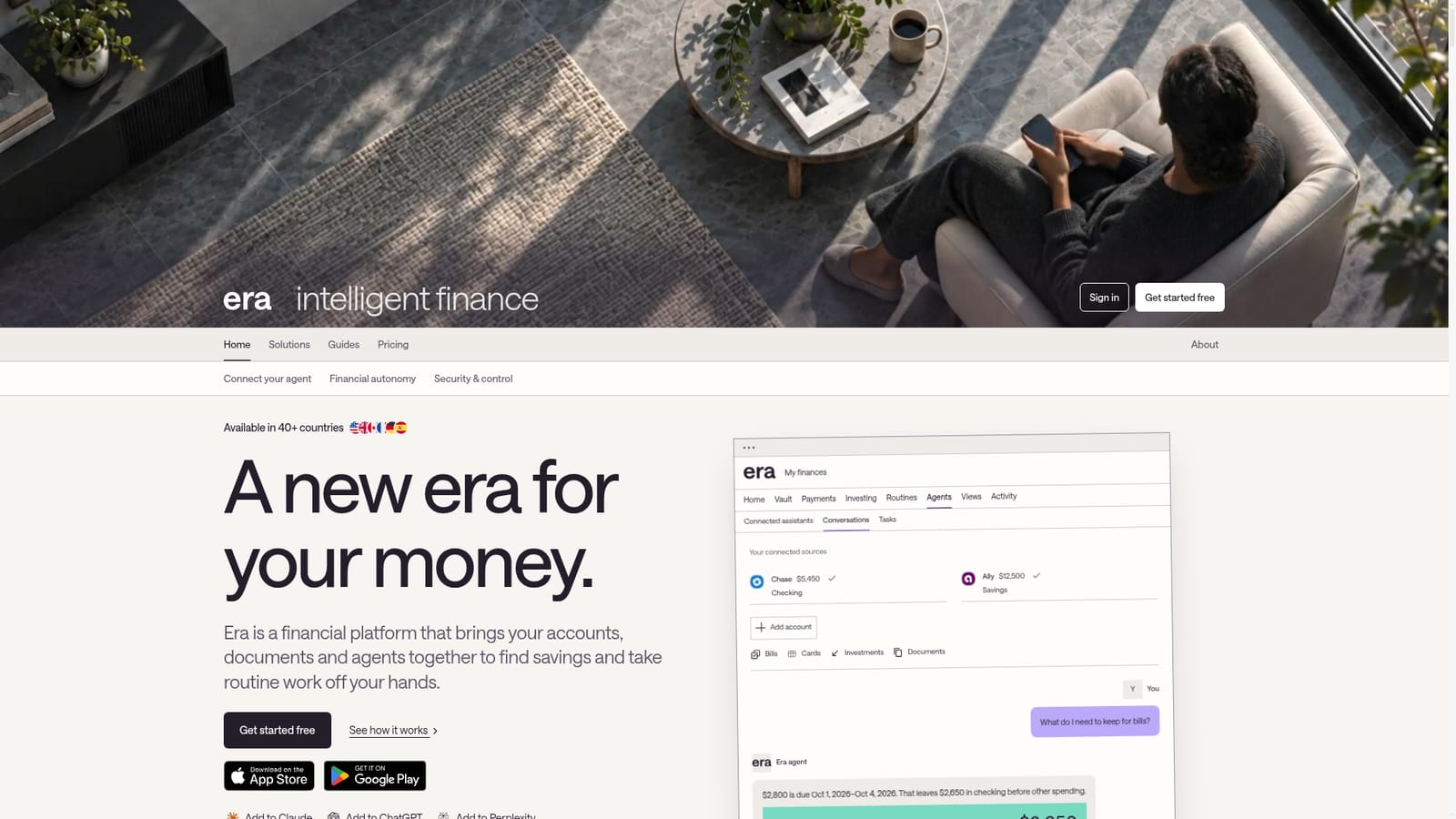
Era is a file organizer tool. Era connects bank accounts, cards, investments and financial documents to a central workspace, then plugs into Claude, ChatGPT and Perplexity so those assistants can answer money questions using real balances, bills and account terms.
Era is a personal finance platform built around a simple premise: the AI assistants people already use should be able to answer money questions with real numbers behind them. Users connect bank accounts, cards, investments and documents, then link Era to Claude, ChatGPT or Perplexity. The assistant can then respond to questions like what needs to be held back for upcoming bills or which card to use for a purchase, drawing on balances, recorded bills and account agreements rather than generic advice. The workspace is organised into accounts, documents, payments, investing, routines, agents and an activity feed. A document library keeps leases, insurance policies, mortgage closing papers and utility bills next to the records they explain, so a lease sits beside its recurring rent payment and mortgage documents sit beside the matching loan account. Purchases can be matched to retailer orders, which means a single bank charge can be broken down into individual items on request. Retailer connections are US-only and supported records vary. Guardrail features target common mistakes: comparing cards by purchase grace period and interest treatment, deciding which balance to pay first, and reserving cash for bills before discretionary spending. Era is clear that asking a question grants no permission to move money, and that answers are informational comparisons rather than lending or affordability assessments. Era suits people with several accounts who want an assistant to track obligations and documents without building spreadsheets, and who are comfortable with an early-access product. Manual accounts work on the free tier, while live data connections require a paid plan. Availability spans more than 40 countries, with iOS and Android apps alongside the web workspace.

A free tier with manual accounts is available without a credit card. Live account connections sit behind a paid plan, so the free tier is best for testing the assistant workflow first.
Learn moreFree to start with Claude or ChatGPT, manual accounts included and no credit card required. Live data sources require a paid plan; plan details are on the pricing page. Money-management tools are in early access via a waitlist.
Learn moreWorks as a connector inside Claude, ChatGPT and Perplexity, and links external bank and card accounts such as Chase and Ally. Retailer connections, including Amazon, are available in the US only.
Connected account overview, a financial document library with links to payments and property, purchase breakdowns from retailer orders, card and balance comparison for fewer mistakes, routines, agents, saved views and an activity feed, all queryable through Claude, ChatGPT and Perplexity.
 AI Angels400+ customizable AI girlfriends for NSFW chat, voice calls, and roleplay
 Candy AIExperience the future of companionship with AI friends who chat, role-play, and connect with you on a human level.
 ourdream.aiA vast AI roleplay platform with millions of characters for chat, images, video and voiceAI Angels400+ customizable AI girlfriends for NSFW chat, voice calls, and roleplayCandy AIExperience the future of companionship with AI friends who chat, role-play, and connect with you on a human level.ourdream.aiA vast AI roleplay platform with millions of characters for chat, images, video and voice


