EVY

Free Mac workspace that plans your to-dos and hands them to AI agents

Intermediate
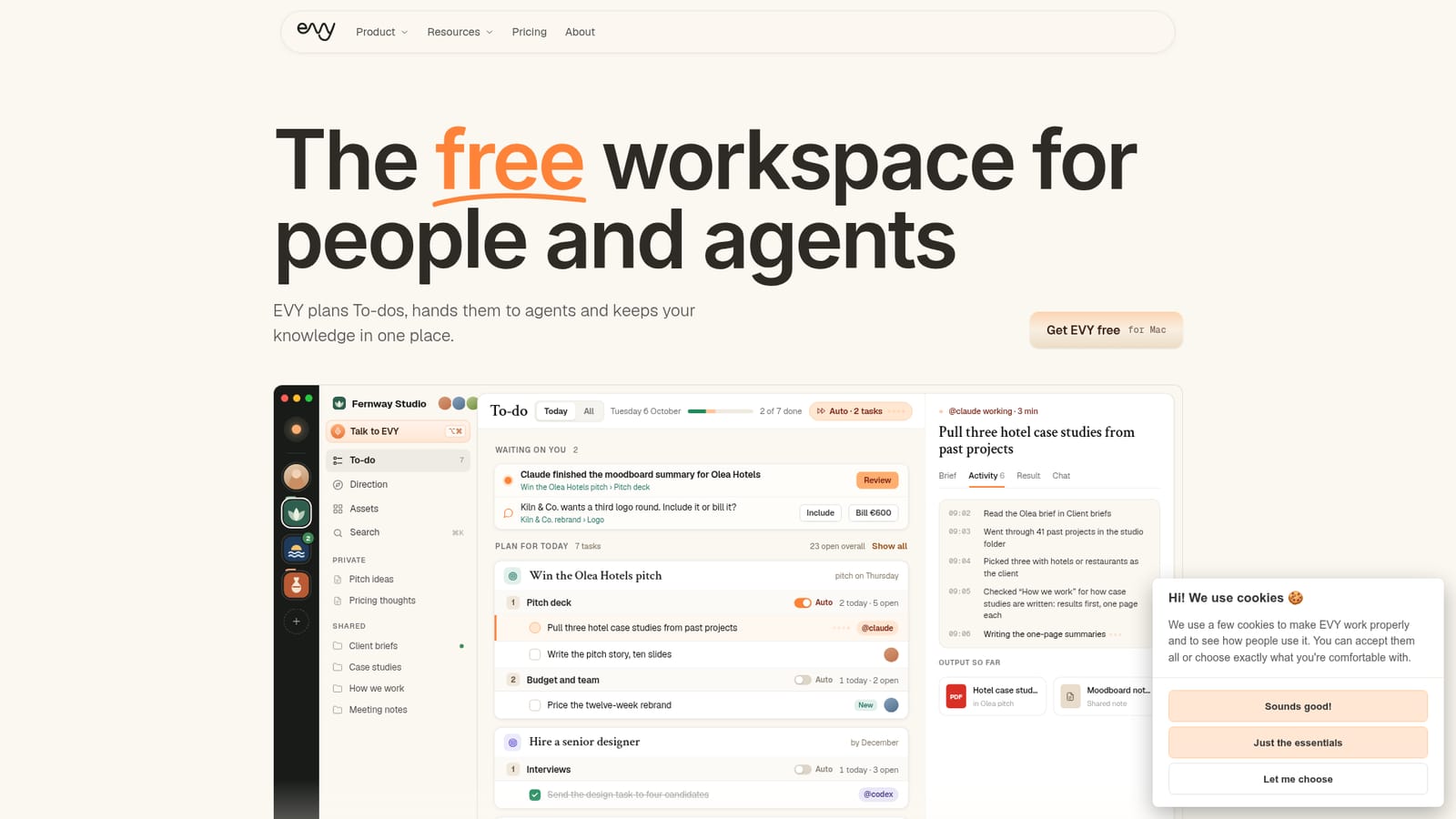
Screenshot of EVY, Free Mac workspace that plans your to-dos and hands them to AI agents

What is EVY?

EVY is a free Mac workspace that plans a team's to-dos, assigns tasks to agents like Claude Code and Codex through an existing Claude or ChatGPT plan, and keeps company knowledge in plain Markdown files.

EVY is a desktop workspace for the Mac that combines a task planner, a shared knowledge base and a layer for delegating work to AI agents. Instead of selling its own model access, it runs agents such as Claude Code, Codex and Hermes through the Claude or ChatGPT plan a team already pays for. The app itself is free for an entire team, which makes the cost question simple: the only spend is the AI subscription people already hold. The core of the product is a To-do list that agents can work through. Any task can be assigned to an agent or a person, and an Auto switch lets agents start tasks on their own, a few at a time, following the order set in a weekly Direction plan. Each agent shows its steps as it goes, asks a question when it is stuck, and returns files into the folders a team already uses. Direction acts like a planning layer: it asks what matters each morning, splits the day across separate spaces (a studio, a side business, a private life) and tracks goals, initiatives and recurring routines such as monthly reports. Knowledge is stored as plain Markdown files in a folder on the user's own disk, so notes, meeting summaries, decisions and brand files stay readable by any tool and survive uninstalling the app. Teammates can use different AI providers while sharing one set of notes. EVY can be reached by holding a key combination and speaking on the Mac, by mentioning it in Slack, or by messaging it on Telegram, with the same memory behind each channel. Within the market, EVY sits between note and wiki tools with built-in AI, such as Notion AI, and agent runners that handle single tasks without any planning context. It suits small teams, agencies and founders who already use Claude or ChatGPT and want delegated work organised around goals. The current limitation is platform: it is macOS only for now, and downloads are requested through a short sign-up form.
How do you use EVY?

  1. 1Download EVY for Mac
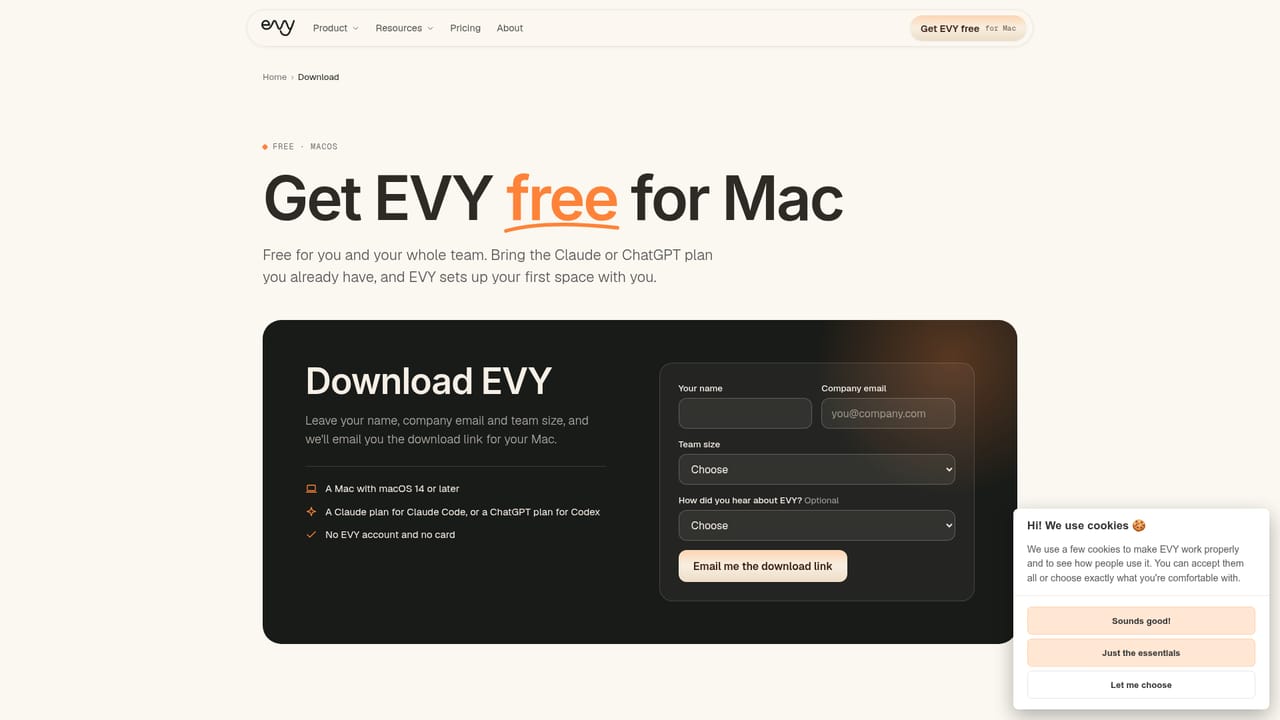
    Fill in the short form with name, company email and team size, then open the emailed link on a Mac. Drag EVY into Applications and launch it.
    EVY — Download EVY for Mac
  2. 2Connect your AI plan
    Bring the Claude or ChatGPT plan you already have. EVY runs its agents through that plan and sets up your first space with you.
  3. 3Create spaces and add tasks
    Make one space for each thing you run, then add goals, initiatives and To-do items. Assign each task to yourself, a teammate or an agent.
  4. 4Turn on Auto and review results
    Switch Auto on for an initiative so agents start tasks in plan order. Answer questions at the top of your To-do and check the finished work.
  5. 5Talk to EVY from anywhere
    Hold the Option and Command keys to speak on the Mac, mention @evy in Slack, or message it on Telegram to add tasks or query your notes.
    EVY — Talk to EVY from anywhere

Pros and cons

Pros

  • Free for the whole team, with agents running on a Claude or ChatGPT plan already ownedAI
  • Knowledge is saved as plain Markdown files on the user's disk, so there is no lock-inAI
  • Auto mode lets agents work down the task list in plan order and ask when stuckAI
  • Different teammates can use different AI providers while sharing one set of notesAI
  • Voice, Slack and Telegram access all reach the same memory of the workAI

Cons

  • macOS only for now, so Windows, Linux and mobile users cannot install itAI
  • Requires an existing paid Claude or ChatGPT plan, so total cost depends on those subscriptionsAI
  • Download is gated behind a sign-up form that asks for company email and team sizeAI
  • Agent-heavy workflows need regular review, since results still have to be checked by a personAI
  • Slack and Telegram integrations are described only briefly, with no list of other connected toolsAI

How much does EVY cost?

Free trial

No trial is needed because the app itself is free for individuals and whole teams, with no time limit mentioned.

Learn more

Pricing

EVY is listed as free (€0) for you and your whole team. Agents run through the Claude or ChatGPT plan you already pay for, so those subscriptions are a separate cost.

Learn more

Integrations

Works with Claude via Claude Code, ChatGPT via Codex, and Hermes as agents. Slack (mention @evy) and Telegram are supported as ways to reach EVY.

Features

Agent-assignable To-do list with Auto mode, Direction planning with goals and routines, separate spaces, shared and private notes edited live, Markdown knowledge folder, voice input on the Mac, plus Slack and Telegram access.

Frequently asked questions about EVY

  • How much does EVY cost?
    EVY is listed as free (€0) for you and your whole team. Agents run through the Claude or ChatGPT plan you already pay for, so those subscriptions are a separate cost.
  • Does EVY offer a free trial?
    No trial is needed because the app itself is free for individuals and whole teams, with no time limit mentioned.
  • How do you use EVY?
    The walkthrough on this page covers 5 steps: 1. Download EVY for Mac 2. Connect your AI plan 3. Create spaces and add tasks 4. Turn on Auto and review results 5. Talk to EVY from anywhere.
  • What platforms does EVY support?
    EVY is available on MacOS.
  • What does EVY integrate with?
    Works with Claude via Claude Code, ChatGPT via Codex, and Hermes as agents. Slack (mention @evy) and Telegram are supported as ways to reach EVY.
  • What are the limitations of EVY?
    macOS only for now, so Windows, Linux and mobile users cannot install it. Requires an existing paid Claude or ChatGPT plan, so total cost depends on those subscriptions. Download is gated behind a sign-up form that asks for company email and team size.

Status

StatusActive
Views0
Outbound clicks0
Added10/18/2026

Platforms

MacOS

Pricing

Free