Eye2.ai

Ask once, see what every major AI model answers side by side.

Beginner
Screenshot of Eye2.ai, Ask once, see what every major AI model answers side by side

What is Eye2.ai?

Eye2.ai is an AI aggregators tool. A multi-model aggregator that sends one prompt to ChatGPT, Claude, Gemini, Grok, DeepSeek and more, then shows where the answers agree. It doubles as a public feed of AI-voted predictions on sport, politics and culture.

Eye2.ai is a model comparison service built around a single question: do the leading language models actually agree? You enter a prompt, and instead of trusting one assistant you get answers from many at once, spanning ChatGPT, Claude, Gemini, Grok, DeepSeek, Mistral, Qwen, LLaMA, Cohere, Amazon Nova, Moonshot Kimi, Z.ai GLM, Gemma, Mini Max, AI21 and Mercury. The interface is framed as an aggregator, so the value is in the consensus view rather than in any one reply. Where models converge, the answer is probably solid; where they split, you have a visible signal that the topic is contested or that at least one model is improvising. The homepage leans heavily into prediction content. A long feed of scheduled questions covers sports (Formula 1, NFL, MLB awards, tennis, golf, esports), politics (US midterms, Senate and House control, approval ratings, executive orders), economy (Bitcoin price, Federal Reserve decisions) and culture (box office, Game of the Year, the UK Christmas number one). Each item is presented as "As Voted by Top AI Models", which tells you the intended workflow: pose a question with a defined outcome, collect the model responses, and read the distribution. The same mechanism works for ordinary research questions, fact checking and drafting decisions. In practice the tool suits people who already use AI daily and want a second, third and tenth opinion without copying prompts between tabs. Writers checking claims, analysts sanity testing a conclusion, and anyone tracking prediction markets will find the pattern familiar. The main tradeoff is that an aggregator cannot tell you which model is correct, only which answer is most common. Popularity among models is not accuracy, and a shared training bias can look like agreement. Delivery is through the web app plus native iOS and Android apps, so comparisons can be run on a phone as easily as on a desktop. Access is free to start, which keeps the barrier low for casual checks, though heavy use likely depends on account terms that the homepage does not spell out.

How do you use Eye2.ai?

  1. 1Open the Eye2.ai homepage
    Load the site in a browser and locate the prompt field beneath the headline, where the supported model logos are displayed.
    Eye2.ai — Open the Eye2.ai homepage
  2. 2Enter a question with a checkable answer
    Type a prompt that has a definite resolution, such as an event winner or a dated figure, so the replies can be compared meaningfully.
  3. 3Read the answers side by side
    Scan the collected responses rather than the first one shown. Note which models match and which diverge, since divergence is the useful signal.
  4. 4Browse a featured prediction
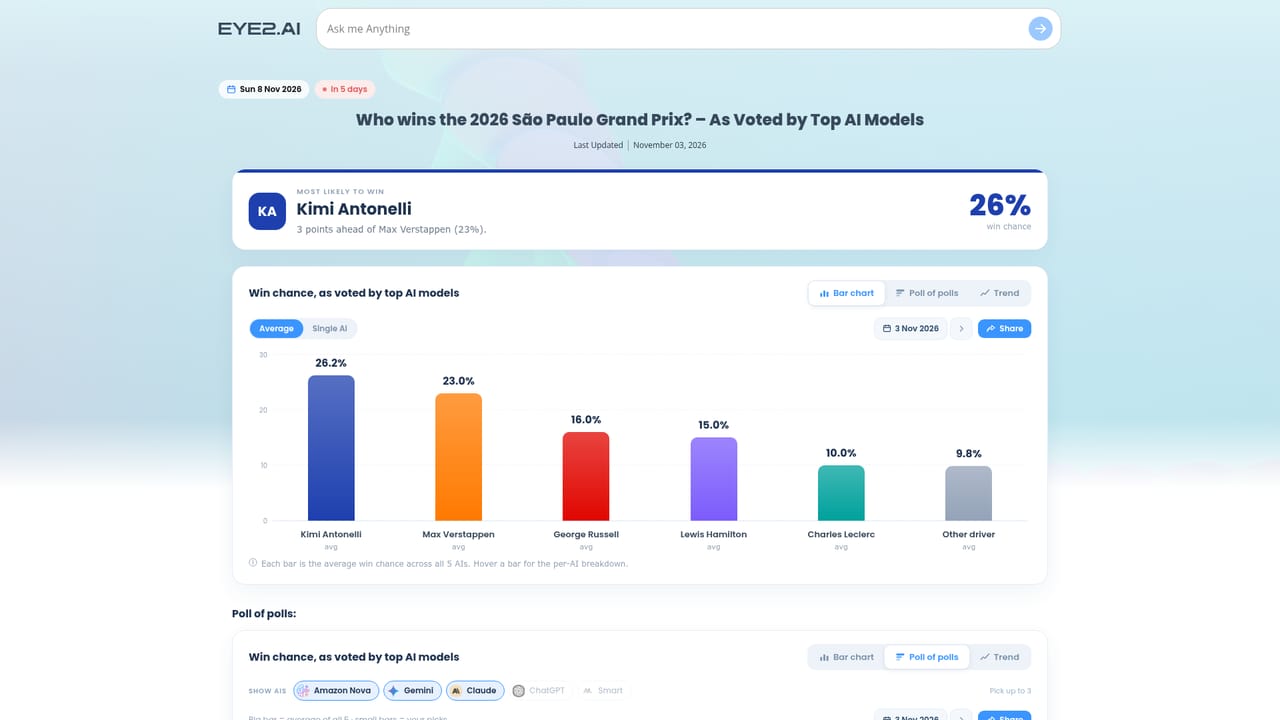
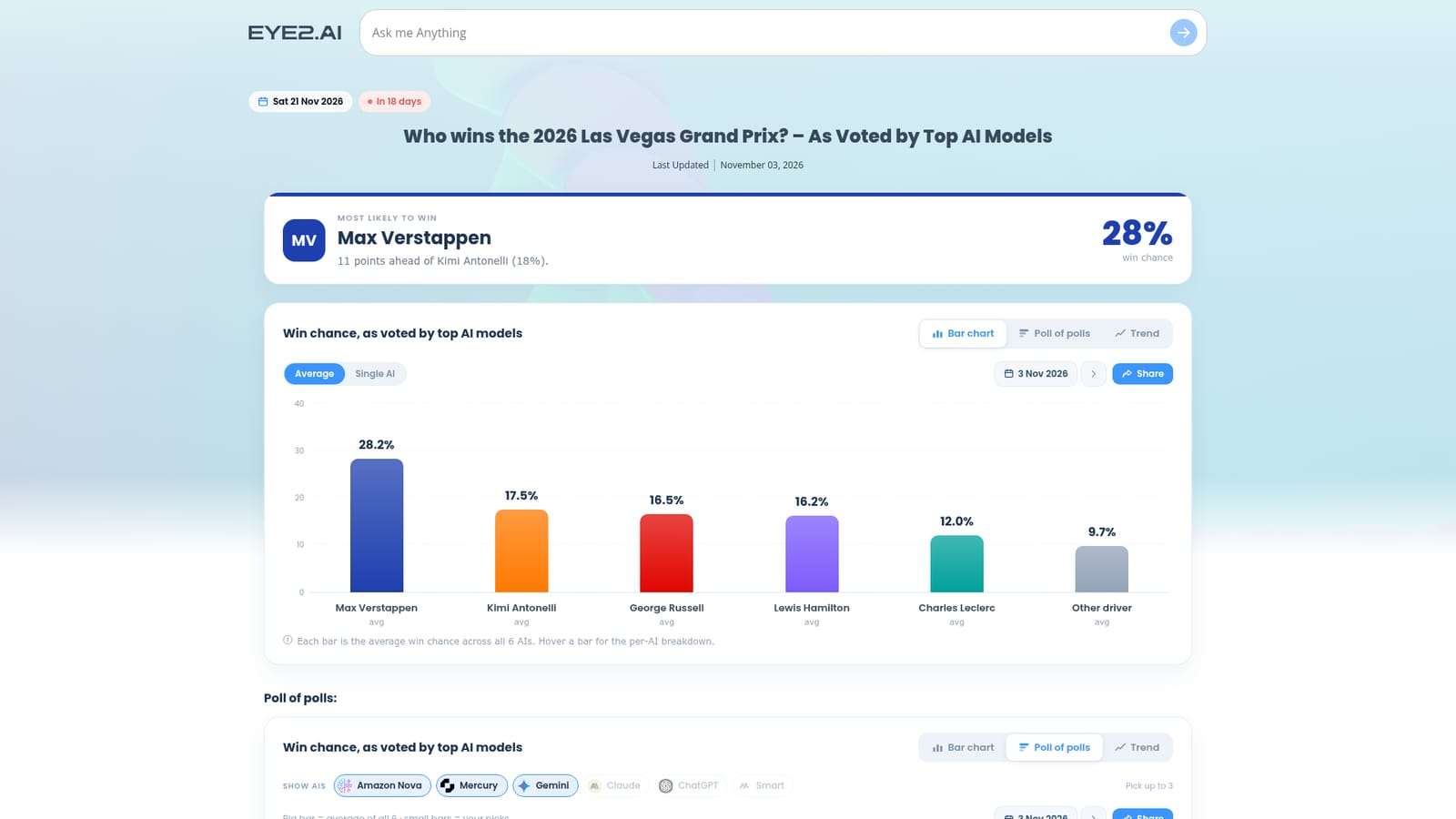
    Open any item from the Coming up feed to see how an AI-voted question is framed, including the topic category and the resolution date.
    Eye2.ai — Browse a featured prediction
  5. 5Install the mobile app
    Download the iOS or Android build from the store links in the footer if comparisons are wanted away from a desktop.

Pros and cons

Pros

  • Bundles a wide roster of models, from ChatGPT and Claude to Qwen, Mistral, Kimi and GLM, behind one prompt boxAI
  • The consensus framing makes disagreement between models easy to spot at a glanceAI
  • Public featured questions give concrete, dated examples of the tool in actionAI
  • Native iOS and Android apps mean comparisons are not deskboundAI
  • Free entry point lowers the cost of routine cross-checkingAI

Cons

  • Shared agreement is treated as a reliability signal, but models trained on similar data can be confidently wrong togetherAI
  • Featured pages skew toward sports and election predictions, which may mislead newcomers about general research depthAI
  • No published detail on rate limits, model versions or how responses are aggregatedAI
  • Outputs are explicitly flagged as potentially containing errors, so nothing replaces manual verificationAI
  • The prediction format needs questions with a fixed outcome, which limits freeform exploratory workAI

How much does Eye2.ai cost?

Features

One prompt is distributed across a large set of models including ChatGPT, Claude, Gemini, Grok, DeepSeek, Mistral, Qwen, LLaMA, Cohere, Amazon Nova, Moonshot Kimi, Z.ai GLM, Gemma, Mini Max, AI21 and Mercury. Results are presented for comparison so agreement and disagreement are visible. A public feed of featured questions applies the same voting approach to dated sports, political and cultural predictions.

Frequently asked questions about Eye2.ai

  • How do you use Eye2.ai?
    The walkthrough on this page covers 5 steps: 1. Open the Eye2.ai homepage 2. Enter a question with a checkable answer 3. Read the answers side by side 4. Browse a featured prediction 5. Install the mobile app.
  • What platforms does Eye2.ai support?
    Eye2.ai is available on Web App, iOS and Android.
  • What are the limitations of Eye2.ai?
    Shared agreement is treated as a reliability signal, but models trained on similar data can be confidently wrong together. Featured pages skew toward sports and election predictions, which may mislead newcomers about general research depth. No published detail on rate limits, model versions or how responses are aggregated.

Status

StatusActive
Views0
Outbound clicks0
Added11/3/2026

Platforms

Web AppiOSAndroid

Pricing

Freemium