Free trial
Start free with trial video slots to make first faceless shorts, no credit card required. Script writing is free; credits are used only when a video is made.
Learn moreTurns one topic into a scheduled, auto-posted faceless video series

Fableclip is a social media tool that turns one topic into a scheduled, auto-posted faceless video series. Fableclip is an AI faceless video generator that turns a single topic into a recurring series, handling script, voice, art, captions and scheduled auto-posting to TikTok, YouTube, Instagram and other platforms.
Fableclip is a faceless video generator built around the idea of a series rather than a single clip. A user picks a niche and a format (storytelling, scary, top-N, how-to and similar), types a topic, and chooses an art style that stays fixed across every episode. The tool then writes the script, records a synthetic narration, generates on-style images, burns in captions and assembles a vertical short. A fully animated mode is also offered, where the user describes a show and its characters and the characters keep the same look from one episode to the next. The workflow is designed to run with little supervision. Each episode script is prepared ahead of time, so it can be read, sent back for a rewrite or edited by hand before any video is rendered. Writing scripts costs nothing, and credits are spent only when a video is actually produced. Before drafting a new episode, the system reviews what the series has already covered, so ongoing stories continue where they stopped and standalone episodes avoid repeated topics. Voices can be auditioned with instant previews, music can be a preset mood or a custom track, and captions highlight word by word. Publishing is the other half of the pitch. Accounts for TikTok, YouTube, Instagram, Facebook, X, Threads, Telegram and Discord can be connected once, and episodes post on a daily or weekly schedule, on demand, or stay as drafts for manual posting. Finished videos can be fine-tuned and exported for the creator to keep. The art style list covers realism, Pixar-like 3D, Ghibli, anime, comic, Lego, pixel art, doodle and minimal ink, plus custom styles described in a prompt or reference image. The audience is solo creators and small channel operators in niches such as bedtime stories, history, horror, motivation, fun facts and finance explainers. Compared with general video editors or stock-footage based generators, Fableclip trades fine manual control for scheduling, style consistency and end-to-end automation. Anyone who needs bespoke editing, on-camera footage or brand-specific video work will find it a narrower fit than a traditional editor.
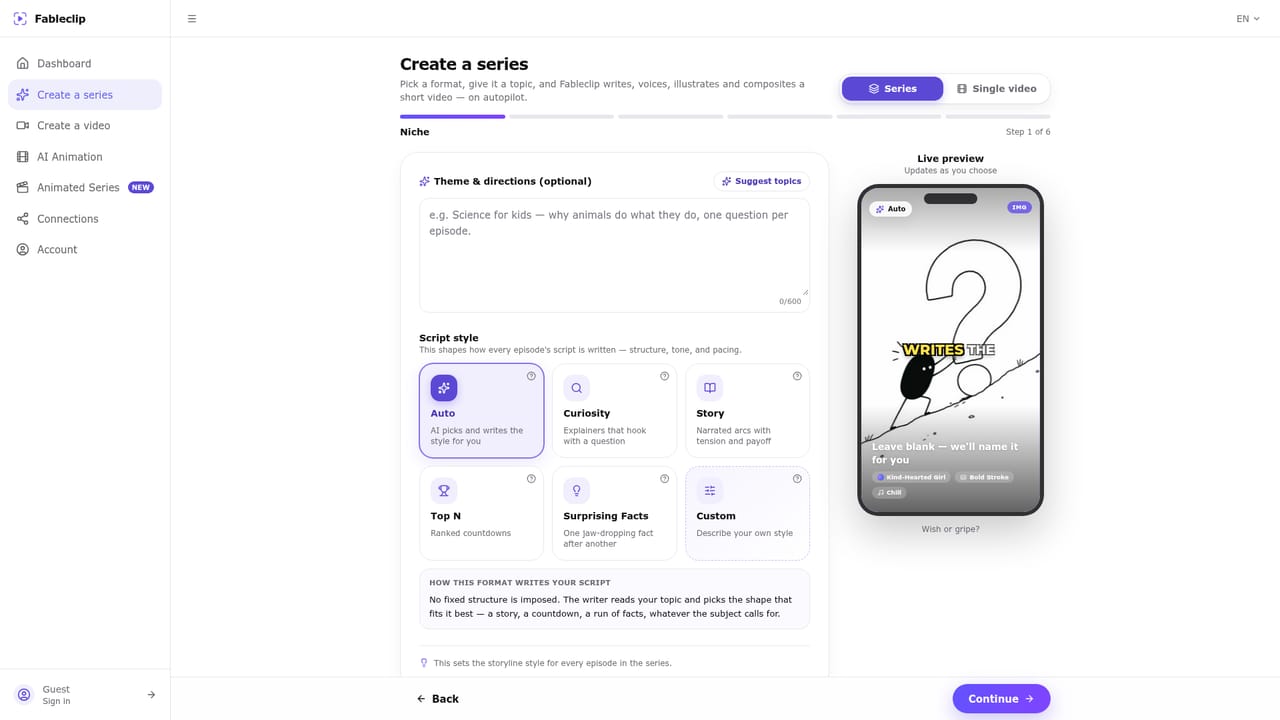
Start free with trial video slots to make first faceless shorts, no credit card required. Script writing is free; credits are used only when a video is made.
Learn moreThe homepage mentions free trial video slots and paid plans for running a channel on a schedule, plus a flat plan across niches, but lists no prices.
Learn moreAuto-publishes to TikTok, YouTube (Shorts and long videos), Instagram Reels, Facebook Reels, X, Threads, Telegram and Discord after a one-time account connection.
Series autopilot with episode memory, fully animated shows with consistent characters, many AI art styles plus custom ones, lifelike voices, word-by-word captions, background music, script review, scheduling, auto-publishing to eight platforms, and editing and export.


