Free trial
Free credits are provided on sign up, enough to render a first video. Output on the free tier carries a watermark and is not HD.
Learn moreText to video generator with joint audio and visual output

Fast Moro AI converts written prompts into short cinematic videos with synchronized audio, offering 720p and 1080p output, multiple aspect ratios, and access to several third party models including Seedance, Wan, Veo and Gemini Omni from one credit based dashboard.
Fast Moro AI is a browser based text to video generator that turns a written scene description into a rendered clip with matching sound. The pitch is straightforward: type a prompt, pick a model and settings, and receive a video in roughly one to five minutes. The platform leans on its claim of generating picture and audio in a single pass, which removes the usual step of layering dialogue, ambience and music afterward. Output tops out at 1080p and 60fps, with 10 or 15 second durations and three aspect ratios (16:9, 9:16 and 1:1) that cover landscape, vertical social formats and square posts. The workflow is designed for people without a video background. Prompts are written in plain language rather than syntax, so a director-style sentence about a subject, setting and camera move is enough. Rendering runs on cloud GPU clusters, and credits are consumed per render: a 720p clip of 10 seconds costs 10 credits while a 1080p clip of 15 seconds costs 30. Free credits are handed out at sign up, and watermark removal plus HD download require a paid credit pack or subscription. Finished videos on paid plans can be used commercially. The model roster is the main differentiator. Fast Moro AI is not a single engine but a front end to several: Wan 3.0, MiniMax H3, Meta Muse Video, Seedance 2.0 and 2.5, Happy Horse 1.0 and 1.1, Grok Imagine Video 1.5, Gemini Omni and Veo 3.1. That spread suits creators who want to compare styles without opening multiple accounts, and the site publishes its own comparison table weighing sync, motion, resolution, prompt understanding and speed across Seedance, Kling and Veo. Seedance 2.5 is advertised as reaching 30 seconds and native 4K with multimodal references. It fits best with marketers producing short ad spots, social managers who need vertical clips at volume, indie developers storyboarding cutscenes, and film students visualizing scripts. The wider suite includes image to video, reference to video, text to image, image to image and preset effect tools, so it can absorb a small studio's whole asset pipeline. It is weaker as a long form editing tool, since there is no timeline assembly implied and clips are short by design. Competitors such as Runway or Kling direct are the natural comparison points; Fast Moro AI's advantage is model choice and bundled audio, not depth of post production control.
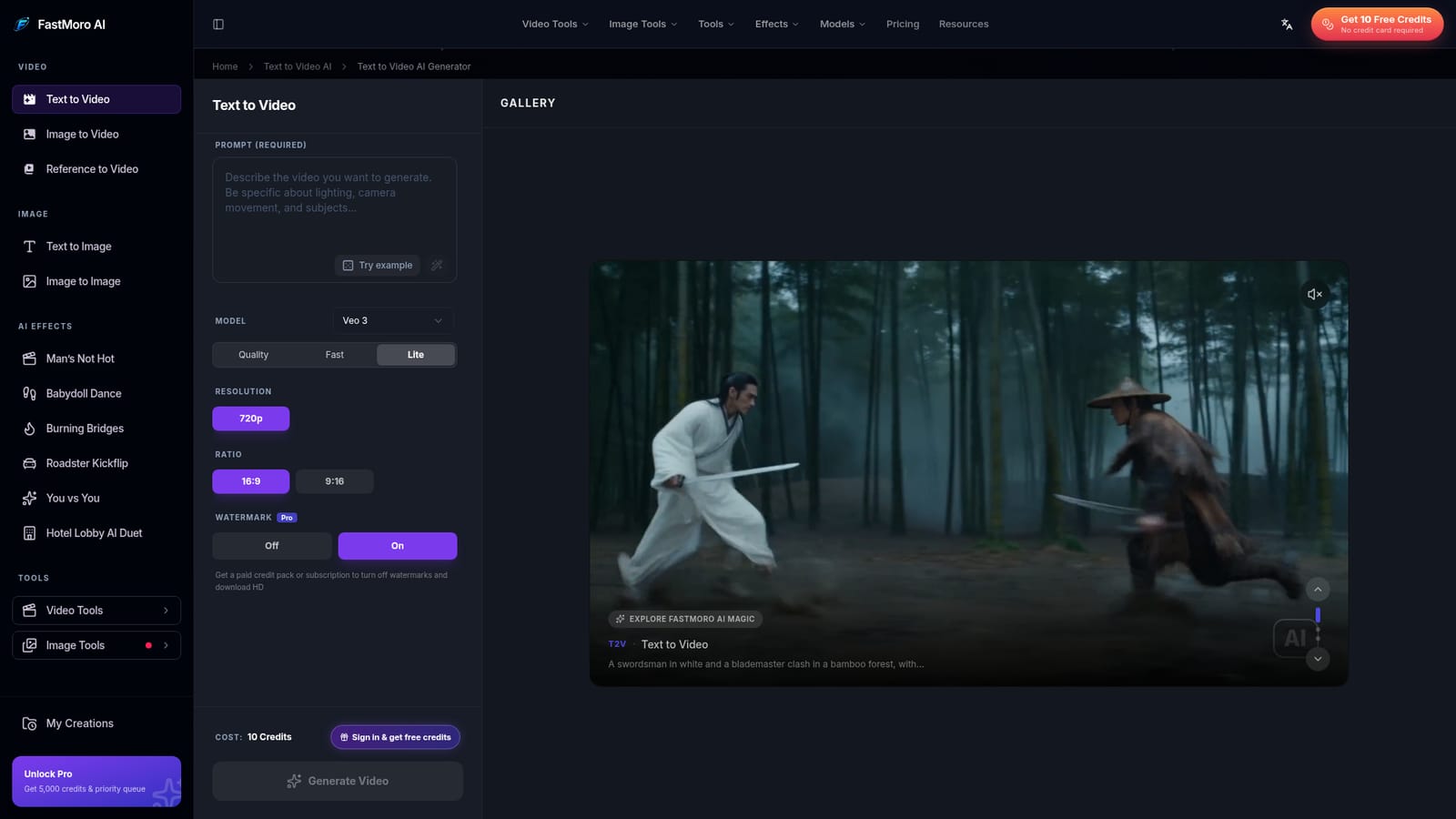
Free credits are provided on sign up, enough to render a first video. Output on the free tier carries a watermark and is not HD.
Learn moreCredit based. A 720p clip of 10 seconds costs 10 credits; a 1080p clip of 15 seconds costs 30. New users get free credits at sign up. Paid credit packs and subscriptions unlock watermark removal, HD downloads and commercial usage rights. Pro is advertised with 5,000 credits and priority queue.
Learn moreJoint audio and video generation in a single pass, up to 1080p at 60fps, 10 or 15 second clips, 16:9, 9:16 and 1:1 aspect ratios, cinematic, anime and realistic styles, natural language prompts, physics based motion, and cloud GPU rendering. Model options include Wan 3.0, MiniMax H3, Meta Muse Video, Seedance 2.0 and 2.5, Happy Horse, Grok Imagine Video 1.5, Gemini Omni and Veo 3.1.
 AI Angels400+ customizable AI girlfriends for NSFW chat, voice calls, and roleplay
 Candy AIExperience the future of companionship with AI friends who chat, role-play, and connect with you on a human level.
 ourdream.aiA vast AI roleplay platform with millions of characters for chat, images, video and voiceAI Angels400+ customizable AI girlfriends for NSFW chat, voice calls, and roleplayCandy AIExperience the future of companionship with AI friends who chat, role-play, and connect with you on a human level.ourdream.aiA vast AI roleplay platform with millions of characters for chat, images, video and voice


