Free trial
A free allowance covers the first 25 documents with no credit card needed, which is enough to test recognition and filing on real paperwork.
Learn moreAI that renames and files your Google Drive documents automatically
Filently is an AI mistress tool. Filently connects to Google Drive, learns your existing folder and naming conventions, and automatically renames and files incoming documents. It supports email forwarding, an inbox folder and direct uploads, with an approval mode plus a full undo history.
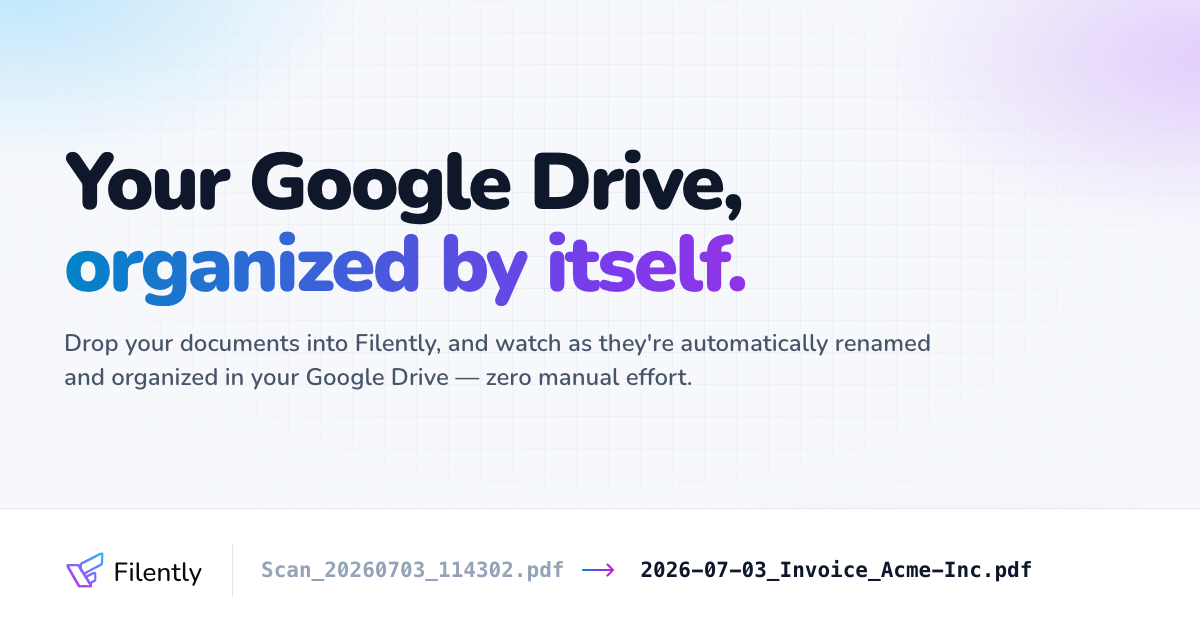
Filently is a document filing assistant that connects to Google Drive and handles the renaming and sorting work that most people put off. Instead of building rule sets or folder templates by hand, it studies the folder structure and naming patterns already present in a Drive, then applies that same logic to every new file that arrives. The stated setup time is under a minute, and there is nothing to migrate: files stay in the user's own Drive throughout. Documents reach the tool in three ways. Users can drag files directly into Filently, drop them into a dedicated Inbox folder inside Drive, or forward email attachments to a personal Filently address or a linked Gmail label. From there, OCR and language models read the document, pull out the type, date and vendor, generate a filename in the user's own style, and place the file in the matching folder. The homepage cites support for more than 50 languages and typical accuracy above 90 percent on standard business documents such as invoices, receipts and contracts. PDFs, Office and OpenDocument files, Google Workspace files and common image formats are read in full; archives, video and audio are filed by filename only. By default every suggestion waits for approval, and an Activity Timeline logs each rename and move with one click undo. Users who trust the output can switch on automatic filing, where confident documents are processed without review and uncertain ones still come back for a decision. Accounts are currently single user, though teams can share an inbox folder or forwarding address, and there is no native mobile app, only a responsive web interface. The tool sits between manual file organizers and full document management systems. It makes no attempt to replace Drive, it simply keeps Drive tidy, and cancelling leaves every renamed file and folder in place. Filing instructions can be customized when the AI needs a fixed rule. Dropbox and OneDrive support are listed as coming soon, with a public waitlist vote.
A free allowance covers the first 25 documents with no credit card needed, which is enough to test recognition and filing on real paperwork.
Learn moreThe first 25 documents are free and no credit card is required. Paid plans start from $4 a month, and the site points to a separate pricing page for the full plan list. Files stay organized in your Drive even if you cancel.
Learn moreThe homepage links to a Help Center with articles on data processing, data protection and Google Drive permissions, plus a public blog and a G2 review profile.
Learn moreGoogle Drive is the live integration, including Shared Drives and Shared with me folders. Dropbox and OneDrive are listed as coming soon with a waitlist. Gmail forwarding and labels are supported for intake.
Learn moreAutomatic recognition, renaming and folder placement for new Drive files, with OCR and language models reading type, date and vendor data. Intake works via direct upload, a Drive inbox folder or email forwarding. Users choose between reviewing every suggestion or automatic filing, customize naming formats and filing instructions, and can undo any change from the Activity Timeline.
Learn more AI Angels400+ customizable AI girlfriends for NSFW chat, voice calls, and roleplay
 Candy AIExperience the future of companionship with AI friends who chat, role-play, and connect with you on a human level.
 ourdream.aiA vast AI roleplay platform with millions of characters for chat, images, video and voiceAI Angels400+ customizable AI girlfriends for NSFW chat, voice calls, and roleplayCandy AIExperience the future of companionship with AI friends who chat, role-play, and connect with you on a human level.ourdream.aiA vast AI roleplay platform with millions of characters for chat, images, video and voice


