Free trial
Guests get 3 daily credits with no registration. New users receive 15 account credits after signing in, which also unlocks Foca Physics.
Learn moreBrowser-based image upscaler with two engines and output up to 16K
Own Foca Upscaler? Verify ownership to get a dofollow link

Foca Upscaler is a cloud image upscaler with two models, Foca Sharp for graphics and Foca Physics for texture recovery, producing output up to 16K from JPG, PNG and WebP files, with a free daily credit allowance.
Foca Upscaler is a web-based image upscaling service that enlarges low-resolution JPG, PNG and WebP files while trying to keep the original look intact. Output can reach 16K, and the site stresses print-ready results at 300 DPI. The pitch centers on fidelity: the tool is meant to clarify what already exists in a picture rather than invent new elements, which matters for anyone who has seen generative enhancers turn skin into plastic. The service offers two models. Foca Sharp is the faster option and applies minimal AI interference, which suits logos, screenshots, typography and other graphics. Foca Physics is the heavier reconstruction engine, described as physics-aware, and aims to rebuild textures such as skin pores, fabric weaves and brick surfaces. It is recommended for portraits, nature shots and old photos. The homepage showcases before and after examples across portraits, 3D renders, architecture and interior design, and product photography, which points to the intended audience: photographers, designers, archivists, e-commerce sellers and studios that need larger files without a visible quality penalty. In practice the workflow is short. A user uploads an image, picks a model and an output resolution (2K, 4K, 8K or 16K, with the higher tiers tied to paid plans), checks the estimated credit cost, and runs the upscale. A comparison view lets the result be checked against the original before download. Uploads up to about 20MB are supported, the interface works on mobile browsers because processing happens in the cloud, and history is kept for 24 hours before permanent deletion. Subscribers get batch processing. Access is credit-based. Guests get a small daily allowance without registration, signed-in users receive a larger credit grant and unlock Foca Physics, and monthly or yearly plans add credit pools, higher resolution ceilings and faster queues. Among alternatives, Foca sits between simple one-click enlargers and full photo editors: it does one job, offers a clear choice between conservative and reconstructive processing, and leaves retouching to other software.
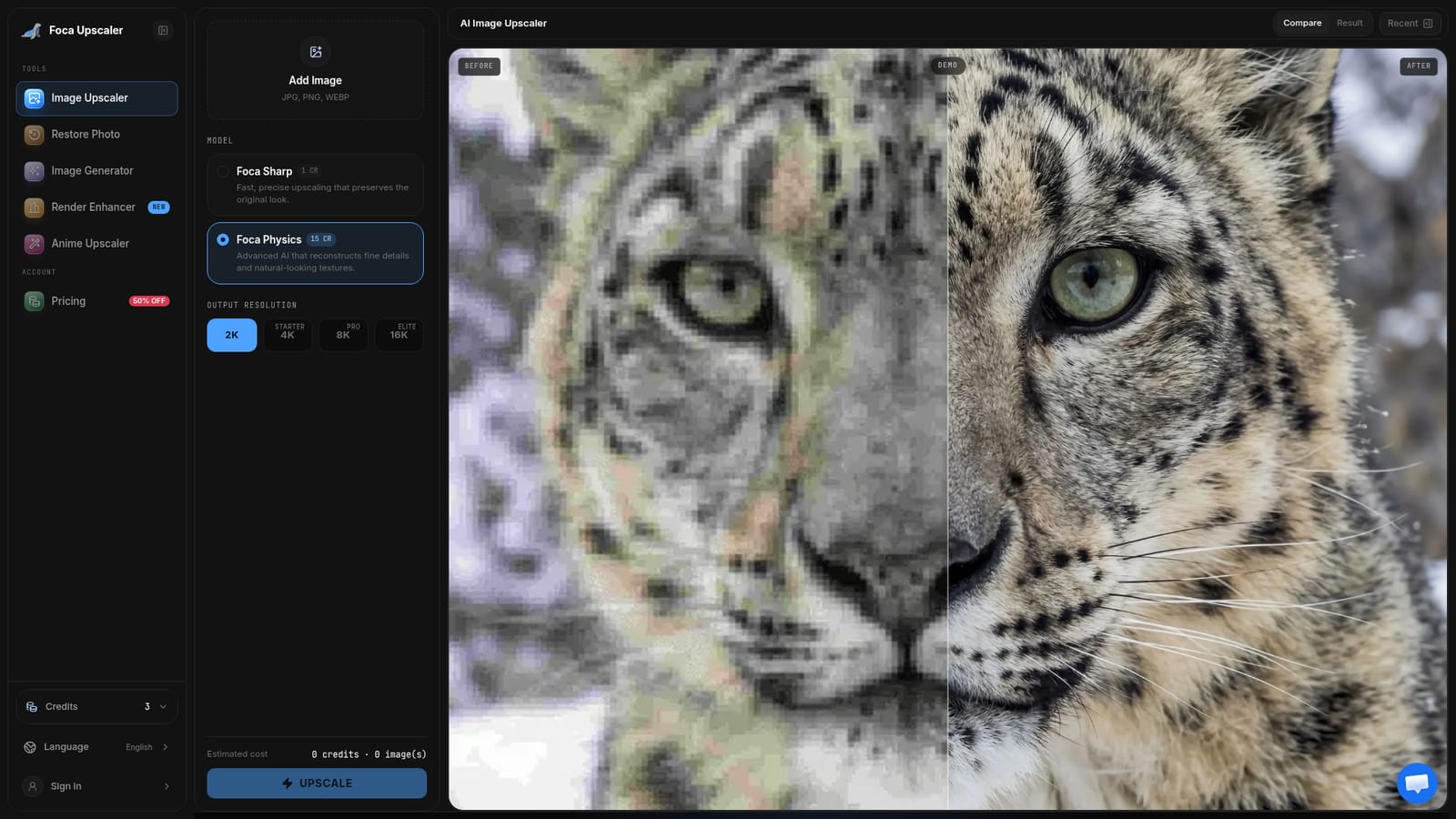
Guests get 3 daily credits with no registration. New users receive 15 account credits after signing in, which also unlocks Foca Physics.
Learn moreCredit-based plans, billed monthly or yearly with a 50% yearly discount: Starter $4.9/month (up to 4K), Pro $12.4/month (up to 8K), Elite $24.9/month (up to 16K). A pay-as-you-go option is also listed. Foca Sharp costs 1 credit, Foca Physics 15.
Learn moreEmail support on Starter, priority support on Pro and dedicated support on Elite. Higher plans also get priority or dedicated task queues.
Two upscaling models (Foca Sharp and Foca Physics), output from 2K to 16K, 300 DPI print-ready results, before and after comparison, batch processing for subscribers, JPG, PNG and WebP input up to 20MB, and mobile-friendly cloud processing.


