Form Assist

Describe a form in plain sentences, receive a Google Form in your Drive

Beginner
Screenshot of Form Assist, Describe a form in plain sentences, receive a Google Form in your Drive

What is Form Assist?

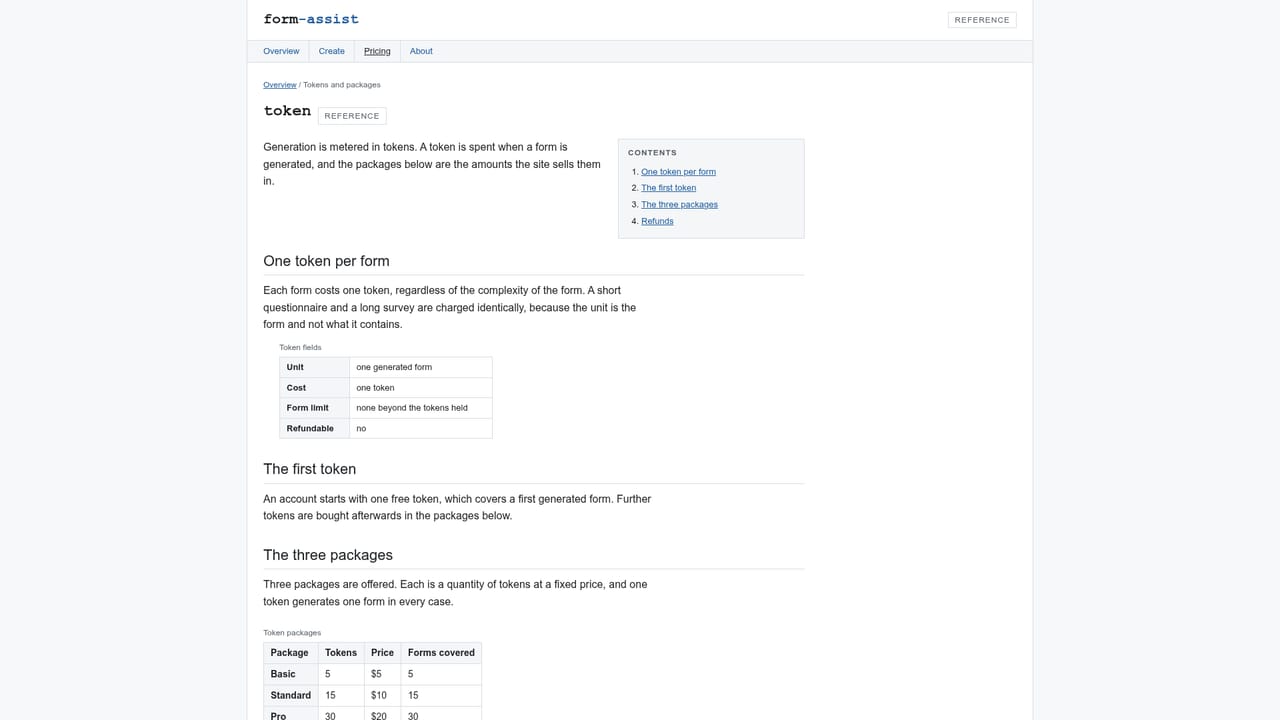
Form Assist generates a finished Google Form from a written requirement, delivers it to the owner's Google Drive, and charges one token per form regardless of complexity. Tokens are sold in three prepaid packages starting at five for $5.

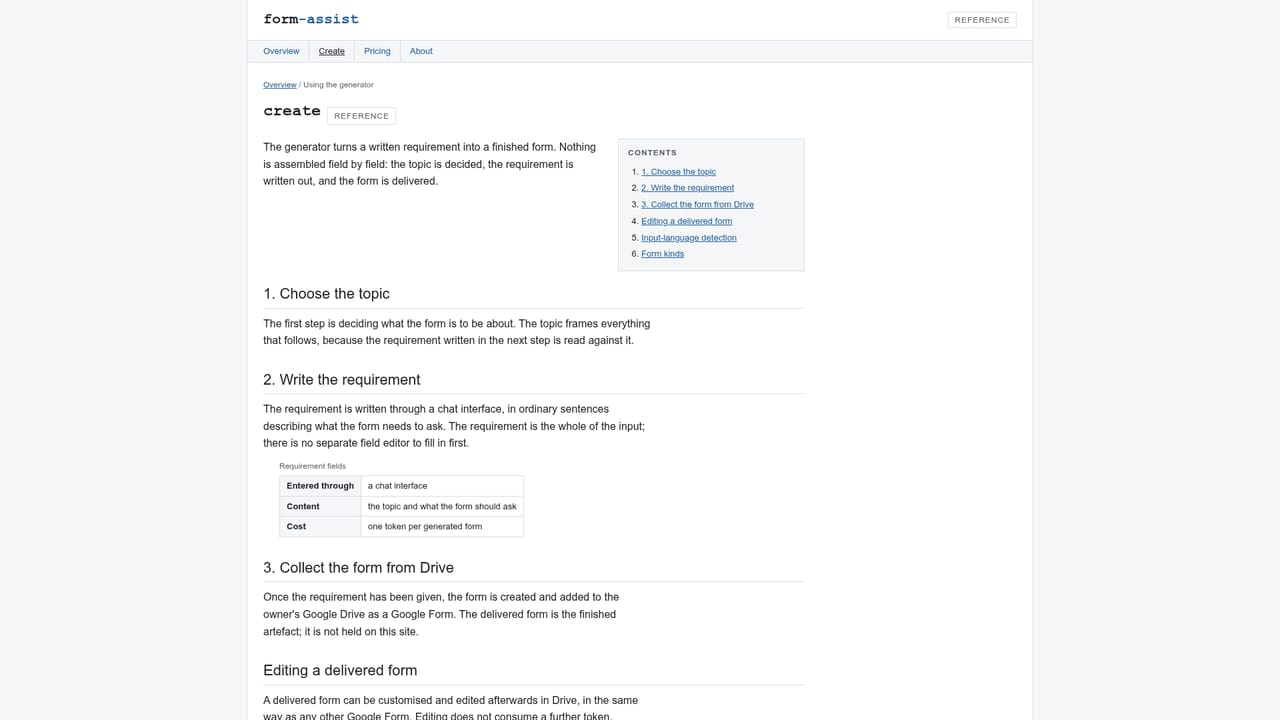
Form Assist turns a written requirement into a finished Google Form. The user picks a topic, describes in ordinary sentences what the form needs to ask, and the generator builds the questionnaire and places it directly in the owner's Google Drive. The delivered file is a native Google Form, not a page hosted on Form Assist, so every downstream step (styling, response collection, Sheets output, sharing permissions) runs through Google's own tooling. There is no separate editor to learn inside the product. In practice the workflow is short. A new form begins in a chat interface, where the topic is settled first and the requirement is written conversationally rather than assembled field by field. The generator detects the language of the input and produces the form in that same language, so a requirement written in one language returns a form in that language without a manual setting. Forms are limited only by the tokens on the account, meaning a single account can run as many forms as tokens allow, whether that is a handful of surveys or a steady stream of questionnaires across teams. The kind of form is not constrained either: the documentation names surveys, quizzes and questionnaires as the kinds the generator handles. Metering is per form rather than per field or per minute. One token produces one form, and the complexity of that form does not change the charge: a ten-question quiz and a long multi-section survey consume the same single token. Tokens sit on the account and are spent as forms are generated. Pricing is sold in three prepaid packages: five tokens for $5, fifteen for $10, and thirty for $20. That works out to roughly a dollar per form at the entry package and about sixty-seven cents per form at the top tier. Form Assist sits closest to form builders with AI drafting inside them, but the comparison is not direct: it produces a Google Form file rather than hosting the form itself, and it charges per generated form rather than a monthly seat subscription. That makes it a decent fit for operations, HR and research teams that already live in Google Workspace and need a starting structure fast. Buyers who need a hosted builder with its own analytics, or who expect unlimited generations for a flat monthly fee, will find those habits poorly served here. Refunds are not given for spend tokens, so buyers should treat a package as a commitment.

How do you use Form Assist?

  1. 1Pick the topic of the form
    Start in the generator and decide what the form is for. The topic anchors the requirement that follows, so it is settled before any questions are described.
    Form Assist — Pick the topic of the form
  2. 2Write the requirement in the chat interface
    Describe in ordinary sentences what the form should ask. Write in the language you want the finished form to appear in, since the generator detects it from your input.
  3. 3Spend a token to generate
    Confirming the requirement consumes one token from your account balance, regardless of how many questions the form ends up containing.
    Form Assist — Spend a token to generate
  4. 4Collect the form from Google Drive
    The generated Google Form is placed in the Drive of the account it was made for. Open Drive and the file is there, ready to share or fill.
  5. 5Edit the delivered form in Drive
    Because it arrives as a genuine Google Form, changes to questions, sections and settings happen in Google's editor. Form Assist provides no separate editing surface.
  6. 6Top up with a token package
    When the balance runs low, buy one of the three packages: five tokens for $5, fifteen for $10, or thirty for $20. Tokens are held on the account and spent as forms are generated.

Pros and cons

Pros

  • Cuts form building down to a written description in a chat interface, with no field-by-field assemblyAI
  • Detects the input language automatically and returns the form in that same languageAI
  • Per-form metering is predictable: a long survey costs the same token as a short oneAI
  • The output is a native Google Form in Drive, so Google's own editing and response tools apply immediatelyAI
  • Entry package at five tokens for $5 makes a small test cheapAI

Cons

  • No free tier and no refunds on spent tokens, so an unused package is money goneAI
  • Nothing is hosted by Form Assist; anyone wanting a branded form page has to work within Google Forms limitsAI
  • One token per form means bulk generation of dozens of forms gets expensive quicklyAI
  • The homepage documents no integrations or support channel beyond the generator itselfAI
  • No stated response analytics, branching logic controls or submission handling inside the productAI

How much does Form Assist cost?

Pricing

Three prepaid token packages: 5 tokens for $5, 15 tokens for $10, and 30 tokens for $20. One token generates one form, and form complexity does not affect the charge. Tokens are held on the account and spent as forms are generated. Spent tokens are not refundable.

Learn more

Integrations

Output is tied to Google Drive and Google Forms: every generated form is written into the Drive of the account it was made for. No other integrations are documented.

Learn more

Features

Generates Google Forms from a written requirement entered through a chat interface. Picks up the language of the input and returns the form in it. Handles surveys, quizzes and questionnaires. Delivers each finished form directly to the owner's Google Drive as a native Google Form, with no per-account cap on form count beyond the tokens held.

Learn more

Frequently asked questions about Form Assist

  • How much does Form Assist cost?
    Three prepaid token packages: 5 tokens for $5, 15 tokens for $10, and 30 tokens for $20. One token generates one form, and form complexity does not affect the charge. Tokens are held on the account and spent as forms are generated. Spent tokens are not refundable.
  • How do you use Form Assist?
    The walkthrough on this page covers 6 steps: 1. Pick the topic of the form 2. Write the requirement in the chat interface 3. Spend a token to generate 4. Collect the form from Google Drive 5. Edit the delivered form in Drive 6. Top up with a token package.
  • What platforms does Form Assist support?
    Form Assist is available on Web App.
  • What does Form Assist integrate with?
    Output is tied to Google Drive and Google Forms: every generated form is written into the Drive of the account it was made for. No other integrations are documented.
  • What are the limitations of Form Assist?
    No free tier and no refunds on spent tokens, so an unused package is money gone. Nothing is hosted by Form Assist; anyone wanting a branded form page has to work within Google Forms limits. One token per form means bulk generation of dozens of forms gets expensive quickly.

Status

StatusActive
Views0
Outbound clicks0
Added10/21/2026

Platforms

Web App

Pricing

Paid