Framehouse Design

Photo-based interior and exterior redesign with a built-in project plan
Beginner
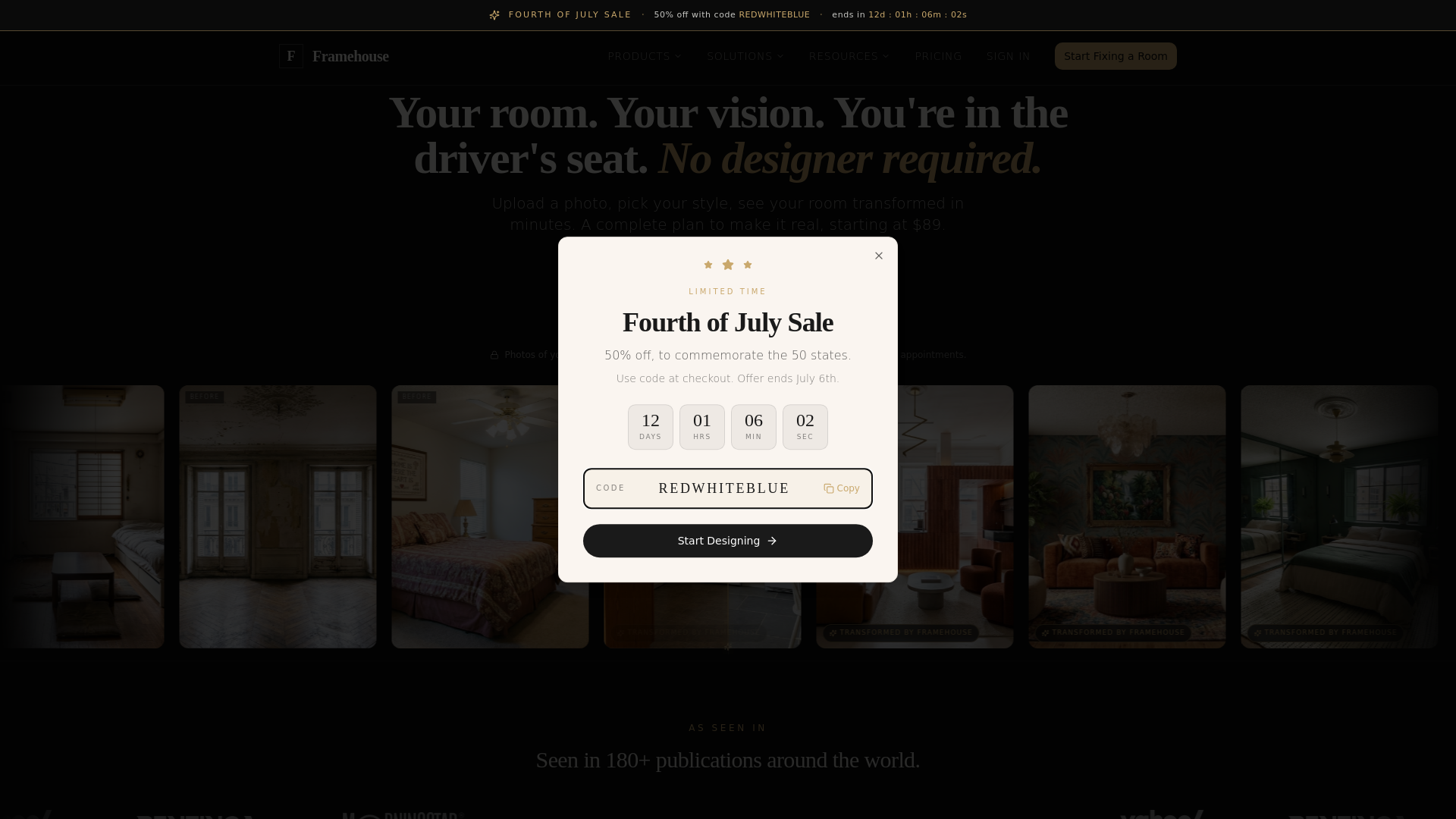
Screenshot of Framehouse Design, Photo-based interior and exterior redesign with a built-in project plan

What is Framehouse Design?

Framehouse Design is a design tool. Framehouse is an iOS app that redesigns a photo of any room, yard or exterior in hundreds of styles, then adds a chat assistant and Playbook with budget, products, DIY steps and paint colors.

Framehouse is an iPhone and iPad app that turns a photo of a real space into redesigned versions of it. The user snaps a picture, picks from a library of styles, and the app generates ideas on top of the original image, so lighting, angles and proportions stay tied to the actual room. The range of subjects is wide: living rooms, bedrooms, kitchens, bathrooms, garages, sheds, patios, exteriors, and even RVs and boats. The workflow is built around iteration. Up to 20 ideas can be generated at once, and once a direction looks right, smaller edits such as swapping wallpaper, adding art or deciding what to keep are made on the same design. Everything is saved automatically in the account, and designs can be compared and shared with other people. A fair use limit of 30 generations per day applies. What separates it from a plain image generator is the planning layer attached to each design. A chat assistant that already knows the project answers questions about colors, light and budget. A Playbook then lays out the plan: a budget estimate, a shopping list of the products visible in the design, DIY steps for the parts a homeowner can handle, paint colors, and a way to find professionals. That makes it useful for renters, first-time homeowners and anyone weighing paint, siding, landscaping or a patio before spending money. The audience is mainly non-designers who cannot afford or do not want to hire a decorator. Compared with dedicated virtual staging tools aimed at real estate agents, or general image editors that need prompting skill, Framehouse targets the homeowner deciding what to do next. It is primarily an iOS product, with a web version reachable from the site and Android described as coming later. Access starts with a three-day free trial, followed by a weekly or yearly subscription billed through the App Store. A blog called The Edit publishes layout and landscaping ideas as inspiration.

How do you use Framehouse Design?

  1. 1Start the free trial
    Download Framehouse from the App Store, or open the web version, to begin the 3-day trial with full access to all features.
  2. 2Photograph your space
    Open the app and take a photo of the room, yard, exterior or other space you want to change.
  3. 3Pick styles and generate
    Select the looks you like and generate. Up to 20 ideas can be created at once.
  4. 4Refine the favorite
    Make small changes to the chosen design, such as wallpaper or art, and decide what to keep. Work is saved automatically.
  5. 5Use the Playbook and chat
    Open the plan for the design to see the budget, products, DIY steps and paint colors, and ask the chat about the project.
  6. 6Browse The Edit for inspiration
    Read the blog for layout and landscaping ideas to try on your own photos.

Pros and cons

Pros

  • Designs are generated on the user's own photo, so lighting, angles and proportions match the real spaceAI
  • Covers almost any space: rooms, exteriors, patios, garages, sheds, RVs and boatsAI
  • Each design includes a Playbook with budget estimate, shopping list, DIY steps and paint colorsAI
  • Up to 20 ideas can be generated at once, with small edits possible after choosing a directionAI
  • Low yearly price and a 3-day free trial with full access to all featuresAI

Cons

  • Primarily an iPhone and iPad product; Android is only listed as coming soonAI
  • Subscription is required after the 3-day trial, with no stated permanent free tierAI
  • Unlimited designs are capped by a fair use limit of 30 generations per dayAI
  • Budget figures and product suggestions are estimates and are not a substitute for contractor quotesAI
  • The web version is only briefly presented on the homepage, so its feature parity is unclearAI

How much does Framehouse Design cost?

Free trial

Every new user gets 3 days free with full access to all features and no charge until the trial ends.

Learn more

Pricing

Free to download with a 3-day free trial. After that, $4.99 per week or $34.99 per year, billed through the App Store and cancellable at any time.

Learn more

Features

Photo-based redesign in hundreds of styles, up to 20 ideas at once, small edits, automatic saving, and sharing. Each design includes chat, a Playbook with budget, products, DIY steps, paint colors and trusted pros.

Frequently asked questions about Framehouse Design

  • How much does Framehouse Design cost?
    Free to download with a 3-day free trial. After that, $4.99 per week or $34.99 per year, billed through the App Store and cancellable at any time.
  • Does Framehouse Design offer a free trial?
    Every new user gets 3 days free with full access to all features and no charge until the trial ends.
  • How do you use Framehouse Design?
    The walkthrough on this page covers 6 steps: 1. Start the free trial 2. Photograph your space 3. Pick styles and generate 4. Refine the favorite 5. Use the Playbook and chat 6. Browse The Edit for inspiration.
  • What platforms does Framehouse Design support?
    Framehouse Design is available on iOS and Web App.
  • What are the limitations of Framehouse Design?
    Primarily an iPhone and iPad product; Android is only listed as coming soon. Subscription is required after the 3-day trial, with no stated permanent free tier. Unlimited designs are capped by a fair use limit of 30 generations per day.

Status

StatusActive
Views0
Outbound clicks0
Added10/8/2026

Platforms

iOSWeb App

Pricing

Free TrialSubscription