Integrations
No integrations are described on the homepage. The shareable hosted image URLs are the practical way to place GEN2D output into an external site or application.
Generate AI images and get a hosted link to share

GEN2D is a convert image to 2D tool that generates AI images and get a hosted link to share. GEN2D generates images from text prompts using Stability AI Ultra, Stability AI Core and Dalle-3, then hosts each result at a public link for easy sharing or embedding.
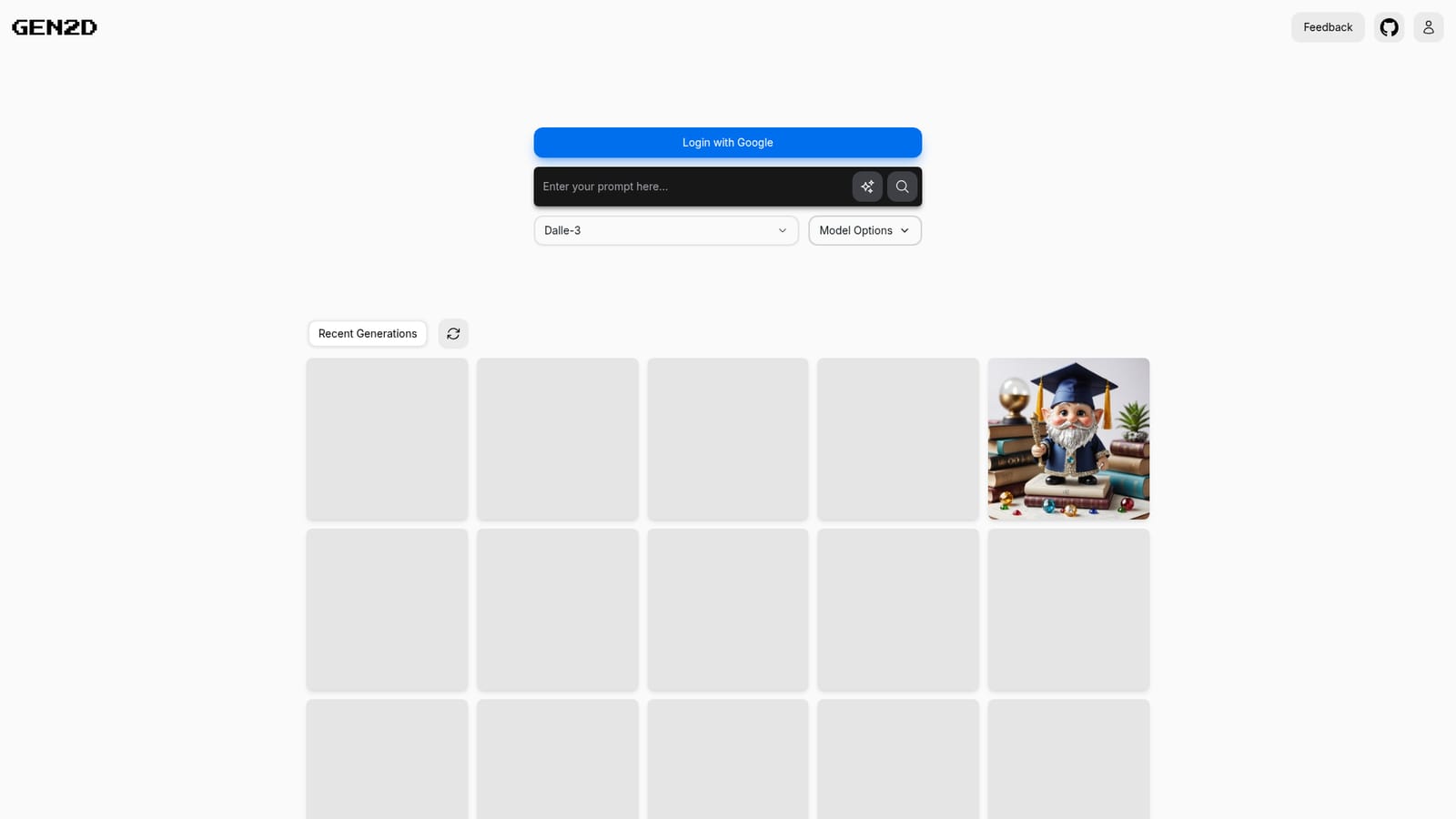
GEN2D is a browser based image generation tool that turns a text prompt into a picture and then publishes that picture at a public URL. The core idea is simple: instead of downloading a file and finding somewhere to host it, the generation and the hosting happen in one pass. Every image receives a short identifier and lives at a link that can be dropped into a website, an application, a chat thread or a document. The workflow is deliberately minimal. A visitor signs in with a Google account, types a prompt, picks a model from the options offered (Stability AI Ultra, Stability AI Core and Dalle-3 appear in the interface), and submits. The prompt field is the only substantial input shown on the homepage, so there is no clutter of sliders, aspect ratio presets or negative prompt boxes to work through. Recent generations are kept in a strip beneath the prompt area, giving a quick visual history of what has already been produced and a way back to earlier images. For practical image work, the hosted link is the distinguishing feature. Reviewers can open the image directly at its own address, and developers can reference it in a prototype without setting up storage. That makes GEN2D a reasonable fit for quick concept art, placeholder graphics, mood boards and social posts, or for anyone who wants a fast image URL with almost no setup. It is not a full design suite. There is no visible editor for inpainting, outpainting, upscaling or background removal, and no sign of batch queuing, project folders or team workspaces on the homepage. Anyone needing precise control over composition or a post generation retouch pass will likely pair GEN2D with a dedicated editor. It sits in the lightweight tier of generative image tools, closer to a prompt and link utility than to a studio platform.
No integrations are described on the homepage. The shareable hosted image URLs are the practical way to place GEN2D output into an external site or application.
Text to image generation driven by a single prompt field, with a choice of Stability AI Ultra, Stability AI Core and Dalle-3 models. Each output is automatically hosted online at a shareable URL, and a Recent Generations strip keeps prior images within reach for reuse. Access is gated behind Google sign in.
 AI Angels400+ customizable AI girlfriends for NSFW chat, voice calls, and roleplay
 Candy AIExperience the future of companionship with AI friends who chat, role-play, and connect with you on a human level.
 ourdream.aiA vast AI roleplay platform with millions of characters for chat, images, video and voiceAI Angels400+ customizable AI girlfriends for NSFW chat, voice calls, and roleplayCandy AIExperience the future of companionship with AI friends who chat, role-play, and connect with you on a human level.ourdream.aiA vast AI roleplay platform with millions of characters for chat, images, video and voice