Free trial
The free tier itself serves as the trial: 250 credits per day with no card mentioned, and paid unlimited access can be added later.
Learn moreOn-screen AI desktop assistant that points you to the next click.

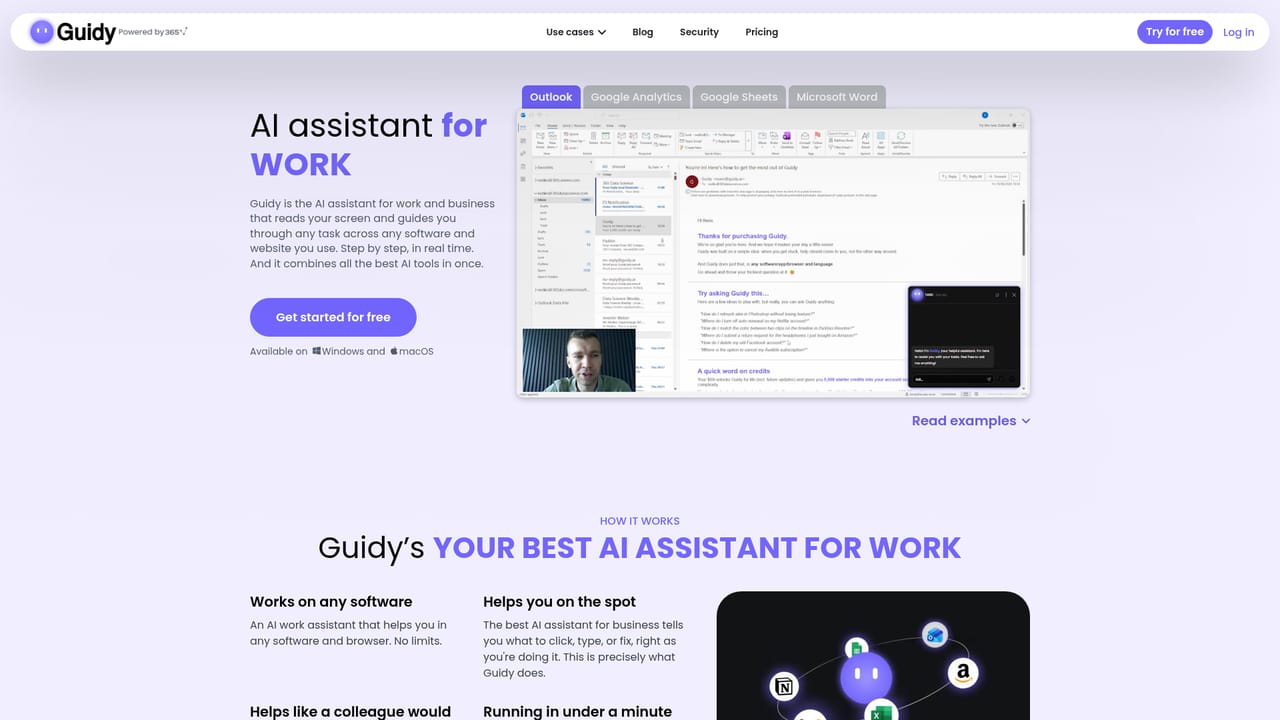
Guidy is an AI screen analyzer tool. A Windows and macOS desktop assistant that reads your screen in real time and points to the exact button or setting you need, working across any software without per-app integrations. It guides rather than automates, so you stay in control.
Guidy is a desktop application for Windows and macOS that acts as an on-screen assistant. Rather than sending you to a separate chatbot tab, it reads what is currently visible on your display and responds to that context. You type a plain question about whatever is open, and Guidy answers by pointing at the relevant button, menu or setting and circling the area on your screen. The pitch is aimed squarely at the moment a task stalls: a formula you cannot remember, a setting buried three menus deep, an interface that changed overnight. The design choice that separates Guidy from general chat assistants is the deliberate absence of app integrations. It does not connect to Excel, Outlook, Photoshop or Salesforce through APIs or plugins. Instead it interprets the screen itself, which means coverage extends to any software or website you happen to have open, including portals you visit once a year. The homepage namechecks Excel, Word, Google Sheets, Outlook, Google Analytics, Meta Ads and Photoshop as examples rather than as a supported list. Guidy is built for people who want to stay in control of their own work. It guides rather than acts: nothing happens on your screen unless you do it yourself, so the tool functions more like a patient colleague looking over your shoulder than an autonomous agent that takes over the mouse. That makes it a reasonable fit for administrative staff, analysts and non-technical office workers who deal with unfamiliar or frequently changing interfaces. On the privacy side, the company states that screen content is read only while the assistant is open and being asked for help, is not stored or logged, is never used for model training, and travels encrypted. Sessions are described as ending clean. Practical positioning is worth noting: with free daily credits and a flat monthly unlimited tier, Guidy competes less with subscription productivity suites and more with the habit of googling instructions or watching tutorials.
The free tier itself serves as the trial: 250 credits per day with no card mentioned, and paid unlimited access can be added later.
Learn moreFree to use with 250 credits per day. Unlimited access costs $9.99 per month and can be cancelled at any time. No annual or team pricing is stated on the homepage.
Learn moreA contact form and team contact page are provided for questions, alongside a homepage FAQ. No live chat, phone or documentation portal is described.
Learn moreNone by design. Guidy reads the screen rather than connecting to apps, so it needs no plugins, APIs or per-app configuration.
Real-time screen reading, on-screen pointing and circling to show where to click, guidance inside any open software or website, plain-language questions with no setup, user-controlled actions with nothing performed automatically, and a stated no-storage, no-training, encrypted data policy.
 AI Angels400+ customizable AI girlfriends for NSFW chat, voice calls, and roleplay
 Candy AIExperience the future of companionship with AI friends who chat, role-play, and connect with you on a human level.
 ourdream.aiA vast AI roleplay platform with millions of characters for chat, images, video and voiceAI Angels400+ customizable AI girlfriends for NSFW chat, voice calls, and roleplayCandy AIExperience the future of companionship with AI friends who chat, role-play, and connect with you on a human level.ourdream.aiA vast AI roleplay platform with millions of characters for chat, images, video and voice