Free trial
Free access is the trial: two humanizer runs per day without an account, each capped at 200 words, plus the same allowance for the AI checker.
Learn moreRewrite AI text so it reads like a person wrote it
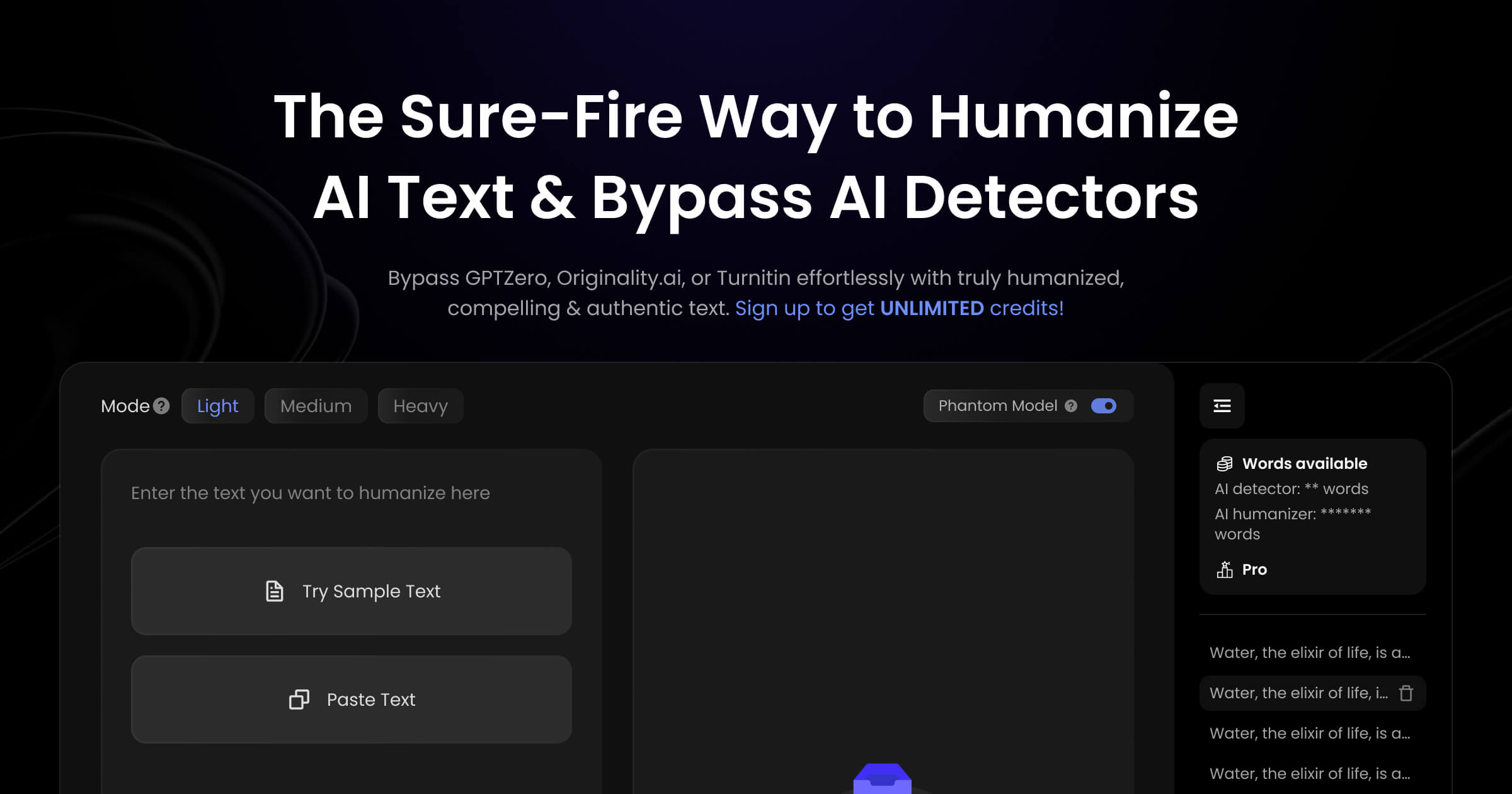
Humanize.io is an AI detection remover tool that rewrites AI text so it reads like a person wrote it. A no-signup web tool that rewrites AI-generated text to read more naturally and aims to slip past detectors such as GPTZero and Turnitin.
Humanize.io is a web based text humanizer built for one job: taking copy that was drafted by a language model and rewriting it so it reads like a person typed it. The pitch is aimed squarely at detector scores. The site claims a 99.6% success rate against systems such as GPTZero, Originality Turbo 3.0 and Turnitin, and positions the tool for students, bloggers, marketers and professionals who already have AI-assisted drafts but want output that does not trip automated screening. In practice the workflow is a paste box plus a dial. You drop your text into the portal, pick a Humanizer 2.0 intensity (Light, Medium or Heavy), and the tool returns a rewritten version in seconds. A built-in checker sits alongside the humanizer so you can run a piece through detection before and after rewriting without switching tabs; the site says it pulls in scores from several external detectors including GPTZero, Copyleaks and Winston AI. The team also states support for more than 50 languages, which matters if you publish in Spanish, Mandarin or French rather than English only. The tool also claims that humanized output keeps essential keywords and stays readable, which is the argument for using it on SEO content rather than only on academic essays. Access is deliberately frictionless: there is no signup wall, and two free uses are offered each day with a 200 word ceiling on both the humanizer and the checker. Beyond that, the site points to an upgrade path without publishing rates on the homepage. Where it fits: it is a post-processing layer, not a drafting tool. It competes with other humanizers and with manual editing, and its value depends entirely on whether the rewritten text survives the detectors you actually care about while still saying what you meant. Treat the success percentages as vendor claims and test on your own samples before paying.
Free access is the trial: two humanizer runs per day without an account, each capped at 200 words, plus the same allowance for the AI checker.
Learn moreThe site advertises a free tier with two uses per day, no signup, and a 200 word limit on both the humanizer and the AI checker. A paid upgrade exists ("Upgrade Now") but plan names, prices and word allowances are not published on the homepage.
Learn moreNo native integrations or API are documented. The site only names third-party detectors (GPTZero, Originality.ai, Turnitin, Copyleaks, Winston AI) that its checker and bypass claims reference.
Core features are an AI text humanizer with Light, Medium and Heavy modes, a built-in AI checker that aggregates results from detectors such as GPTZero, Copyleaks and Winston AI, keyword retention for SEO copy, and humanization across more than 50 languages. The site claims a 99% bypass rate against GPTZero, Originality Turbo 3.0 and Turnitin.
 AI Angels400+ customizable AI girlfriends for NSFW chat, voice calls, and roleplay
 Candy AIExperience the future of companionship with AI friends who chat, role-play, and connect with you on a human level.
 ourdream.aiA vast AI roleplay platform with millions of characters for chat, images, video and voiceAI Angels400+ customizable AI girlfriends for NSFW chat, voice calls, and roleplayCandy AIExperience the future of companionship with AI friends who chat, role-play, and connect with you on a human level.ourdream.aiA vast AI roleplay platform with millions of characters for chat, images, video and voice