Image Extender by Picsman

Browser-based AI outpainting that extends photos to any ratio

Beginner
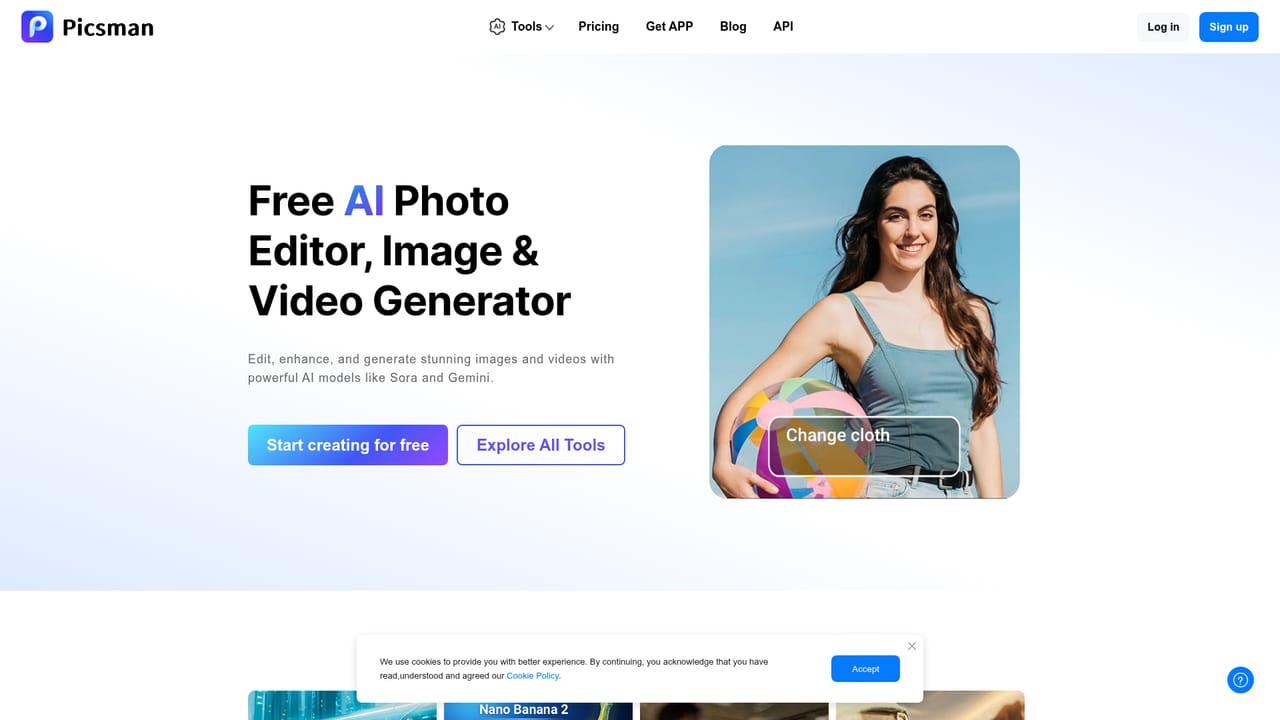
Screenshot of Image Extender by Picsman, Browser-based AI outpainting that extends photos to any ratio

What is Image Extender by Picsman?

Image Extender by Picsman is a web-based AI outpainting tool that widens or reshapes photos to any size or aspect ratio by generating matching content at the edges, with limited free use and a Pro upgrade.

Image Extender by Picsman is a browser tool that uses AI outpainting to enlarge the canvas of a photo instead of stretching it. A user uploads a picture, picks a new size or aspect ratio, and the tool generates fresh content around the edges that continues the scene. The aim is to change the shape of an image without distorting what is already in it. The tool targets people who regularly need one picture in several formats. Social media managers can turn a vertical shot into a horizontal thumbnail or banner. E-commerce sellers can reshape product photos for different marketplaces, and designers can widen stock images to fit a layout. Photographers can repair over-cropped or awkwardly framed shots, and artists can extend AI-generated images. The site also mentions print uses such as posters, flyers and brochures. In practice the workflow has three steps: upload, expand, download. Sample images are available for anyone who wants to test it without their own file. Expansion can run in any direction, either by choosing a preset aspect ratio or by resizing manually. Supported input formats include JPG, PNG, JPEG, WebP, BMP, TIFF and HEIC, and results download in high definition as JPG or PNG. Creating an account lets users save images inside Picsman. Mobile apps for iOS and Android are also offered. Access is tiered. Free use is available but capped at a limited number of expansions, and heavier use requires upgrading to Picsman PRO, which includes a three-day trial on the first upgrade. Pro unlocks the rest of the Picsman suite, which includes a photo enhancer, an AI replace tool, a logo remover and a PS2-style filter. Among alternatives, this sits in the same space as generative fill features in larger editors and other standalone outpainting sites. Its appeal is a narrow, quick, no-install flow with few settings, which suits fast resizing jobs more than detailed compositing where a user wants prompt-level control over the generated area.
How do you use Image Extender by Picsman?

  1. 1Open the AI Image Extender
    Go to the tool page in a browser. No install is needed, and sample images are available if you want to try it without a file of your own.
    Image Extender by Picsman — Open the AI Image Extender
  2. 2Upload your image
    Click Upload Image or drag a file onto the page. JPG, PNG, JPEG, WebP, BMP, TIFF and HEIC files are accepted.
  3. 3Set the new size or ratio
    Choose a preset aspect ratio or resize manually in any direction to define how far the canvas should grow.
  4. 4Click Expand
    The AI generates content that continues the scene beyond the original edges. Review the result for any unnatural areas.
  5. 5Download the result
    Save the expanded picture as a JPG or PNG. Creating an account also lets you keep images stored in Picsman.

Pros and cons

Pros

  • Extends images by generating new edge content rather than stretching, so the original subject keeps its proportionsAI
  • Works with a wide range of input formats including JPG, PNG, WebP, BMP, TIFF and HEICAI
  • Simple three-step flow of upload, expand and download that needs no design skillsAI
  • Supports preset aspect ratios or manual sizing, which suits multi-platform social and marketplace formatsAI
  • Free tier plus a three-day trial on the first Pro upgrade lets buyers test it before payingAI

Cons

  • Free use is capped at a limited number of expansions, and the exact limit is not stated on the pageAI
  • Pro pricing is not shown on the page, so costs cannot be compared up frontAI
  • No visible prompt or guidance controls for steering what the AI generates in the new areaAI
  • Output downloads are limited to JPG or PNG, with no layered or PSD export mentionedAI
  • Quality claims such as seamless results are unverified, and busy or complex scenes may expand less convincinglyAI

How much does Image Extender by Picsman cost?

Free trial

The first Pro upgrade includes a three-day free trial covering all Picsman AI tools. A limited number of free expansions is also available without upgrading.

Learn more

Pricing

Free use is available with a limited number of expansions. More expansions require upgrading to Picsman PRO, and no prices are listed on the page.

Learn more

Integrations

No third-party integrations are listed. Picsman offers iOS and Android apps and links to its other tools, such as Photo Enhancer, AI Replace, Logo Remover and an AI PS2 Filter.

Features

AI outpainting to extend images in any direction, preset aspect ratios or manual sizing, fixes for over-cropped or poorly framed photos, support for JPG, PNG, WebP, BMP, TIFF and HEIC inputs, HD downloads as JPG or PNG, and optional account storage.

Learn more

Frequently asked questions about Image Extender by Picsman

  • How much does Image Extender by Picsman cost?
    Free use is available with a limited number of expansions. More expansions require upgrading to Picsman PRO, and no prices are listed on the page.
  • Does Image Extender by Picsman offer a free trial?
    The first Pro upgrade includes a three-day free trial covering all Picsman AI tools. A limited number of free expansions is also available without upgrading.
  • How do you use Image Extender by Picsman?
    The walkthrough on this page covers 5 steps: 1. Open the AI Image Extender 2. Upload your image 3. Set the new size or ratio 4. Click Expand 5. Download the result.
  • What platforms does Image Extender by Picsman support?
    Image Extender by Picsman is available on Web App, iOS and Android.
  • What does Image Extender by Picsman integrate with?
    No third-party integrations are listed. Picsman offers iOS and Android apps and links to its other tools, such as Photo Enhancer, AI Replace, Logo Remover and an AI PS2 Filter.
  • What are the limitations of Image Extender by Picsman?
    Free use is capped at a limited number of expansions, and the exact limit is not stated on the page. Pro pricing is not shown on the page, so costs cannot be compared up front. No visible prompt or guidance controls for steering what the AI generates in the new area.

Status

StatusActive
Views0
Outbound clicks0
Added10/18/2026

Platforms

Web AppiOSAndroid

Pricing

FreemiumFree TrialSubscription