Image2Video.art

Turn still photos into short AI videos using Veo, Seedance and more

Beginner
Screenshot of Image2Video.art, Turn still photos into short AI videos using Veo, Seedance and more

What is Image2Video.art?

Image2Video.art is a generative video tool that turns still photos into short AI videos using Veo, Seedance and more. Image2Video.art is a web studio that animates photos into short clips using multiple models such as Veo 3.1, Seedance 2.5, Sora 2 and Grok Imagine, with credit-based plans, audio, up to 4K output and a video reframing tool.

Image2Video.art is a browser-based studio that animates still images into short video clips. Instead of tying users to a single engine, it puts several third-party video models behind one account, including Veo 3.1, the Seedance line (up to Seedance 2.5), Sora 2, Grok Imagine and Wan 2.5. Users pick a model, upload up to three reference images, write a prompt of up to 5,000 characters, and render. The generator offers image to video, text to video, ingredients to video and frames to video modes. Settings cover quality tiers (fast, quality and economy, pro), 16:9 or 9:16 framing, 720P, 1080P or 4K resolution, and clip length. Veo output is capped at 8 seconds, so the page suggests chaining clips by reusing the last frame of one render as the first frame of the next. Seedance 2.5 is described as handling one-take clips up to 30 seconds with synced audio. A separate Video Reframe tool changes the aspect ratio of an uploaded video of up to 30 seconds and 100MB, and a gallery of one-click effects (dance, hug, kissing and similar templates) skips prompt writing. The audience is mostly solo creators, small e-commerce teams, marketers, educators and storytellers who want motion from product shots, illustrations or photos without learning editing software. Billing is credit-based: monthly subscriptions grant a credit pool that does not expire, with watermark-free output, private generation and a commercial license on every paid plan, and a pay-as-you-go option is also listed. Among alternatives, it sits in the multi-model aggregator group rather than alongside single-vendor tools. The trade-off is that quality, motion style and per-clip cost depend on whichever underlying model is chosen, so users compare results across engines to find what suits a given image. Heavy promotional language on the homepage means claims about realism are best verified with the free credits offered after login.

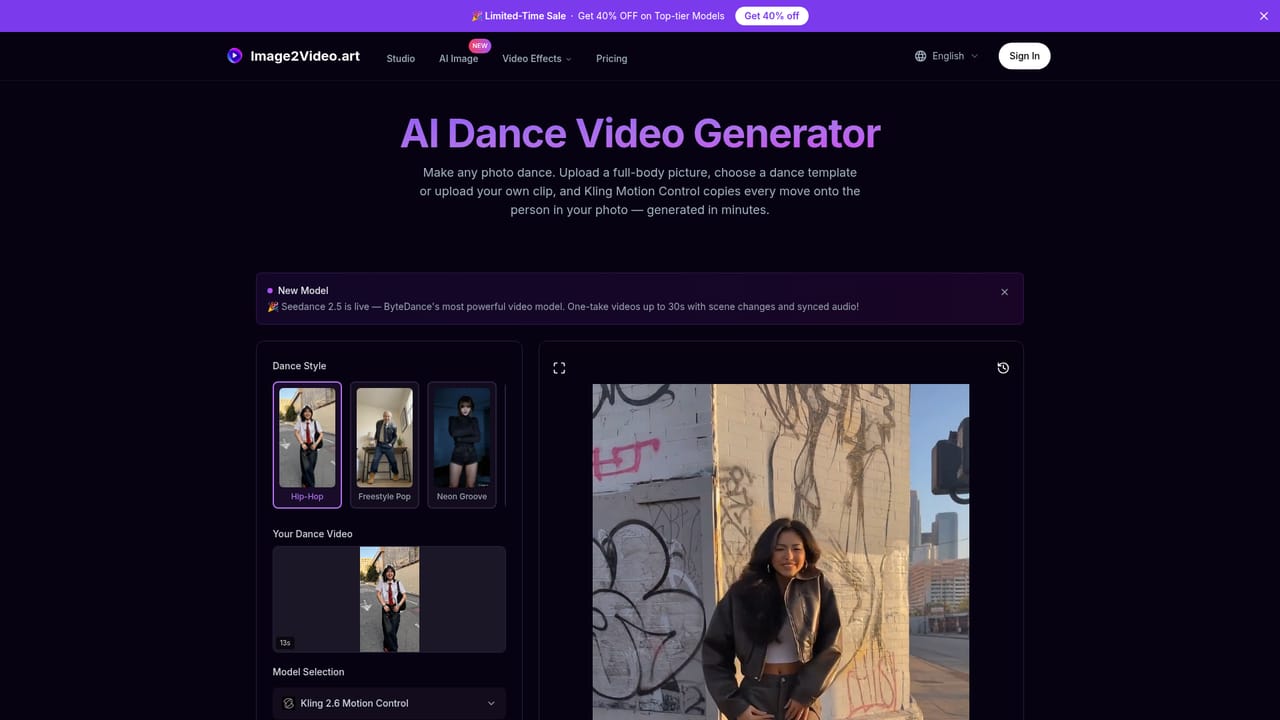
How do you use Image2Video.art?

  1. 1Open the generator and pick a model
    Go to the homepage generator and choose a model such as Veo 3.1 or Seedance 2.5. Log in first to receive the free credits mentioned on the page.
    Image2Video.art — Open the generator and pick a model
  2. 2Choose a generation mode
    Select Image to Video, Text to Video, Ingredients to Video or Frames to Video, then upload up to three reference images.
  3. 3Set quality, ratio and length
    Pick a quality tier, a 16:9 or 9:16 aspect ratio, a resolution from 720P to 4K and the clip length. Note that 1080P renders take longer.
  4. 4Write a prompt and generate
    Describe the motion, camera and mood in the prompt box (up to 5,000 characters), then run the generation and wait for the render to finish.
  5. 5Try a one-click effect
    For a template approach, open an effect page such as the dance video generator and apply it to a photo without writing a prompt.
    Image2Video.art — Try a one-click effect
  6. 6Download or reframe the result
    Download the finished clip, or use the Video Reframe tool to convert it to another aspect ratio such as 9:16 or 1:1.

Pros and cons

Pros

  • Several leading video models (Veo, Seedance, Sora, Grok, Wan) are available under one account for side-by-side comparisonAI
  • Multiple generation modes: image to video, text to video, ingredients to video and frames to videoAI
  • Paid plans include no watermark, private generation and a commercial licenseAI
  • Purchased credits do not expire, so usage can be uneven month to monthAI
  • Extras such as one-click effect templates and a video reframe tool add value beyond plain generationAI

Cons

  • Output quality and clip length depend on the chosen model; Veo is limited to 8 seconds per clip, so longer sequences need manual chainingAI
  • Credit costs vary by model and settings, making real per-video spend hard to predict from the homepageAI
  • Reference uploads are capped at three images, and the Ingredients mode excludes some quality optionsAI
  • Free credits require login, and the homepage does not state how many are given or whether a true free tier existsAI
  • Testimonials and superlatives on the homepage are promotional and not independent evidence of resultsAI

How much does Image2Video.art cost?

Free trial

The generator notes that logging in gives free credits, but the homepage does not state the amount or terms.

Learn more

Pricing

Credit-based plans with monthly, yearly and pay-as-you-go options. Listed monthly tiers: 400 credits ($21/month), 700 credits ($35/month) and 1500 credits ($70/month), shown as discounted from higher list prices. Credits never expire; paid plans include no watermark, private generation and a commercial license.

Learn more

Support

The homepage mentions priority support on the highest-tier plan only; no help center or other support channels are described.

Integrations

No third-party integrations are described. Stripe handles checkout, and the platform bundles models from ByteDance, Google, OpenAI, xAI and Wan.

Features

Multi-model video generation (Veo 3.1, Seedance 2.5, Sora 2, Grok Imagine, Wan 2.5), four generation modes, up to 4K resolution, native audio, 30-second one-take clips with Seedance 2.5, a video reframe tool, text/image to image models and one-click effect templates.

Frequently asked questions about Image2Video.art

  • How much does Image2Video.art cost?
    Credit-based plans with monthly, yearly and pay-as-you-go options. Listed monthly tiers: 400 credits ($21/month), 700 credits ($35/month) and 1500 credits ($70/month), shown as discounted from higher list prices. Credits never expire; paid plans include no watermark, private generation and a commercial license.
  • Does Image2Video.art offer a free trial?
    The generator notes that logging in gives free credits, but the homepage does not state the amount or terms.
  • How do you use Image2Video.art?
    The walkthrough on this page covers 6 steps: 1. Open the generator and pick a model 2. Choose a generation mode 3. Set quality, ratio and length 4. Write a prompt and generate 5. Try a one-click effect 6. Download or reframe the result.
  • What platforms does Image2Video.art support?
    Image2Video.art is available on Web App.
  • What does Image2Video.art integrate with?
    No third-party integrations are described. Stripe handles checkout, and the platform bundles models from ByteDance, Google, OpenAI, xAI and Wan.
  • What are the limitations of Image2Video.art?
    Output quality and clip length depend on the chosen model; Veo is limited to 8 seconds per clip, so longer sequences need manual chaining. Credit costs vary by model and settings, making real per-video spend hard to predict from the homepage. Reference uploads are capped at three images, and the Ingredients mode excludes some quality options.

Status

StatusActive
Views0
Outbound clicks0
Added10/18/2026

Platforms

Web App

Pricing

FreemiumSubscription