Imgtoimgai.io

Browser-based image-to-image AI with several models in one place

Beginner
Screenshot of Imgtoimgai.io, Browser-based image-to-image AI with several models in one place

What is Imgtoimgai.io?

Imgtoimgai.io is a web image-to-image generator that restyles photos, sketches and designs from a text prompt. It offers several AI models, extra tools like upscaling and background removal, and credit-based plans.

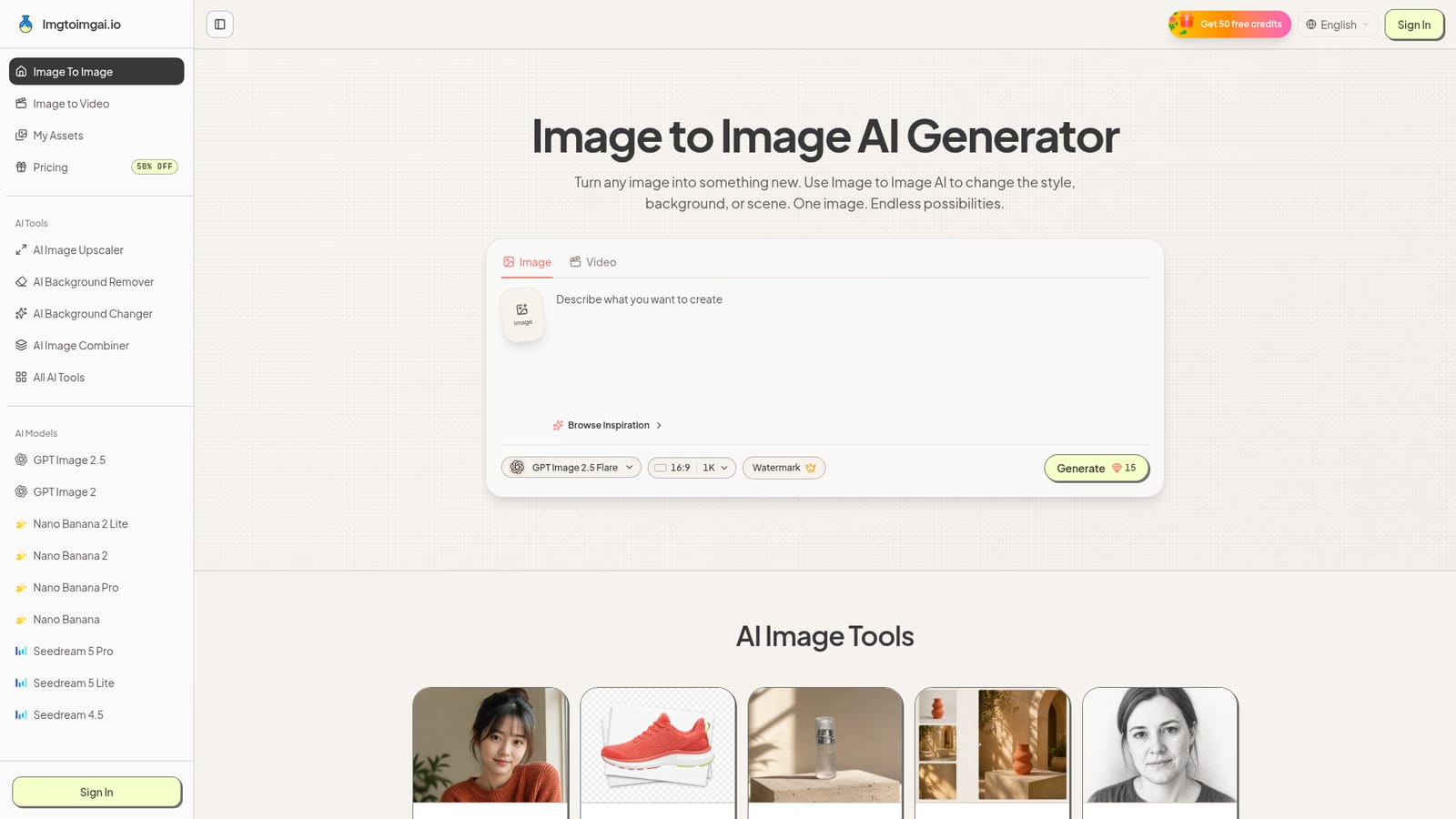
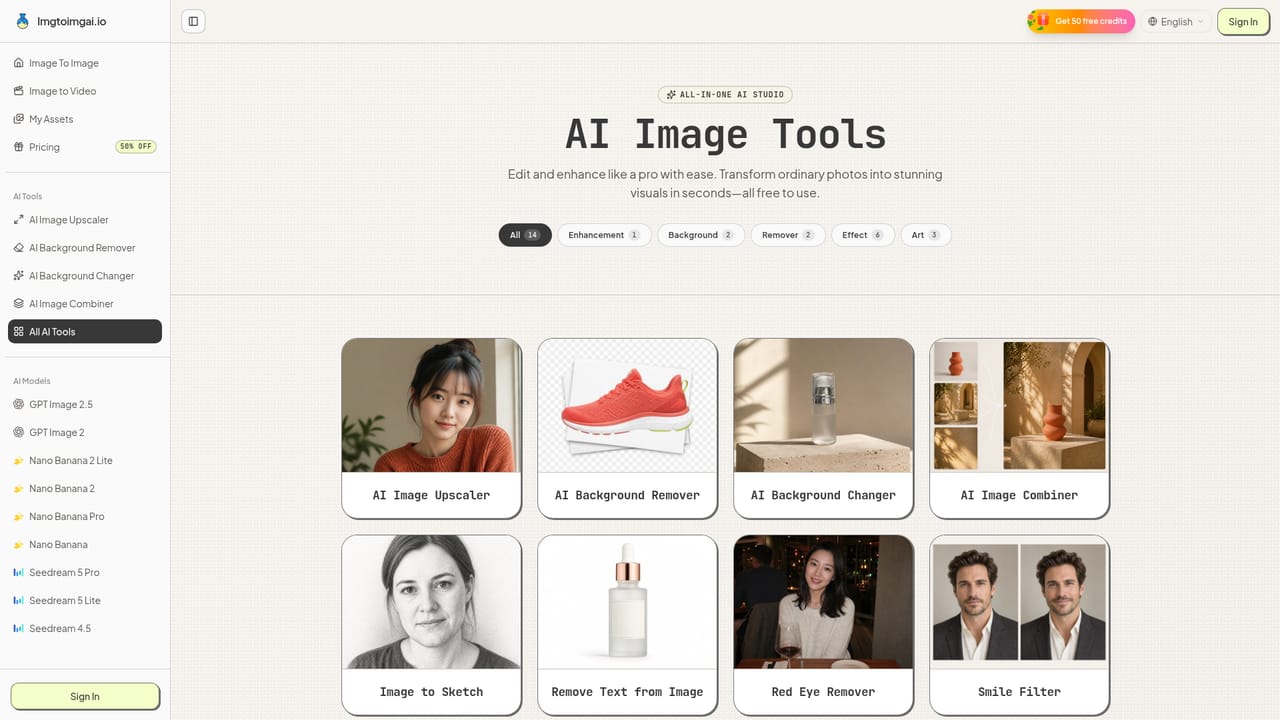
Imgtoimgai.io is a web-based image-to-image generator that starts from a picture you already own instead of from text alone. A photo, drawing, sketch or design acts as the visual anchor, and a written prompt describes what should change: the background, art style, lighting, colors, outfit, season or whole scene. Because the source image fixes the subject and layout, the output tends to stay closer to the original than a pure text-to-image render would. The service is aimed at people who need many visual variations without a design workflow. The homepage speaks to photographers restyling portraits, content creators stretching one photo across a week of posts, marketing teams producing extra ad and landing page visuals, and online sellers placing one product in studio, home, outdoor or seasonal scenes. No Photoshop skills are assumed. In practice the flow is short. A user uploads an image, types a prompt in plain words, picks a model, sets aspect ratio and resolution (1K, 2K or 4K), and presses Generate. The model list includes OpenAI's GPT Image releases, several Nano Banana versions and ByteDance's Seedream family, so the same photo and prompt can be run through different engines and compared. Results download in high resolution, and a My Assets area keeps past generations. Beyond the main generator, the site offers dedicated tools for upscaling, background removal, background changing, combining images and turning pictures into sketches, plus an image-to-video mode. Access is credit based, with a free version and paid Lite, Pro and Max subscriptions that add no watermark and a commercial use license. Among alternatives, it sits between single-model editors and heavyweight design suites. Its main appeal is model choice and simplicity in one interface, while deep manual retouching, layers and precise masking remain outside its scope.
How do you use Imgtoimgai.io?

  1. 1Upload a source image
    Open the generator and add a photo, sketch or design. A clear picture with good light and an obvious main subject gives the model more to work with.
    Imgtoimgai.io — Upload a source image
  2. 2Write a focused prompt
    Describe in plain words what should change, such as the background, style, season or lighting, and mention anything that must stay the same.
  3. 3Pick a model and settings
    Choose a model such as GPT Image or Nano Banana, then set the aspect ratio and a 1K, 2K or 4K resolution.
  4. 4Generate and compare
    Press Generate, review the result, and rerun with a tweaked prompt or a different model to compare versions before choosing one.
  5. 5Polish with the extra tools
    Send a result through the upscaler or background remover when it needs more resolution or a cleaner cutout.
    Imgtoimgai.io — Polish with the extra tools
  6. 6Choose a plan for heavier use
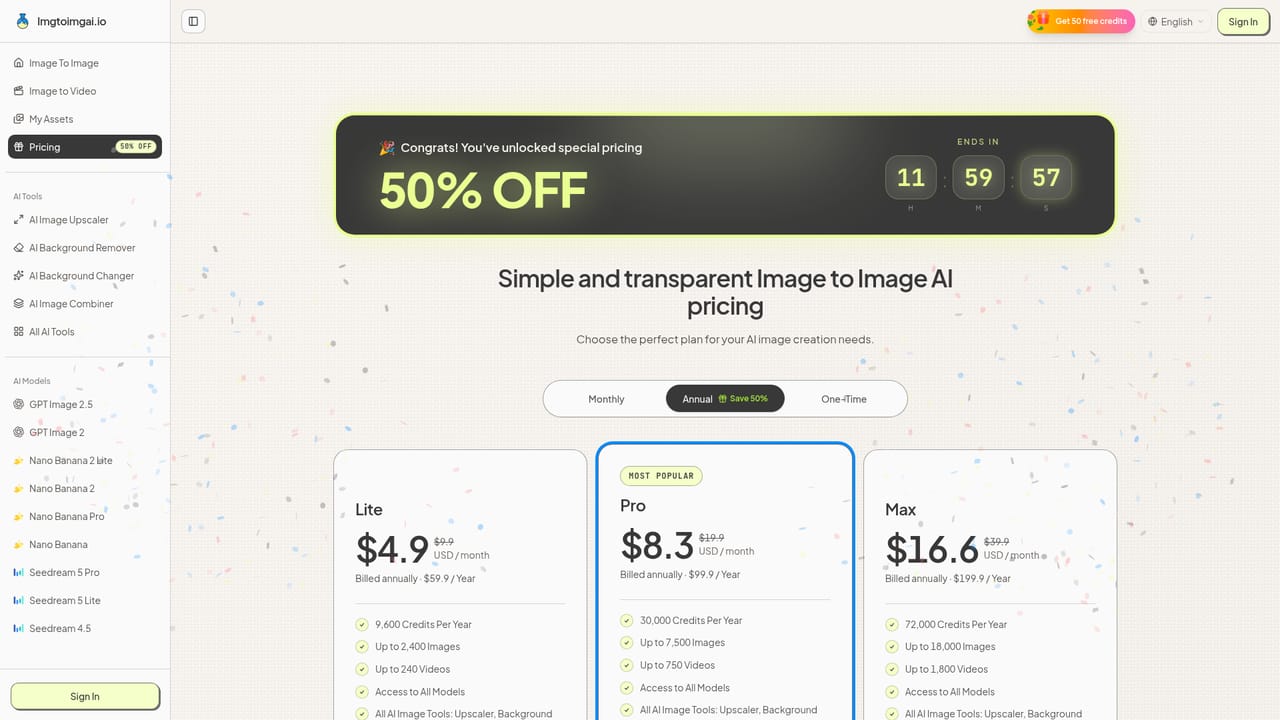
    Compare the Lite, Pro and Max subscriptions if the free version runs short, based on credits, watermark and license needs.
    Imgtoimgai.io — Choose a plan for heavier use

Pros and cons

Pros

  • Several leading models (GPT Image, Nano Banana, Seedream) are available in one interface, so one photo and prompt can be compared across enginesAI
  • Simple upload, prompt, settings, generate flow that needs no design or Photoshop skillsAI
  • Output options up to 4K with selectable aspect ratios and high-resolution downloadsAI
  • Bundled tools for upscaling, background removal, background changing, image combining and sketchesAI
  • Paid plans include no watermark and a commercial use license, which suits sellers and marketersAI

Cons

  • Every generation consumes credits, so heavy experimentation can exhaust a plan's allowance faster than the headline image counts suggestAI
  • Control is prompt-driven; there are no layers, masks or manual retouching tools for exact editsAI
  • Results depend heavily on source photo quality and the chosen model, so repeated attempts are often neededAI
  • The homepage does not mention an API or third-party integrations, which limits automation and workflow useAI

How much does Imgtoimgai.io cost?

Free trial

The FAQ confirms a free version of the generator exists. The homepage excerpt does not detail its credit allowance or limits.

Learn more

Pricing

Credit-based subscriptions with monthly, annual (50% saving) and one-time options. Annual display prices: Lite $4.9/month (9,600 credits a year), Pro $8.3/month (30,000), Max $16.6/month (72,000). All paid plans include no watermark and a commercial use license.

Learn more

Support

Payment questions go to a support email address listed on the pricing section. Support level scales by plan: standard for Lite, priority for Pro, dedicated priority for Max.

Features

Image-to-image generation with multiple models, 1K to 4K output, selectable aspect ratios, high-resolution downloads, image-to-video, a My Assets library, and tools for upscaling, background removal, background changing, image combining and sketches.

Learn more

Frequently asked questions about Imgtoimgai.io

  • How much does Imgtoimgai.io cost?
    Credit-based subscriptions with monthly, annual (50% saving) and one-time options. Annual display prices: Lite $4.9/month (9,600 credits a year), Pro $8.3/month (30,000), Max $16.6/month (72,000). All paid plans include no watermark and a commercial use license.
  • Does Imgtoimgai.io offer a free trial?
    The FAQ confirms a free version of the generator exists. The homepage excerpt does not detail its credit allowance or limits.
  • How do you use Imgtoimgai.io?
    The walkthrough on this page covers 6 steps: 1. Upload a source image 2. Write a focused prompt 3. Pick a model and settings 4. Generate and compare 5. Polish with the extra tools 6. Choose a plan for heavier use.
  • What platforms does Imgtoimgai.io support?
    Imgtoimgai.io is available on Web App.
  • What are the limitations of Imgtoimgai.io?
    Every generation consumes credits, so heavy experimentation can exhaust a plan's allowance faster than the headline image counts suggest. Control is prompt-driven; there are no layers, masks or manual retouching tools for exact edits. Results depend heavily on source photo quality and the chosen model, so repeated attempts are often needed.

Status

StatusActive
Views0
Outbound clicks0
Added10/18/2026

Platforms

Web App

Pricing

FreemiumSubscription