ImgUpscaler.Online

Browser-based AI upscaler with a free HD mode and paid 4K tiers

Beginner
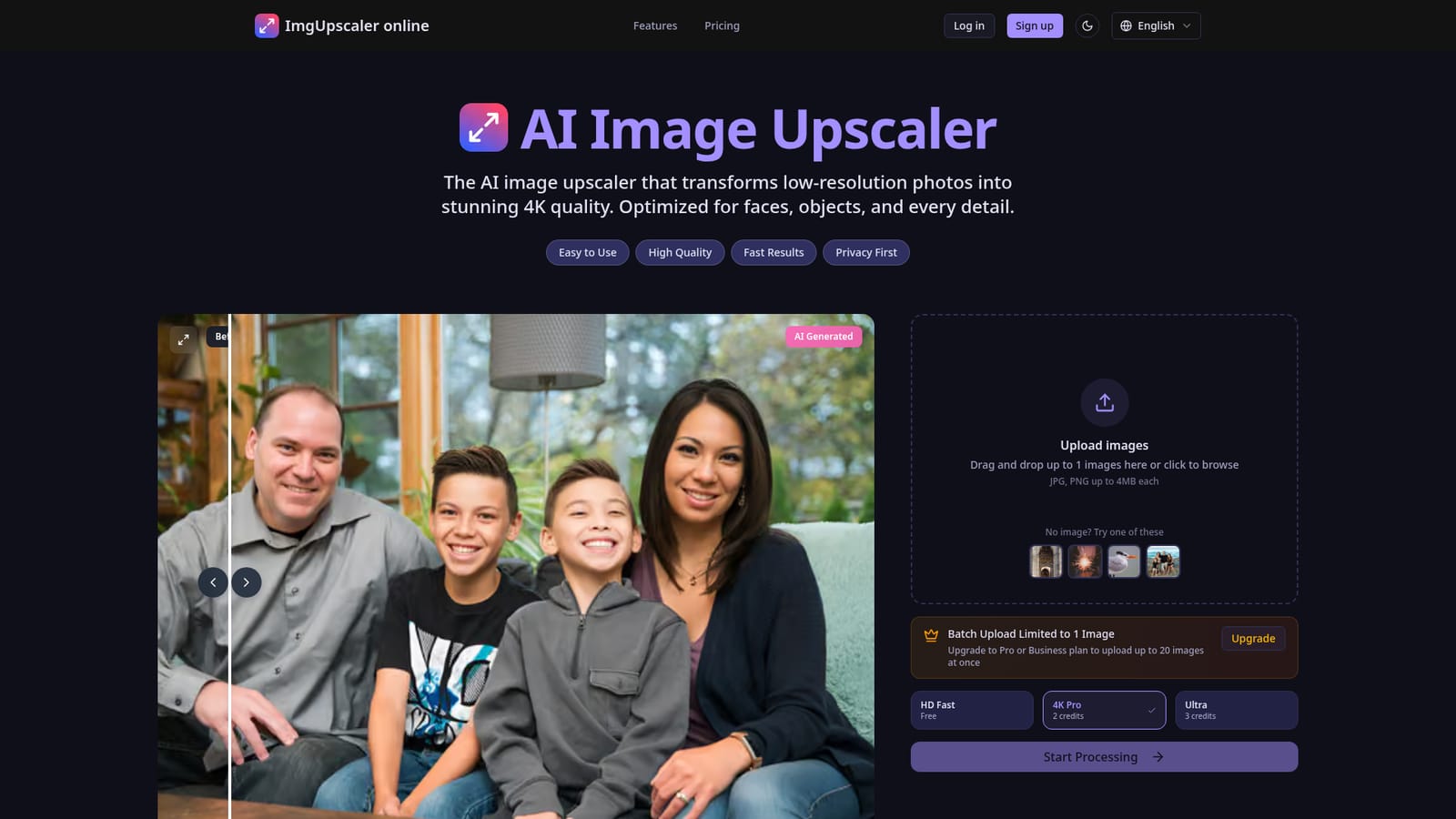
Screenshot of ImgUpscaler.Online, Browser-based AI upscaler with a free HD mode and paid 4K tiers

What is ImgUpscaler.Online?

ImgUpscaler.Online is a web-based AI image upscaler with three quality modes, from a free 2x face-focused preset to credit-based 4K Pro and Ultra, plus paid batch uploads of up to 20 images.

ImgUpscaler.Online is a browser-based image upscaler that takes low-resolution photos and returns larger, sharper versions, with 4K output as the headline target. It runs entirely on the web, so nothing needs to be installed, and it accepts JPG and PNG files up to 4MB each. The service is aimed at people who need usable pictures from weak source files rather than at those who want a full editing suite. Processing is organised around three presets. HD Fast doubles the size of an image, is tuned for face restoration and costs no credits, which makes it the entry point for social posts, quick previews and old family portraits. 4K Pro consumes two credits per image and Ultra consumes three, with Ultra positioned as the maximum-detail option. The homepage also lists batch processing: free use is capped at one image per run, while the Pro and Business plans lift that to 20 images at once. Four sample images sit beside the upload box so the tool can be tested without a file. Uploaded images are deleted automatically after 24 hours, and the layout is built to work on mobile screens. The use cases named on the site include portfolio work for photographers, product shots for online stores, social content, property listings, large-format print and restoring personal photos. Against desktop software such as Photoshop, which the site's FAQ addresses by title, this is a narrower and faster route: upload, pick a mode, process. Against other web upscalers, its distinguishing points are the face-focused free tier and the credit system that separates quick results from high-detail ones. Buyers who need exact plan prices, credit validity periods or refund terms will have to check the site directly, since the homepage lists those questions without showing the figures.
How do you use ImgUpscaler.Online?

  1. 1Open the upscaler
    Go to the homepage, where the upload box sits at the top of the page. No account or install is needed to see the interface.
    ImgUpscaler.Online — Open the upscaler
  2. 2Add an image
    Drag a JPG or PNG under 4MB into the upload area, or click to browse. Without a file, pick one of the four example images below the box.
  3. 3Choose a quality mode
    Select HD Fast for a free 2x result, 4K Pro for 2 credits, or Ultra for 3 credits and the most detail. Faces and old portraits suit HD Fast well.
  4. 4Start processing
    Click Start Processing and wait for the upscaled version to appear. Compare it against the original to judge sharpness and natural texture.
  5. 5Scale up with a paid plan
    For batches of up to 20 images or the credit-based modes, upgrade to a Pro or Business plan and re-run the files. Files are deleted after 24 hours.

Pros and cons

Pros

  • HD Fast mode is free and needs no credits, so basic upscaling and face restoration cost nothingAI
  • Runs in the browser with no install, and the layout is described as mobile-friendlyAI
  • Three presets let users trade speed against detail instead of using one fixed settingAI
  • Uploads are auto-deleted after 24 hours, which helps with privacy-sensitive photosAI
  • Sample images on the page allow a quick test without uploading a personal fileAI

Cons

  • Free use is limited to one image at a time; batches of up to 20 need a Pro or Business planAI
  • Uploads are capped at 4MB per file and limited to JPG and PNG, which excludes large originalsAI
  • The free HD Fast mode only doubles size, so true 4K results require spending creditsAI
  • The homepage shows no plan prices or credit validity, so cost is hard to judge before signing upAI
  • No API, integrations or editing tools are mentioned, so it fits one-off jobs better than workflowsAI

How much does ImgUpscaler.Online cost?

Free trial

The HD Fast mode is free and requires no credits, so the tool can be used without paying. Free use is limited to one image per batch.

Learn more

Pricing

Freemium: HD Fast mode is free with no credits. 4K Pro costs 2 credits and Ultra costs 3 credits per image. Pro and Business plans unlock batches of up to 20 images. Plan prices are not shown on the homepage.

Learn more

Features

Three upscaling modes (HD Fast 2x with face restoration, 4K Pro, Ultra), batch upload of up to 20 images on paid plans, JPG and PNG support up to 4MB, 24-hour auto-delete of uploads, sample images and a mobile-friendly interface.

Frequently asked questions about ImgUpscaler.Online

  • How much does ImgUpscaler.Online cost?
    Freemium: HD Fast mode is free with no credits. 4K Pro costs 2 credits and Ultra costs 3 credits per image. Pro and Business plans unlock batches of up to 20 images. Plan prices are not shown on the homepage.
  • Does ImgUpscaler.Online offer a free trial?
    The HD Fast mode is free and requires no credits, so the tool can be used without paying. Free use is limited to one image per batch.
  • How do you use ImgUpscaler.Online?
    The walkthrough on this page covers 5 steps: 1. Open the upscaler 2. Add an image 3. Choose a quality mode 4. Start processing 5. Scale up with a paid plan.
  • What platforms does ImgUpscaler.Online support?
    ImgUpscaler.Online is available on Web App.
  • What are the limitations of ImgUpscaler.Online?
    Free use is limited to one image at a time; batches of up to 20 need a Pro or Business plan. Uploads are capped at 4MB per file and limited to JPG and PNG, which excludes large originals. The free HD Fast mode only doubles size, so true 4K results require spending credits.

Status

StatusActive
Views0
Outbound clicks0
Added10/18/2026

Platforms

Web App

Pricing

FreemiumSubscription