Free trial
The homepage invites visitors to start a free trial before buying credits, though it does not state how many trial credits are granted or what limits apply.
Learn moreAudio-driven lip sync that keeps head, body and face on beat
Own Infinite Talk AI? Verify ownership to get a dofollow link

Infinite Talk AI is an AI task generator tool. InfiniteTalk AI dubs video or animates a portrait from an audio track, syncing lips together with head, body and facial motion. It targets long-form and business video work, with chunked processing for stable identity across extended clips and credit packs instead of a subscription.
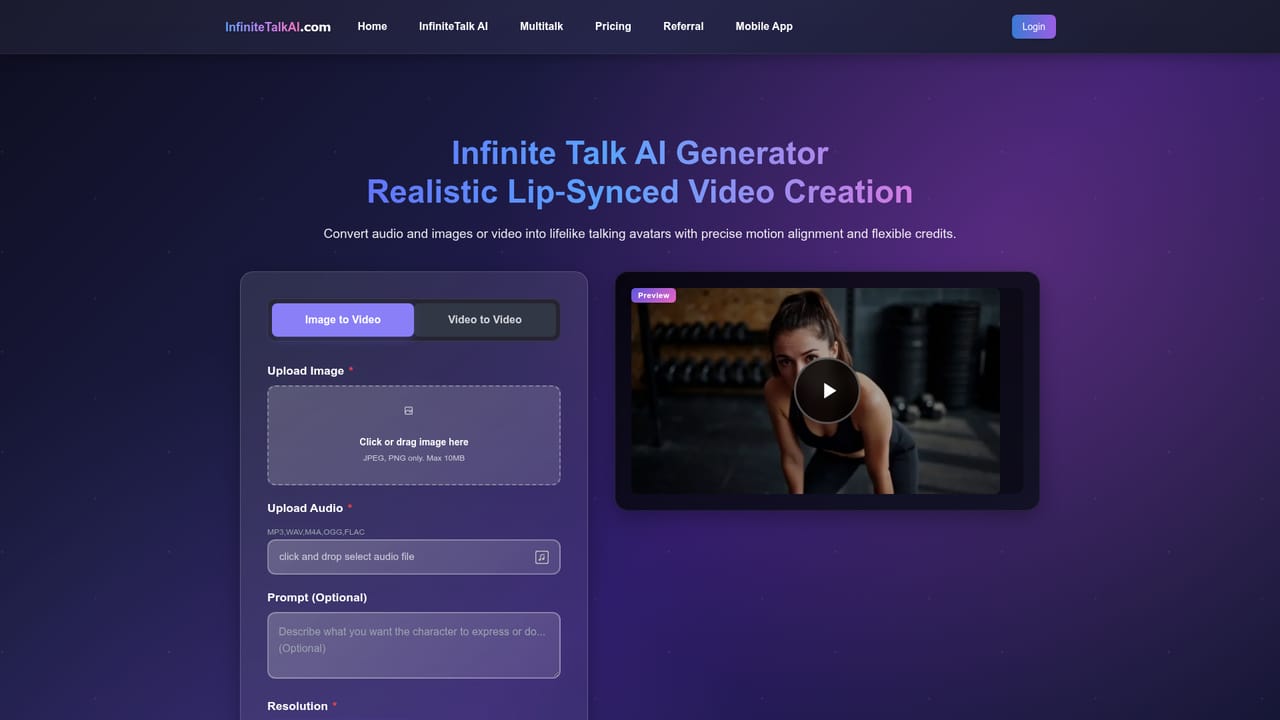
InfiniteTalk AI is an audio-driven video generation tool built around a sparse-frame dubbing framework. You supply a video clip or a still portrait plus an audio track, and the system renders a new clip in which the mouth, head position, body posture and facial expression all move with the speech. The pitch is that dubbing should not stop at the lips: a talking head that only animates the mouth tends to look uncanny, so the pipeline coordinates the wider body motion from the same audio signal. Two input routes cover most workflows. Video-to-video takes existing footage and swaps in new dialogue while preserving the person's identity, which suits localisation, re-recording and script changes. Image-to-audio takes a single portrait and produces a talking clip from scratch, useful for avatar-style presenters, podcast visuals and narrated explainers. Generation runs in three steps on the site: upload the source and audio, pick 480p or 720p, optionally add a text prompt to steer expression or gesture, then spend credits and wait for processing. The headline technical claim is infinite-length generation with stable identity. Rather than processing a whole clip in one pass, the framework works in overlapping frame chunks held together by memory-based processing, which is how it avoids jitter and drift across long recordings. The team also cites quantization so the model can run on hardware with limited VRAM. The site is candid that long clips can still pick up colour shifts and subtle inconsistencies, and that top quality benefits from a larger GPU. Positioning is the prosumer and business video market rather than casual social clips. Sales videos, podcast visuals, corporate training, e-learning modules, multilingual branding and language teaching all appear as target scenarios. Credits are sold as one-time packs rather than a recurring subscription, which puts it alongside pay-per-render avatar tools rather than flat-fee editors. The site also mentions open-source options for researchers who want to customize the underlying model.

The homepage invites visitors to start a free trial before buying credits, though it does not state how many trial credits are granted or what limits apply.
Learn moreCredits are sold as one-time packs with no subscription or recurring fee. The listed entry pack is $9.9 for 120 credits, quoted at roughly $0.08 per credit. Each generation draws on that balance, so cost scales with how many videos you render rather than with elapsed time.
Learn moreNo dedicated help centre or contact page is listed in the site navigation. Self-serve guidance appears in the blog, and refund handling is covered by a published policy page.
Learn moreSparse-frame video dubbing that synchronizes lips alongside head position, body posture and facial expressions; infinite-length generation with memory-based chunk processing for identity stability; image-to-video and video-to-video input modes; text prompts for expression and gesture; export at 480p, 720p or 1080p; quantization for machines with limited VRAM.
Learn more AI Angels400+ customizable AI girlfriends for NSFW chat, voice calls, and roleplay
 Candy AIExperience the future of companionship with AI friends who chat, role-play, and connect with you on a human level.
 ourdream.aiA vast AI roleplay platform with millions of characters for chat, images, video and voiceAI Angels400+ customizable AI girlfriends for NSFW chat, voice calls, and roleplayCandy AIExperience the future of companionship with AI friends who chat, role-play, and connect with you on a human level.ourdream.aiA vast AI roleplay platform with millions of characters for chat, images, video and voice

.jpg)