Json-Render

Generate constrained, component-based UIs from prompts

Advanced API
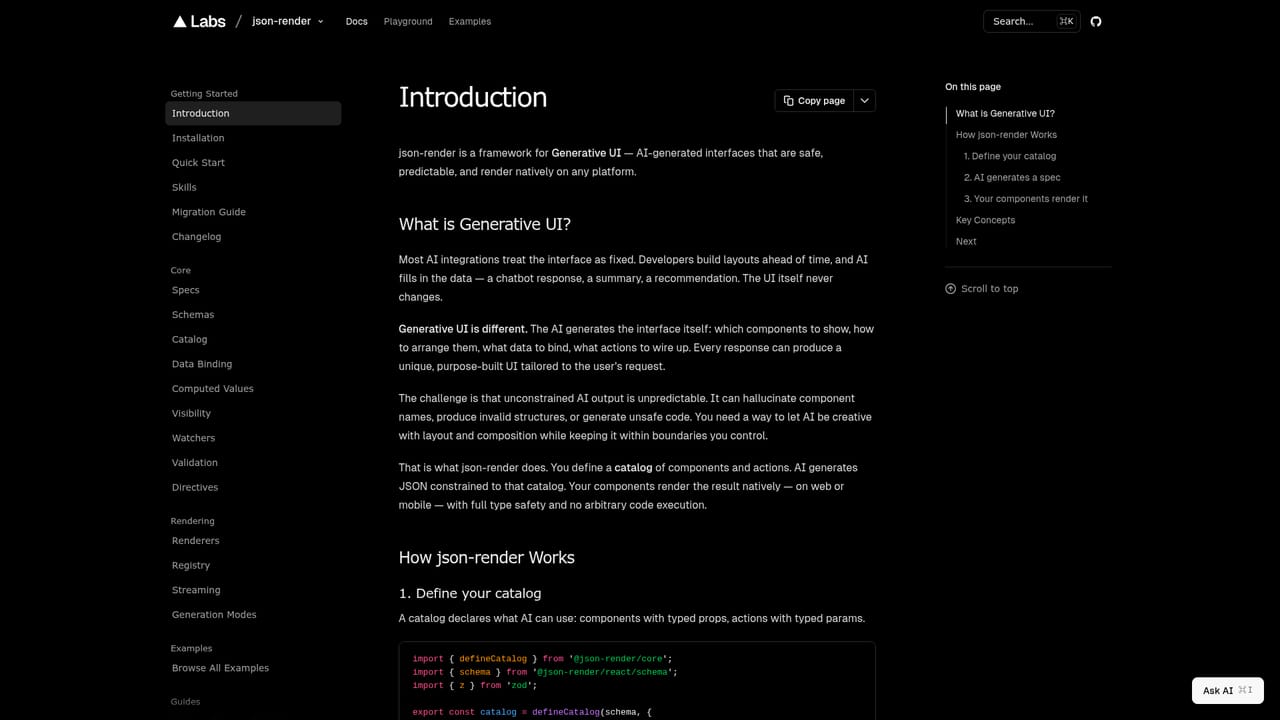
Screenshot of Json-Render, Generate constrained, component-based UIs from prompts

What is Json-Render?

Json-Render is a developer tool that generates constrained, component-based UIs from prompts. An open source framework that turns prompts into React interfaces by forcing the model to emit JSON constrained to a developer-defined component catalog, with streaming rendering, state binding and export to standalone code.

Json-Render is a generative UI framework from vercel-labs that turns natural language prompts into working interfaces. Instead of letting a model emit arbitrary markup, it asks the model to produce a JSON document that describes a layout: which components appear, which props they carry, and how they nest. Those components come from a catalog the developer writes, so the model can only assemble interfaces from pre-approved building blocks. The output is predictable enough to render natively in React instead of being sanitized HTML. The workflow has three stages. First, define your catalog with defineSchema and defineCatalog from @json-render/core, describing each component's props with Zod and registering the actions a model may call. Second, send a prompt and receive JSON constrained to that catalog. Third, stream the response so the interface fills in progressively as elements arrive. Data binding works through $state, $item and $index references, and form controls support two-way binding through $bindState. The shipped catalog covers 41 components (Metric, LineGraph, Table, Carousel, Dialog and more) plus 6 actions. This is aimed at product engineers building AI features inside an app: dashboards, widgets, receipts, recipe cards, personalized onboarding screens. React and React Native share one catalog and spec format, and generated trees can be exported as a standalone Next.js project with package.json, component files and styles, with no runtime dependency on the framework. Compared with generic prompt-to-HTML approaches, the tradeoff is control over variety. Json-Render will not invent a layout your catalog cannot express, which is what makes it safe for production surfaces but limits it as a freeform design tool. It is a library rather than a hosted product, so expect to install packages and write schema code.

How do you use Json-Render?

  1. 1Install the core and React packages
    Add @json-render/core and @json-render/react to a React project with npm, then confirm the versions resolve in your package file before writing any schema code.
    Json-Render — Install the core and React packages
  2. 2Define your catalog
    Use defineSchema and defineCatalog to declare each component's props with Zod, mark which components accept children, and register any actions the model is allowed to call.
  3. 3Generate JSON from a prompt
    Send a description such as a team performance dashboard and receive a JSON document whose element types are validated against the catalog you defined.
  4. 4Stream the response into the renderer
    Wire the streaming renderer so each incoming element renders as it arrives, and bind props to application state with $state, $item or $bindState references.
  5. 5Export as standalone React code
    When the generated layout is right, export it as a Next.js project containing package.json, component files and styles so it runs without the runtime dependency.

Pros and cons

Pros

  • Model output is locked to your own component catalog, so generated interfaces stay within known, testable building blocksAI
  • Progressive streaming means users see the interface assemble as tokens arrive rather than waiting for a complete payloadAI
  • One catalog and spec format renders on both React and React NativeAI
  • Export produces a standalone Next.js project with components, styles and package.jsonAI
  • Broad default catalog of 41 components and 6 actions covers common dashboard and form patternsAI

Cons

  • It is a developer library, not a no-code or hosted builder, so schema definition and React integration work are unavoidableAI
  • Creative range is capped by the catalog: anything you have not registered cannot appear, which frustrates open-ended design promptsAI
  • Pricing, licensing terms and support commitments are not stated on the homepageAI
  • No visible plugin, integration or third-party service directory beyond npm packagesAI
  • Debugging malformed model JSON adds a failure mode that conventional component rendering does not haveAI

How much does Json-Render cost?

Features

Generative UI from prompts, catalog guardrails that restrict the model to approved components and actions, progressive rendering of streamed JSON, shared catalog across React and React Native, data binding with $state, $item, $index and two-way $bindState, and export to a standalone React codebase. The bundled catalog lists 41 components and 6 actions, with form controls, charts, layout primitives and Lucide icon support.

Frequently asked questions about Json-Render

  • Does Json-Render have an API?
    Yes, Json-Render offers an API.
  • How do you use Json-Render?
    The walkthrough on this page covers 5 steps: 1. Install the core and React packages 2. Define your catalog 3. Generate JSON from a prompt 4. Stream the response into the renderer 5. Export as standalone React code.
  • What platforms does Json-Render support?
    Json-Render is available on Web App.
  • What are the limitations of Json-Render?
    It is a developer library, not a no-code or hosted builder, so schema definition and React integration work are unavoidable. Creative range is capped by the catalog: anything you have not registered cannot appear, which frustrates open-ended design prompts. Pricing, licensing terms and support commitments are not stated on the homepage.

Status

StatusActive
Views0
Outbound clicks0
Added10/21/2026

Platforms

Web App

Pricing

Free