Kavout

Eight AI research agents that answer buy-or-wait questions with sourced market data.

Intermediate
Screenshot of Kavout, Eight AI research agents that answer buy-or-wait questions with sourced market data

What is Kavout?

Kavout is a question answering tool. An AI stock research platform with eight agents, daily AI Stock Picker rankings, insider and congressional trade tracking, technical signals, and 24/7 portfolio alerts backed by live market data.

Kavout is a research terminal for self-directed investors who want machine-assisted answers rather than another screener. The core of the product is a set of eight AI agents that read a stock's fundamentals, filings, technicals, sentiment and momentum, then assemble a single verdict with the underlying sources attached. You can type a plain question such as whether to buy a name after a big move, and the answer comes back with earnings context, price and volume, and news citations, plus a short conclusion about timing rather than just a score. Around InvestGPT sit three narrower tools. The AI Stock Picker ranks roughly 11,000 stocks, ETFs and crypto assets daily on a proprietary AI Stock Rank, and shows how many of Kavout's strategies each name matches. Smart Money surfaces insider and congressional filings with dollar values, which is the feature reviewers on the site single out most often. Smart Signals is a conventional technical layer: golden crosses, RSI extremes, MACD divergences, breakouts and engulfing patterns, each flagged with a daily or weekly timeframe. The portfolio side is where the tool tries to earn a subscription. Users import holdings from any broker without connecting accounts, then receive price and signal alerts by email along with an AI recap of overnight moves on their watchlist. Coverage spans 30 plus markets across stocks, ETFs, crypto and forex in 13 languages, so the same interface works for a US large cap trader and someone watching crypto pairs. Compared with general chatbots, Kavout's advantage is that answers are tied to live market data and filings rather than model memory. Compared with an institutional terminal, the trade-off is depth of datasets and the absence of a full charting workspace. It suits retail investors and swing traders who want a second opinion fast; it does not replace due diligence, and its verdicts are research input, not investment advice.

How do you use Kavout?

  1. 1Explore market movers and the daily AI rankings
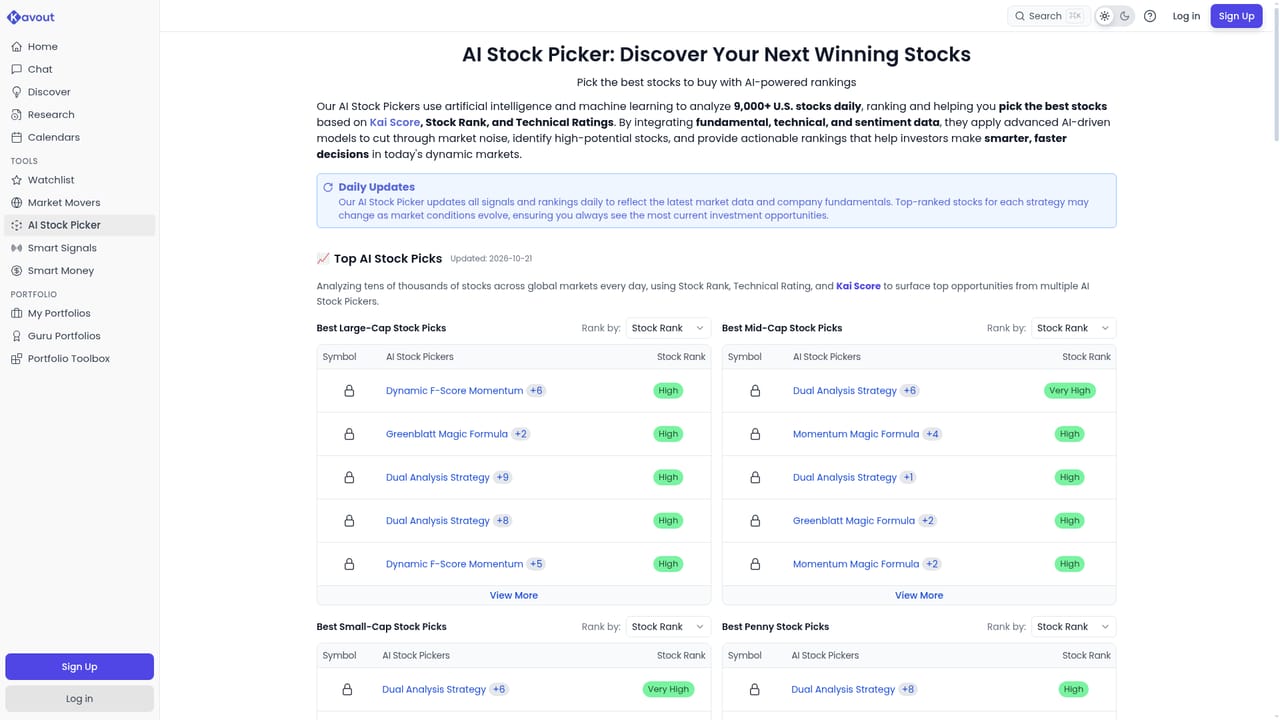
    Start on the homepage to see the biggest movers and the AI Consensus Leaderboard, then open the AI Stock Picker for the full ranked list with strategy match counts.
    Kavout — Explore market movers and the daily AI rankings
  2. 2Check insider and congressional activity
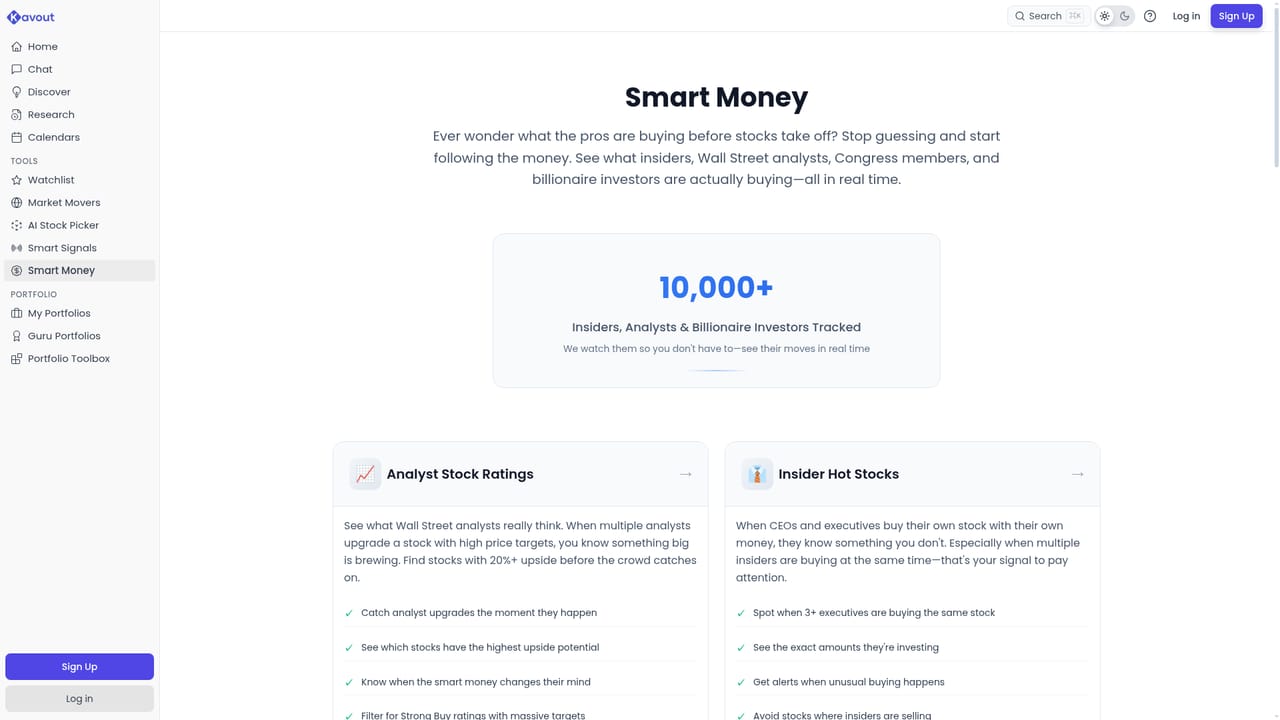
    Open Smart Money to review recent filings, including which directors, members of Congress and large holders bought or sold and at what reported size.
    Kavout — Check insider and congressional activity
  3. 3Review technical setups on Smart Signals
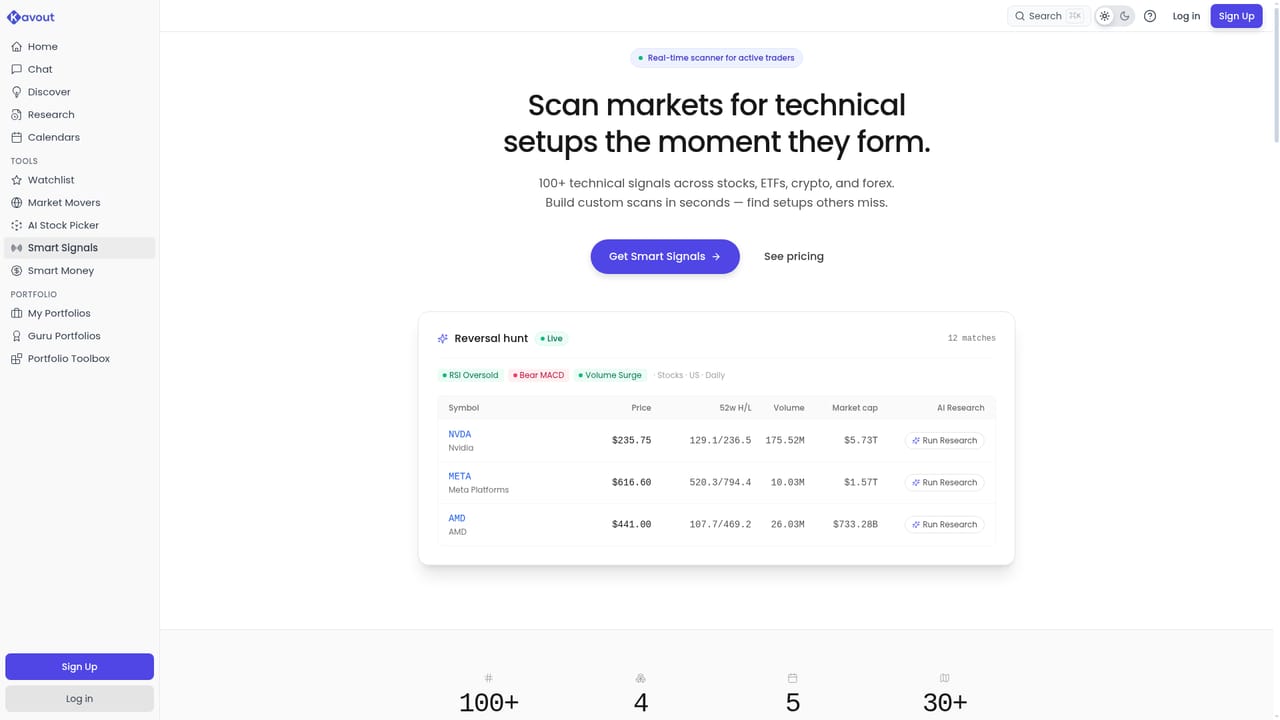
    Browse triggered setups such as golden crosses, RSI oversold readings and MACD divergences, filtered by daily or weekly timeframe.
    Kavout — Review technical setups on Smart Signals
  4. 4Ask InvestGPT a specific question
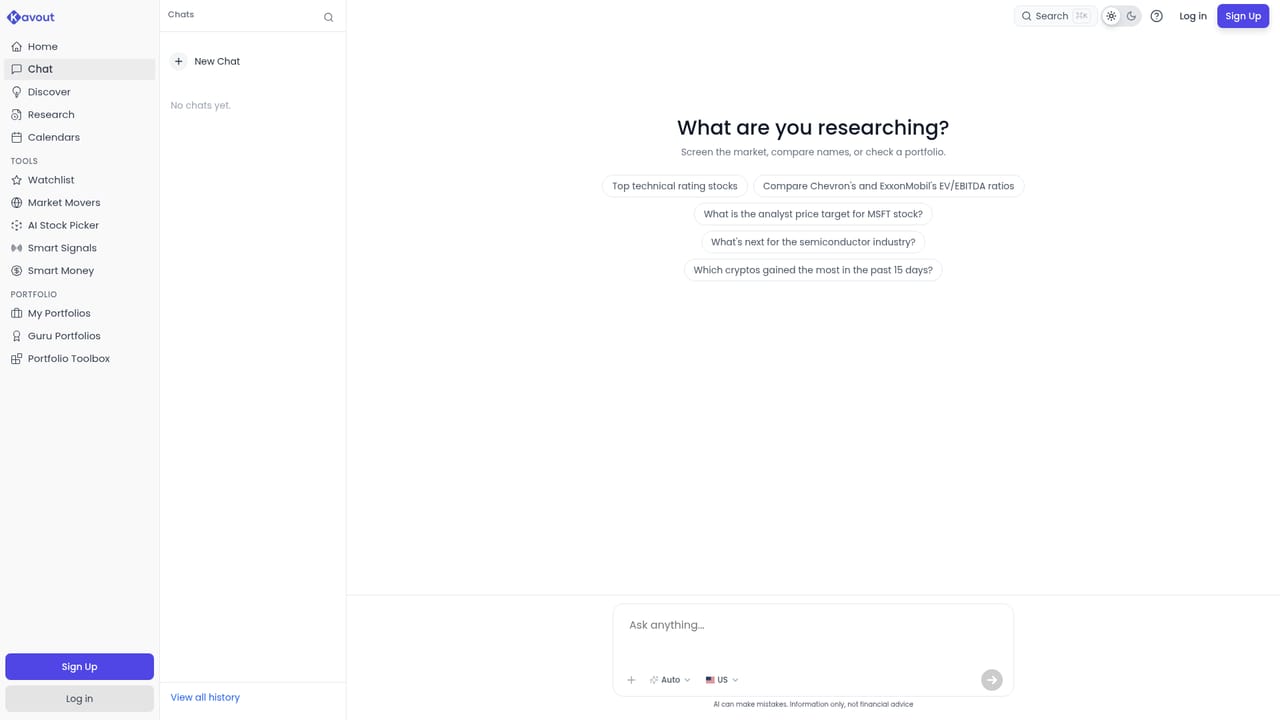
    Type a question in plain language about a ticker or a trade setup, and read the verdict alongside the earnings, filing, news and price evidence cited.
    Kavout — Ask InvestGPT a specific question
  5. 5Build a watchlist or import holdings
    After creating an account, import portfolio positions from a broker statement or build a watchlist so Kavout can track prices and signals around the clock.
  6. 6Set alerts and choose a plan
    Configure price and signal alerts by email, then compare the free and Pro tiers on the pricing page to decide which features you need.

Pros and cons

Pros

  • Eight AI agents combine fundamentals, filings, technicals and sentiment into one sourced verdictAI
  • Smart Money layer tracks insider and congressional buys and sells with dollar amountsAI
  • Daily AI Stock Rank covers 11,000 plus stocks, ETFs and crypto assetsAI
  • Broker holdings can be imported without linking an account, then tracked with email alertsAI
  • Entry pricing starts at $20 per month with cancellation at any timeAI

Cons

  • The freely visible sample verdicts are polished marketing answers, so the depth behind the paywall cannot be judged before subscribingAI
  • Rankings and scores are proprietary and do not disclose the underlying model weights or backtest historyAI
  • Technical signals like golden cross and RSI oversold are standard indicators, not a unique edgeAI
  • No full charting workspace or order execution, so it is a research add-on rather than a trading terminalAI
  • No independent performance track record is published for the AI Stock Picker's past picksAI

How much does Kavout cost?

Pricing

Pricing runs on a free tier plus a Pro plan advertised from $20 per month with cancellation at any time. The homepage states that full rankings, daily updates and 24/7 portfolio tracking sit behind Pro, while a detailed feature comparison appears on the pricing plans page.

Learn more

Integrations

Holdings can be imported from any broker without account linking, and price and signal alerts are delivered by email. No third party software integrations are detailed on the homepage.

Features

Core modules are InvestGPT (eight AI agents answering buy-or-wait questions with cited fundamentals, filings, news and price data), the AI Stock Picker with a daily AI Stock Rank, Smart Money with insider and congressional filings, Smart Signals for technical setups, market movers, and portfolio tracking with email alerts and overnight recaps. Coverage spans 30 plus markets in 13 languages.

Learn more

Frequently asked questions about Kavout

  • How much does Kavout cost?
    Pricing runs on a free tier plus a Pro plan advertised from $20 per month with cancellation at any time. The homepage states that full rankings, daily updates and 24/7 portfolio tracking sit behind Pro, while a detailed feature comparison appears on the pricing plans page.
  • How do you use Kavout?
    The walkthrough on this page covers 6 steps: 1. Explore market movers and the daily AI rankings 2. Check insider and congressional activity 3. Review technical setups on Smart Signals 4. Ask InvestGPT a specific question 5. Build a watchlist or import holdings 6. Set alerts and choose a plan.
  • What platforms does Kavout support?
    Kavout is available on Web App.
  • What does Kavout integrate with?
    Holdings can be imported from any broker without account linking, and price and signal alerts are delivered by email. No third party software integrations are detailed on the homepage.
  • What are the limitations of Kavout?
    The freely visible sample verdicts are polished marketing answers, so the depth behind the paywall cannot be judged before subscribing. Rankings and scores are proprietary and do not disclose the underlying model weights or backtest history. Technical signals like golden cross and RSI oversold are standard indicators, not a unique edge.

Status

StatusActive
Views0
Outbound clicks0
Added10/21/2026

Platforms

Web App

Pricing

FreemiumSubscriptionPaid