Free trial
The page carries "Start Editing Free" buttons, which suggests free access to begin, but the limits are not detailed on the page.
Learn morePrompt-driven image editing and restyling with multiple AI models

Laike.AI is an image editing tool. Laike.AI's image-to-image tool edits and restyles uploaded pictures from text prompts, with a choice of models including Nano Banana Pro, GPT 4o and Seedream 4. It covers style transfer, background swaps, object edits, upscaling and variations.
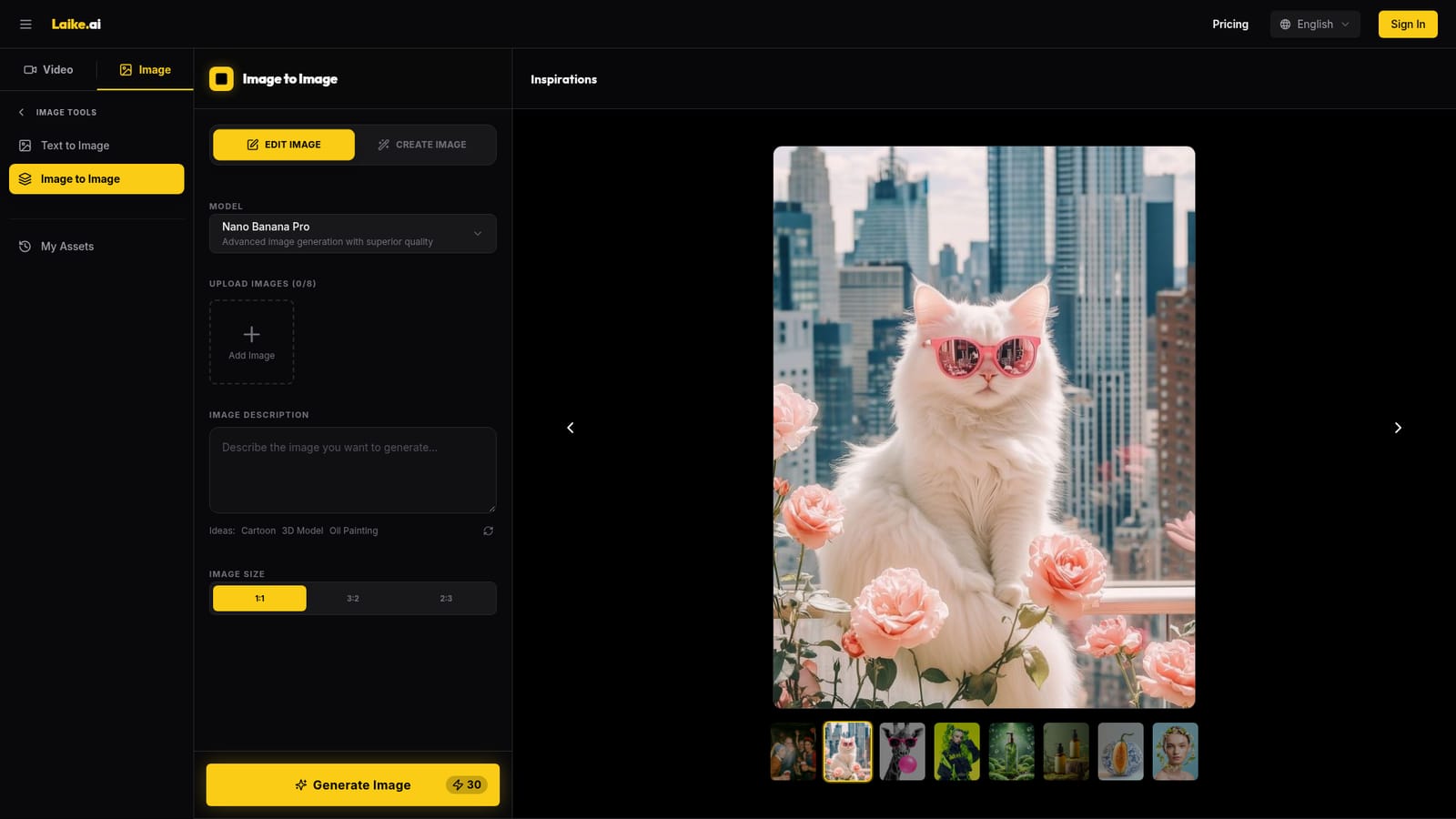
Laike.AI's image-to-image tool is a browser-based editor that reworks existing pictures from a text instruction. A user uploads up to eight images, writes a description of the change, picks an aspect ratio (1:1, 3:2 or 2:3) and generates a new version. The same screen offers an Edit Image mode and a Create Image mode, and a history view keeps earlier results within reach. The tool is built around a selectable model list rather than a single engine. Nano Banana Pro is positioned as the higher-quality option, Nano Banana as the faster one, with GPT 4o and ByteDance's Seedream 4 also available. That choice lets a user trade speed against fidelity or try a different artistic look on the same source image. Suggested prompt ideas such as Cartoon, 3D Model and Oil Painting sit beside the description box as starting points. The listed capabilities cover style transfer (photo to oil painting, anime or watercolor), background replacement, object modification and removal, color adjustment, upscaling and sharpening, creative variations, inpainting and batch processing. The page says several edits can be combined in a single prompt, and that higher-resolution uploads tend to give better results. The workflow is simple: upload, describe, preview, refine the prompt, then download in high resolution. The intended audiences are photographers retouching portraits and fixing lighting, e-commerce sellers who need background changes and product variations, artists and designers building mood boards, and social media creators chasing a consistent look. Because the whole process is prompt-based, there is no masking or layer work to learn, which suits people who want results without a traditional editor's learning curve. Among alternatives, it sits between full desktop editors and single-model generators. It does not offer pixel-level manual control, but bundling several models and sibling tools for text-to-image, image-to-video and video enhancement under one account makes it a convenient hub for casual and mid-volume visual work. Pricing and credit details are not spelled out on this page, so buyers should check the cost per generation before committing to a large batch.
The page carries "Start Editing Free" buttons, which suggests free access to begin, but the limits are not detailed on the page.
Learn moreStyle transfer, background replacement, object edit and removal, color adjustment, quality enhancement and upscaling, creative variations, inpainting and batch processing. Four selectable models, up to eight uploads, three aspect ratios and a history view.


