Pricing
The homepage does not list prices or tiers. It links to a plans page and a sales booking flow, so commercial details are handled directly with the team.
Learn moreAn AI second cursor that guides users inside your own product
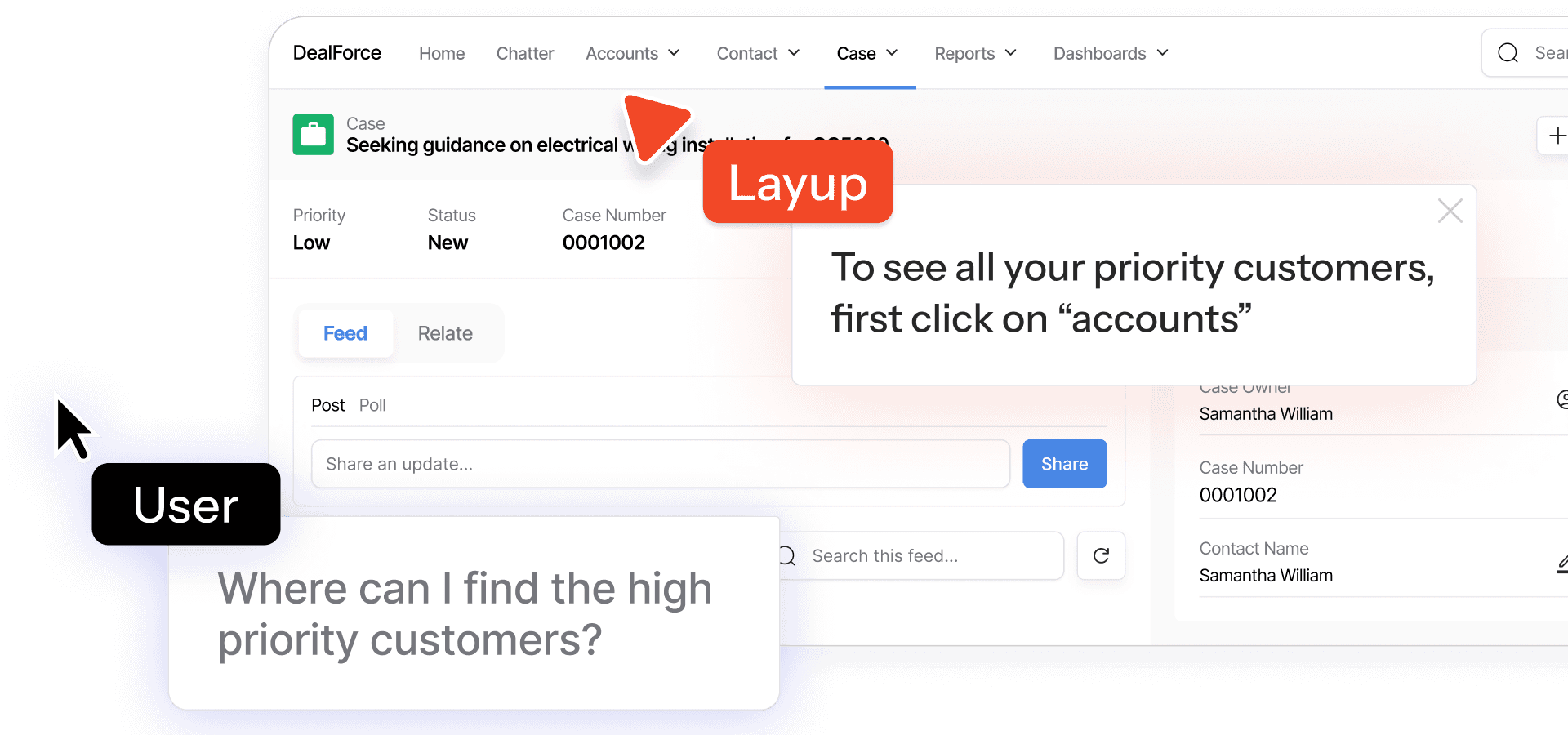
Layup is an AI screen analyzer tool. Layup puts an AI-driven second cursor inside your product to onboard users, tour new features and deflect support tickets. It learns your interface without tagging, adapts to roles and permissions, and deploys with one line of code.
Layup is an in-app guidance layer built around an AI-powered second cursor. Instead of asking users to read a help article or book a call, the product places a visible pointer and conversation directly inside the interface, walking people through the exact screen they are looking at. The company positions it as onboarding, feature discovery and support deflection in one tool, deployed with a single line of code. It sits in the territory of digital adoption platforms and in-app walkthrough builders, but leans on AI to decide what to show rather than on hand-authored step sequences. In practice the agent adapts to context. It can switch between pointing at interface elements and holding a conversational exchange, adjusts to the user's plan, permissions and role, and targets specific accounts through built-in segmentation. Feature tours can be scheduled to reach the right users when something ships, turning launches into measurable engagement. Layup learns the product autonomously and relearns it as the interface changes, so tagging elements by hand is not part of the setup. Branding is configurable down to colors and icons. For developers, the promise is a low-effort install: paste one line of code and go live, or start by inviting Layup as a user in the product itself. The site claims any stack works and cites a deploy time under five minutes. On the compliance side, Layup lists HIPAA, GDPR, SOC 2 and a blinded data model, which matters for teams in regulated industries. Layup is aimed at SaaS product, growth and support teams that want fewer tickets and faster time to value without building an onboarding system in house. Buyers comparing it with established digital adoption suites should weigh the AI-first approach against the maturity and enterprise tooling of larger vendors. The company has announced it is joining Whatfix, a detail worth following for anyone planning a long-term rollout.
The homepage does not list prices or tiers. It links to a plans page and a sales booking flow, so commercial details are handled directly with the team.
Learn moreContact is available by email and through a sales booking link. No dedicated help center or documentation portal is listed on the homepage.
Learn moreLayup connects to any content or docs source according to the homepage, and the snippet is described as stack agnostic. No named third-party integrations are listed.
An AI second cursor that points users to the right place in your interface, with live switching between cursor and chat guidance. Includes autonomous product learning without tagging, role and permission awareness, built-in segmentation, always-on feature tours, connectable content and docs, and full visual customization.
 AI Angels400+ customizable AI girlfriends for NSFW chat, voice calls, and roleplay
 Candy AIExperience the future of companionship with AI friends who chat, role-play, and connect with you on a human level.
 ourdream.aiA vast AI roleplay platform with millions of characters for chat, images, video and voiceAI Angels400+ customizable AI girlfriends for NSFW chat, voice calls, and roleplayCandy AIExperience the future of companionship with AI friends who chat, role-play, and connect with you on a human level.ourdream.aiA vast AI roleplay platform with millions of characters for chat, images, video and voice


