Pricing
A one-time purchase of $19.99 for a lifetime license. There is no membership subscription and no bundled LLM quota; you connect your own provider account or local server and pay that provider directly for usage.
Learn moreNative macOS copilot that reads any screen region you select.

MacCopilot is an AI screen analyzer tool. A native Mac app that sends any screen selection to your own OpenAI, Claude, Gemini or Ollama model for analysis, explanation or rewriting, sold as a one-time license with no bundled model usage.
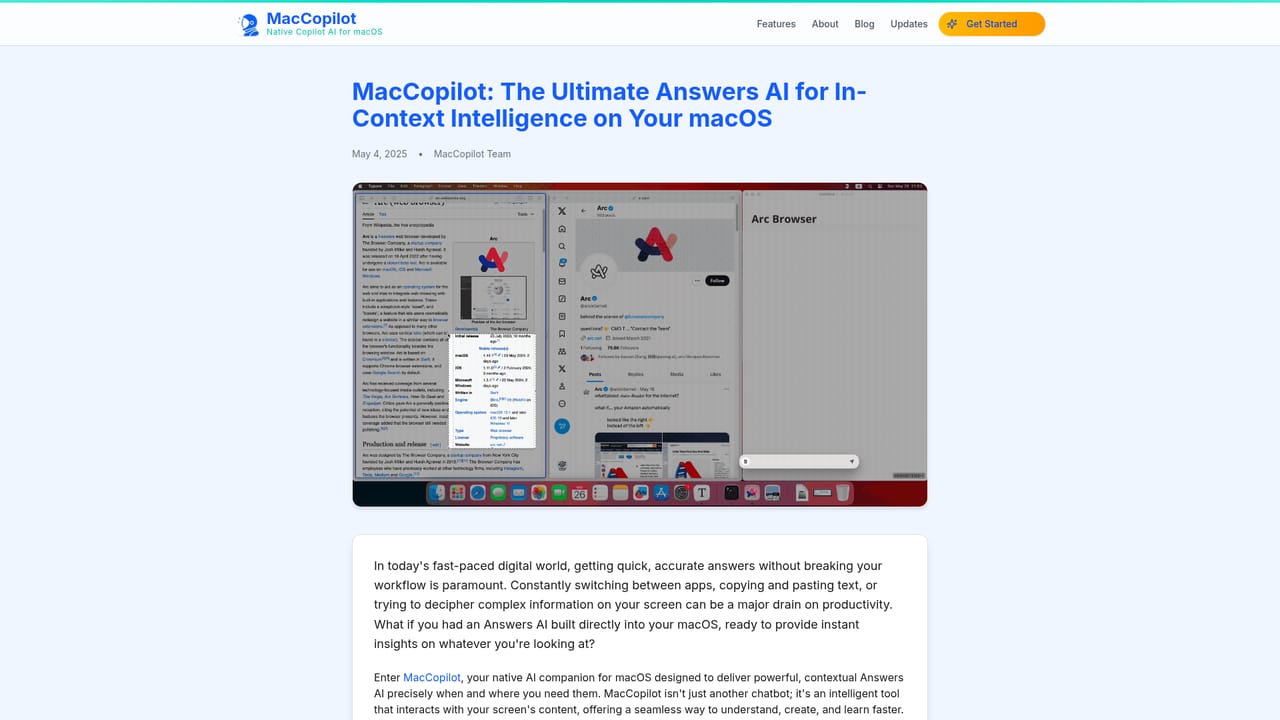
MacCopilot is a native macOS app that turns any part of your screen into a prompt. You drag a selection over a chart, a code snippet, an email draft, a contract clause or a webpage, and the app sends that capture to an AI model of your choosing for explanation, critique or rewriting. The pitch is simple: no copy-paste, no switching windows, no manual transcription of what you are looking at. The app is built for people who already pay for a model provider and want a lightweight capture layer on top. It ships no bundled model usage and instead connects to your own OpenAI, Anthropic Claude, Google Gemini, Azure OpenAI or Ollama endpoint, with unlimited model profiles so you can keep a fast cheap model for quick lookups and a stronger one for design or code review. Ollama support matters for anyone who prefers inference to stay on the machine. In practice the workflow is capture, ask, read. Built-in screenshot tools let you resize a selection or reuse the last region, and hotkeys can trigger a capture without leaving the current app. From there a chat panel opens on top of the model's answer, so follow-up questions keep the screen context in view. Common uses on the site include reviewing interface layouts, translating on-screen text for language learners, working through homework problems and unpacking legal language. Against general-purpose chat assistants, MacCopilot's advantage is the screen as context rather than a pasted wall of text, and against other Mac copilots its differentiator is bring-your-own-key pricing with no membership. The trade-off is that you carry the setup: API keys, model names and provider billing are yours to manage, and the app is macOS only.
A one-time purchase of $19.99 for a lifetime license. There is no membership subscription and no bundled LLM quota; you connect your own provider account or local server and pay that provider directly for usage.
Learn moreSupport is handled by email at hello@maccopilot.co. An in-app FAQ covers permissions, adding each provider model, hotkeys, system prompt changes, system requirements and license management.
Learn moreConnects to OpenAI (GPT-4o, GPT-4.1, GPT-4.5 Preview and others), Anthropic Claude, Google Generative AI (Gemini 1.5, 2.0 and 2.5 series), Azure OpenAI and local Ollama or OpenAI API-compatible servers.
Learn moreSelect any area of the screen and chat with an AI model about it. Includes flexible screenshot capture with resizable selections and reuse of the last region, hotkey triggers, editable system prompt, and support for OpenAI, Claude, Google Gemini, Azure OpenAI, Ollama and other OpenAI-compatible endpoints. Model profiles are unlimited, so fast and strong models can coexist in one workflow.
 AI Angels400+ customizable AI girlfriends for NSFW chat, voice calls, and roleplay
 Candy AIExperience the future of companionship with AI friends who chat, role-play, and connect with you on a human level.
 ourdream.aiA vast AI roleplay platform with millions of characters for chat, images, video and voiceAI Angels400+ customizable AI girlfriends for NSFW chat, voice calls, and roleplayCandy AIExperience the future of companionship with AI friends who chat, role-play, and connect with you on a human level.ourdream.aiA vast AI roleplay platform with millions of characters for chat, images, video and voice


