Free trial
A free allowance of 20 credits per day is offered, usable for both image and video lip sync.
Learn moreImage and video lip sync with multi-face support and daily free credits
Own LipSyncAI.org? Verify ownership to get a dofollow link

LipSyncAI.org is a generative video tool. LipSyncAI.org syncs mouth movements to any audio, for still images or existing video, with support for up to six faces, many languages and a free daily credit allowance. It suits translators, social creators and marketers.
LipSyncAI.org is a browser-based generator that matches mouth movements to an audio track. It works in two modes: an image mode, where a still portrait is paired with an audio file to produce a speaking or singing clip, and a video mode, where existing footage is re-synced to new audio. The same engine is aimed at real human faces and AI-generated avatars, so it covers both live-action edits and synthetic characters. The audience is broad. Marketers and e-commerce teams use it to localize promotional videos so the speaker's lips follow a translated voiceover. Social creators use it for song covers, comedy skits and music clips, including fast rap. Corporate trainers and educators use it for explainer and training material, and teams with older footage can redub it with a rewritten script or a cloned voice. The site says audio can be in any language or dialect, with English, Spanish, Mandarin and Arabic named as examples. In practice the workflow is short. A user uploads a video or pastes a link, then chooses between the uploaded audio file and the video's own soundtrack. A mode selector offers Standard for quick turnaround or Precision for higher-quality alignment, and the user states how many faces appear. The tool supports up to six faces in a single clip, which suits panels and mini-dramas, and individual faces can be picked for syncing. After a preview and any adjustments, the result is downloaded. The image mode adds Pose Scale and Lip Scale settings and accepts PNG, JPG, JPEG and WEBP images alongside MP3, WAV, AAC, FLAC and OGG audio. Among alternatives, it sits between full avatar-video platforms that require pre-recorded presenters and general video editors with no mouth-animation capability. Its pitch is syncing audio to real footage without avatar pre-recording, and it claims to be roughly ten times more efficient than traditional methods. The homepage reports that angled heads, side profiles, beards and minimal mouth movement are handled. A daily allowance of free credits lets newcomers test it before committing, and commercial use is permitted according to the FAQ.
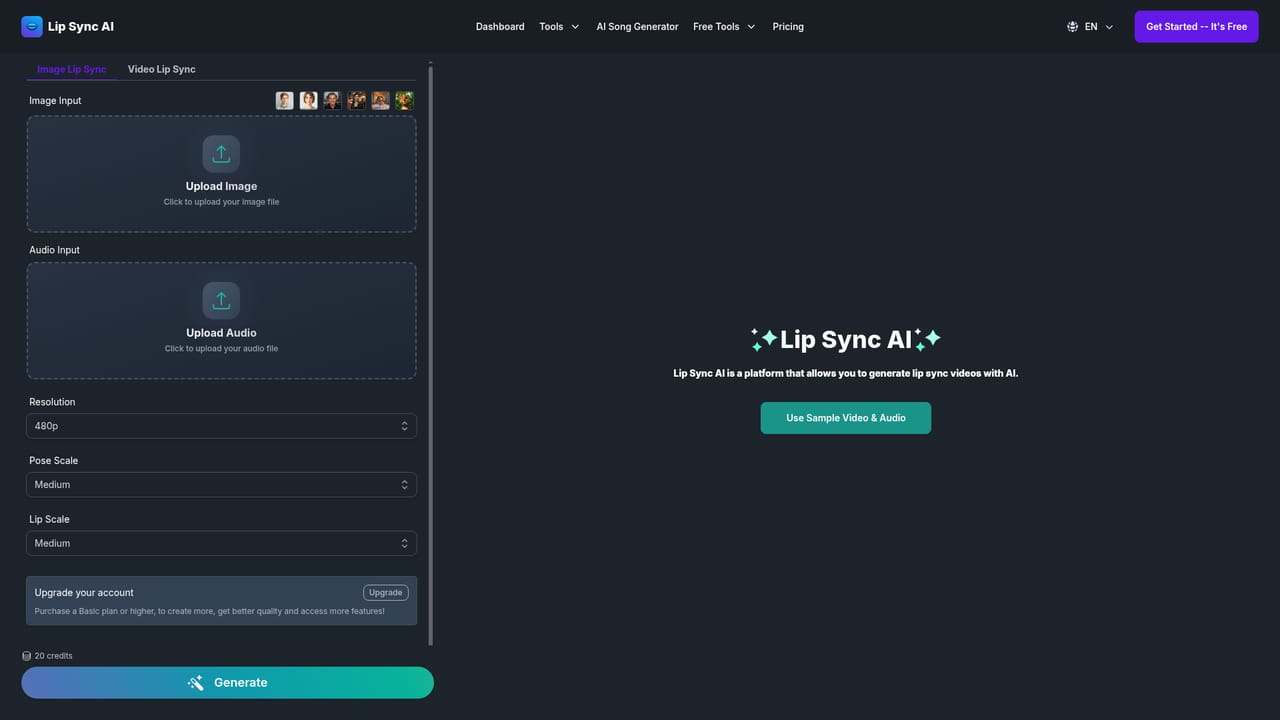
A free allowance of 20 credits per day is offered, usable for both image and video lip sync.
Learn moreThe homepage advertises 20 free credits per day. Paid tiers and per-generation credit costs are not stated on the page.
Learn moreImage and video lip sync, up to six faces per clip, selectable faces, Standard and Precision modes, any language or dialect, varied head angles, video translation and redubbing, and Pose and Lip Scale controls.


