Pricing
Credits are sold in three bundles: 15 credits for $10, 45 credits for $25 and 100 credits for $40. One credit produces one logo, and there is no subscription model.
Learn moreAI logo generation for startups, designers and solopreneurs.
Own LogoCreatorAI? Verify ownership to get a dofollow link
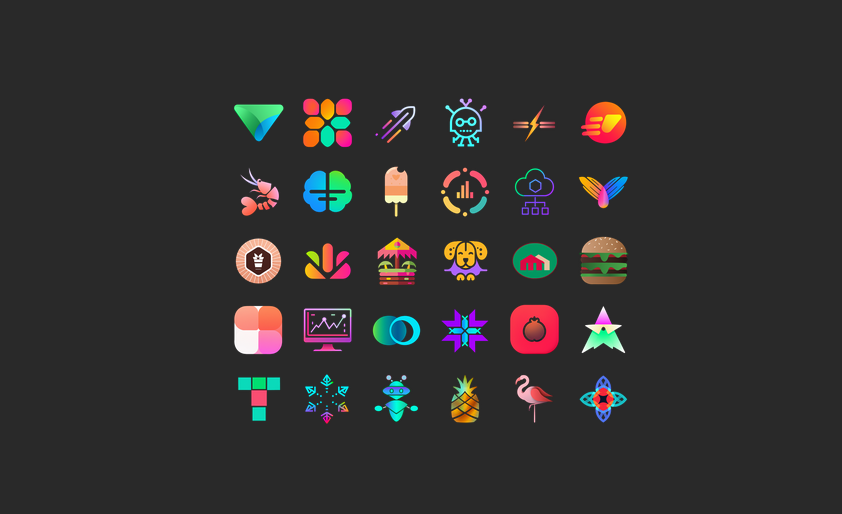
LogoCreatorAI generates logo concepts from a chosen style, concept and color palette. It offers twelve styles, up to ten logos per batch, transparent PNG output and commercial usage rights, with credit bundles priced from $10 to $40.
LogoCreatorAI is a web based design tool that generates logos using artificial intelligence. It targets three groups: startups that need a brand mark quickly, designers who want a fast source of concepts to react to, and solopreneurs working with a limited budget. The premise is straightforward: describe the style, concept and colors you want, and the system returns a batch of candidate logos within seconds. The workflow is passwordless. You sign up with an email address and receive a magic link, then land on a dashboard where you pick from twelve style categories, including neon, fire, geometric, circle, app, letter, metallic, vintage, abstract, modern, shapes and flat. Each request can produce up to ten logos at once. Output is delivered as 1024 by 1024 PNG files with transparent backgrounds, ready to be dropped into another editor for cleanup or to be customized however you like. The company states that every generated logo belongs to the user and can be used commercially. In practice, the tool is best treated as a concept generator rather than a finished brand identity system. The vendor itself advises generating three or four logos per concept, since results can be inconsistent, and company names are not added to the artwork at this stage. That means the final step, adding a wordmark or adjusting typography, happens outside the product. For a quick visual direction or a low stakes side project, that division of labor is reasonable. For a full brand kit with variations, vectors and file formats, expect to move into a dedicated design tool. Among AI logo generators, LogoCreatorAI competes on simplicity and price rather than depth. There is no subscription and no elaborate editor to learn. Credits are bought in bundles and consumed one per logo, so cost tracks output directly. It is a sensible first stop for a founder who needs options to react to, and a weak fit for anyone who expects a finished, typographically complete identity without further work.
Credits are sold in three bundles: 15 credits for $10, 45 credits for $25 and 100 credits for $40. One credit produces one logo, and there is no subscription model.
Learn moreSupport is handled by email. The FAQ invites users who dislike every result to send a note so the team can help find a logo they like.
Generates logos from a chosen style, concept and color palette. Twelve styles are available, including neon, geometric, letter, metallic, vintage, abstract, modern and flat. Up to ten logos can be generated per batch, delivered within seconds as 1024 by 1024 PNGs with transparent backgrounds. Designs can be downloaded from a personal dashboard and used commercially.
 AI Angels400+ customizable AI girlfriends for NSFW chat, voice calls, and roleplay
 Candy AIExperience the future of companionship with AI friends who chat, role-play, and connect with you on a human level.
 ourdream.aiA vast AI roleplay platform with millions of characters for chat, images, video and voiceAI Angels400+ customizable AI girlfriends for NSFW chat, voice calls, and roleplayCandy AIExperience the future of companionship with AI friends who chat, role-play, and connect with you on a human level.ourdream.aiA vast AI roleplay platform with millions of characters for chat, images, video and voice