Mailto Link Generator

Build pre-filled mailto links with subject, body, Cc and Bcc in seconds

Beginner
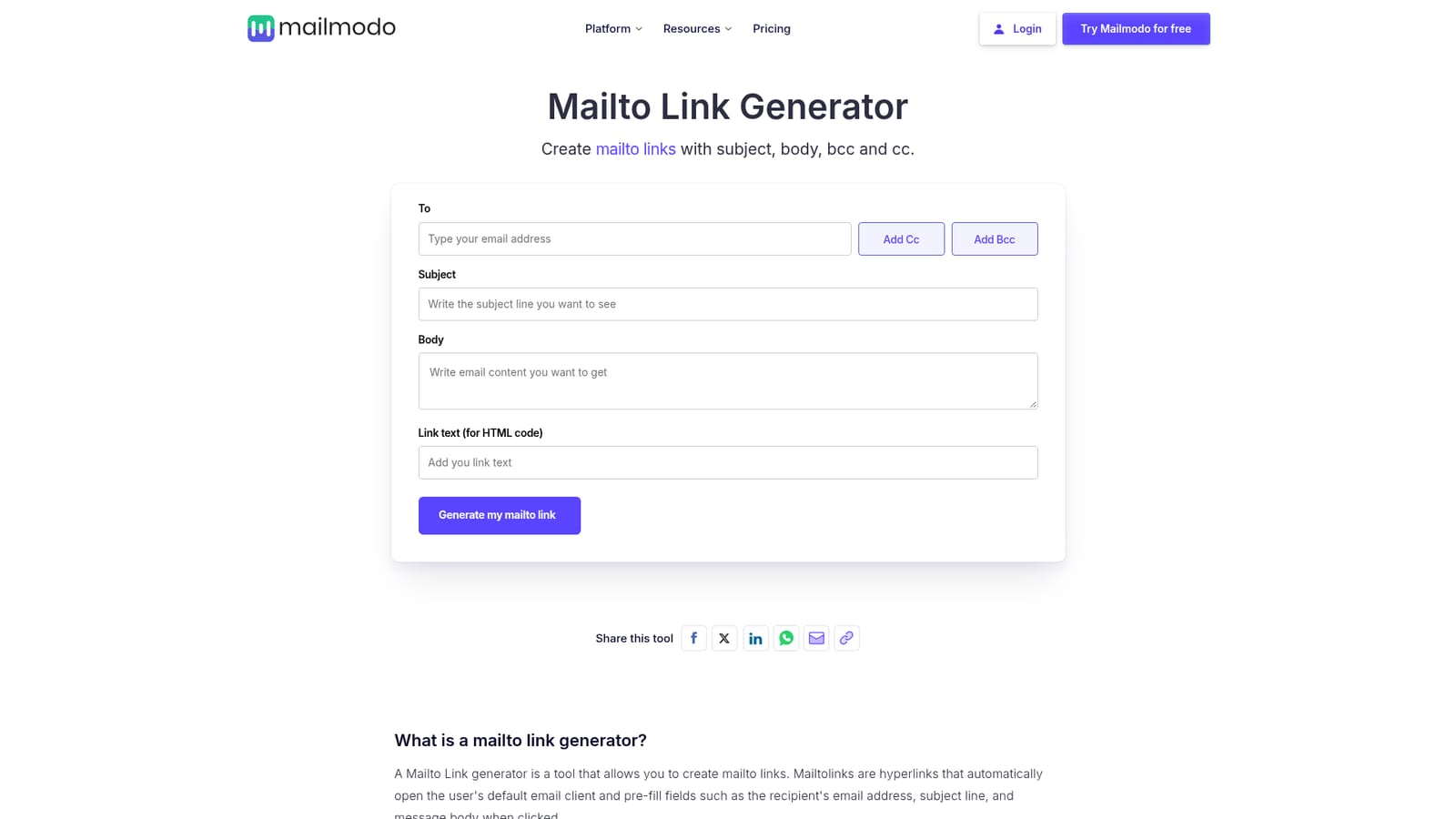
Screenshot of Mailto Link Generator, Build pre-filled mailto links with subject, body, Cc and Bcc in seconds

What is Mailto Link Generator?

Mailto Link Generator is an HTML generator tool that builds pre-filled mailto links with subject, body, Cc and Bcc in seconds. A free form-based utility from Mailmodo that turns recipient, subject, body, Cc and Bcc fields into a correctly encoded mailto link or HTML anchor code, with no manual URL escaping required.

Mailto Link Generator is a free browser tool from Mailmodo that manufactures mailto hyperlinks without any manual URL encoding. A mailto link is a clickable address that opens the visitor's default email client with the recipient, subject, body, Cc and Bcc fields already filled in. Anyone who has tried to hand-write one knows the pain: every space becomes %20, every line break becomes %0A, and an unescaped ampersand breaks the whole string. This tool handles that encoding work automatically and hands back a clean link. The workflow is a single form. You enter the recipient address, optionally add Cc and Bcc addresses, type a subject line and write or paste the body copy. One click generates the finished mailto string. There is also a link text field, which means the tool can output ready-to-paste HTML anchor code rather than only a raw URL, useful for site builders who need a styled "Contact us" button. If the body copy is still blank, Mailmodo points users toward its separate AI Email Writer to draft the message first. It is aimed at web and marketing teams placing contact or feedback links on pages, newsletters and documents, plus support teams that want pre-routed issue reports. The reference tables on the page (space, line break, ampersand, question mark, equals, plus, at sign, hash) double as a quick encoding cheat sheet for developers. Typical placements include feedback forms, bug reports, support requests, business enquiries, meeting requests and event RSVPs. Compared with generic URL encoders, the appeal is narrow focus: the form only asks for mailto fields, so there is no guesswork about parameter order. Compared with embedding a full contact form or a marketing automation platform, it is far lighter, though it inherits the limits of the protocol itself and cannot track clicks or validate input.

How do you use Mailto Link Generator?

  1. 1Enter the recipient address
    Type the email address that should receive the message, for example a support desk or sales inbox. This becomes the mailto: target of the finished link.
    Mailto Link Generator — Enter the recipient address
  2. 2Add Cc and Bcc recipients
    Open the optional Cc and Bcc fields if copies should reach other people. Addresses in Bcc stay hidden from the main recipients.
  3. 3Write the subject line and body
    Fill in the subject and the message content that will appear when the email client opens. Existing copy can be pasted straight in; otherwise draft it first in the AI Email Writer.
  4. 4Set the link text for HTML output
    If the link will sit inside a web page, add the wording that should be visible, such as Contact support. This is what the HTML anchor will display.
  5. 5Generate and copy the link
    Click Generate my mailto link to produce the encoded string or HTML code, then copy it into a website, newsletter, document or email signature.
  6. 6Draft body copy with the AI writer
    When the message content is not ready, use the linked AI Email Writer to produce a starting draft before returning to the generator.
    Mailto Link Generator — Draft body copy with the AI writer

Pros and cons

Pros

  • Handles all URL encoding automatically, so spaces, line breaks, ampersands and question marks do not break the linkAI
  • Covers the full parameter set: recipient, subject, body, Cc and Bcc in one formAI
  • Outputs HTML anchor code with custom link text, not just a raw mailto stringAI
  • No signup or account needed to generate a linkAI
  • Built-in encoding reference tables double as a quick lookup for developersAI

Cons

  • Results depend entirely on the visitor having a default mail client configured, which is increasingly rare on shared and mobile devicesAI
  • The bare form gives no click tracking, delivery confirmation or analytics of any kindAI
  • No bulk generation, saved history or link library, so every link is rebuilt from scratchAI
  • Body copy field is plain text only, with no rich formatting or template managementAI

How much does Mailto Link Generator cost?

Features

Generates mailto links with recipient, subject, body, Cc and Bcc parameters. Automatically URL-encodes special characters including spaces, line breaks, ampersands, question marks, equals signs, plus signs, at signs and hashes. Offers an optional link text field that produces HTML anchor code. Includes an on-page breakdown of mailto link components and a reference table of common character encodings.

Frequently asked questions about Mailto Link Generator

  • How do you use Mailto Link Generator?
    The walkthrough on this page covers 6 steps: 1. Enter the recipient address 2. Add Cc and Bcc recipients 3. Write the subject line and body 4. Set the link text for HTML output 5. Generate and copy the link 6. Draft body copy with the AI writer.
  • What platforms does Mailto Link Generator support?
    Mailto Link Generator is available on Web App.
  • What are the limitations of Mailto Link Generator?
    Results depend entirely on the visitor having a default mail client configured, which is increasingly rare on shared and mobile devices. The bare form gives no click tracking, delivery confirmation or analytics of any kind. No bulk generation, saved history or link library, so every link is rebuilt from scratch.

Status

StatusActive
Views0
Outbound clicks0
Added11/3/2026

Platforms

Web App

Pricing

Free