Maxsa AI

An anime-first AI studio for images, comics, characters and short videos

Beginner
Screenshot of Maxsa AI, An anime-first AI studio for images, comics, characters and short videos

What is Maxsa AI?

Maxsa AI is an anime tool. An anime-focused AI studio bundling photo-to-cartoon conversion, character sheets, comic layouts and image-to-video, with a large model catalogue priced in credits and an Agent that plans multi-shot stories.


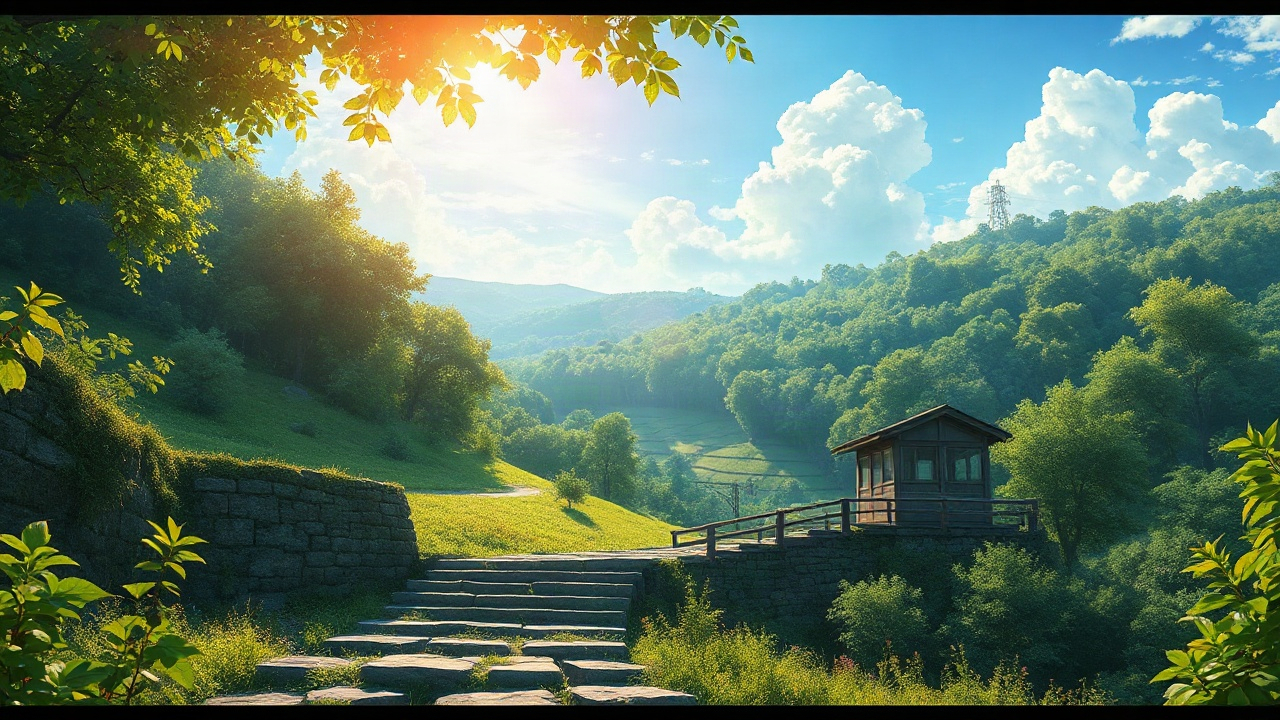
Maxsa AI is a browser-based creative studio built around anime, manga and cartoon art. Rather than one model behind one prompt box, it gathers a rotating catalogue of image engines (the site lists 22 at the time of writing, from FLUX and Seedream variants to Nano Banana, GPT Image, Qwen, Ideogram, Krea and Grok Imagine) and organises them by cost and character: cheap draft models for quick sketches, more expensive ones for detailed illustrations or faithful reference edits. Every generation is paid for in credits, and each model displays its price per image before anything runs. The workflow is organised around creation types rather than raw prompting. Photo to Cartoon takes a single upload (JPG, PNG or WebP up to 10 MB) and applies one of eighteen looks, sorted into Anime, Cartoon and Art families. Anime styles cover Soft, Cinematic, Watercolor and Retro, while the wider set reaches chibi, cel-shaded, 3D cartoon, claymation, paper cutout, storybook, plush toy, manga, comic illustration, pixel art, pencil sketch, pop art and ink wash. Settings let you decide how far to drift from the source photo (keep likeness, balanced stylization, reimagine freely) and whether to keep, replace or prompt the background. Separate tools handle anime character sheets with portraits, full bodies and expressions, comic pages with chosen panel layouts and reading direction, and image-to-video animation with optional sound on supported models. An Agent layer sits on top for multi-step work: describe a complete story and it plans the shots, then generates the video once you confirm the credit total. Beginners get example ideas that load prompts and settings in a few clicks, plus resolution frames for vertical, landscape and square output. The fit is clearest for hobbyists, fan artists, webcomic makers and small creative teams who want an anime-leaning toolkit without stitching several subscriptions together. Artists with a fixed model pipeline will find less depth per model than a dedicated provider offers, and the credit pricing rewards people who plan generations rather than experimenting freely.

How do you use Maxsa AI?

  1. 1Pick a creation type in the studio
    Open the studio and choose between images and photos, characters and comics, or video. Each path swaps in the relevant settings panel.
  2. 2Upload a photo for cartoon conversion
    In Photo to Cartoon, add a JPG, PNG or WebP file up to 10 MB, then choose a style such as Soft Anime or Cel-Shaded and set the frame ratio.
  3. 3Set transformation and background options
    Decide how closely to keep the likeness, then keep the original background, swap in a preset, or follow your own prompt.
  4. 4Compare model costs before generating
    Review the model list, note the credit cost per image, and start with an economy model for drafts before spending on a detailed one.
  5. 5Build characters and comic pages
    Use the character generator for portraits, full bodies and expressions, or the comic generator to lay out panels from a short story.
  6. 6Let the Agent plan a story video
    Describe a scene, let the Agent propose shots, check the credit total, and confirm to render the short video.

Pros and cons

Pros

  • Eighteen style presets cover anime, cartoon and art looks in one place, from soft anime to claymation and ink washAI
  • A large model catalogue with per-image credit costs shown up front makes budget trade-offs visible before generatingAI
  • Photo to Cartoon separates transformation strength and background handling, so likeness can be protected when neededAI
  • The Agent plans shots for a story and waits for credit confirmation before rendering videoAI
  • Example ideas load prompts and settings, which shortens the blank-page problem for new usersAI

Cons

  • Generation is credit-based, so heavy experimentation with premium models adds up quickly and requires constant cost checkingAI
  • No subscription tiers or prices are published on the homepage, only per-image credit figures, which makes total monthly spend hard to estimateAI
  • The breadth of 22 image models plus 18 styles can overwhelm newcomers who just want one dependable anime lookAI
  • Video output appears limited to very short clips with sound only on supported modelsAI
  • Anime-specific training or fandom-consistent character accuracy is not documented, so exact style matching is unpredictableAI

How much does Maxsa AI cost?

Pricing

The homepage lists credit costs per generation rather than a subscription table: image models range from 2 credits (FLUX Schnell) up to 80 credits (Nano Banana 2.1) for a single image, and Photo to Cartoon starts at 6 credits with FLUX.2 Flash. Agent direction is listed at 8 credits per delivery. No plan prices are shown on the homepage.

Learn more

Support

A contact page is available on the site for reaching the team. The homepage does not describe help documentation, chat support hours or community channels.

Learn more

Features

Eighteen Photo to Cartoon styles across anime, cartoon and art; a catalogue of 22 image models with visible credit costs; anime character creation with portraits, full bodies and expression sheets; comic page generation with panel layouts and reading direction; an Agent that plans shots and renders short story videos; image-to-video animation with optional sound; frame options for 9:16, 16:9 and 1:1 output.

Learn more

Frequently asked questions about Maxsa AI

  • How much does Maxsa AI cost?
    The homepage lists credit costs per generation rather than a subscription table: image models range from 2 credits (FLUX Schnell) up to 80 credits (Nano Banana 2.1) for a single image, and Photo to Cartoon starts at 6 credits with FLUX.2 Flash. Agent direction is listed at 8 credits per delivery. No plan prices are shown on the homepage.
  • How do you use Maxsa AI?
    The walkthrough on this page covers 6 steps: 1. Pick a creation type in the studio 2. Upload a photo for cartoon conversion 3. Set transformation and background options 4. Compare model costs before generating 5. Build characters and comic pages 6. Let the Agent plan a story video.
  • What platforms does Maxsa AI support?
    Maxsa AI is available on Web App.
  • What are the limitations of Maxsa AI?
    Generation is credit-based, so heavy experimentation with premium models adds up quickly and requires constant cost checking. No subscription tiers or prices are published on the homepage, only per-image credit figures, which makes total monthly spend hard to estimate. The breadth of 22 image models plus 18 styles can overwhelm newcomers who just want one dependable anime look.

Status

StatusActive
Views0
Outbound clicks0
Added10/21/2026

Platforms

Web App

Pricing

FreemiumSubscription