Free trial
No free trial is advertised. A browser-based live call demo on the homepage lets prospects hear the agent before speaking with the team.
Learn moreAI voice agent that calls every real estate lead in under 60 seconds

Mergro is an AI voice agent for real estate that calls new portal and website leads within 60 seconds, qualifies budget, timeline and area, books viewings, and syncs summaries and transcripts to CRMs like Follow Up Boss and HubSpot. It also runs multi-channel follow-up and reactivates dormant lead lists.
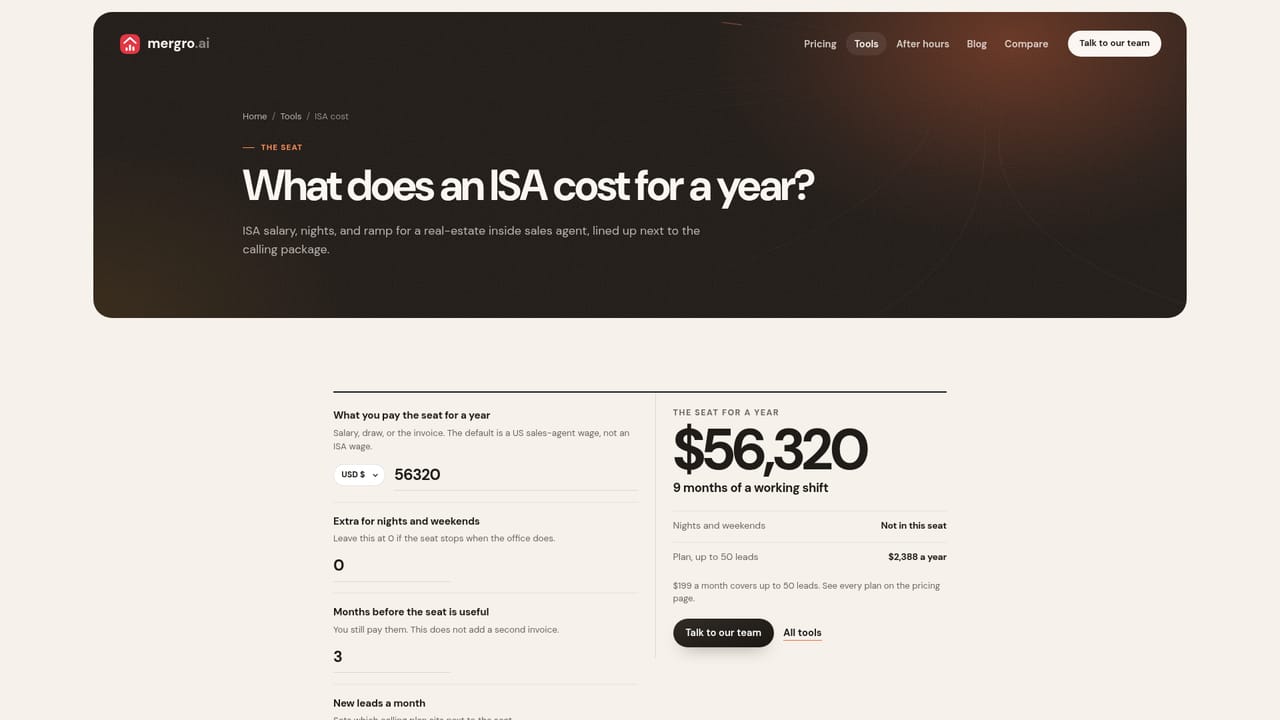
Mergro is a voice-first AI agent built for real estate teams that lose deals to slow follow-up. Instead of routing a new inquiry into an inbox and hoping someone dials it, mergro places a phone call to the lead within a minute of arrival, day or night. It covers inquiries from Zillow, Realtor.com, Redfin and website forms, asks the questions a team would normally ask, and books a viewing when the buyer is ready. The pitch is deliberately narrow: this is a speed-to-lead product for residential agents and brokerages, not a general purpose phone bot. The agent handles qualification rather than just message taking. Budget, timeline, target area, bedroom count and financing status are pulled out as structured fields, and each call arrives with a written summary, a timestamped transcript and a recorded outcome. That write-up lands on the contact in the CRM the team already uses, so an agent opening the desk in the morning sees a lead that is already documented instead of a voicemail. A speed-to-lead dashboard shows response time per lead and per source rather than a monthly average, and an outcomes view tracks calls placed, qualified and booked week over week down to the individual agent. Follow-up continues after the first call. Mergro works across phone, WhatsApp, email, SMS and website chat, keeping one thread and timing its touches to the buyer's time zone and stated preferences. The second use case is quieter but often more valuable: pointing the agent at a dormant database of cold leads and re-qualifying them before a human steps in. Setup is described as a matter of days, with lead sources pointed at mergro and qualification rules agreed in a first call. Competitively, mergro sits between answering services and hiring an inside sales agent. The vendor positions the $199 monthly plan against the cost of a human ISA, and the product is aimed at teams already paying for portal leads where the first call decides the return. It competes with other conversational AI lead tools on CRM depth and channel breadth rather than on breadth of general AI features. The tradeoff is specialization: agencies outside residential real estate, or teams wanting an all in one marketing suite, will find it a narrow fit.

No free trial is advertised. A browser-based live call demo on the homepage lets prospects hear the agent before speaking with the team.
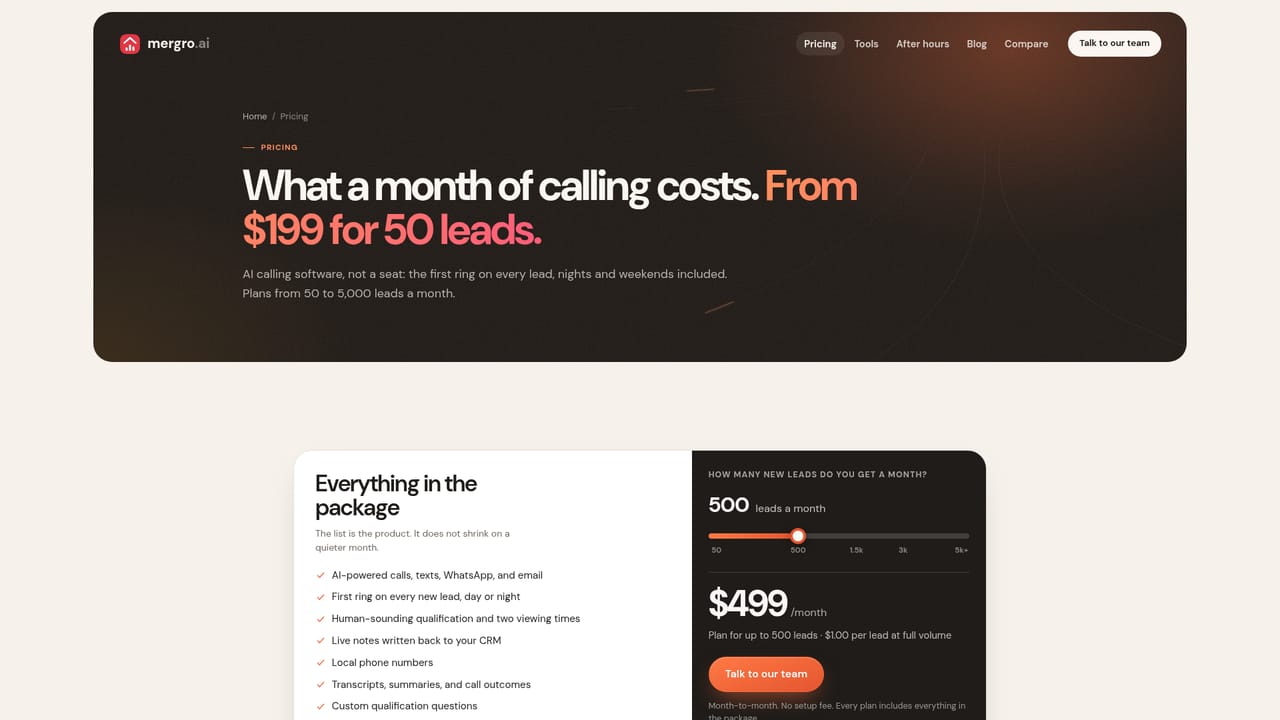
Learn more$199/mo USD for 50 leads, roughly $3.98 per lead worked, with no setup fee and month-to-month cancellation. The FAQ lists plans up to $2,499 for 5,000 leads per month. No seats are charged and every channel is included at the entry tier.
Learn moreSetup is guided on a first call, with most teams live within days. Enterprise done-for-you setup is handled by the mergro team, and a 30-minute onboarding call is offered to configure your own lead flow.
Syncs calls, notes, tags and next steps to Follow Up Boss, Lofty, CINC, Real Geeks, HighLevel, BoldTrail, HubSpot, BoomTown, Sierra, Zoho and Wise Agent. Lead sources include Zillow, Realtor.com, Redfin and website forms.
Sub-60-second outbound calls to new leads from Zillow, Realtor.com, Redfin and website forms, with qualification of budget, timeline, area, beds and financing. Each call produces an AI summary, structured fields and a timestamped transcript pushed to the CRM. Follow-up runs across phone, WhatsApp, email, SMS and website chat with time-zone-aware timing, plus campaigns that reactivate dormant lead lists. Reporting covers speed to lead per source and booked viewings per agent.
 AI Angels400+ customizable AI girlfriends for NSFW chat, voice calls, and roleplay
 Candy AIExperience the future of companionship with AI friends who chat, role-play, and connect with you on a human level.
 ourdream.aiA vast AI roleplay platform with millions of characters for chat, images, video and voiceAI Angels400+ customizable AI girlfriends for NSFW chat, voice calls, and roleplayCandy AIExperience the future of companionship with AI friends who chat, role-play, and connect with you on a human level.ourdream.aiA vast AI roleplay platform with millions of characters for chat, images, video and voice


