Free trial
Free access with no account needed: the homepage advertises six free uses across the toolset, starting with the YouTube analyser.
Learn moreScore your YouTube metadata before you hit publish

Meteorra AI is a content writing tool. Meteorra AI scores your YouTube title, description and topic alignment before you upload, flagging weak metadata with specific fixes. It also validates video ideas, rates thumbnails and offers a Creator Copilot workspace where titles, descriptions and tags are generated and rescored live as you edit.
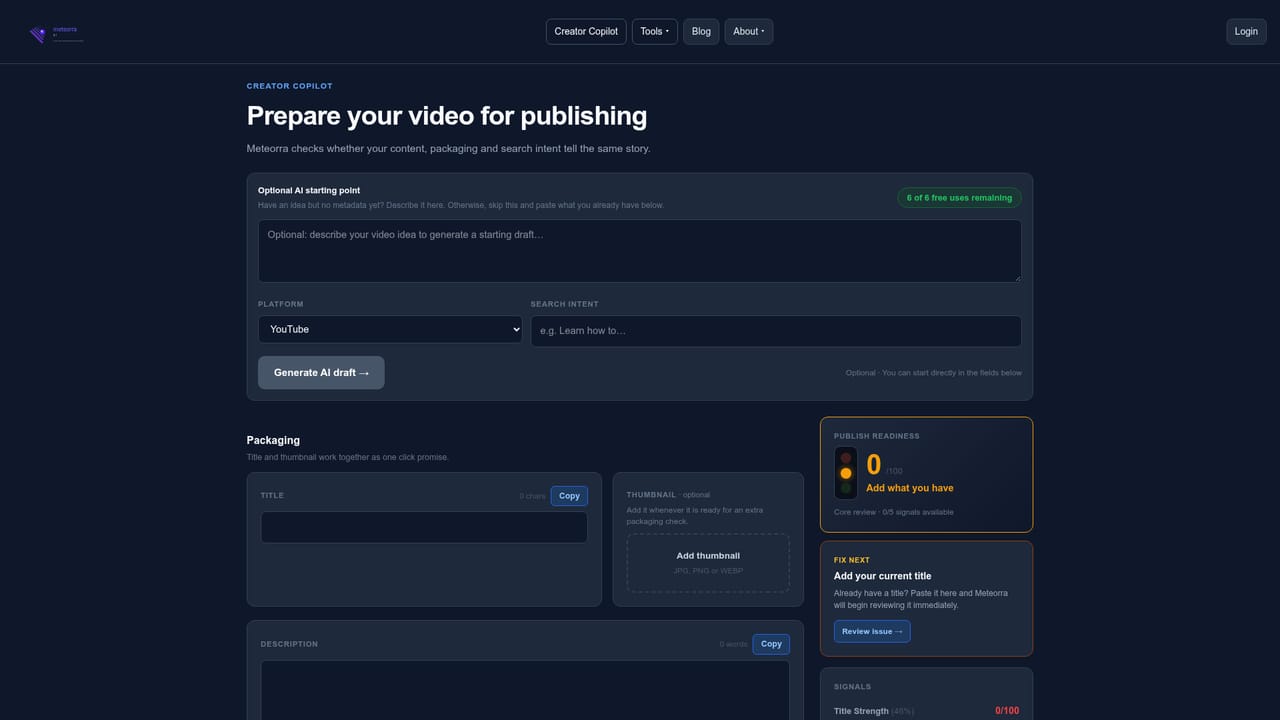
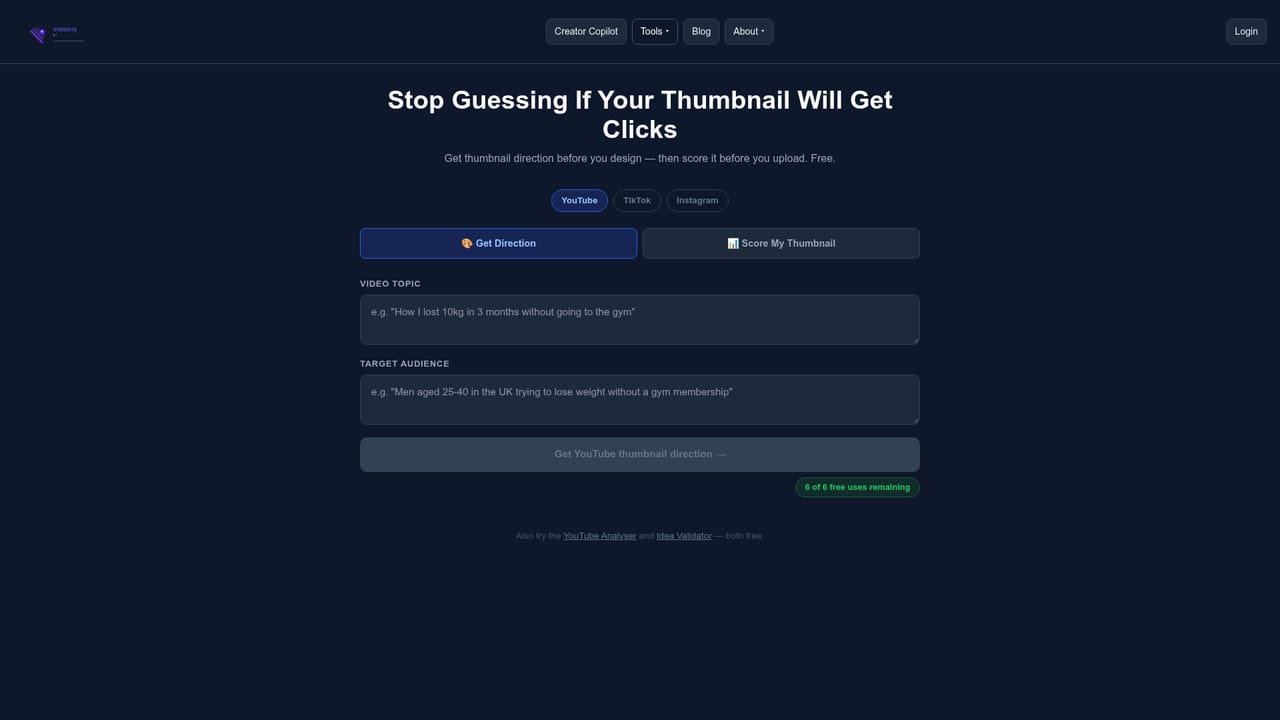
Meteorra AI is a pre-publish optimization tool aimed at video creators who want to catch weak metadata before it costs them reach. Instead of reporting on performance after a video has already been live for days, the tool scores a title, description and topic alignment while the upload is still a draft. The stated goal is narrow and deliberate: most reach problems, in the company's framing, are fixable in under five minutes if you find them early enough. The workflow starts with a YouTube URL or a plain description of a planned video. Meteorra returns a metadata score and lists specific faults, such as a vague title with no hook, a description carrying no keyword signal, mismatched topics or generic tags. Each fault comes with a suggested fix, and the tool shows a before and after score so the improvement is visible rather than assumed. A separate idea validator scores a concept before any production work begins, and a thumbnail analyser gives direction plus a click-through score on the artwork. Creator Copilot, the newest addition, turns the process into a workspace. A creator describes an idea, receives a full title, description and tag set, then edits in place while scores update live. It adds a publish readiness signal and a transcript alignment check, which is where the product is most useful for people who already have footage and are finalizing the packaging. The obvious comparison is with established YouTube analytics suites that report on published performance. Meteorra deliberately positions on the other side of the upload button, so the two are complementary rather than interchangeable. The homepage names YouTube, TikTok and Instagram Reels as target platforms, though the analysis tools linked from the site are built around YouTube metadata. The tool is aimed at individual creators and small channels, including beginners, rather than agencies managing large portfolios.
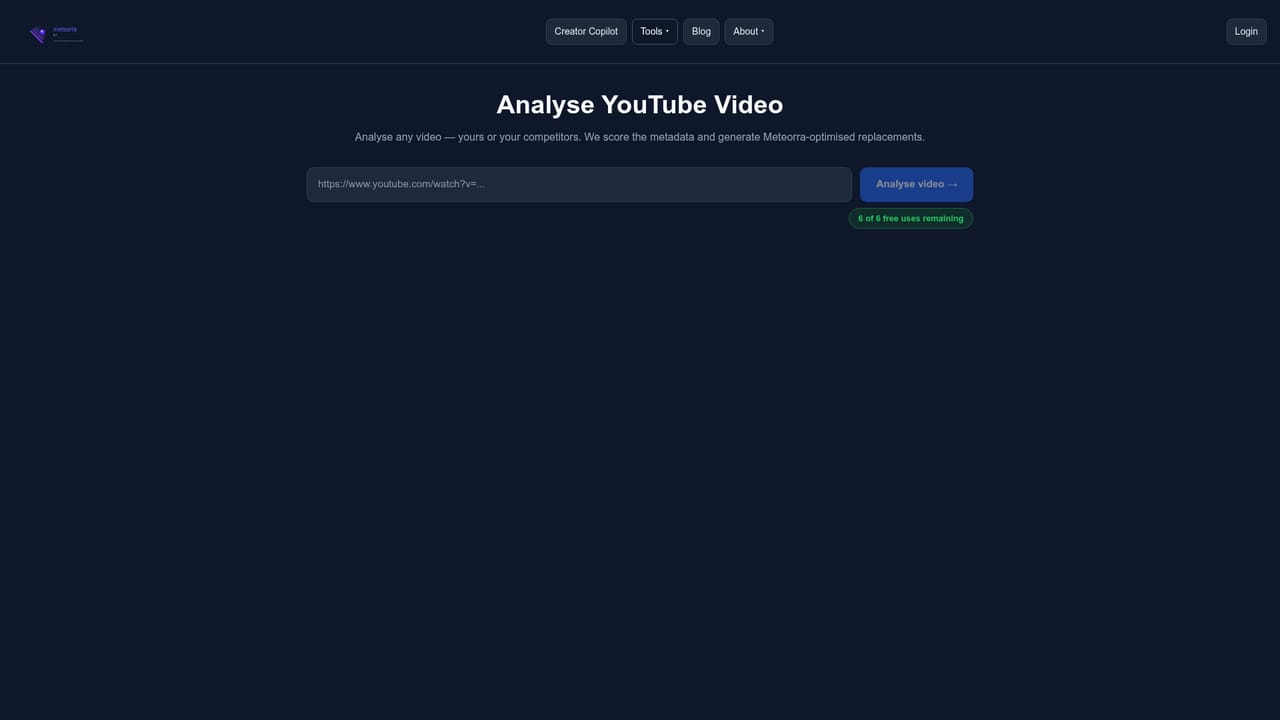
Free access with no account needed: the homepage advertises six free uses across the toolset, starting with the YouTube analyser.
Learn moreThe homepage presents Meteorra AI as free, with all tools available for six free uses and no signup required. It states that no credit card is needed, but no paid tiers or prices are listed, so the cost of use beyond the free allowance is not documented.
Learn moreA contact page is provided for questions, and the homepage links to it from the closing section; no other support channels are described.
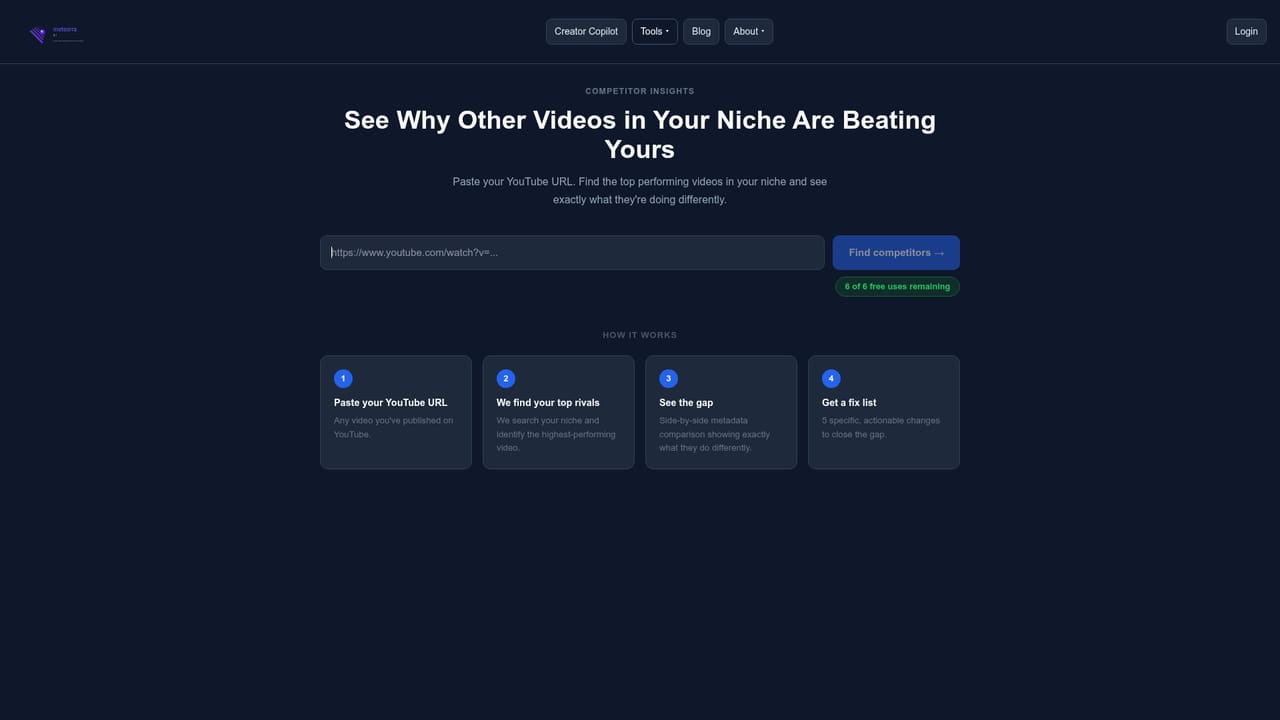
Learn moreYouTube Analyser scores title, description, topic alignment and tags; Idea Validator scores a concept before production; Thumbnail Analyser returns a click-through score and direction; Creator Copilot generates titles, descriptions and tags with live rescoring, a publish readiness signal and transcript alignment checking; Competitor Insights breaks down channels in your niche. Each tool lists six free uses.
Learn more AI Angels400+ customizable AI girlfriends for NSFW chat, voice calls, and roleplay
 Candy AIExperience the future of companionship with AI friends who chat, role-play, and connect with you on a human level.
 ourdream.aiA vast AI roleplay platform with millions of characters for chat, images, video and voiceAI Angels400+ customizable AI girlfriends for NSFW chat, voice calls, and roleplayCandy AIExperience the future of companionship with AI friends who chat, role-play, and connect with you on a human level.ourdream.aiA vast AI roleplay platform with millions of characters for chat, images, video and voice


