Free trial
The homepage promotes starting free with no credit card required and describes a 2-minute setup with the option to cancel anytime, but does not state a trial length or which features are included.
Learn moreTurn ideas, PDFs, videos and URLs into structured mind maps.

MindmapAI is a concept map generator tool that turns ideas, PDFs, videos and URLs into structured mind maps. MindmapAI builds visual mind maps from an idea, a PDF, a YouTube video or a web URL.
MindmapAI is a web tool that converts raw source material into structured mind maps. Instead of asking users to draw branches by hand, it takes an idea, a PDF document, a YouTube link or any web address and runs an automatic analysis that pulls out the main concepts and arranges them into a visual hierarchy. The claimed result is a usable map that can be kept as generated or edited node by node. The four input types cover most common research situations. A PDF import suits students and analysts working through reports, papers or long briefs. The YouTube option targets people who learn from talks, tutorials and recorded lectures and want the key points in a skimmable form rather than a transcript. The URL route works for articles and documentation pages. Plain text entry handles the case where the thinking already exists and only the structure is missing. In practice the workflow is short: supply the content, let the AI process it, then refine the output. Editing tools include custom notes on nodes, links between branches, icons, connections to external pages and tags for organising content. Themes control the visual style. Keyboard shortcuts are promoted as a way to build and navigate maps without the mouse, which matters for anyone producing maps regularly rather than occasionally. Finished maps can be published through a public link for real-time viewing, exported as PDF, PNG or JPEG for slides and documents, or opened in a presentation mode. The collaboration feature points at team use, and the sharing options make the tool reasonable for client work and teaching material. Compared with general diagramming apps that require manual layout, MindmapAI trades some placement control for speed of first draft. The site advertises free starting access with no credit card required, though specific plan limits are not detailed on the homepage. It is best treated as a fast structuring aid for people who already have source material and want the skeleton built for them.
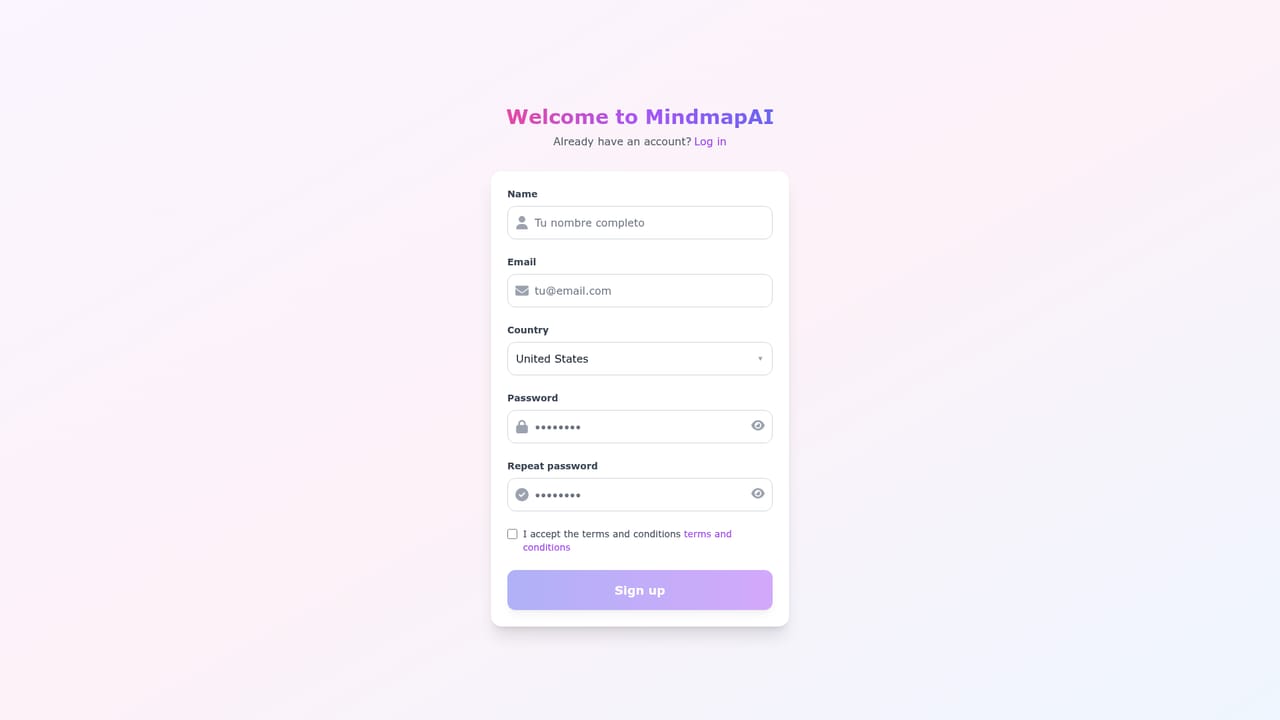
The homepage promotes starting free with no credit card required and describes a 2-minute setup with the option to cancel anytime, but does not state a trial length or which features are included.
Learn moreNo third-party integrations are described. External inputs are limited to PDF files, YouTube links and web URLs pasted into the tool.
Automatic mind map generation from four input types: a text idea, PDF documents, YouTube videos and web URLs. Maps can be customised with notes, node links, icons, page connections and tags, styled with themes, navigated through keyboard shortcuts, and shared via public link or exported as PDF, PNG or JPEG. A presentation mode and real-time team collaboration are also listed.
 AI Angels400+ customizable AI girlfriends for NSFW chat, voice calls, and roleplay
 Candy AIExperience the future of companionship with AI friends who chat, role-play, and connect with you on a human level.
 ourdream.aiA vast AI roleplay platform with millions of characters for chat, images, video and voiceAI Angels400+ customizable AI girlfriends for NSFW chat, voice calls, and roleplayCandy AIExperience the future of companionship with AI friends who chat, role-play, and connect with you on a human level.ourdream.aiA vast AI roleplay platform with millions of characters for chat, images, video and voice