Free trial
The free tier covers the core features; no trial length or card requirement is stated on the homepage.
Learn moreTurn any PDF, lecture, or textbook page into notes, flashcards, quizzes, and podcasts.

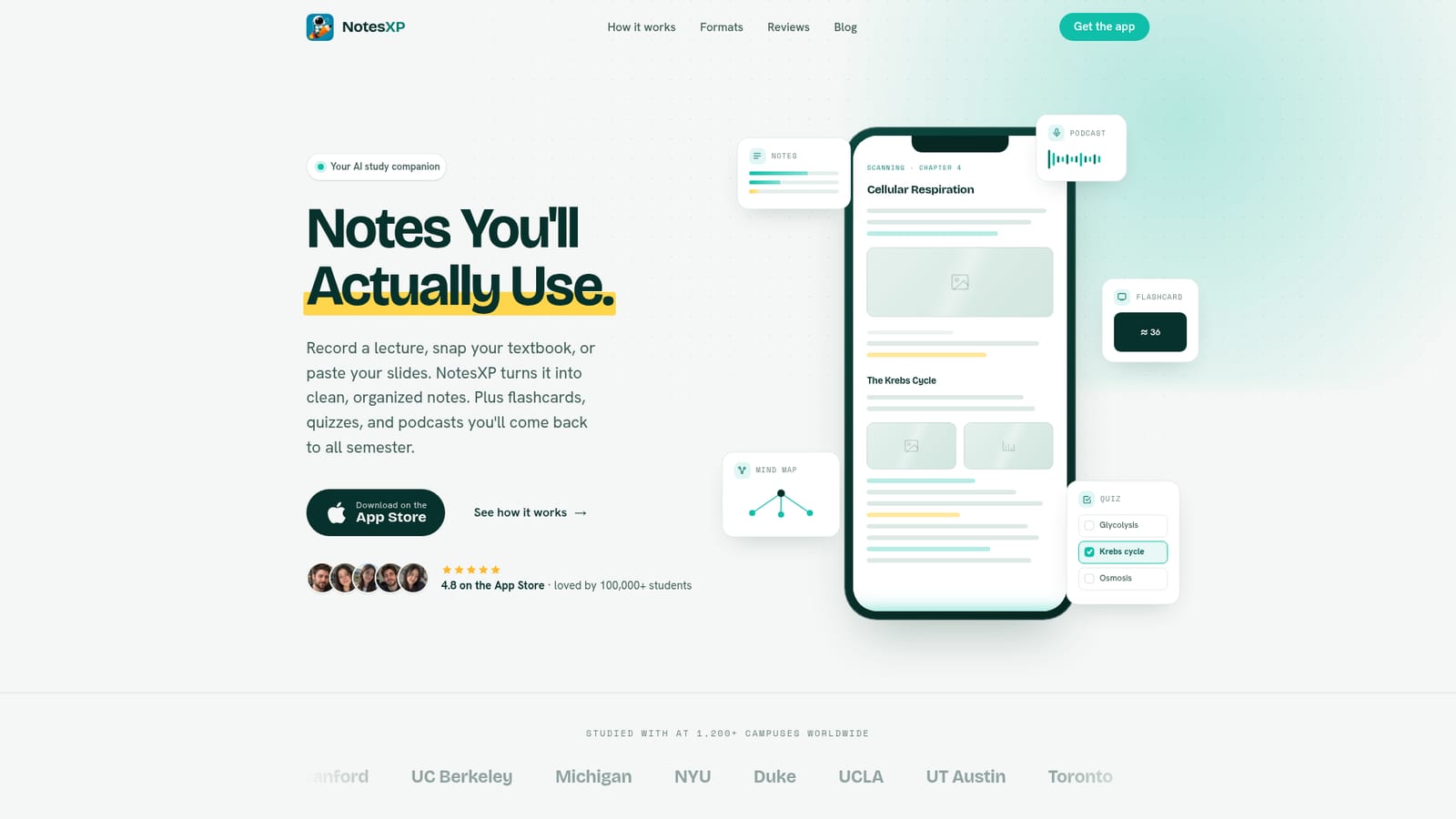
NotesXP is a concept map generator tool that turns any PDF, lecture, or textbook page into notes, flashcards, quizzes, and podcasts. An iOS study app that turns photos, PDFs, slides, recordings, or YouTube links into organized notes, mind maps, flashcards, quizzes, podcasts, and mock exams, with offline access, 30+ language support, and no mandatory account.
NotesXP is an iOS study app that converts raw course material into a set of study assets. A photo of a textbook page, a PDF, lecture slides, a recording of a class, handwritten notes, or a YouTube link all go in, and the app returns structured notes, mind maps, flashcards, adaptive quizzes, and a two-voice audio podcast built from the same source. The pitch is consolidation: instead of stitching together a note app, a flashcard tool, and a chat assistant, students work from one input and pick whichever format suits that day's session. The workflow is three stages. Capture takes whatever format the material already exists in. Generate produces every study format in one pass, with the app claiming to keep key definitions and takeaways while discarding filler. Master is where the student reads, maps, drills, or listens, and can then sit a generated mock exam built from their own material to gauge readiness. A toggle called Gen-Z mode rewrites explanations in plainer, more casual language, and output is available in more than 30 languages, which matters for students studying outside their first language. It is aimed squarely at university and exam-prep students working with academic, textbook-style content, from introductory general education courses through heavy STEM subjects and standardized tests like the MCAT and GRE. The design choices lean toward low friction: no account is required to start, sync across devices runs through iCloud, saved notes work offline, and study sets can be exported as PDFs for printing or sharing with a study group. The developer positions privacy as a differentiator, stating there are no ads, no data selling, and no mandatory login. Against general-purpose chatbots, NotesXP competes on structure and persistence rather than raw model capability. A chatbot returns a block of text and forgets the context; NotesXP keeps organized sets tied to a course and adds spaced repetition and active recall mechanics that chat interfaces do not provide. The main tradeoff is platform reach: it is an Apple-only app, so Android and desktop users are left out for now.
The free tier covers the core features; no trial length or card requirement is stated on the homepage.
Learn moreCore features can be tried free, with a student-oriented subscription unlocking unlimited study sets. The homepage calls the price one of the most affordable on the App Store but does not list actual figures. Ads are absent on both tiers.
Learn moreSupport runs through the indie developer's feedback channel, with no dedicated help centre or ticketing system described on the homepage.
Sync across Apple devices runs through iCloud. Input accepts PDFs, images, audio recordings, and YouTube links; no third-party study or calendar integrations are listed.
Converts photos, PDFs, slides, audio, handwriting, and YouTube links into clean notes, mind maps, auto-generated flashcards, adaptive quizzes, two-voice podcasts, and mock exams. Includes a Gen-Z explanation mode, 30+ language support, PDF export, offline access to saved notes, and iCloud sync without a mandatory account.
 AI Angels400+ customizable AI girlfriends for NSFW chat, voice calls, and roleplay
 Candy AIExperience the future of companionship with AI friends who chat, role-play, and connect with you on a human level.
 ourdream.aiA vast AI roleplay platform with millions of characters for chat, images, video and voiceAI Angels400+ customizable AI girlfriends for NSFW chat, voice calls, and roleplayCandy AIExperience the future of companionship with AI friends who chat, role-play, and connect with you on a human level.ourdream.aiA vast AI roleplay platform with millions of characters for chat, images, video and voice