Mirai

A Rust inference engine and small quantized models for realtime AI on Apple Silicon

Advanced
Screenshot of Mirai, A Rust inference engine and small quantized models for realtime AI on Apple Silicon

What is Mirai?

Mirai is a developer tool. Mirai Labs builds uzu, a Rust inference engine, plus compact 4-bit and 8-bit Qwen, LFM and Muse-Glimmer models for realtime, offline AI on iPhone, iPad and Mac, benchmarked against MLX and llama.cpp.

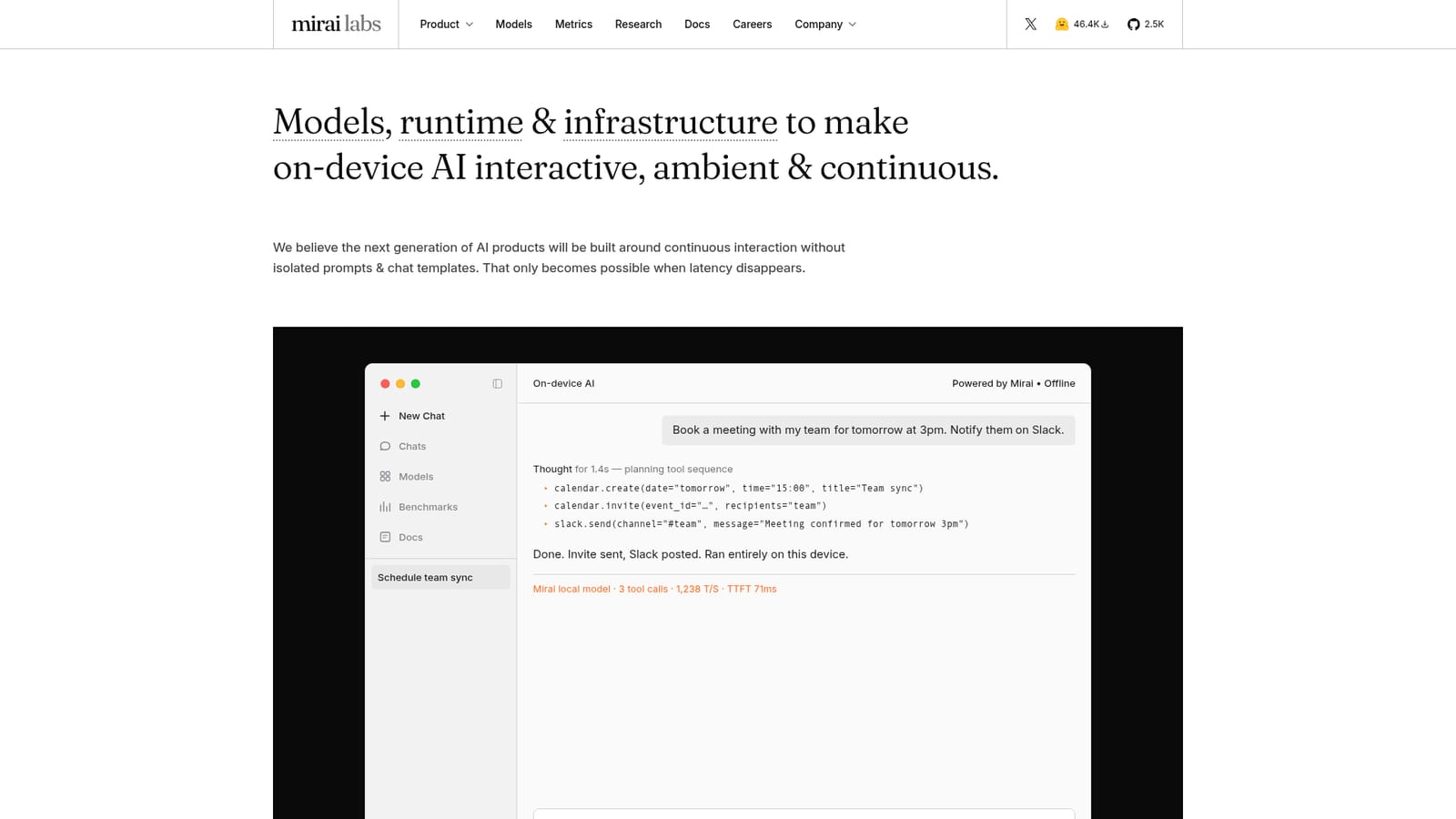
Mirai is an on-device AI stack for Apple hardware, built by Mirai Labs around a single premise: interactive assistants fail when the model is slow. The company ships three connected pieces. uzu is a Rust inference engine written for batch size one, the pattern every local request actually follows. A family of compact 4-bit and 8-bit models (Qwen, LFM and Muse-Glimmer variants) is tuned for memory-bound decoding on iPhone, iPad and Mac. A conversion and optimization toolkit handles quantization, compressing weights without wrecking interaction latency. The site benchmarks this stack against MLX and llama.cpp. The intended experience is not a chatbox. The homepage demo shows a local model planning a short tool sequence, creating a calendar event, inviting attendees and posting to Slack, while reporting roughly 1,238 tokens per second and a 71ms time to first token on an M4 Pro in airplane mode. The pitch is that one instruction should resolve several services without launching an app for each. That makes Mirai relevant to developers building assistants, productivity tools or any interface where a sub-200ms response matters. The work is deliberately full stack: model architecture, inference engine, quantization and the application layer are co-designed for Apple Silicon rather than ported from cloud serving. Mirai positions itself as a frontier lab for local intelligence rather than a wrapper around existing runtimes. If your alternative is a cloud API with network latency, or llama.cpp on a laptop, Mirai is competing on the last few hundred milliseconds and on privacy by default. Caveats are structural. The stack targets Apple devices only, so Android and Windows are out of scope. Several performance figures come from vendor benchmarks and a single demo device. Public documentation, tooling maturity and pricing are thin compared with established runtimes, and the app-layer integrations shown are illustrative rather than a shipped catalog. Expect to evaluate it as early infrastructure for engineers, not as a finished consumer assistant.

How do you use Mirai?

  1. 1Review the available models
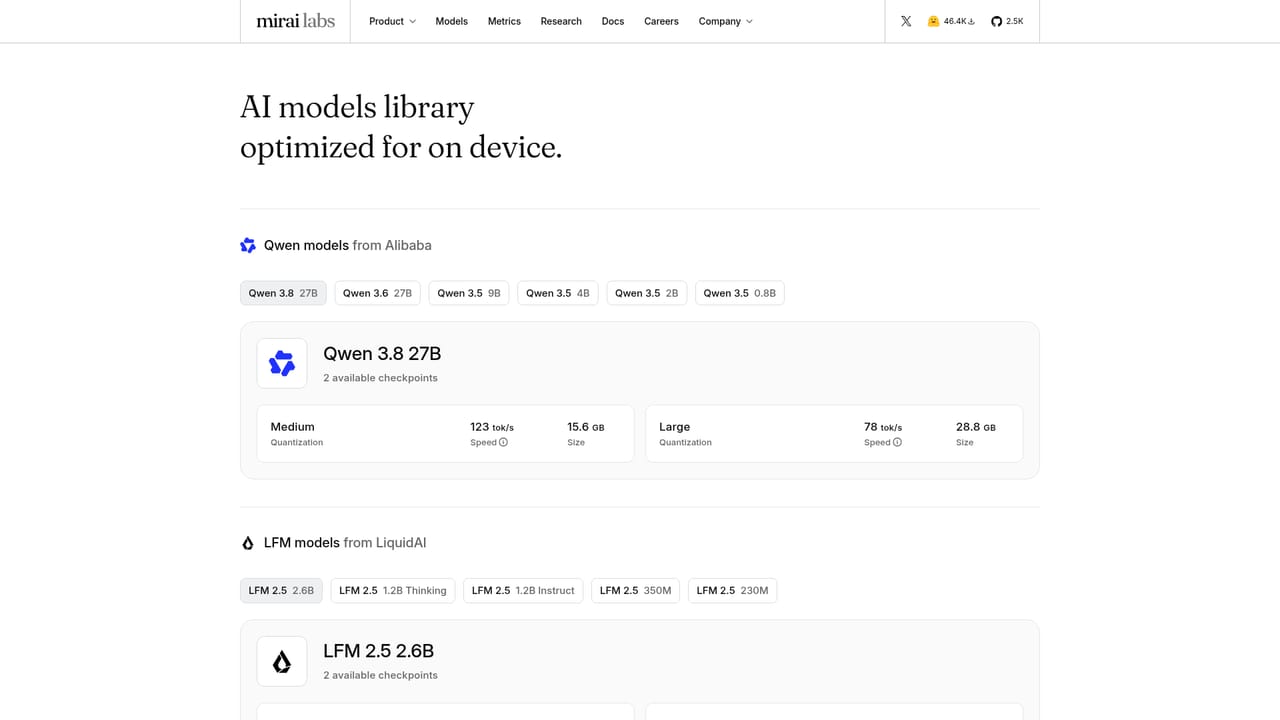
    Browse the model catalog to see which Qwen, LFM and Muse-Glimmer variants ship at 4-bit and 8-bit precision, and note the memory footprint each one targets.
    Mirai — Review the available models
  2. 2Understand the inference runtime
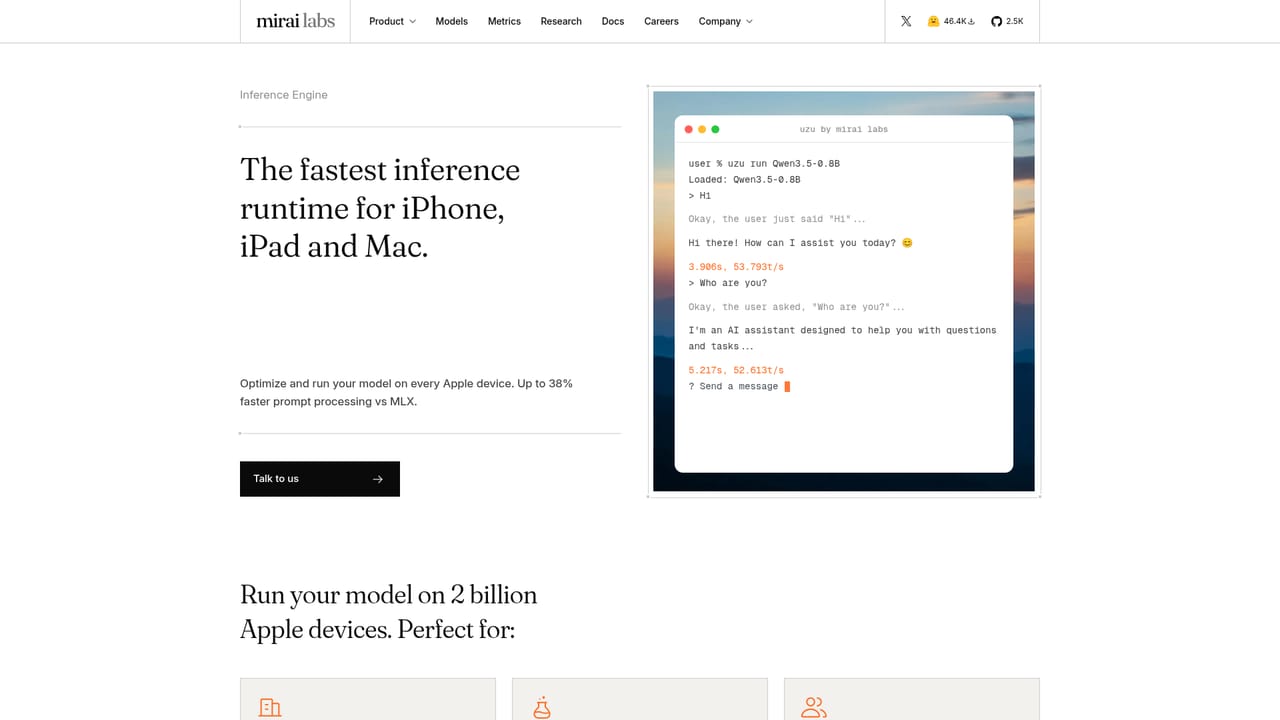
    Read the runtime page to learn how uzu handles batch size one execution and where the latency budget goes during decoding on Apple hardware.
    Mirai — Understand the inference runtime
  3. 3Quantize a model for your device
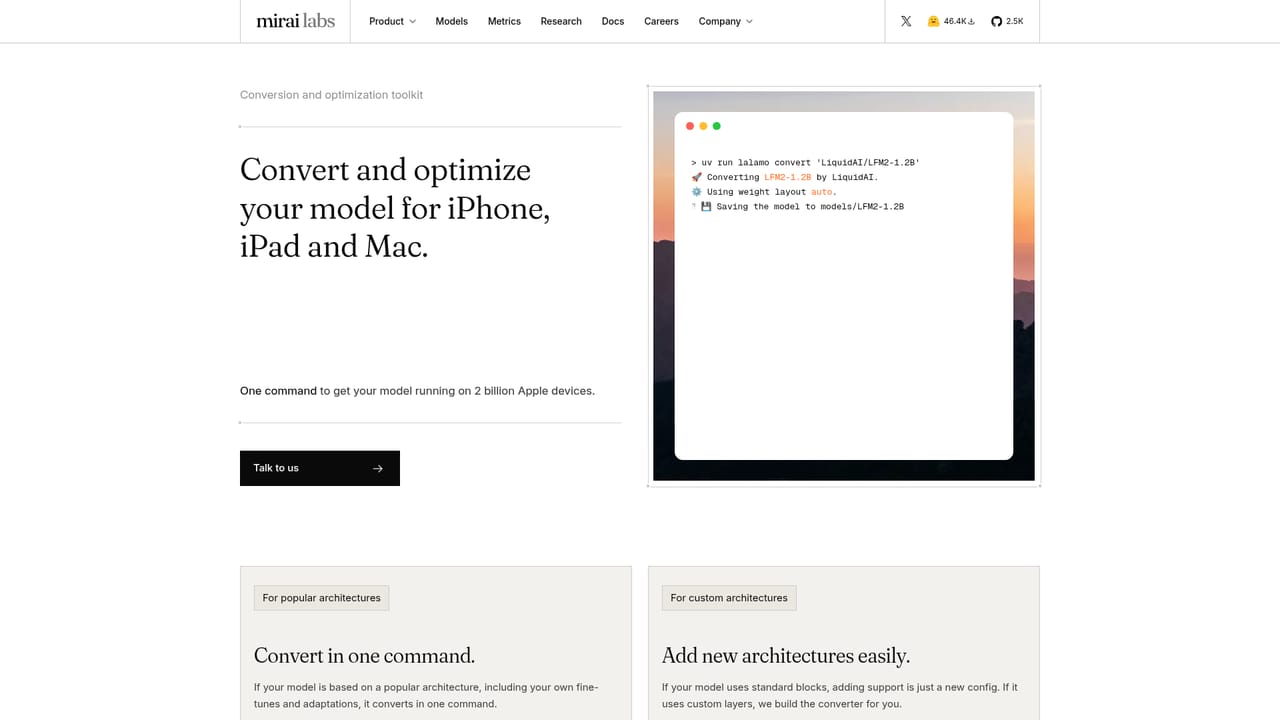
    The conversion and optimization toolkit covers compressing weights without collapsing interaction quality. Use it to produce a build that fits your target device.
    Mirai — Quantize a model for your device
  4. 4Check the infrastructure repositories
    The homepage links to public GitHub repositories. Start there for the actual code, build instructions and issues rather than waiting for a polished onboarding flow.
    Mirai — Check the infrastructure repositories
  5. 5Benchmark on your own hardware
    Once a model is loaded, measure tokens per second and time to first token on the specific iPhone, iPad or Mac you plan to support. Vendor figures will not transfer exactly.
  6. 6Wire up tool calls
    Connect the local model to the device services you need, such as calendar or messaging, and validate how it chains multiple tool calls within one interaction.

Pros and cons

Pros

  • Full stack co-design: model, runtime and quantization are built together for Apple Silicon rather than adapted from cloud servingAI
  • Latency-first engineering matches how on-device requests really run, with batch size one treated as the core constraintAI
  • The demo reports roughly 1,238 tokens per second and 71ms to first token on an M4 Pro, with the model planning multi-step tool callsAI
  • Runs fully offline, so private data such as calendar, mail and banking context stays on the deviceAI
  • uzu is written in Rust and the infrastructure repositories are public on GitHubAI

Cons

  • Apple Silicon only, so there is no path to Android, Windows or Linux devicesAI
  • Benchmark figures come from the vendor and a single demo machine, with no independent replication published on the siteAI
  • Documentation and tooling are early, which means real integration work for anyone outside the core teamAI
  • The multi-service assistant shown on the homepage is a demonstration, not a documented set of third-party connectorsAI
  • No public pricing, licensing terms or support tiers are stated on the homepageAI

How much does Mirai cost?

Features

uzu, a Rust inference engine tuned for batch size one decoding on Apple Silicon. A set of compact 4-bit and 8-bit models spanning Qwen, LFM and Muse-Glimmer, designed for memory-bound realtime execution. A conversion and optimization toolkit for quantization. Benchmarks against MLX and llama.cpp, plus public infrastructure repositories on GitHub.

Learn more

Frequently asked questions about Mirai

  • How do you use Mirai?
    The walkthrough on this page covers 6 steps: 1. Review the available models 2. Understand the inference runtime 3. Quantize a model for your device 4. Check the infrastructure repositories 5. Benchmark on your own hardware 6. Wire up tool calls.
  • What platforms does Mirai support?
    Mirai is available on iOS and MacOS.
  • What are the limitations of Mirai?
    Apple Silicon only, so there is no path to Android, Windows or Linux devices. Benchmark figures come from the vendor and a single demo machine, with no independent replication published on the site. Documentation and tooling are early, which means real integration work for anyone outside the core team.

Status

StatusActive
Views0
Outbound clicks0
Added10/21/2026

Platforms

iOSMacOS

Pricing

Free