Support
Support is handled through a contact form linked in the site footer, alongside requests for demos, motion data and pricing. No knowledge base or documentation portal is listed.
Markerless motion capture that turns video into 3D animation data

Move AI extracts 3D animation data from ordinary video without suits or markers, aimed at studios and production teams that need fast, cost efficient motion capture at scale.
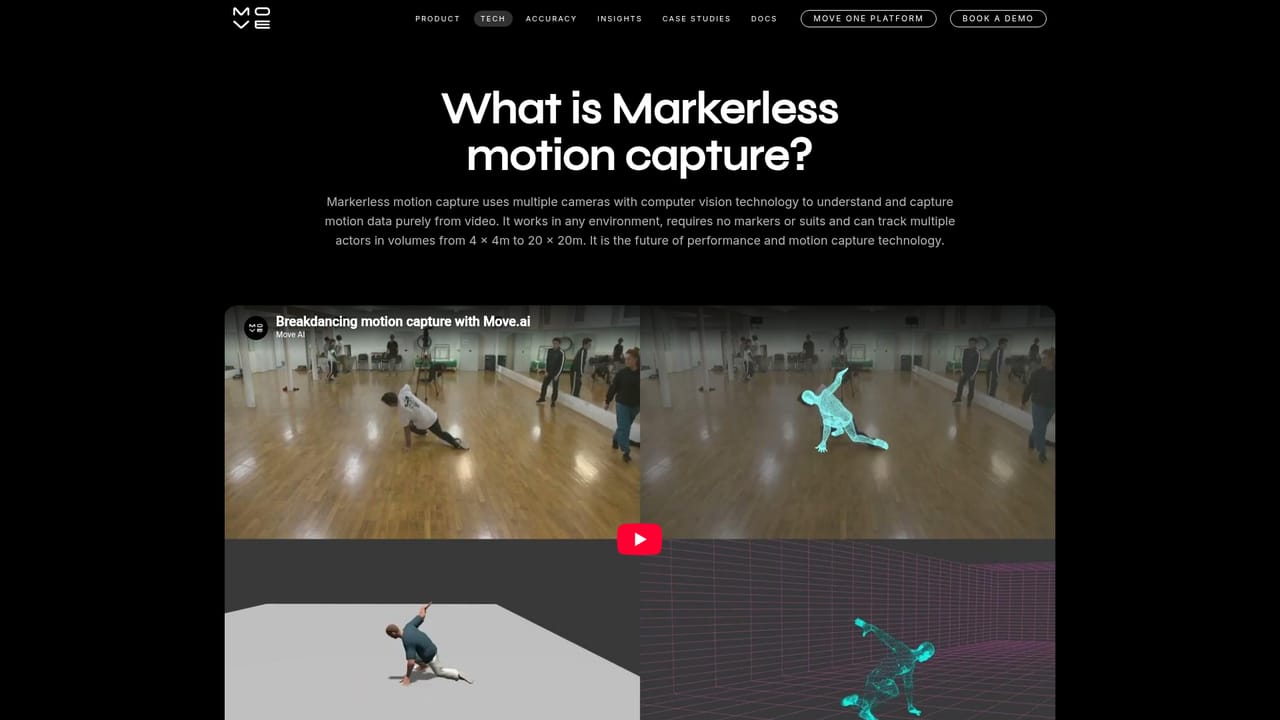
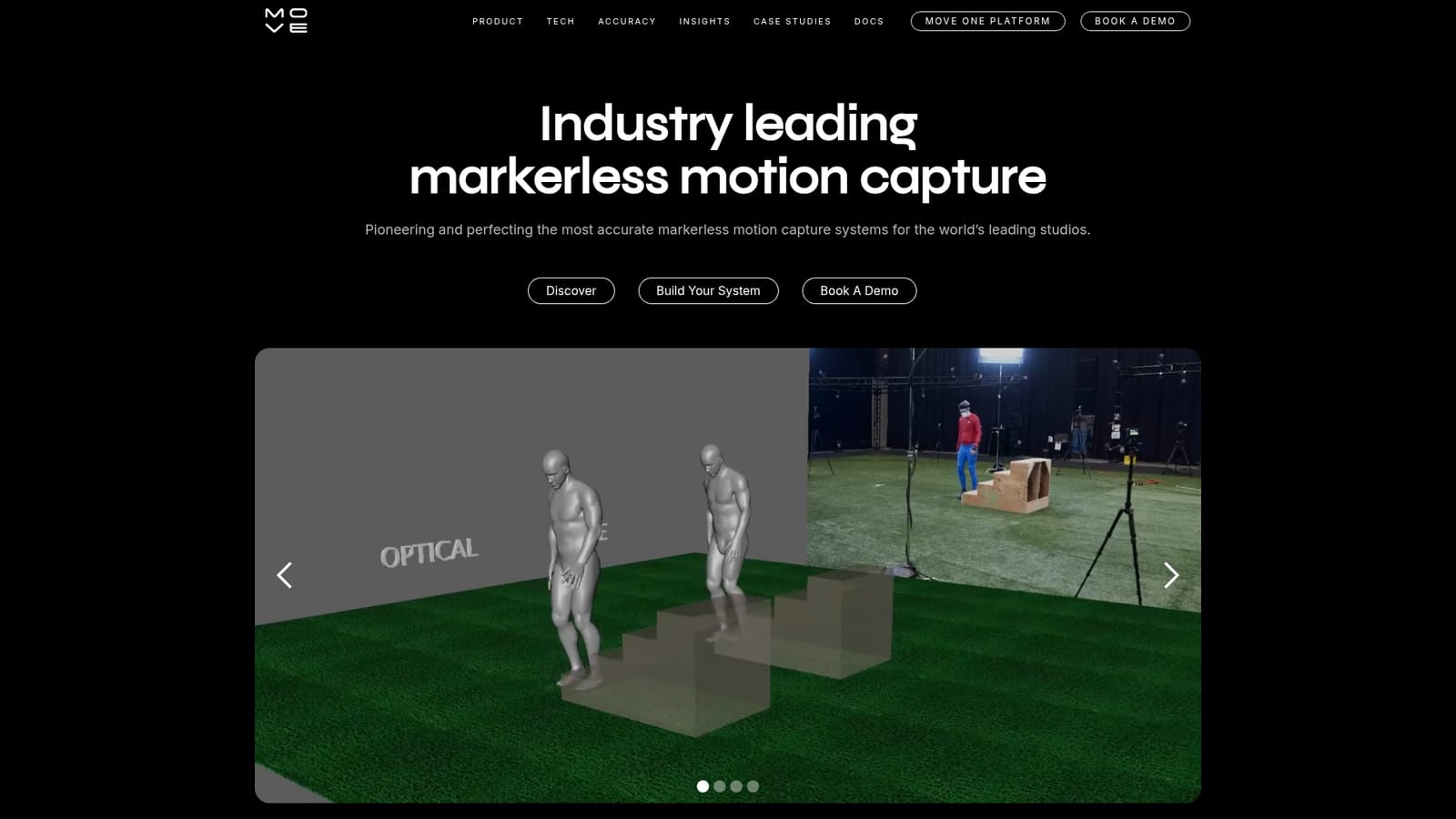
Move AI is a markerless motion capture platform that converts ordinary video footage into high fidelity 3D animation data. Rather than suiting performers in reflective markers or routing them through a dedicated capture volume, the system derives motion from cameras alone. The company positions the approach against optical capture on four practical fronts: lower production cost, no suits or markers, shorter shoot times, and the ability to scale capture volume upward without rebuilding a stage. The tool fits studios and production teams that need believable human motion at volume: game developers filling animation libraries, film and episodic teams previsualising or finalising shots, music and advertising crews working to tight schedules, and sports or dance researchers analysing movement. The reference list on the site spans Ubisoft, SEGA, Warner Music Group, Paramount Pictures, Nike, Sony, Meta, Disney and Unreal Engine, which suggests the product is aimed at professional pipelines rather than hobbyist one-off renders. In practice the workflow is deliberately plain. Talent performs on camera with no wearable hardware, footage is captured in whatever environment the shoot allows, and the resulting video is processed into animation data that feeds downstream 3D tools. Because nothing has to be glued to the performer, retakes and pickups are cheap and a scene can be reshot without a second marker session. The site cites an independent comparative test run at VIP Studio by IJAD Dance Company, and claims data quality comparable to optical capture, a claim worth validating against your own rig and shot types before committing a production to it. Where it sits among alternatives is the useful question. Conventional optical systems still hold the high ground on controlled, repeatable capture, but they demand a stage, a suit and a crew. Move AI trades some of that control for throughput and cost, which suits teams that need many performances quickly more than one flawless hero shot. Teams already deep in a marker-based pipeline should treat it as a second capture route for volume work, not an automatic replacement.
Support is handled through a contact form linked in the site footer, alongside requests for demos, motion data and pricing. No knowledge base or documentation portal is listed.
Markerless motion capture from video, with no suits or markers required. The site claims reduced costs, faster shoot times, scalable capture volumes and authentic motion, plus data quality comparable to optical capture. Available for demo and motion data requests through the contact form.
Learn more AI Angels400+ customizable AI girlfriends for NSFW chat, voice calls, and roleplay
 Candy AIExperience the future of companionship with AI friends who chat, role-play, and connect with you on a human level.
 ourdream.aiA vast AI roleplay platform with millions of characters for chat, images, video and voiceAI Angels400+ customizable AI girlfriends for NSFW chat, voice calls, and roleplayCandy AIExperience the future of companionship with AI friends who chat, role-play, and connect with you on a human level.ourdream.aiA vast AI roleplay platform with millions of characters for chat, images, video and voice