MP3 to MP4 AI

Turn a photo and an MP3 into an AI-animated singing video

Beginner
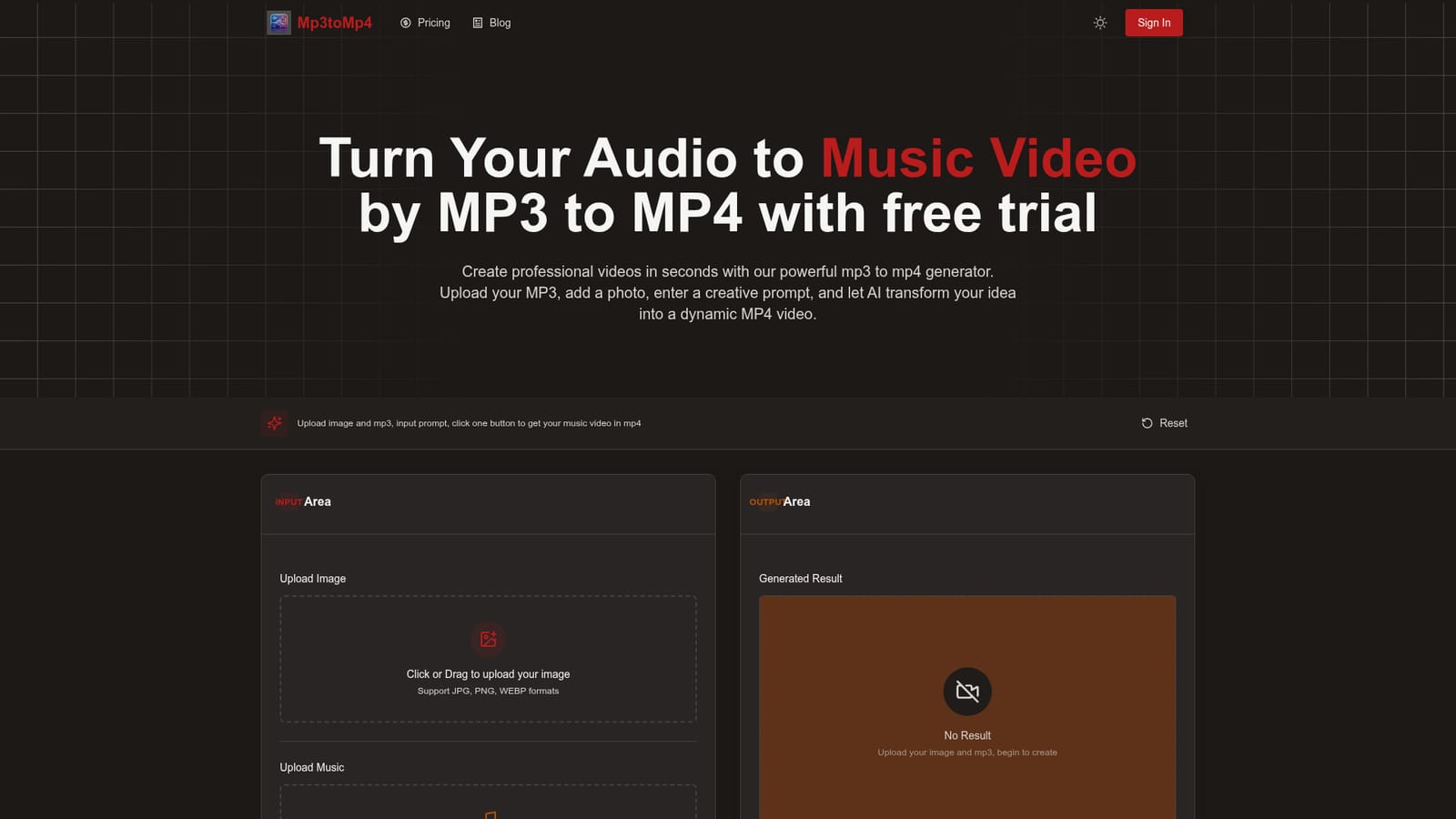
Screenshot of MP3 to MP4 AI, Turn a photo and an MP3 into an AI-animated singing video

What is MP3 to MP4 AI?

MP3 to MP4 AI is a generative video tool that turns a photo and an MP3 into an AI-animated singing video. MP3 to MP4 AI is a web tool that animates an uploaded photo to sing along with an audio file, producing a downloadable MP4 music video.

MP3 to MP4 AI is a browser-based generator that turns an audio file and a single picture into an animated music video. Unlike a plain format converter that wraps sound in a static frame, it generates motion: the person in the uploaded image is animated to sing, with movement meant to follow the rhythm of the track. The result is an MP4 clip that can be downloaded and posted elsewhere. The workflow is a single page with an input area and an output area. A user uploads an image (JPG, PNG or WEBP) and a music file (MP3, WAV or AAC is listed on the upload box), then optionally types a prompt describing style, mood or story. A base instruction asking the person in the photo to sing with smooth, reasonable actions matched to the music is always included, and any custom text is appended after it. Pressing generate starts cloud rendering, and the finished video is downloaded through the player's menu. The showcase quotes roughly 3.5 minutes of processing and 98% sync accuracy, though the FAQ says timing varies with file length and server load. The audience is broad: musicians who want a quick visual for a track, content creators posting to YouTube, TikTok or Instagram, educators, and small brands making ads or presentations. No editing skills are needed, since the only creative inputs are the picture and an optional prompt. The site works in desktop, mobile and tablet browsers, and states that uploaded audio, images and videos are not stored. Among alternatives, it sits closer to talking-photo and singing-avatar generators than to timeline editors or audio visualizer tools that draw waveforms. It trades fine control for speed and simplicity. New registered users get one free trial that produces a single three-second video, so judging output on a full song requires moving beyond the trial, and the homepage does not publish paid plan details.
How do you use MP3 to MP4 AI?

  1. 1Open the generator
    Go to the homepage, where the upload and output areas sit at the top. Register an account to claim the one-time free trial.
    MP3 to MP4 AI — Open the generator
  2. 2Upload a picture
    Add a JPG, PNG or WEBP image, ideally showing a clear person, since the tool animates the person in the photo to sing.
  3. 3Upload your audio
    Click or drag in an MP3, WAV or AAC file. Trial videos are limited to three seconds.
  4. 4Add an optional prompt
    Describe the style, mood or animation you want. Your text is appended after the built-in singing prompt, so leaving it empty still works.
  5. 5Generate and download
    Press the generate button and wait for rendering. Click the finished video, open the three-dot menu at the lower right and choose download.

Pros and cons

Pros

  • Very short workflow: one image, one audio file and an optional prompt produce a videoAI
  • Generates actual motion and lip-style singing animation rather than a static image over audioAI
  • No editing experience needed, and it runs in desktop, mobile and tablet browsersAI
  • States that uploaded audio, images and generated videos are not stored on the toolAI
  • Output suits sharing on YouTube, TikTok, Instagram, Facebook, websites and adsAI

Cons

  • The free trial is a single three-second video per new user, too short to judge a full songAI
  • Pricing for paid use is not shown on the homepage, so cost per video is unclearAI
  • A fixed base prompt about a person singing is always applied, which limits non-singing or abstract visualizationsAI
  • The FAQ mentions MP3 files only while the upload box lists WAV and AAC, so format support is inconsistentAI
  • Processing takes minutes, and the homepage gives no control over resolution, length or editing of the resultAI

How much does MP3 to MP4 AI cost?

Free trial

Every new registered user gets one free trial, which generates a single video of 3 seconds.

Learn more

Pricing

The homepage does not list paid plans or prices. It only states that each new registered user gets one free trial.

Learn more

Support

The FAQ section says users can make contact through Discord or by email.

Features

Animates an uploaded photo to sing in sync with audio, supports optional text prompts, cloud rendering to MP4 with download to a local PC, no editing skills needed, and use from PC, mobile and tablet browsers.

Frequently asked questions about MP3 to MP4 AI

  • How much does MP3 to MP4 AI cost?
    The homepage does not list paid plans or prices. It only states that each new registered user gets one free trial.
  • Does MP3 to MP4 AI offer a free trial?
    Every new registered user gets one free trial, which generates a single video of 3 seconds.
  • How do you use MP3 to MP4 AI?
    The walkthrough on this page covers 5 steps: 1. Open the generator 2. Upload a picture 3. Upload your audio 4. Add an optional prompt 5. Generate and download.
  • What platforms does MP3 to MP4 AI support?
    MP3 to MP4 AI is available on Web App.
  • What are the limitations of MP3 to MP4 AI?
    The free trial is a single three-second video per new user, too short to judge a full song. Pricing for paid use is not shown on the homepage, so cost per video is unclear. A fixed base prompt about a person singing is always applied, which limits non-singing or abstract visualizations.

Status

StatusActive
Views0
Outbound clicks0
Added10/18/2026

Platforms

Web App

Pricing

Free Trial