Pricing
Meta has not announced public pricing for the Muse Video model. This independent workspace states that models in its catalog may consume credits and carry different limits, but no plan tiers or rates are listed on the homepage.
Learn morePrompt-led cinematic video generation with native audio direction
Own Muse Video AI Video Generator? Verify ownership to get a dofollow link

Muse Video AI Video Generator is a generative video tool. An independent workspace for the Muse Video model previewed by Meta, aimed at turning written briefs or reference images into short cinematic clips with directed camera movement, consistent motion and native audio.
Muse Video is an independent creative workspace built around the Muse Video model previewed by Meta Superintelligence Labs. The pitch is straightforward: describe a subject, an action, a camera idea, a mood and a soundscape in natural language, and the system renders a moving sequence from that brief. Image-to-video is also available through the models in the workspace catalog, so a product shot or opening frame can anchor the motion instead of a written description alone. The model's stated strengths cluster in four areas: following complex prompts, keeping visual detail steady from frame to frame, honoring camera direction such as tracking or handheld movement, and generating audio alongside the picture from the same instruction. Meta has flagged audio-video synchronization and physically accurate fast motion as work still in progress, which is worth knowing before committing to a dialogue-heavy or action-heavy shot. In practice the tool behaves like a fast previsualization bench. A creator writes a brief, picks a model and the settings that model exposes, generates, then reviews motion and reference consistency before exporting. Aspect ratio, duration, resolution and audio toggles are model-dependent rather than fixed, so the same prompt can behave differently depending on what is selected. A reusable library keeps prompts and outputs together, which matters when a test needs to become a repeatable look. The fit is best for content creators, marketers, filmmakers, designers and brand teams who want to test staging, lighting and pacing before spending on a shoot. Anyone expecting final broadcast specifications should wait: Meta has not published duration, resolution or pricing details, and the workspace is explicit that the official model is coming soon rather than shipped. Treat Muse Video as a concept and reference engine today, not a replacement for a production pipeline.
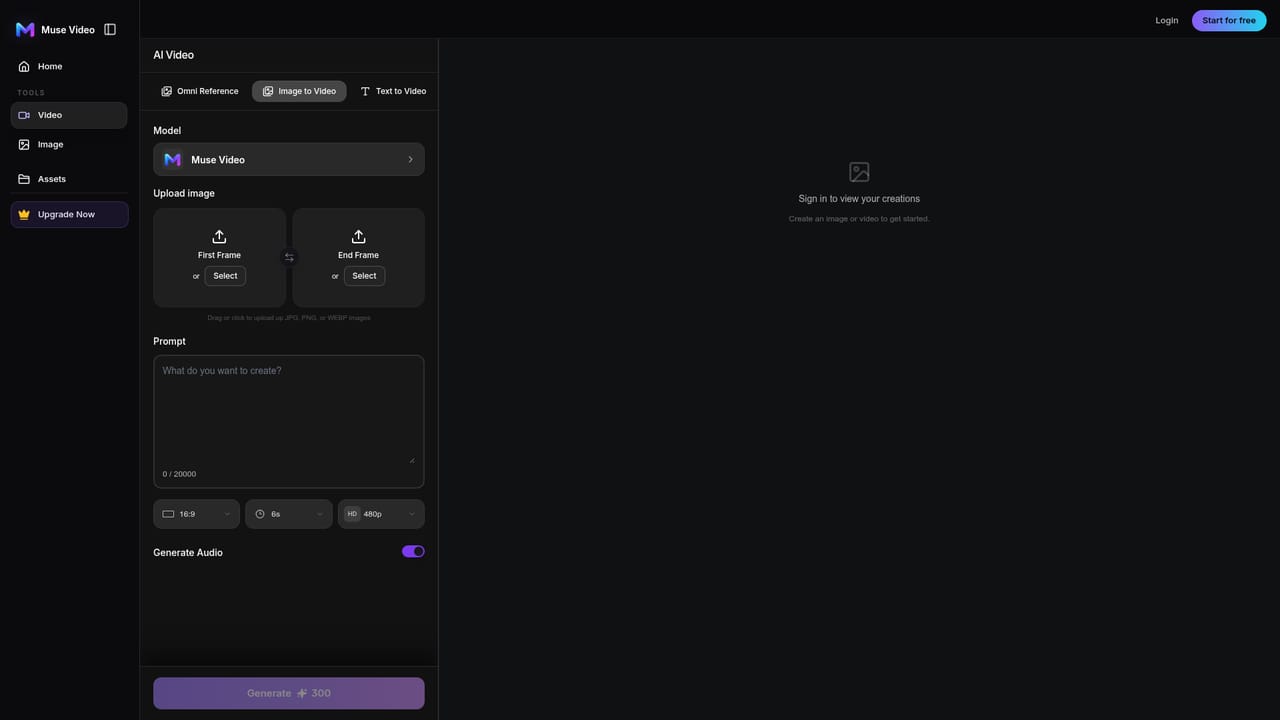
Meta has not announced public pricing for the Muse Video model. This independent workspace states that models in its catalog may consume credits and carry different limits, but no plan tiers or rates are listed on the homepage.
Learn moreText-to-video and image-to-video generation, prompt adherence for scene and motion control, temporal consistency across frames, cinematic camera direction through prompt language, native audio generated with the picture, a prompt gallery of example briefs, and a reusable library that stores prompts alongside generated assets.
Learn more AI Angels400+ customizable AI girlfriends for NSFW chat, voice calls, and roleplay
 Candy AIExperience the future of companionship with AI friends who chat, role-play, and connect with you on a human level.
 ourdream.aiA vast AI roleplay platform with millions of characters for chat, images, video and voiceAI Angels400+ customizable AI girlfriends for NSFW chat, voice calls, and roleplayCandy AIExperience the future of companionship with AI friends who chat, role-play, and connect with you on a human level.ourdream.aiA vast AI roleplay platform with millions of characters for chat, images, video and voice


