Music AI

Turn a written prompt into a full song, then a music video.

Beginner
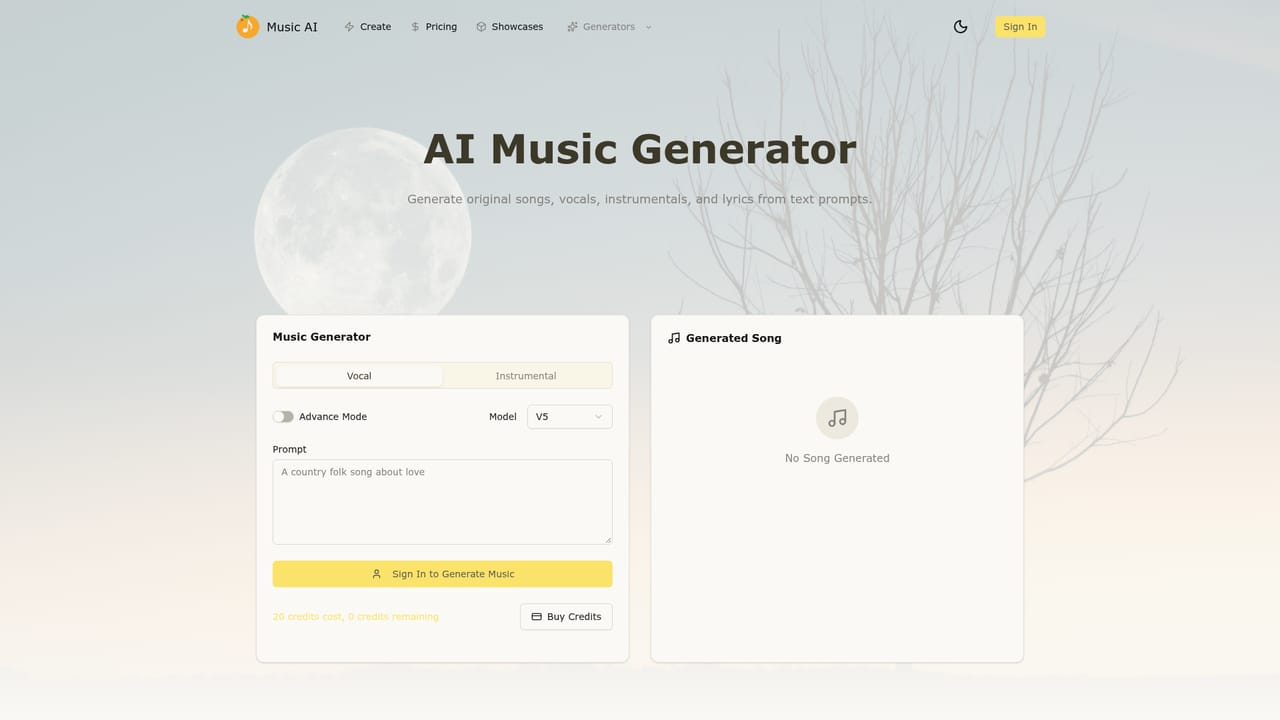
Screenshot of Music AI, Turn a written prompt into a full song, then a music video

What is Music AI?

Music AI is a generative video tool that turns a written prompt into a full song, then a music video. A prompt driven AI music generator that produces vocal songs and instrumentals with control over lyrics, genre, tempo and mood, plus built in text to video and image to video tools for pairing tracks with visuals.

Music AI is a browser based generator that builds complete songs from a short written brief. You describe a mood, genre, story or scene, and the tool returns a structured track with a title and arrangement choices. It separates vocal production from instrumental production, so the same prompt engine can yield a sung track or a clean backing piece for a score, demo or background bed. The control layer is where it differs from one click generators. You can steer the title, lyrics, genre, tempo, mood and production direction before generating, which means the output follows a brief rather than a random interpretation. Speed is part of the pitch: variations are cheap, so the normal loop is to generate several takes, compare styles side by side, then refine the prompt until the result fits. Tracks preview in the browser and can be downloaded for use elsewhere. A second module handles visuals. Text to video and image to video generation sit inside the same product, aimed at creators who want a clip to pair with the audio. Instead of exporting a song and hunting for a separate video tool, the audio and the visual companion live in one workspace. That combination is the main reason to pick Music AI over a dedicated audio only service. It suits songwriters sketching ideas, content creators who need original music and a clip to match, and small marketing teams producing campaign assets without a composer or editor on staff. The learning curve is low because everything starts from a text field, though better prompts produce better tracks. Expect to work iteratively rather than accept a first draft as final.

How do you use Music AI?

  1. 1Open the generator
    Go to the AI music generator page and start a new creation session. The prompt field is the entry point for every track type.
    Music AI — Open the generator
  2. 2Choose vocal or instrumental mode
    Decide whether the track needs sung vocals or a clean instrumental bed. This shapes the structure the generator builds from your prompt.
  3. 3Write a detailed brief
    Describe the mood, genre, story or scene, then set the title, lyrics direction, tempo and production style so the output follows your intent.
  4. 4Generate and compare variations
    Run several generations, listen to each in the browser, and swap styles or adjust wording until a take matches the brief.
  5. 5Download the finished track
    Preview the chosen version and download the audio file for use in your project, workflow or campaign.
  6. 6Add a visual companion
    Open the AI video tools to build a text to video or image to video clip that pairs with the track you just produced.

Pros and cons

Pros

  • Generates full songs, vocals and instrumentals from a single text promptAI
  • Granular control over title, lyrics, genre, tempo, mood and production directionAI
  • Built in text to video and image to video generation for music backed clipsAI
  • Showcase tracks can be used as starting points with a create similar optionAI
  • Browser preview and downloadable audio files keep the output portableAI

Cons

  • No pricing details are published on the homepage, so cost needs checking before committingAI
  • Commercial use of generated tracks is raised but not clearly answered on the pageAI
  • No mention of stem separation or multitrack export for post production editingAI
  • Quality depends heavily on prompt writing, which puts more work on the userAI
  • FAQ questions are listed without answers, leaving several practical points unresolvedAI

How much does Music AI cost?

Features

Prompt to song generation, separate vocal and instrumental modes, control over title, lyrics, genre, tempo, mood and production direction, fast variation and comparison, in browser preview with downloadable audio, and built in text to video and image to video tools for creating music backed visuals.

Learn more

Frequently asked questions about Music AI

  • How do you use Music AI?
    The walkthrough on this page covers 6 steps: 1. Open the generator 2. Choose vocal or instrumental mode 3. Write a detailed brief 4. Generate and compare variations 5. Download the finished track 6. Add a visual companion.
  • What platforms does Music AI support?
    Music AI is available on Web App.
  • What are the limitations of Music AI?
    No pricing details are published on the homepage, so cost needs checking before committing. Commercial use of generated tracks is raised but not clearly answered on the page. No mention of stem separation or multitrack export for post production editing.

Status

StatusActive
Views0
Outbound clicks0
Added10/21/2026

Platforms

Web App

Pricing

Freemium