MusicGenerater

Turn a prompt or lyrics into two full sung songs in about a minute

Beginner
Screenshot of MusicGenerater, Turn a prompt or lyrics into two full sung songs in about a minute

What is MusicGenerater?

MusicGenerater is an audio tool that turns a prompt or lyrics into two full sung songs in about a minute. MusicGenerater is a browser-based AI song generator. Describe a song or paste lyrics and it composes, sings and returns two full takes in about a minute, with no card needed to start and extra audio tools alongside.

MusicGenerater is a web-based AI song generator that turns a short text prompt or a block of finished lyrics into a complete track with sung vocals. Instead of asking users to arrange stems or program instruments, it composes the melody and arrangement itself, then performs the words in a synthetic voice. Each request returns two separate takes, so the user can compare them and keep the stronger one. The input box has a simple mode for plain descriptions, capped at 400 characters, and a separate lyrics mode for pasted text. In practice the flow has three stages: describe the song (mood, genre, who it is for) or paste lyrics, wait roughly a minute, then audition both versions. Pop, rap, lo-fi and country are named as examples, and prompts can be written in any language. A vocal selector and a choice of model generations (V1, V2 and V3) give some control over the output. The homepage also shows real songs from other users with the exact prompt beside each one, and a "make one like this" link reuses that prompt, which is a quick way to learn what phrasing produces good results. Beyond core generation, the site lists a set of companion utilities: a lyrics writer, a vocal remover that splits vocals from instrumentals, a song extender, a cover generator, a singing voice generator and an audio to MIDI converter. Dedicated occasion pages cover personalized songs for parents, partners, children and birthdays. The audience is mostly non-musicians: people making a gift song, creators who need a custom backing track, and hobbyists sketching ideas. Starting is free and does not require a card, while MP3 and WAV downloads and commercial use are tied to paid plans. Among prompt-to-song generators it competes on the free entry point and the breadth of bundled audio tools rather than on studio-grade editing or multitrack control.
How do you use MusicGenerater?

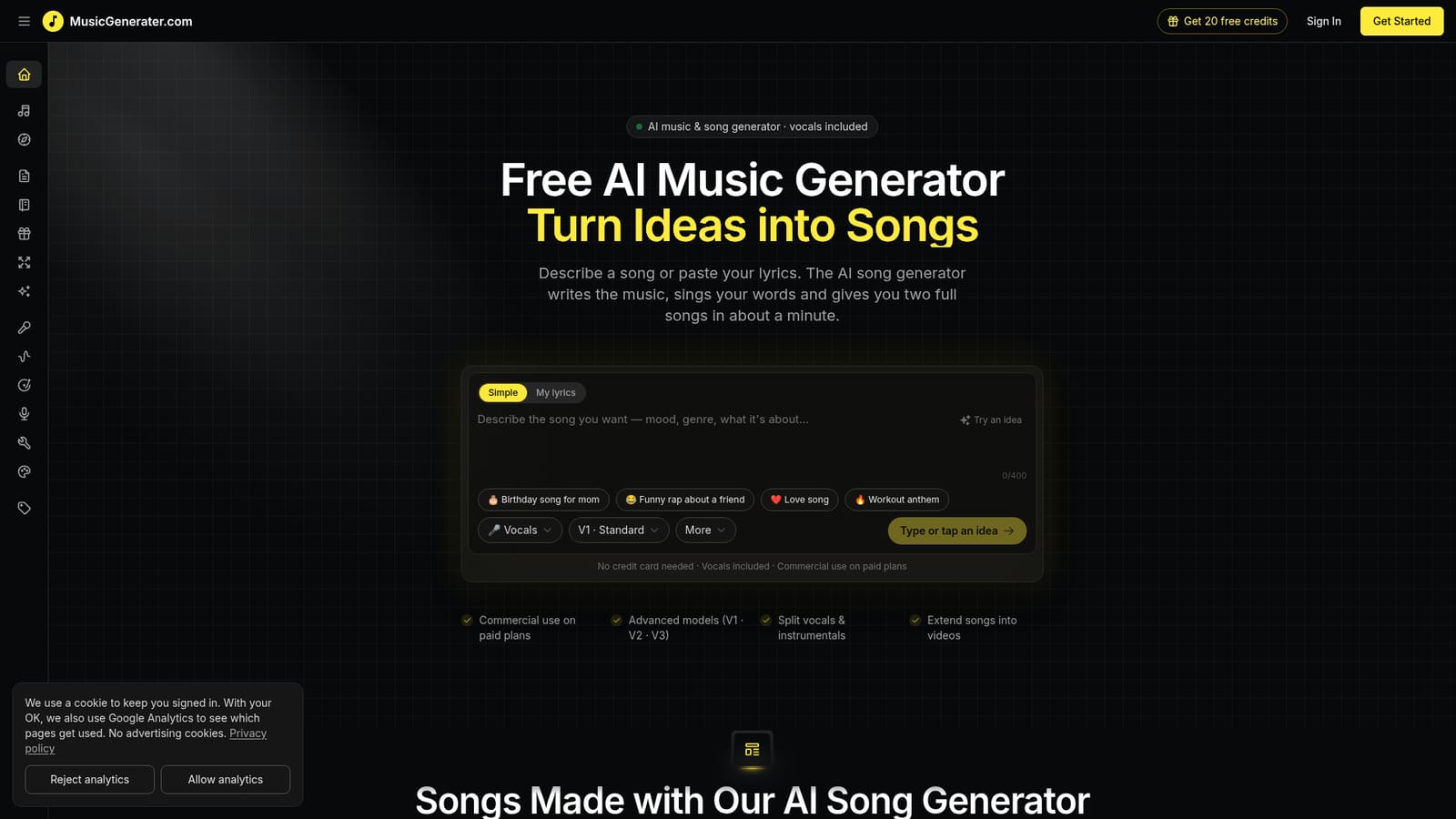
  1. 1Open the generator and pick a mode
    Choose Simple to describe a song in a sentence, or My lyrics to paste words you already wrote. Example ideas on the page can fill the box for you.
    MusicGenerater — Open the generator and pick a mode
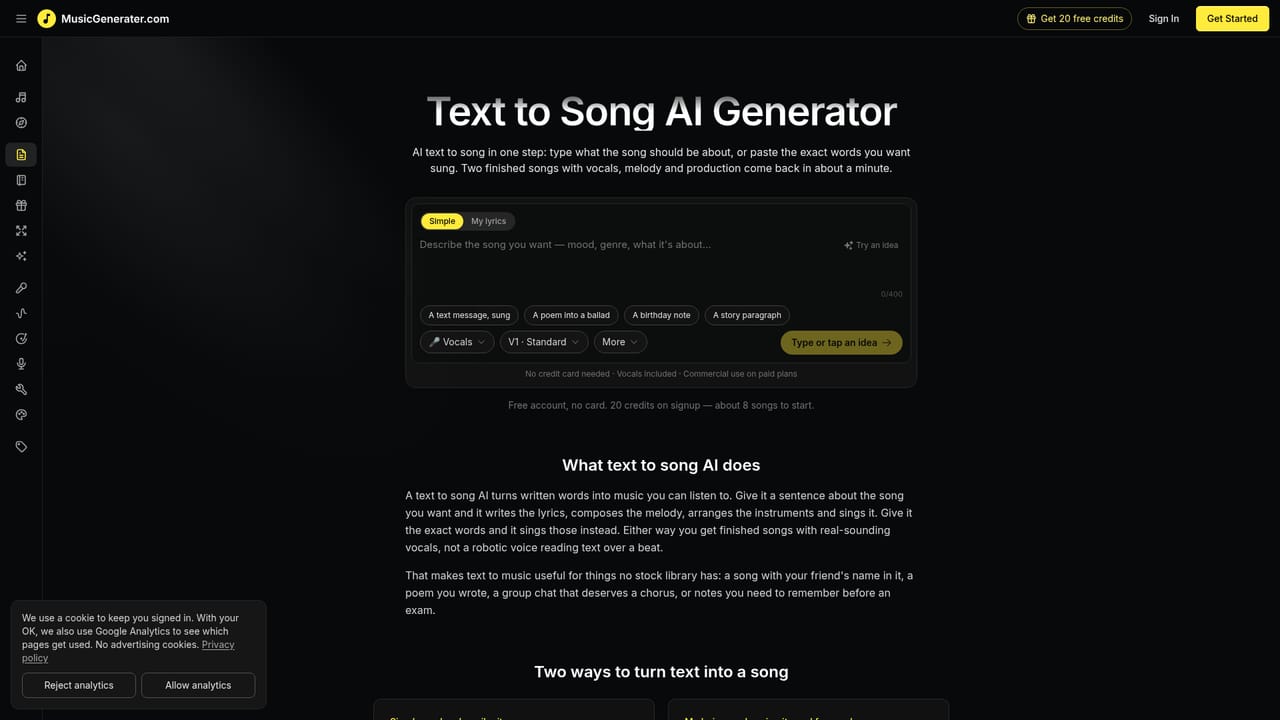
  2. 2Describe the song or paste lyrics
    State the mood, genre and who the song is for, or paste verses and a chorus. Pick a vocal option and a model version before generating.
    MusicGenerater — Describe the song or paste lyrics
  3. 3Generate and compare two takes
    The tool composes and sings the track in about a minute and returns two versions. Listen to both and keep the better one.
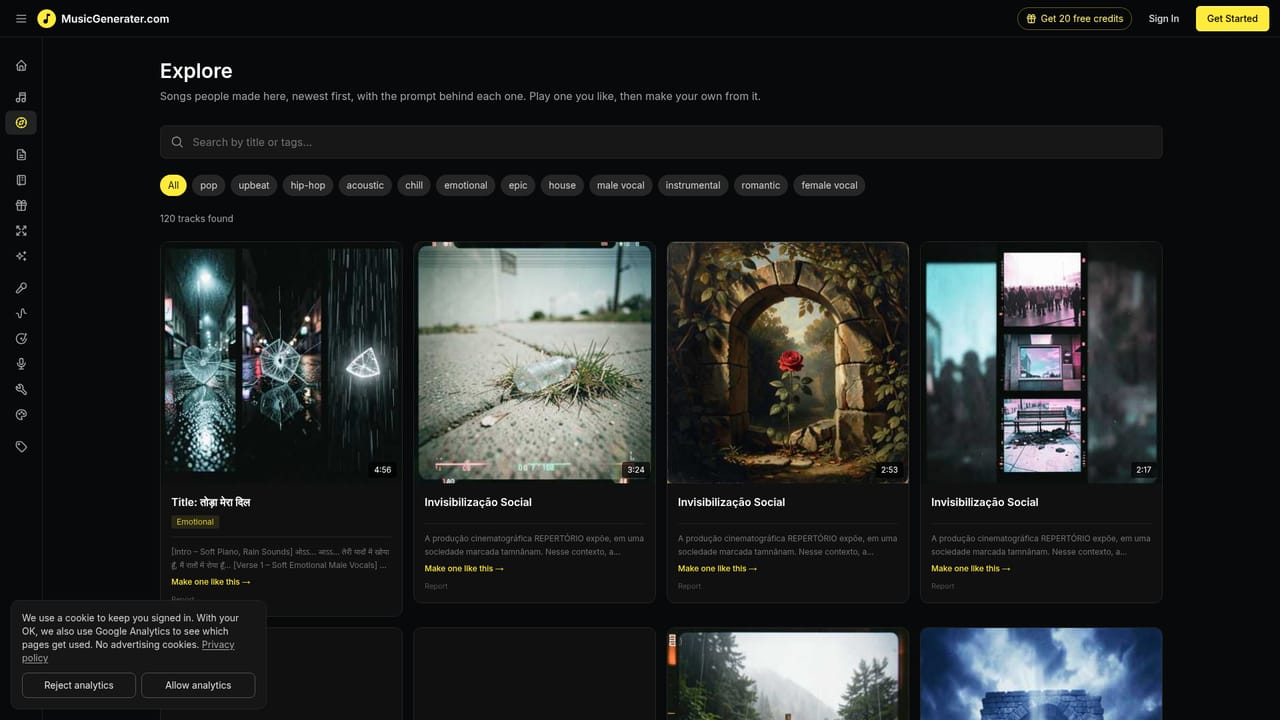
  4. 4Browse examples for prompt ideas
    The explore page lists songs made by others, each with its prompt. Reuse one as a starting point and adjust the wording.
    MusicGenerater — Browse examples for prompt ideas
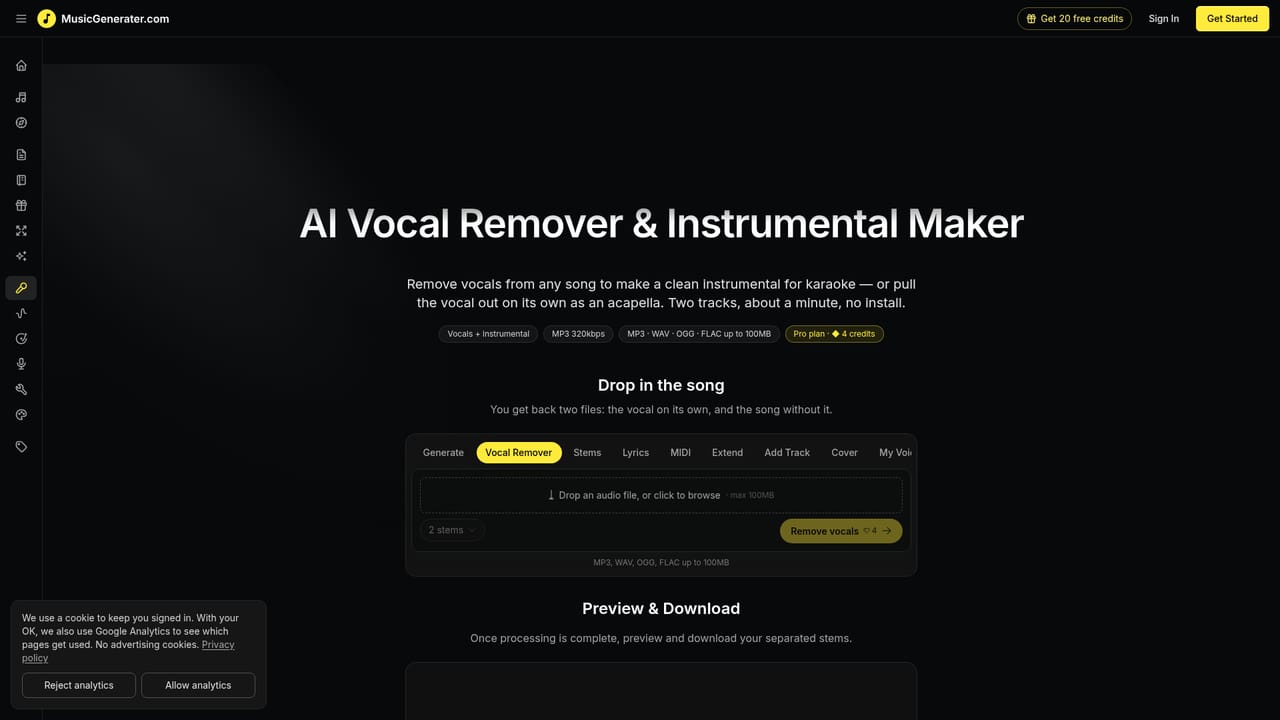
  5. 5Refine with companion tools
    Use the vocal remover to split vocals from instrumentals or the song extender to lengthen a track. Downloads and commercial use need a paid plan.
    MusicGenerater — Refine with companion tools

Pros and cons

Pros

  • Free to start with no credit card, so a first song costs nothing to tryAI
  • Returns two full takes per generation, which makes picking a favorite easyAI
  • Accepts either a one-line idea or complete pasted lyrics, in any languageAI
  • Bundles related tools such as vocal remover, song extender and audio to MIDIAI
  • Public example songs show the prompt behind each track and can be reusedAI

Cons

  • Downloads in MP3 or WAV and commercial use require a paid planAI
  • Simple prompts are limited to 400 characters, which restricts detailed directionAI
  • Output is a finished mix, with no stated multitrack or in-app editing controlsAI
  • Homepage gives no pricing figures or generation limits for the free tierAI
  • No API or desktop and mobile apps are mentioned, so use is browser onlyAI

How much does MusicGenerater cost?

Free trial

Songs can be generated for free without a credit card, with vocals included. Downloads and commercial use are limited to paid plans.

Learn more

Pricing

Free to start with no credit card. MP3 and WAV downloads and commercial use are available on paid plans; specific prices are not listed on the homepage.

Learn more

Features

Prompt or lyrics to full song with vocals, two takes per generation, models V1, V2 and V3, any language, vocal remover, song extender into videos, cover and singing voice generators, lyrics writer, audio to MIDI.

Frequently asked questions about MusicGenerater

  • How much does MusicGenerater cost?
    Free to start with no credit card. MP3 and WAV downloads and commercial use are available on paid plans; specific prices are not listed on the homepage.
  • Does MusicGenerater offer a free trial?
    Songs can be generated for free without a credit card, with vocals included. Downloads and commercial use are limited to paid plans.
  • How do you use MusicGenerater?
    The walkthrough on this page covers 5 steps: 1. Open the generator and pick a mode 2. Describe the song or paste lyrics 3. Generate and compare two takes 4. Browse examples for prompt ideas 5. Refine with companion tools.
  • What platforms does MusicGenerater support?
    MusicGenerater is available on Web App.
  • What are the limitations of MusicGenerater?
    Downloads in MP3 or WAV and commercial use require a paid plan. Simple prompts are limited to 400 characters, which restricts detailed direction. Output is a finished mix, with no stated multitrack or in-app editing controls.

Status

StatusActive
Views0
Outbound clicks0
Added10/18/2026

Platforms

Web App

Pricing

Freemium

Categories