Yinso

Turn a prompt or lyrics into a full original song in a browser

Beginner
Screenshot of Yinso, Turn a prompt or lyrics into a full original song in a browser

What is Yinso?

Yinso is an audio tool that turns a prompt or lyrics into a full original song in a browser. Yinso (YinsoAI) is a browser-based AI song generator that turns text ideas or lyrics into original tracks, with an instrumental option, a public library of community songs, and stem separation and prompt analysis tools for refinement.

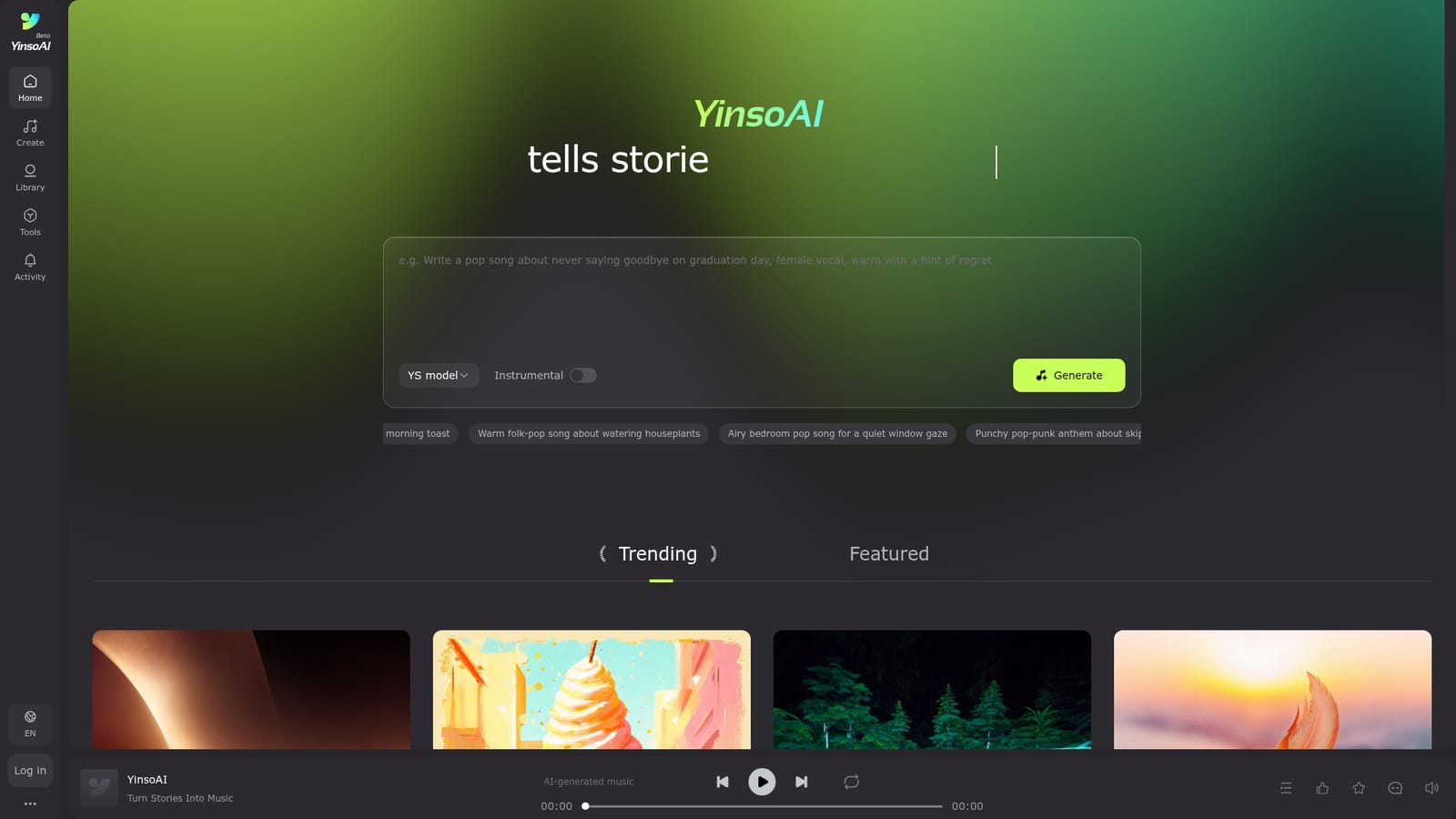
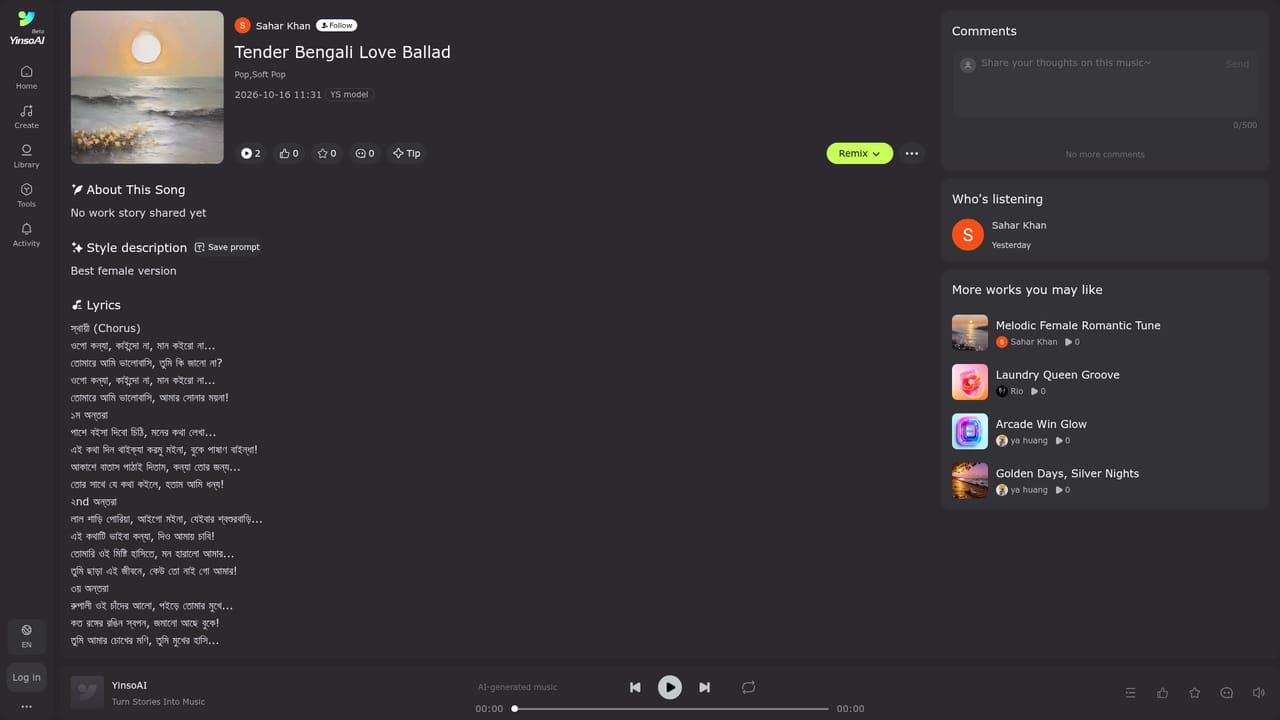
Yinso, branded YinsoAI, is a web-based song generator that turns a short idea or a set of lyrics into a finished piece of music. The homepage centres on a single prompt box with a generate button, a model selector labelled YS model, and an Instrumental toggle for tracks without vocals. Rotating example prompts show the intended style of input: a genre, a mood and a small everyday scenario, such as a jazz-pop song about forgetting an umbrella or a deep house groove about a midnight walk home. Beyond generation, the platform works as a community library. Public tracks appear under Trending and Featured sections, each with cover artwork, a duration, genre tags (pop, soft pop, rock, Americana, Latin pop, trap, reggae and many others), the creator's avatar and small counters. Every song has its own page and every creator a profile page, so output can be browsed, compared and used as inspiration. The sample catalogue includes titles in English, Spanish, Russian and Chinese, which suggests prompts are not limited to one language. The site's meta description also mentions stem separation and prompt analysis tools for refining tracks, though the homepage does not explain how those tools are used. The audience is broad: hobbyists who want a personalised song without learning a digital audio workstation, game and video makers who need background music, and writers who have lyrics but no melody. The workflow is deliberately light: describe, generate, listen, then adjust the prompt and try again. People who need note-level control, mixing automation or multitrack arrangement will still want conventional production software. Among AI music generators, Yinso sits in the prompt-to-song category alongside other text-to-music services. Its distinguishing traits, based on the homepage, are the public discovery feed, the proprietary YS model and the post-generation tools for splitting stems and analysing prompts. Pricing, usage limits and licensing terms are not stated on the pages reviewed, so commercial users should confirm those details on the site before relying on generated tracks.

How do you use Yinso?

  1. 1Open the generator
    Go to the Yinso homepage, where the prompt box, the YS model selector and the Generate button sit at the top of the page.
    Yinso — Open the generator
  2. 2Write a prompt or paste lyrics
    Describe a genre, a mood and a small scenario, or paste your own lyrics. The rotating example prompts show the level of detail that works well.
  3. 3Choose vocals or instrumental
    Switch the Instrumental toggle on if you want a track without singing, such as background music. Leave it off for a full song with vocals.
  4. 4Generate and listen
    Press Generate, then play the result and compare it with your intent. Adjust the wording of the prompt and run it again if the style or mood is off.
  5. 5Browse community tracks for ideas
    Open a song page from the Trending or Featured lists to see its genre tags and duration, then use those styles as a reference for your own prompts.
    Yinso — Browse community tracks for ideas
  6. 6Refine with the extra tools
    Use the stem separation and prompt analysis tools mentioned by the platform to adjust a finished track or improve future prompts.

Pros and cons

Pros

  • Simple prompt box with an Instrumental toggle covers both vocal songs and background tracksAI
  • Public Trending and Featured feeds show real community output before you generate anythingAI
  • Example prompts demonstrate how to combine genre, mood and scenario effectivelyAI
  • Stem separation and prompt analysis tools are listed for refining tracks after generationAI
  • Sample tracks span many genres and languages, suggesting wide stylistic and linguistic rangeAI

Cons

  • Homepage gives no pricing, credit limits or free tier details, so cost is unclear before signing upAI
  • Licensing and commercial usage terms for generated songs are not visible on the pages reviewedAI
  • Only one model (YS model) is shown, with no stated version differences or controlsAI
  • Generation is prompt-driven, so precise arrangement, note-level editing or mixing control is limitedAI
  • Stem separation and prompt analysis are mentioned only in metadata, with no explanation of how they workAI

How much does Yinso cost?

Features

Text-to-song generation from ideas or lyrics, an Instrumental toggle, the YS model, a public library with Trending and Featured tracks, song and creator profile pages with genre tags, plus stem separation and prompt analysis tools for refining tracks.

Frequently asked questions about Yinso

  • How do you use Yinso?
    The walkthrough on this page covers 6 steps: 1. Open the generator 2. Write a prompt or paste lyrics 3. Choose vocals or instrumental 4. Generate and listen 5. Browse community tracks for ideas 6. Refine with the extra tools.
  • What platforms does Yinso support?
    Yinso is available on Web App.
  • What are the limitations of Yinso?
    Homepage gives no pricing, credit limits or free tier details, so cost is unclear before signing up. Licensing and commercial usage terms for generated songs are not visible on the pages reviewed. Only one model (YS model) is shown, with no stated version differences or controls.

Status

StatusActive
Views0
Outbound clicks0
Added10/18/2026

Platforms

Web App

Pricing

Freemium

Categories