Free trial
The homepage advertises a free start alongside a demo option, both routed through a scheduling link. No trial length, usage limits or eligibility terms are stated on the page.
Learn moreAn autonomous AI sourcer that finds, screens and messages candidates

NoonAI is an AI calls tool. Noon is an autonomous AI recruiting agent that sources candidates across the web and your ATS, screens applicants for fraud, runs voice screening calls against your rubric, and drafts personalized outreach with follow-ups. It syncs back to your ATS and is built for recruiting teams that want sourcing handled end to end.
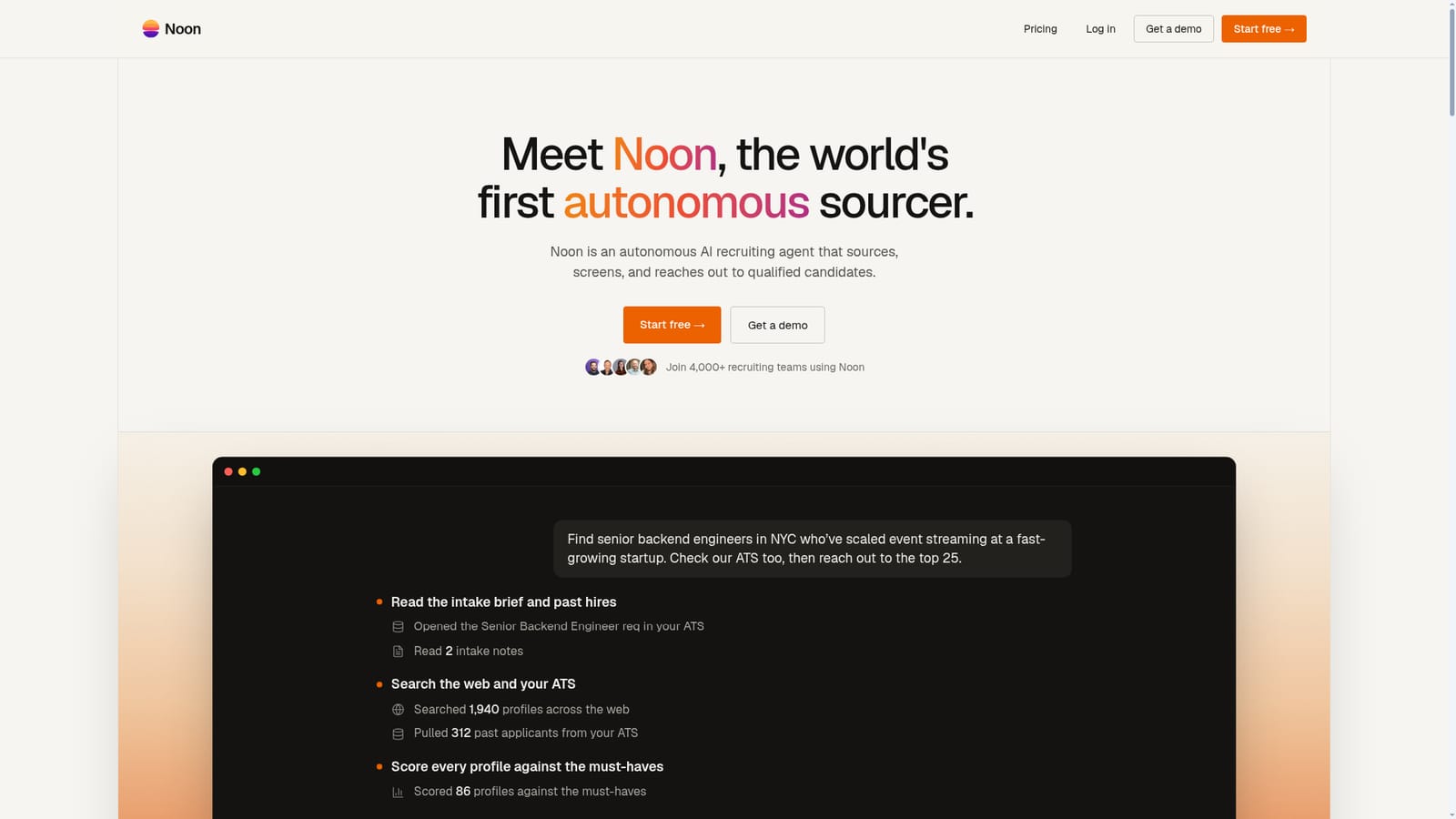
Noon positions itself as an autonomous recruiting agent, a piece of software that performs the day to day work of a talent sourcer rather than simply suggesting profiles. A recruiter describes the role in plain language, and Noon reads the intake brief, opens the requisition in the connected applicant tracking system, and works from two inputs at once: public web profiles and the company's own history of past applicants and hires. The workflow runs in three visible stages. First, Noon builds a shortlist by searching the web and pulling past applicants from the ATS, scoring each profile against the stated must-haves and explaining why a candidate fits. Second, it reviews inbound applications quickly and screens them for fraud, checking claims such as an employer having no record of a listed role, a photo reused across profiles, or a portfolio that appears machine generated. Third, a voice agent conducts screening calls, follows up on what the candidate actually says, and grades responses against the recruiter's rubric before pushing strong candidates toward the onsite stage. Outreach is drafted in the recruiter's own voice, with follow-ups queued on a set schedule, and all activity, candidates and pipeline updates sync back to the ATS so it stays the system of record. The homepage lists customers across in house teams, staffing firms, universities and high growth startups, and cites 4,000 recruiting teams, 40 percent faster time to hire and a 10x return on recruiting spend. Buyers should note the focus: this is hiring infrastructure, not a creative tool, and it assumes an existing ATS and inbox to plug into. Enterprise controls (SOC 2 Type II, GDPR, SAML single sign on, role based permissions and audit trails) are presented as standard. Pricing is not published on the homepage, and the primary entry point is a demo booking, so evaluation starts with a conversation rather than self serve checkout.
The homepage advertises a free start alongside a demo option, both routed through a scheduling link. No trial length, usage limits or eligibility terms are stated on the page.
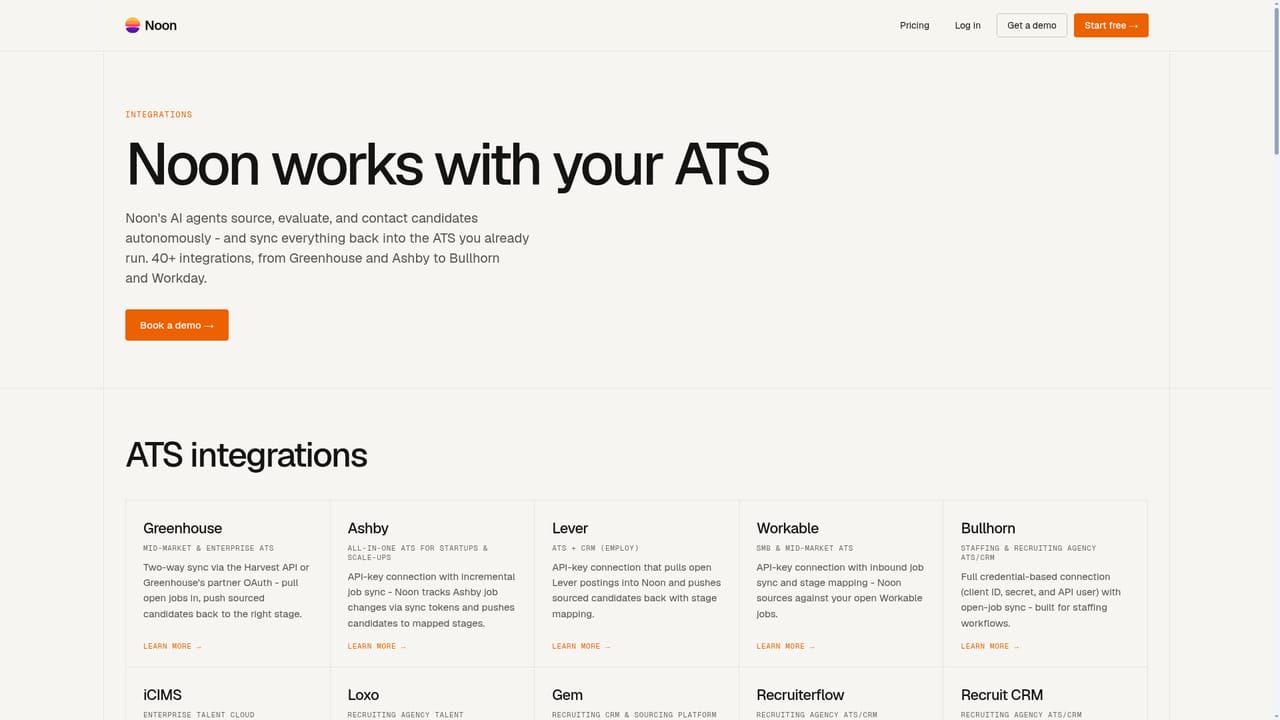
Learn moreThe homepage lists ATS connections for Ashby, Greenhouse, Lever, Workday, SuccessFactors and Bullhorn, plus Outlook, Gmail, Google Calendar, Calendly, Zoom and Google Meet. A full integration list is linked from the page.
Learn moreCovers end to end sourcing: plain language role intake, web and ATS candidate search, must-have scoring with per candidate reasoning, fast review of inbound applications, fraud detection for suspicious profiles, a voice agent that screens calls against a rubric, personalized outreach with scheduled follow-ups, and automatic pipeline sync.
 AI Angels400+ customizable AI girlfriends for NSFW chat, voice calls, and roleplay
 Candy AIExperience the future of companionship with AI friends who chat, role-play, and connect with you on a human level.
 ourdream.aiA vast AI roleplay platform with millions of characters for chat, images, video and voiceAI Angels400+ customizable AI girlfriends for NSFW chat, voice calls, and roleplayCandy AIExperience the future of companionship with AI friends who chat, role-play, and connect with you on a human level.ourdream.aiA vast AI roleplay platform with millions of characters for chat, images, video and voice


