Free trial
New accounts start with 32 free credits and 3 free downloads, and a photo can be uploaded without signing up. Previews are free; credits are only spent on downloads.
Learn moreFurniture staging from a single product photo
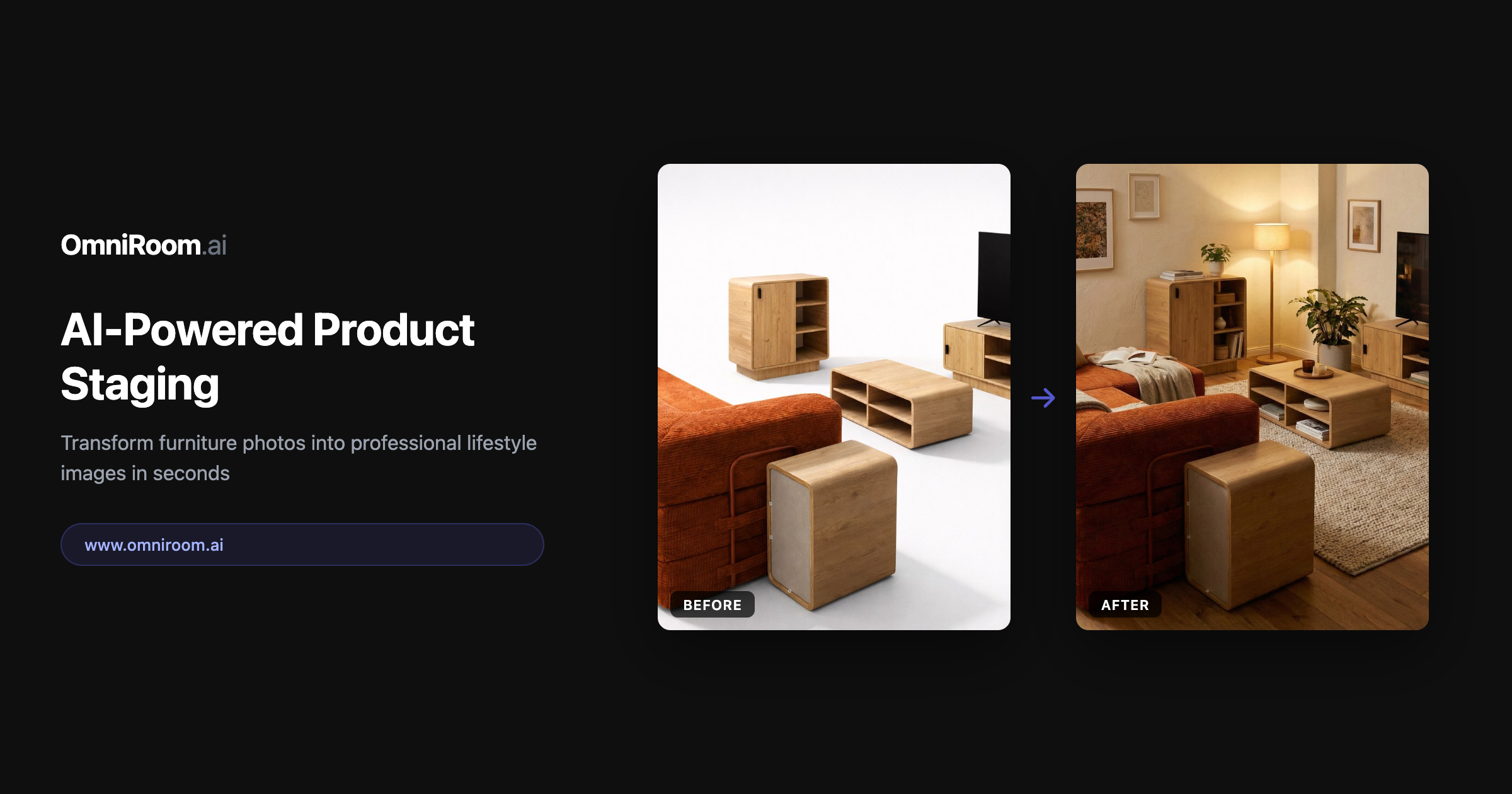
OmniRoom turns one furniture photo into staged room scenes, multiple camera angles, white-background catalogue shots, colour variants and short product videos, with the original product preserved. Built only for furniture sellers listing on Amazon, Wayfair, Etsy and Shopify.
OmniRoom is an AI rendering platform built exclusively for the furniture trade. Retailers, manufacturers, importers and marketplace sellers upload one ordinary product photo (a sofa, chair, bed, wardrobe, desk or outdoor piece) and the system places it in realistic lifestyle interiors and exterior settings. The product itself is preserved: colours, textures, materials and proportions stay as they were photographed, which is the core promise separating OmniRoom from general image generators that tend to recolour or reshape whatever they are given. The feature set is organised around catalogue work rather than one-off creativity. Multirooms produces up to four styled scenes in a single pass, with styles such as Scandinavian, Modern, Mediterranean, Japandi and Farmhouse. Multi-Perspective returns up to seven camera angles from one scene. Studio Shots generate clean white-background catalogue images, colour and finish variants avoid a re-shoot, and image adjust tools cover relighting and retouching. Product Family keeps a whole collection visually consistent, dimension call-outs add measurement overlays, AI Description writes marketplace copy, and Video turns a still photo into a short product clip. Output is 2K by default with 4K upscaling, delivered as PNG or JPEG at 300 DPI, which suits Amazon, Wayfair, Etsy, eBay and Shopify listings. The workflow is deliberately shallow: upload a photo, choose room styles and angles, preview as many renders as you like, then download only the ones you want. Previews cost nothing; downloads draw on a monthly credit balance, with 2K images at 4 credits and videos at 16. Team seats, shared projects and role-based permissions (Owner, Admin, Editor, Viewer) appear from the Growth tier upward. OmniRoom sits between two expensive options. Traditional 3D rendering and studio photography demand artists, props and weeks of scheduling, while generic AI tools are cheap but inconsistent across a SKU list. This product trades breadth for category depth: it will not help with apparel, electronics or lifestyle brands, and it is not a consumer interior design app. For furniture sellers with large catalogues, that narrow focus is the argument.
New accounts start with 32 free credits and 3 free downloads, and a photo can be uploaded without signing up. Previews are free; credits are only spent on downloads.
Learn moreMonthly credit subscriptions: Mini $9.99 (120 credits), Starter $29 (400), Growth $79 (1,250), Pro $199 (3,600) and Scale $449 (9,450). Enterprise is custom with unlimited seats and API access. A 2K image costs 4 credits, a video 16, downloads are free, and unused credits carry forward. New users get up to 30% off the first package.
Learn moreHuman support is advertised as available 24/7, with an in-site assistant called Sophie and an email contact for billing and general questions.
Shopify one-click sync and an API for pushing assets into existing systems are listed, alongside marketplace output sized for Amazon, Wayfair, Etsy, eBay and Shopify.
Multirooms (up to 4 styled scenes), Multi-Perspective (up to 7 angles), Studio Shots for white backgrounds, Product Family for collection consistency, colour and finish variants, relighting and retouching, dimension call-outs, AI-written product descriptions, and photo-to-video generation. Outputs are 2K by default with 4K upscaling, delivered as PNG or JPEG at 300 DPI.
 AI Angels400+ customizable AI girlfriends for NSFW chat, voice calls, and roleplay
 Candy AIExperience the future of companionship with AI friends who chat, role-play, and connect with you on a human level.
 ourdream.aiA vast AI roleplay platform with millions of characters for chat, images, video and voiceAI Angels400+ customizable AI girlfriends for NSFW chat, voice calls, and roleplayCandy AIExperience the future of companionship with AI friends who chat, role-play, and connect with you on a human level.ourdream.aiA vast AI roleplay platform with millions of characters for chat, images, video and voice