Free trial
No separate trial is listed. The free plan at $0 doubles as an evaluation tier with 5 notes and 10 minutes monthly, and paid plans carry a 7 day money back guarantee.
Learn moreTurn spoken ideas and audio files into clean, shareable notes

OneAudio is an audio analysis tool that turns spoken ideas and audio files into clean, shareable notes. OneAudio records or accepts audio and converts it into structured, readable notes. Free tier covers 5 saved notes and 10 minutes per month; paid plans add file uploads, AI rewrites and up to 1,200 or unlimited monthly minutes.
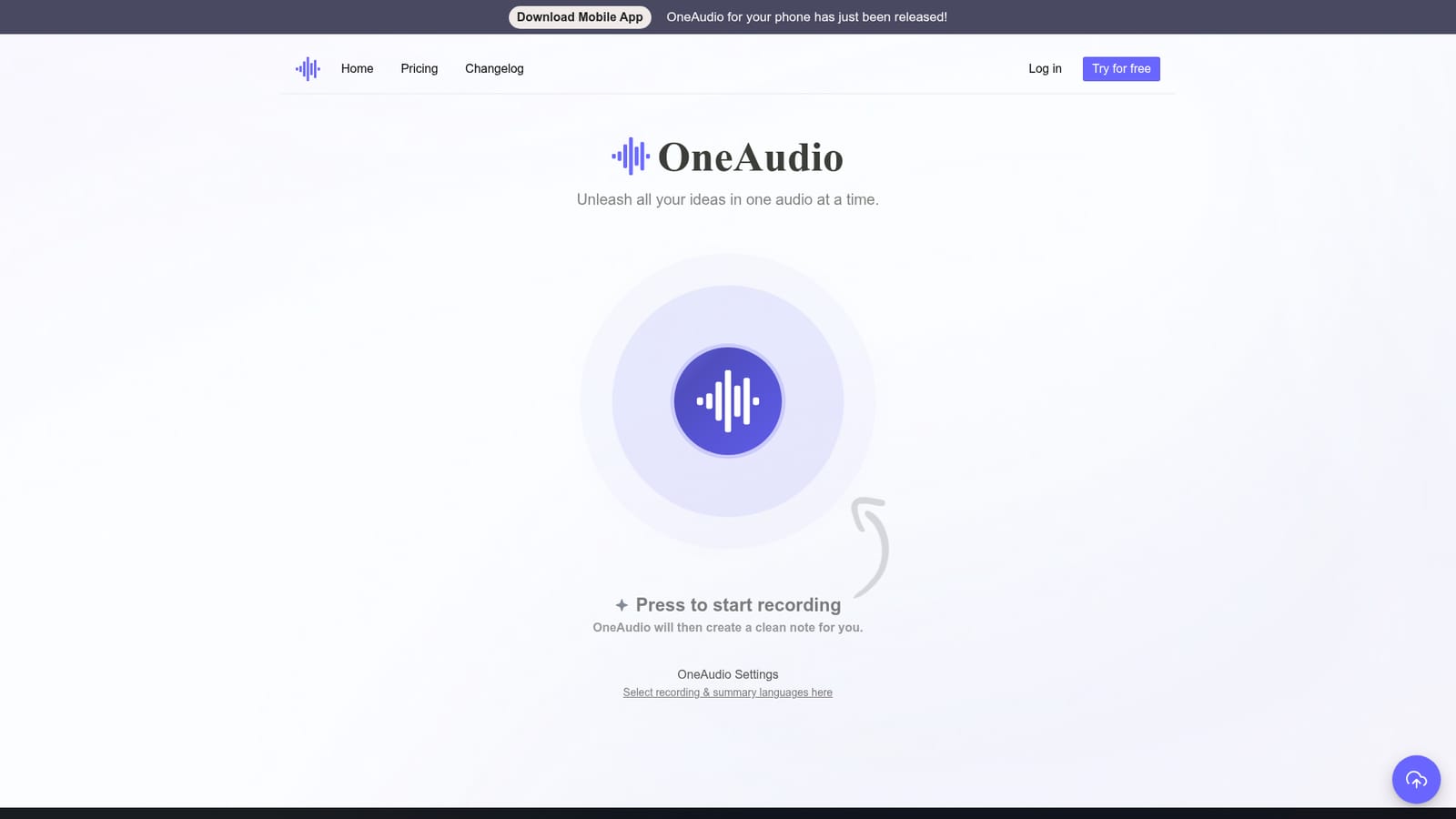
OneAudio is a voice notes tool built around a single idea: thinking out loud should produce something you can actually read and share. You open the app, press the record button, and speak. When you stop, OneAudio runs the recording through OpenAI's GPT 4.1 model and returns a structured note with headings, topic detection and a readable opening line. It also accepts uploaded audio files on paid tiers, so existing recordings can go through the same pipeline. In practice the workflow is short. A settings panel lets you pick the language for recording and for the resulting summary, and the homepage itself includes a working recorder so the value can be tested before an account is created. Finished notes land in your library, where they can be bookmarked, edited and rewritten with AI assistance on the paid plans. A mobile app has also been released alongside the web version. Creators pushing notes toward publication tend to use it for early drafting: talk through an idea, get a note, edit it, then move it to a tool like Notion. Students preparing presentations use it to generate ideas quickly, and people with recurring user or team conversations use it to avoid taking notes by hand. Language support beyond English is clearly part of the design, with testimonials in Spanish and Chinese. The main tradeoffs are scope and volume. Recording is capped by plan, from 5 minutes per audio on the free tier to 40 minutes even on the top tier, and monthly minutes run out fast on the free plan. Uploading files and rewriting summaries are paid features only. Compared with dedicated meeting transcription services, OneAudio stays focused on the note itself rather than speaker labels or calendar integrations, so teams wanting automated meeting capture will find the feature set narrow.
No separate trial is listed. The free plan at $0 doubles as an evaluation tier with 5 notes and 10 minutes monthly, and paid plans carry a 7 day money back guarantee.
Learn moreFree tier at $0 covers up to 5 saved notes, 10 minutes of audio monthly and 5 minutes per recording. Plus costs $6 monthly with unlimited notes, 1,200 minutes monthly, 30 minutes per recording, file uploads, downloads, bookmarks and AI rewrites. Amplify at $24 monthly adds unlimited minutes and a 40 minute recording cap. A 7 day money back guarantee applies.
Learn moreThe homepage lists no help centre, email address or chat channel. Support appears to be limited to the money back guarantee terms; check the site after signup for a contact route.
Press-to-record capture with GPT 4.1 summarization, automatic topic detection, separate recording and summary language settings, a structured note editor, AI rewriting of summaries, bookmarks, audio file uploads and original file downloads on paid plans, and monthly and per-recording limits that vary by tier.
 AI Angels400+ customizable AI girlfriends for NSFW chat, voice calls, and roleplay
 Candy AIExperience the future of companionship with AI friends who chat, role-play, and connect with you on a human level.
 ourdream.aiA vast AI roleplay platform with millions of characters for chat, images, video and voiceAI Angels400+ customizable AI girlfriends for NSFW chat, voice calls, and roleplayCandy AIExperience the future of companionship with AI friends who chat, role-play, and connect with you on a human level.ourdream.aiA vast AI roleplay platform with millions of characters for chat, images, video and voice


