Palette Hunt

AI color analysis with try-ons on your own face

Beginner
Screenshot of Palette Hunt, AI color analysis with try-ons on your own face

What is Palette Hunt?

Palette Hunt analyzes a selfie to identify your undertone, seasonal type and a 30-color palette, then renders try-ons (photoshoots, makeup, hair, outfits) on your own photo. One-time pricing from $29 with no subscription.

Palette Hunt is a web app that turns a single selfie into a full personal color analysis: your skin undertone, your seasonal type in the 16-season system, and a 30-color palette built around your features. The premise is straightforward. Instead of sitting under neutral studio light with a consultant holding fabric swatches to your face, you upload one photo and the model reads how your skin responds to different tones and metals, then sorts you into warm, cool or neutral and assigns a season such as Soft Autumn or True Summer. The analysis is only the first half. Once the engine knows your palette, the product leans into visualization: AI photoshoots styled in your best colors, digital draping, and try-on previews for lipstick, blush, eyeshadow, hair shades and outfits, all rendered on your own uploaded photo rather than on a generic model. An AI stylist chat lets you describe an occasion or mood and see the look applied to you, which is meant to replace the guesswork of buying lipstick or booking a salon appointment without knowing whether the shade suits you. The audience is mostly individuals shopping for themselves: people who want to stop returning clothes, anyone curious about seasonal color theory, and men as well as women (the homepage addresses both). The launch flow asks you to pick a primary goal, such as looking more professional or spending less on clothes, which suggests the analysis output is nudged to match your stated intent. Palette Hunt sits in the same space as in-person color consultants and other photo-based analysis apps, and the homepage explicitly positions it against a $400 studio session by pricing everything as a one-time purchase rather than a subscription. That model makes it an entry point rather than a replacement for a trained human eye: the value is speed, low cost and the try-on layer that a swatch fan in a salon cannot show you.

How do you use Palette Hunt?

  1. 1Sign in with Google or email
    Create the account that will hold your analysis, previews and palette. Everything you generate later is tied to it.
  2. 2Upload one selfie in natural light
    Use a clear photo of your real face, since the AI renders every preview from your actual features rather than a stock model.
  3. 3Pick your primary goal
    The onboarding questionnaire asks what you want from the analysis (confidence, a younger look, less wasted spending, a professional image) and tailors results to that.
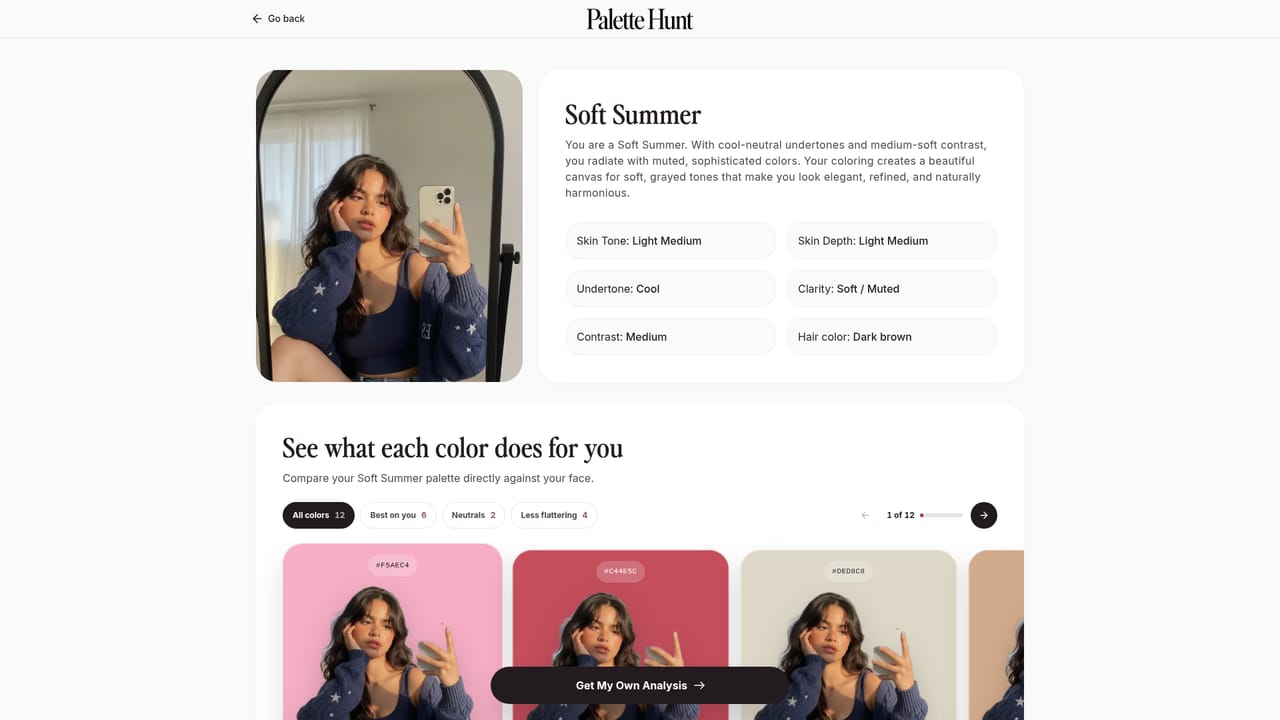
  4. 4Read your analysis report
    Review your skin undertone, seasonal type, best colors and product recommendations. A sample report is available to see the format first.
    Palette Hunt — Read your analysis report
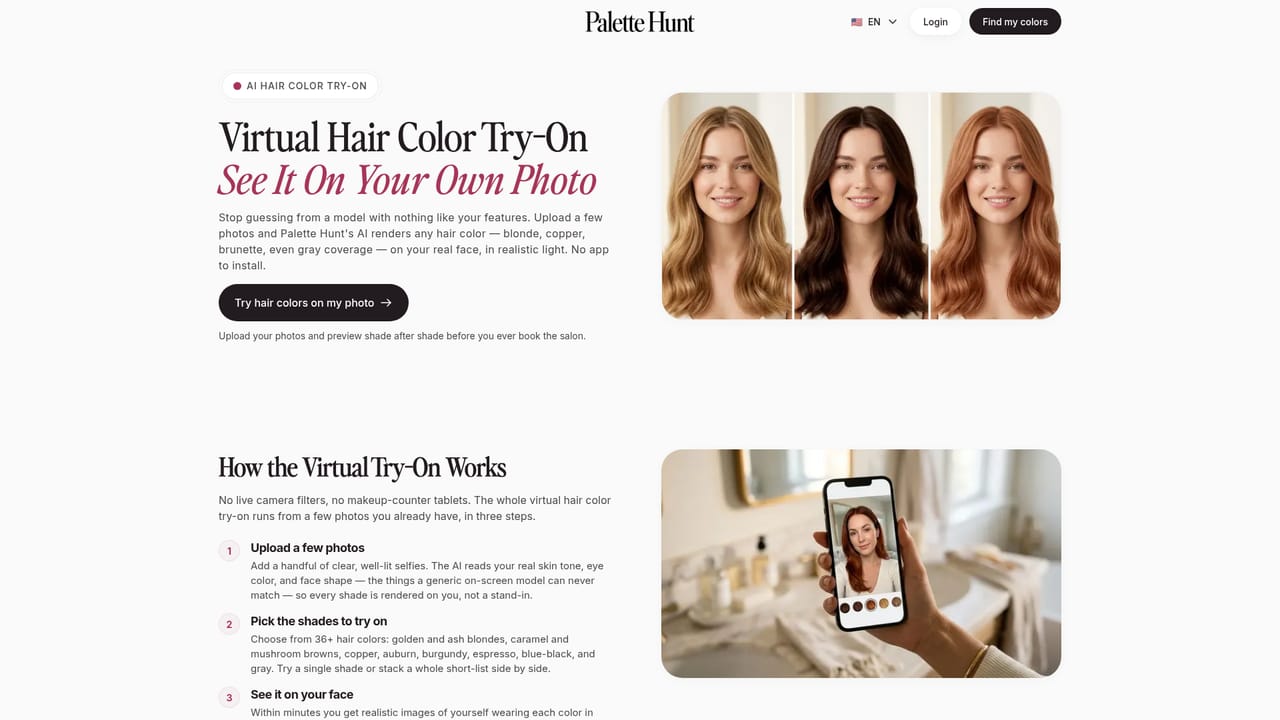
  5. 5Preview looks with your credits
    Spend AI Studio credits on photoshoots, hair color, makeup and outfit previews rendered on your own photo before you buy or book anything.
    Palette Hunt — Preview looks with your credits
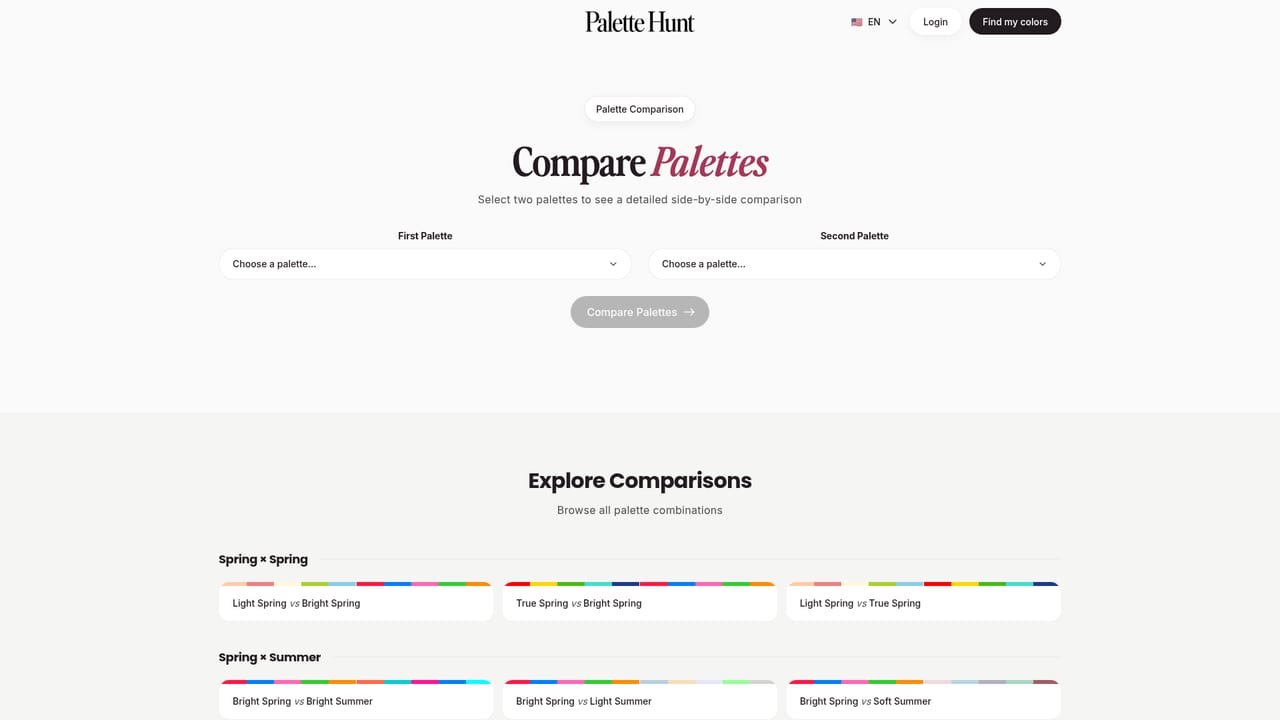
  6. 6Compare palettes if the season feels off
    Use the side-by-side palette comparison to check neighboring seasons before settling on a match or requesting a redo.
    Palette Hunt — Compare palettes if the season feels off

Pros and cons

Pros

  • Combines the analysis and the payoff: you get the palette and can see it applied to your own faceAI
  • One-time payment structure from $29, explicitly not a subscriptionAI
  • Preview of makeup, hair and outfits reduces the cost of buying or booking the wrong shadeAI
  • Sample report is published publicly, so you can judge the output before payingAI
  • Built on the 16-season system rather than a simplified four-season splitAI

Cons

  • Output quality depends heavily on one uploaded selfie in natural light; poor lighting likely skews the resultAI
  • No free analysis redos on the $29 Essential tier, so a bad first result costs youAI
  • The AI photoshoots and try-on previews are rendered images, not photographs, so realism has limitsAI
  • No API or third-party integrations are offered, which rules it out for anything beyond individual useAI
  • Support is a message form and priority support is a paid tier perk, with no published phone or chat channelAI

How much does Palette Hunt cost?

Pricing

Three one-time plans, no subscription: Essential at $29, Complete at $39 and Studio Pro at $59. Higher tiers add AI Studio credits (400 and 1500 respectively), a seasonal style guide PDF and free analysis redos (one on Complete, three on Studio Pro).

Learn more

Support

Contact is through a message form on the site. Priority support is listed as a feature of all three paid plans, and a help section addresses common questions about credits, privacy and photo requirements.

Features

Skin undertone detection (warm, cool, neutral), seasonal typing in the 16-season system, digital color draping, a personalized 30-color palette, makeup and jewelry recommendations, AI photoshoots, try-on previews for makeup, hair and outfits, an AI stylist chat, a seasonal style guide PDF and a palette comparison tool.

Learn more

Frequently asked questions about Palette Hunt

  • How much does Palette Hunt cost?
    Three one-time plans, no subscription: Essential at $29, Complete at $39 and Studio Pro at $59. Higher tiers add AI Studio credits (400 and 1500 respectively), a seasonal style guide PDF and free analysis redos (one on Complete, three on Studio Pro).
  • How do you use Palette Hunt?
    The walkthrough on this page covers 6 steps: 1. Sign in with Google or email 2. Upload one selfie in natural light 3. Pick your primary goal 4. Read your analysis report 5. Preview looks with your credits 6. Compare palettes if the season feels off.
  • What platforms does Palette Hunt support?
    Palette Hunt is available on Web App.
  • What are the limitations of Palette Hunt?
    Output quality depends heavily on one uploaded selfie in natural light; poor lighting likely skews the result. No free analysis redos on the $29 Essential tier, so a bad first result costs you. The AI photoshoots and try-on previews are rendered images, not photographs, so realism has limits.

Status

StatusActive
Views0
Outbound clicks0
Added10/21/2026

Platforms

Web App

Pricing

Paid