Free trial
A free start is promoted on the homepage and the onboarding flow routes new users to pricing, but the exact limits of the free option are not stated on the homepage.
Learn moreStudio-grade headshots from selfies, no photographer needed
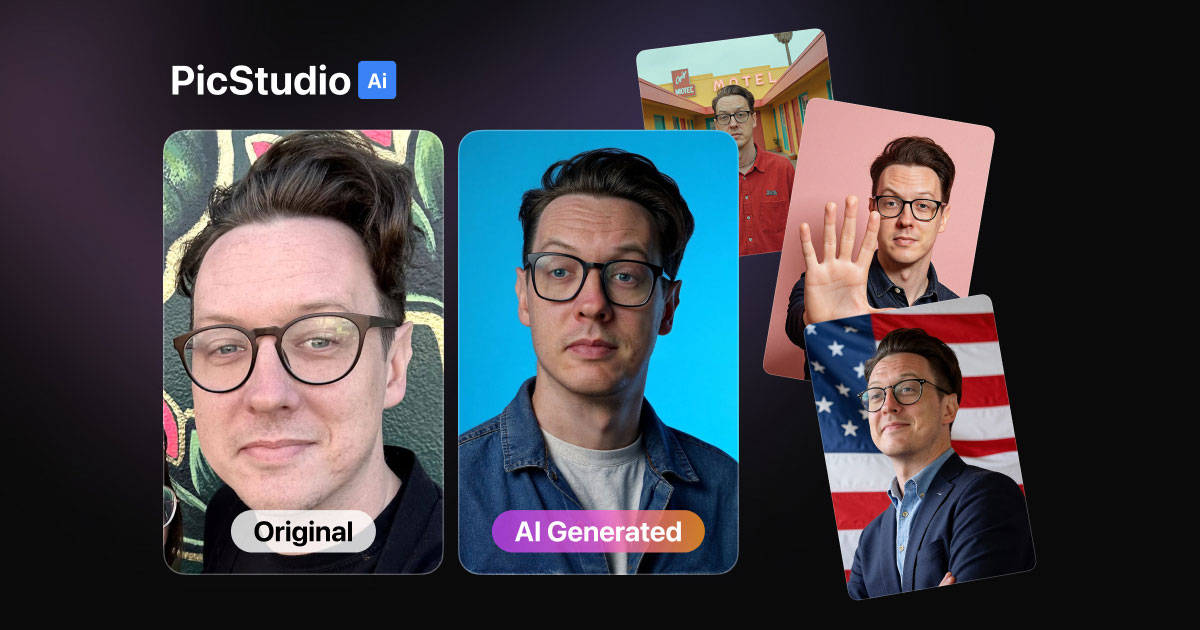
PicStudio.AI is a photoshoot tool. An AI portrait service that converts at least eight uploaded selfies into batches of professional headshots, with corporate and casual photo packs, outfit and location options, and delivery advertised in minutes rather than days.
PicStudio.AI is a portrait generation service built around a single, narrow promise: turning a set of ordinary selfies into a batch of professional-looking photos without booking a studio. The workflow is deliberately short. A user uploads at least eight photos of themselves, picks a photo pack, waits while the service processes the images, then downloads the results. The site claims delivery in minutes rather than days, and states that output arrives at high resolution and is upscaled well enough for printing. The photo packs are the core of the product and the main reason to choose it over a generic image generator. Corporate-oriented options include Office Pro, Simple Headshot, Editorial Pro, Founder Pro and Outdoor Pro, while Casual Colors and Poppy Pro lean more relaxed. Style categories on the site separate corporate looks from location-based shoots. Customization goes beyond the pack itself: the site advertises thousands of outfit choices and a wide range of settings, from studio backdrops to home offices. The intended audience is broad. The homepage shows the output used for LinkedIn profiles (a recruiter is featured), YouTube thumbnails and Instagram branding, and the site claims more than 86,000 customers with employees at large companies among them. Freelancers, founders and job seekers are the obvious fits, but anyone maintaining a personal brand across platforms is a plausible user. Reviews and sample galleries sit on a separate examples page. Against alternatives, PicStudio.AI competes on speed, quantity and price rather than on granular control. The advertised entry point is 40 photos for 9.99, and invoices are stated to be suitable for business expense claims, which matters for people who need to bill the purchase. It is a self-contained service: there is no mention of an API, third-party integrations or manual retouching. The site also runs a referral page for users who want to bring others in.
A free start is promoted on the homepage and the onboarding flow routes new users to pricing, but the exact limits of the free option are not stated on the homepage.
Learn moreThe homepage advertises 40 photos for 9.99 as the entry offer, with an invoice provided that is described as suitable for business expenses. A free start is offered through the onboarding flow. Detailed plan tiers are not spelled out on the homepage.
Learn moreUpload eight or more selfies, choose from hundreds of themed photo packs (Office Pro, Simple Headshot, Editorial Pro, Founder Pro, Outdoor Pro, Casual Colors, Visionary, Poppy Pro and location sets), then download upscaled high-resolution portraits. Outfit and location customization is offered, with claims of realistic skin texture, accurate hands and close likeness. Delivery is advertised in minutes.
Learn more AI Angels400+ customizable AI girlfriends for NSFW chat, voice calls, and roleplay
 Candy AIExperience the future of companionship with AI friends who chat, role-play, and connect with you on a human level.
 ourdream.aiA vast AI roleplay platform with millions of characters for chat, images, video and voiceAI Angels400+ customizable AI girlfriends for NSFW chat, voice calls, and roleplayCandy AIExperience the future of companionship with AI friends who chat, role-play, and connect with you on a human level.ourdream.aiA vast AI roleplay platform with millions of characters for chat, images, video and voice


