Free trial
The homepage invites users to try the tool free, and the prompt panel displays a credit cost per generation. No free tier limits or trial length are stated in the homepage content.
Learn moreAI image generation locked to the pixel dimensions you actually need

PixExact is an app creation tool. An AI image generator that renders directly at declared pixel dimensions up to 4096x4096, with multi size output from one prompt, image to image, and a set of supporting tools for banners, posters, wallpapers, icons and background removal.
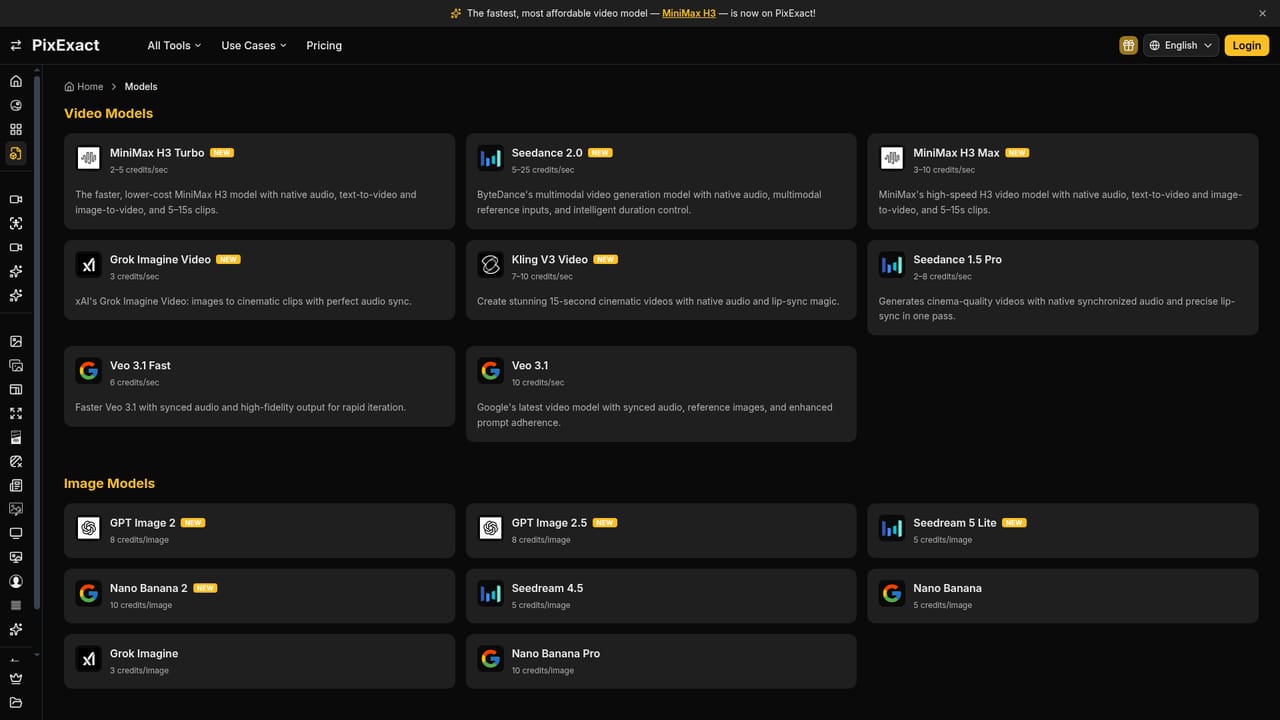
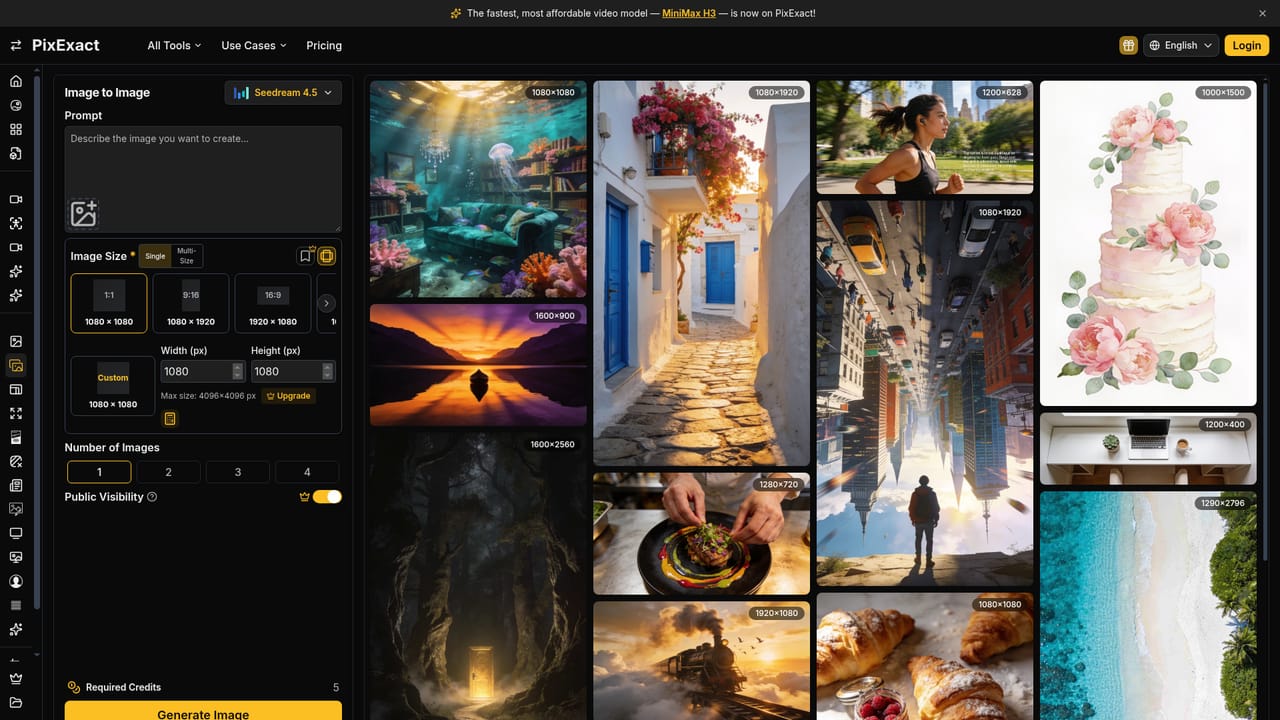
PixExact is an AI image generator built around a constraint that most text to image tools treat as an afterthought: the output has to land at a specific width and height. Instead of producing a square image and asking you to crop it, the generator accepts target dimensions up to 4096x4096 and renders directly at that size. Ready made ratios for square, landscape and portrait formats are offered, along with a custom width and height field for anything outside those presets. The practical case is asset production. Banners, thumbnails, social posts, profile pictures, wallpapers and icon sets all come with fixed pixel requirements, and a cropped or resized result usually loses composition or sharpness. PixExact also supports a multi size mode, where one prompt is rendered into several dimensions at once so the same visual concept stays consistent across placements. A model selector lets you pick among supported image models, and an image to image mode handles work that starts from an uploaded reference rather than a written prompt. The wider toolset covers the usual cleanup work around generated images. There is an image extender for expanding a frame, a resizer, a background remover, plus dedicated generators for flyers, posters, banners, wallpapers, profile pictures, pixel art and icons. A gallery of community results displays the pixel dimensions under each entry, and any image can be used as the starting point for a similar generation. Two free utilities, an image cropper and an aspect ratio calculator, sit outside the credit system. This fits designers, social media managers, marketers and indie developers who need assets at declared sizes rather than approximate ones. It is a generation and sizing tool first, so anyone looking for deep layered editing should expect to move finished files elsewhere.
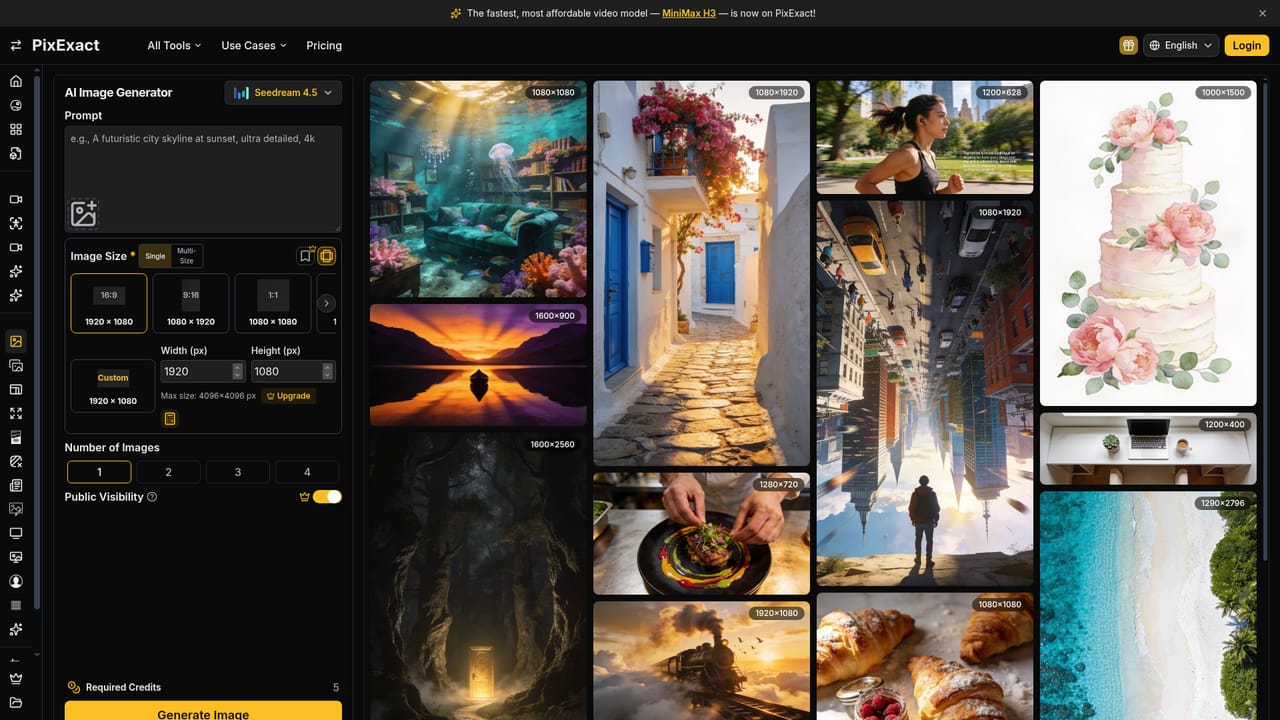
The homepage invites users to try the tool free, and the prompt panel displays a credit cost per generation. No free tier limits or trial length are stated in the homepage content.
Learn moreGeneration runs on credits, with the required credit count displayed in the generator before you generate and an Upgrade link pointing to the pricing page. The homepage does not state plan prices, tiers or credit allowances, so the numbers need to be checked on the dedicated pricing page.
Learn moreExact size text to image generation up to 4096x4096, multi size output from a single prompt, preset ratios plus custom width and height, model selection, image to image, and purpose built generators for banners, flyers, posters, wallpapers, profile pictures, pixel art and icons, alongside an extender, resizer, background remover and two free utility calculators.
Learn more AI Angels400+ customizable AI girlfriends for NSFW chat, voice calls, and roleplay
 Candy AIExperience the future of companionship with AI friends who chat, role-play, and connect with you on a human level.
 ourdream.aiA vast AI roleplay platform with millions of characters for chat, images, video and voiceAI Angels400+ customizable AI girlfriends for NSFW chat, voice calls, and roleplayCandy AIExperience the future of companionship with AI friends who chat, role-play, and connect with you on a human level.ourdream.aiA vast AI roleplay platform with millions of characters for chat, images, video and voice