Free trial
Signing up for a free account grants complimentary credits to start extending and uncropping images, with no payment details mentioned.
Learn moreAI outpainting that expands photos to any size or ratio
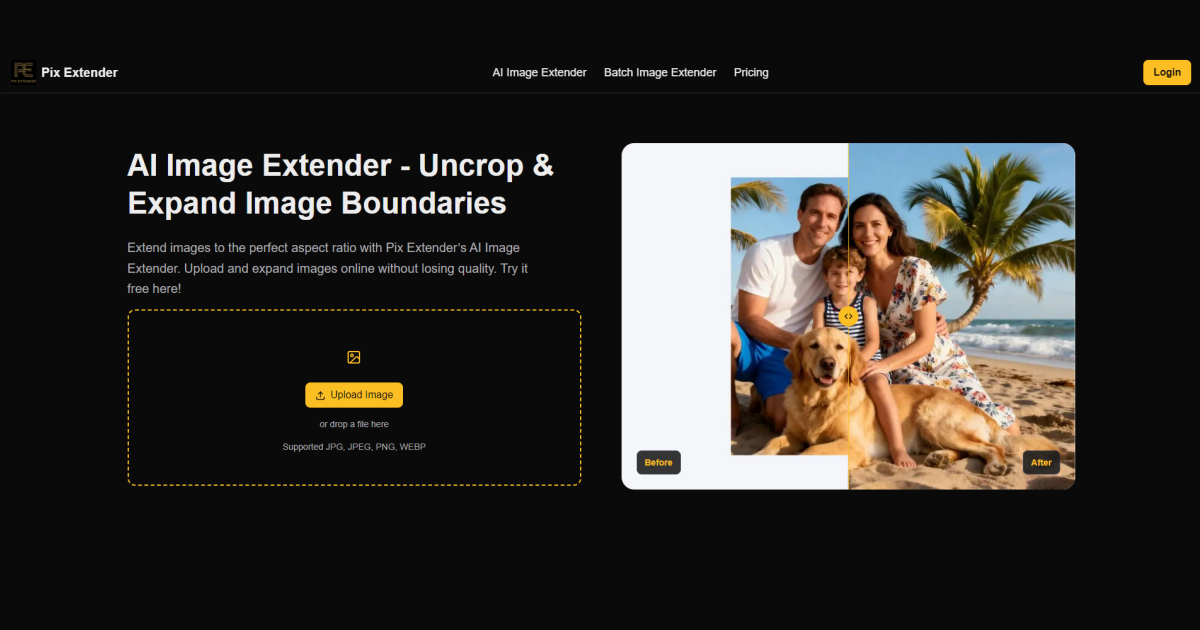
PixExtender is a web-based AI image extender that expands or uncrops photos to any aspect ratio or size up to 4096px, leaving the original pixels untouched. It offers platform presets, batch processing and free starter credits.
PixExtender is a browser-based AI image extender that grows the canvas around a picture instead of scaling or stretching it. The model reads lighting, texture and depth at the edges of the photo, then generates new background outward so the result matches the original. Everything inside the original frame, including faces, products and text, stays as shot, which makes the tool an extension of the picture rather than a reimagining of it. The audience is practical rather than artistic. Social creators need one visual in several shapes, such as 4:5 feed posts, 9:16 stories, 2:3 pins and 16:9 thumbnails. E-commerce teams need product photos pushed to marketplace specs, for example turning a 3:4 shot into a 1:1 listing without a reshoot. Photographers can use it to give a tight frame more room, extend a sky or recover margins lost in a scan. Casual users can uncrop a screenshot or widen a wallpaper. In practice the workflow has three steps: upload a JPG, PNG or WEBP file, choose a platform preset, aspect ratio or custom size up to 4096 x 4096 pixels, and run the extension. The output can be exported as JPG, PNG or WEBP at the requested dimensions. Batch extension handles up to 20 images with one ratio and one setting, and is reserved for the Creator plan and above. Dedicated pages cover YouTube thumbnails, Instagram posts, Pinterest pins and Facebook, LinkedIn and Twitter banners. Limits are stated openly. Transparent backgrounds are not supported, adult or violent content is rejected, and extreme ratio changes or large additions around people can look unnatural. Among alternatives, PixExtender is narrower than general generative fill editors and full image generators, which suits users who only want a single task done quickly with no layers or masks. New accounts receive free credits, and paid plans are credit-based with commercial licensing and no watermark.
Signing up for a free account grants complimentary credits to start extending and uncropping images, with no payment details mentioned.
Learn moreNew users get free credits. Paid plans are credit-based: Basic at $8.3/month ($99/year), Creator at $20.8/month ($249/year) and Master at $41.6/month ($499/year). All include no watermark and a commercial license. A one-time option is also shown.
Learn moreBasic plan includes email support; Creator and Master plans include priority support.
AI outpainting that matches lighting, texture and depth, platform presets, custom sizes up to 4096 x 4096, batch extension of 20 images, JPG, PNG and WEBP input and output, and untouched original pixels.
Learn more AI Angels400+ customizable AI girlfriends for NSFW chat, voice calls, and roleplay
 Candy AIExperience the future of companionship with AI friends who chat, role-play, and connect with you on a human level.
 ourdream.aiA vast AI roleplay platform with millions of characters for chat, images, video and voiceAI Angels400+ customizable AI girlfriends for NSFW chat, voice calls, and roleplayCandy AIExperience the future of companionship with AI friends who chat, role-play, and connect with you on a human level.ourdream.aiA vast AI roleplay platform with millions of characters for chat, images, video and voice