Free trial
The Free plan needs no credit card and includes $8 of AI dollars to build a first video, though that credit expires after 2 days.
Learn moreTurns repos, PDFs, decks and URLs into polished motion videos in minutes.

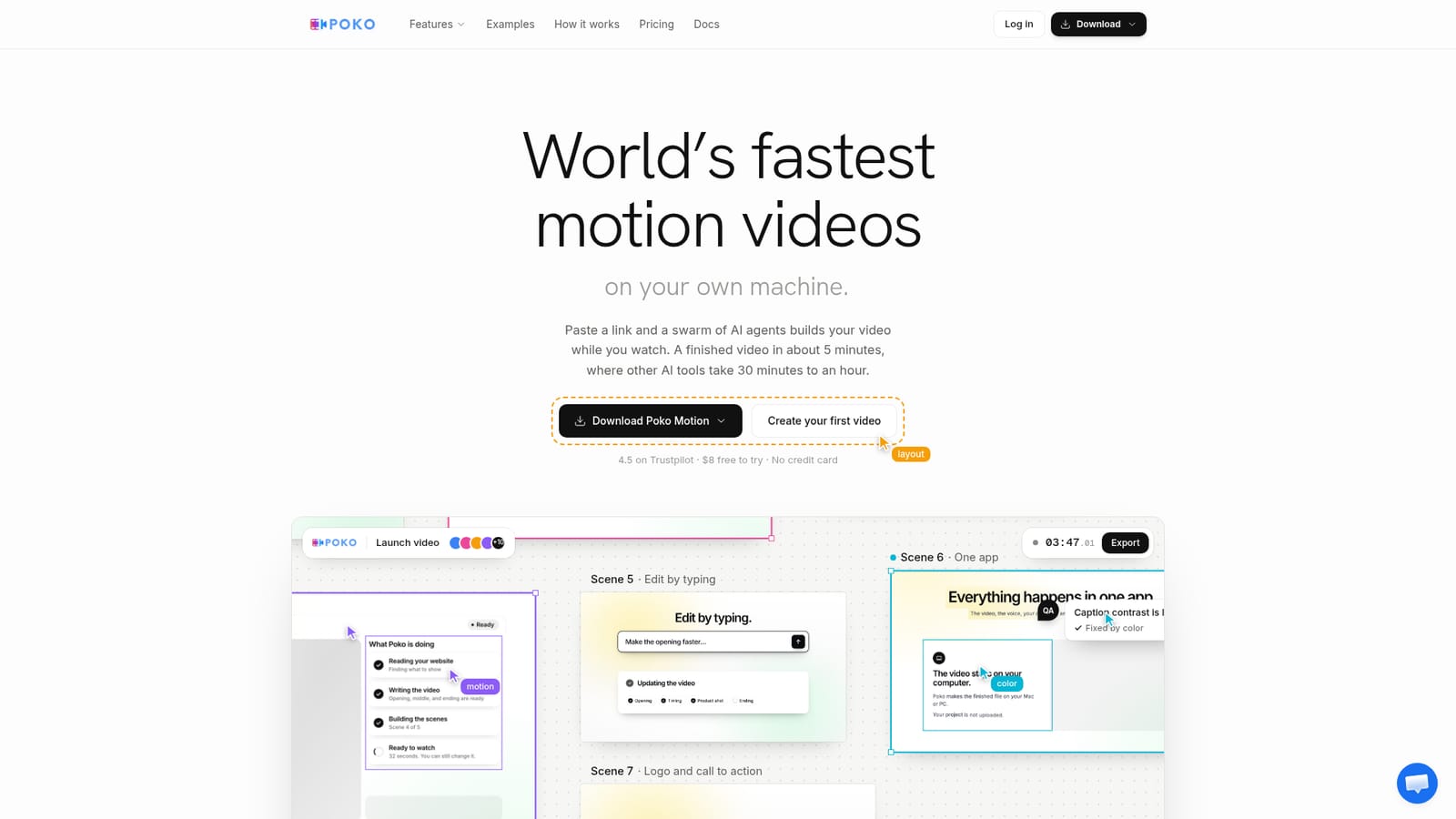
Poko Motion is a generative video tool that turns repos, PDFs, decks and URLs into polished motion videos in minutes. Poko Motion is a desktop app that uses a swarm of AI agents to turn websites, GitHub repos, PDFs, decks, research papers and recordings into motion videos in about five minutes, rendering locally on the user's GPU.
Poko Motion is a desktop application that converts project repositories, PDFs, PowerPoint decks, website URLs, research papers and raw recordings into finished motion videos. Rather than a single AI model working through a video step by step, Poko runs a swarm of agents that read the source material, write a script, record narration, build every scene in parallel and check each frame for spacing and contrast before handing over the file. The homepage claims a typical video is ready in about five minutes, compared with 30 to 60 minutes for other AI video tools and one to three weeks for manual production. The tool is built for people who need a launch or marketing video the same day: agencies producing client work, motion designers working from templates, SaaS founders announcing a product, and marketing teams running campaigns. Developers can start directly from a GitHub repo, and anyone with a Drive file, Notion doc, Figma design or Slack thread can use that as the source instead of writing a script first. In practice, a user pastes a link or drops in a file, Poko reads the brand colors, fonts, copy and assets, builds a short multi-scene video with narration (a default Poko voice, a cloned voice, or a key from ElevenLabs, Cartesia or VocalLab), and renders it locally on the user's GPU so the source files and output never leave the machine. Changes are made by typing a instruction, such as shortening the opening or adjusting pacing, instead of rebuilding the project. A library of more than 200 motion templates covers launches, explainers and social posts. Among AI video generators, Poko's distinguishing points are speed (a parallel agent swarm instead of a single sequential agent), local rendering for privacy, and the range of accepted inputs, from a bare URL to a raw screen recording. It sits closer to a project to video pipeline for technical and marketing teams than a general purpose editing suite.
The Free plan needs no credit card and includes $8 of AI dollars to build a first video, though that credit expires after 2 days.
Learn moreFree plan: $0, no card, $8 AI dollars expiring in 2 days. Starter: $18.75/mo ($225/yr). Pro: $36.75/mo ($441/yr) with BYOK and 2 parallel agents. Agency: $74.25/mo ($891/yr) with 5 seats and 5 parallel agents. Annual plans include 3 months free; swarm mode is free for 10 videos, then $0.50 each.
Learn moreSupport is offered through documentation, email (hello@poko.video) and a Discord community, with priority support included on the Agency plan.
Learn moreWorks with Claude Pro or Max, ChatGPT, OpenRouter, local models via Ollama or LM Studio, and voice providers ElevenLabs, Cartesia and VocalLab; BYOK connections are available on Pro and Agency plans.
A swarm of AI agents reads a website, repo, PDF, PPT, research paper or recording, writes a script, records narration, builds every scene in parallel, checks each frame, and exports a local file. Includes 200+ motion templates, type-to-edit changes, voice cloning on higher tiers, and an automation API.
 AI Angels400+ customizable AI girlfriends for NSFW chat, voice calls, and roleplay
 Candy AIExperience the future of companionship with AI friends who chat, role-play, and connect with you on a human level.
 ourdream.aiA vast AI roleplay platform with millions of characters for chat, images, video and voiceAI Angels400+ customizable AI girlfriends for NSFW chat, voice calls, and roleplayCandy AIExperience the future of companionship with AI friends who chat, role-play, and connect with you on a human level.ourdream.aiA vast AI roleplay platform with millions of characters for chat, images, video and voice


