PoseVid

An all in one AI workshop for images, video and portrait edits

Beginner
Screenshot of PoseVid, An all in one AI workshop for images, video and portrait edits

What is PoseVid?

PoseVid is a change clothes tool. PoseVid combines AI text to image, text to video and image to video generation with a large set of one click portrait and photo tools, including background removal, restoration, clothes and hairstyle changes, and 437+ style presets.

PoseVid is a browser based creative studio that bundles several AI image and video tools under one roof. The core of the product is a generation pipeline: text to image, text to video, and image to video, with an additional chain that turns a written prompt into candidate frames before rendering a final clip. Around that engine sits a sizeable editing bench aimed at portraits and photos, with dedicated pages for background removal, object removal, watermark cleanup, recoloring, outpainting, restoration and colorization of old shots. The portrait side is where PoseVid differs most from generic generators. It ships individual tools for clothes changes, hairstyle previews, facial expression edits, age progression, gender swap, virtual makeup and ID photo formatting, which puts it closer to a consumer photo booth than to a professional retouching suite. Style transfer is handled through a catalog the site describes as 437+ looks, ranging from manga line art and pixel art to Van Gogh pastiche and Pixar style 3D. The marketing leans on a craft metaphor, but the workflow itself is one click per effect with no layered controls. In practice the tool suits social media creators, small studios and individuals who want quick visual variations without learning Photoshop or a node based generator. Someone can write a prompt, pick a frame, push it into a video, then clean up a portrait for a profile or ID. It is less suited to teams needing brand asset libraries, versioning or fine control over composition, since PoseVid presents itself as a collection of standalone utilities rather than a managed design system. Compared with single purpose generators, the value is breadth: one account covers image generation, video generation and a long list of photo repairs, though depth in each area is narrower than dedicated competitors.

How do you use PoseVid?

  1. 1Open the workshop and pick a tool
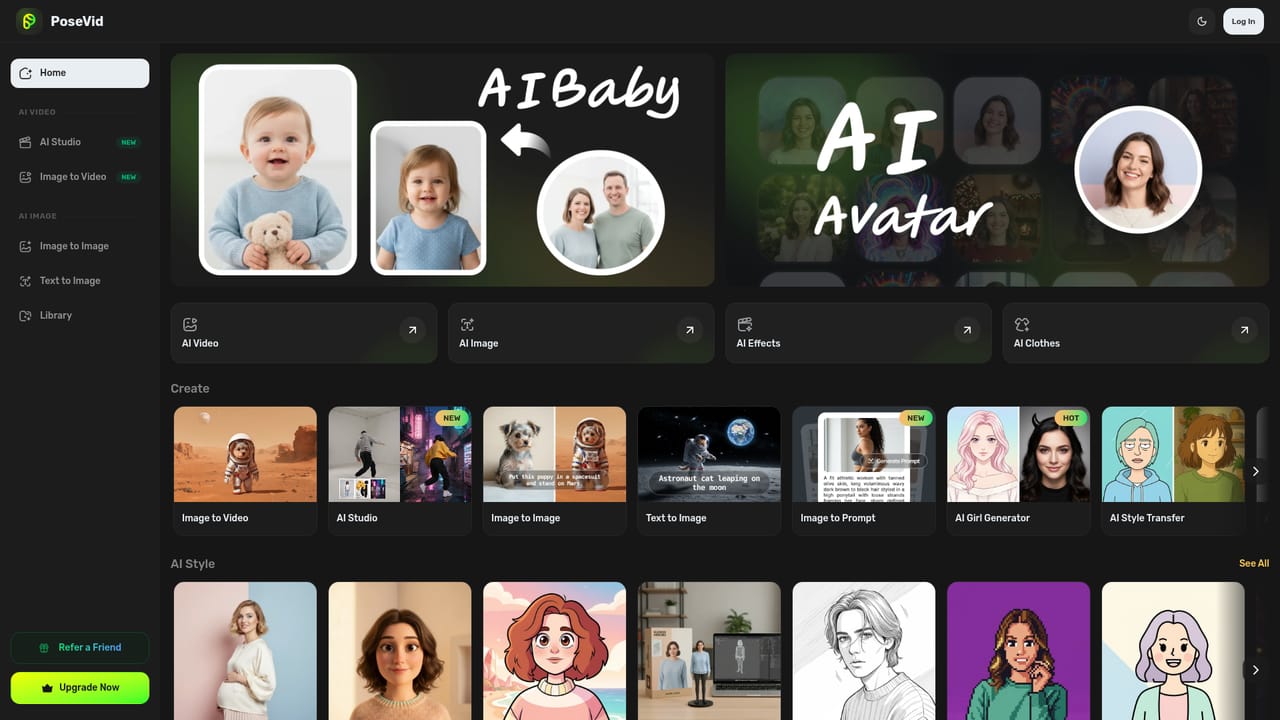
    Start at the app dashboard, which lists the video, image, style and photo utilities. Choose the category that matches the output you need.
    PoseVid — Open the workshop and pick a tool
  2. 2Generate a first image from text
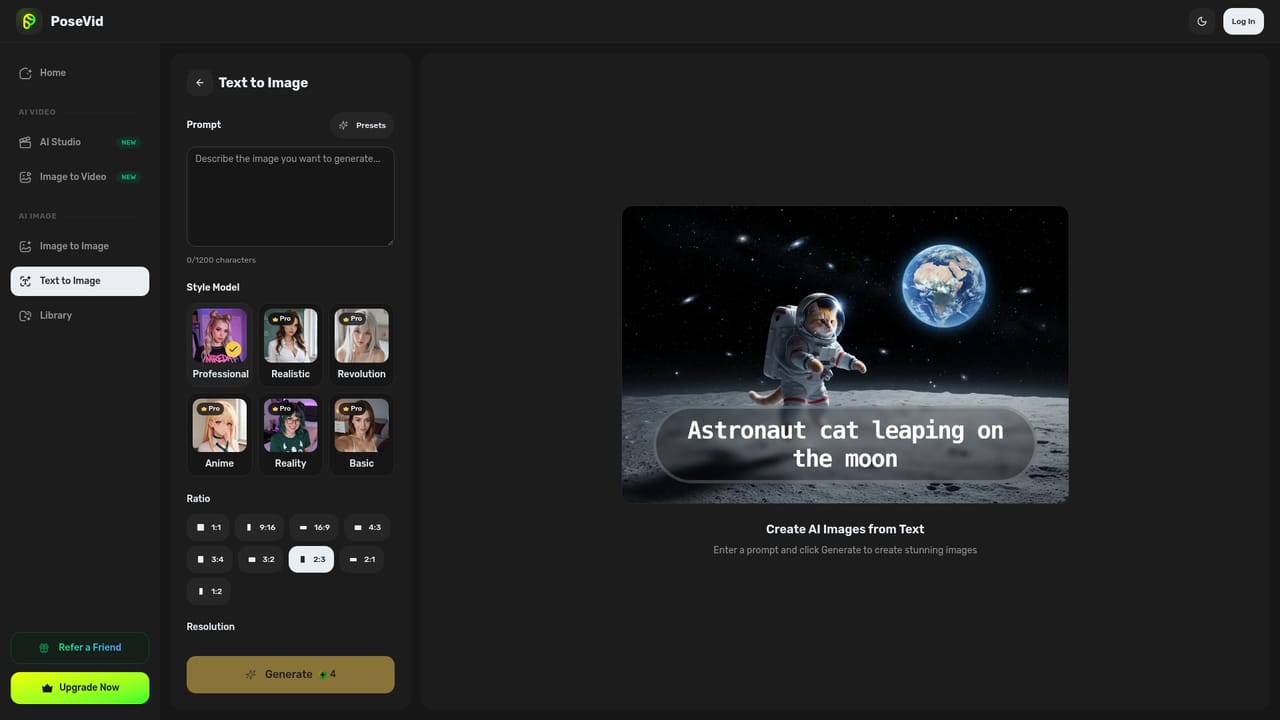
    Open the text to image tool, describe the scene in the prompt field, and run it to produce a set of candidate images.
    PoseVid — Generate a first image from text
  3. 3Render a clip from an image
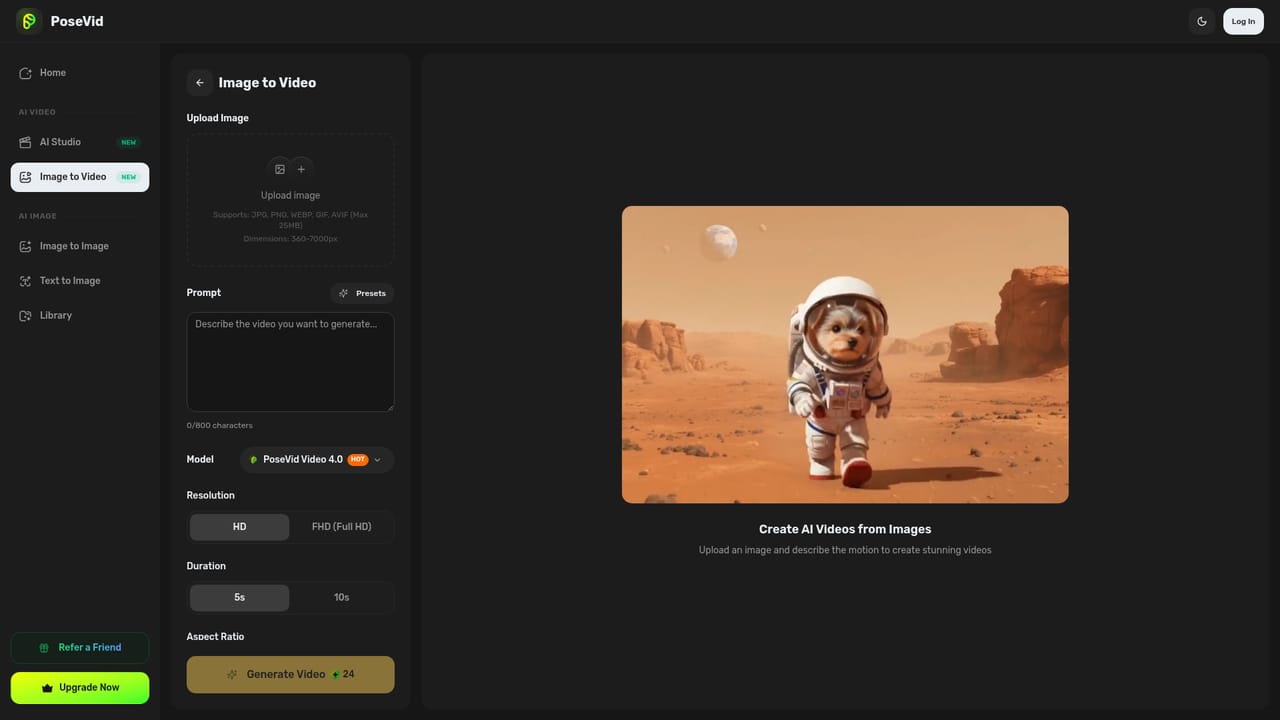
    Take a chosen image into the image to video tool to animate it, or use text to video if you want the model to build the scene from a prompt.
    PoseVid — Render a clip from an image
  4. 4Apply a style preset
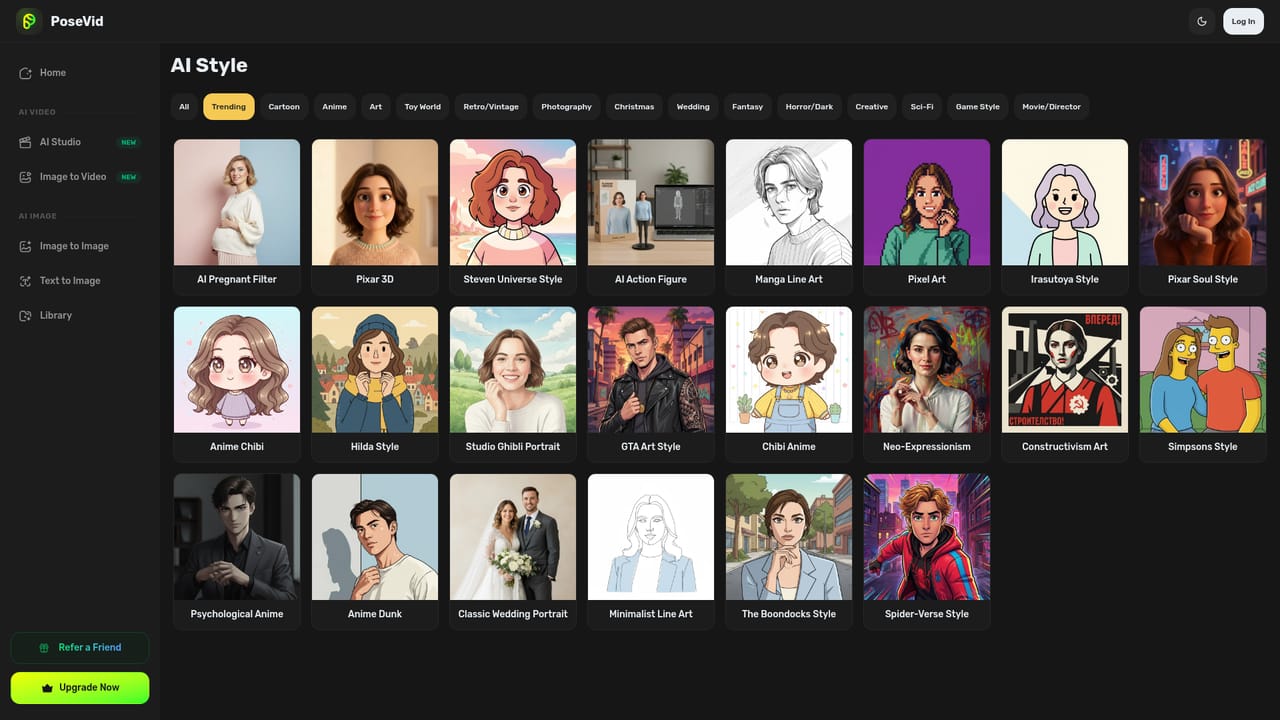
    Browse the style collection and apply a look such as manga line art or pixel art to a photo, then compare the result against the original.
    PoseVid — Apply a style preset
  5. 5Clean up a portrait or product shot
    Use the background remover, object remover or restoration tools to fix up an image before exporting it for social or print use.

Pros and cons

Pros

  • Broad toolset covering generation, editing and portrait effects in one placeAI
  • Text to image to video pipeline lets users pick a frame before rendering a clipAI
  • 437+ style presets give fast variety for casual and social contentAI
  • Portrait toolset (clothes, hairstyle, makeup, ID photo) covers niche consumer needsAI
  • Simple one click workflow that requires no design experienceAI

Cons

  • Homepage gives no information on output resolution, limits or credit systemAI
  • Effects list includes novelty items like bikini and muscle filters that may limit professional useAI
  • No visible collaboration, brand asset management or batch workflow featuresAI
  • Unclear which underlying models power generation, making quality hard to predictAI
  • Not a substitute for layered editors when precise retouching is requiredAI

How much does PoseVid cost?

Features

Generation tools for text to image, text to video and image to video, plus a prompt to frames to video pipeline. The editing bench covers background removal, object removal, watermark removal, recoloring, image expansion, photo restoration and colorization. Portrait tools add clothes and hairstyle changes, expression edits, age progression, gender swap, makeup, ID photo creation and a 437+ style library.

Learn more

Frequently asked questions about PoseVid

  • How do you use PoseVid?
    The walkthrough on this page covers 5 steps: 1. Open the workshop and pick a tool 2. Generate a first image from text 3. Render a clip from an image 4. Apply a style preset 5. Clean up a portrait or product shot.
  • What platforms does PoseVid support?
    PoseVid is available on Web App.
  • What are the limitations of PoseVid?
    Homepage gives no information on output resolution, limits or credit system. Effects list includes novelty items like bikini and muscle filters that may limit professional use. No visible collaboration, brand asset management or batch workflow features.

Status

StatusActive
Views0
Outbound clicks0
Added11/3/2026

Platforms

Web App

Pricing

Freemium