Pricing
The generator is free to use and requires no signup. The page does not list paid plans for this tool.
Learn moreFree Snapchat reply drafts from a short brief, refined by chat

Postoria is a social media tool. A free, no-signup web tool from Postoria that turns a short brief into Snapchat replies. Users pick tone, language, length and number of options, then refine the draft with follow-up instructions in a conversation.
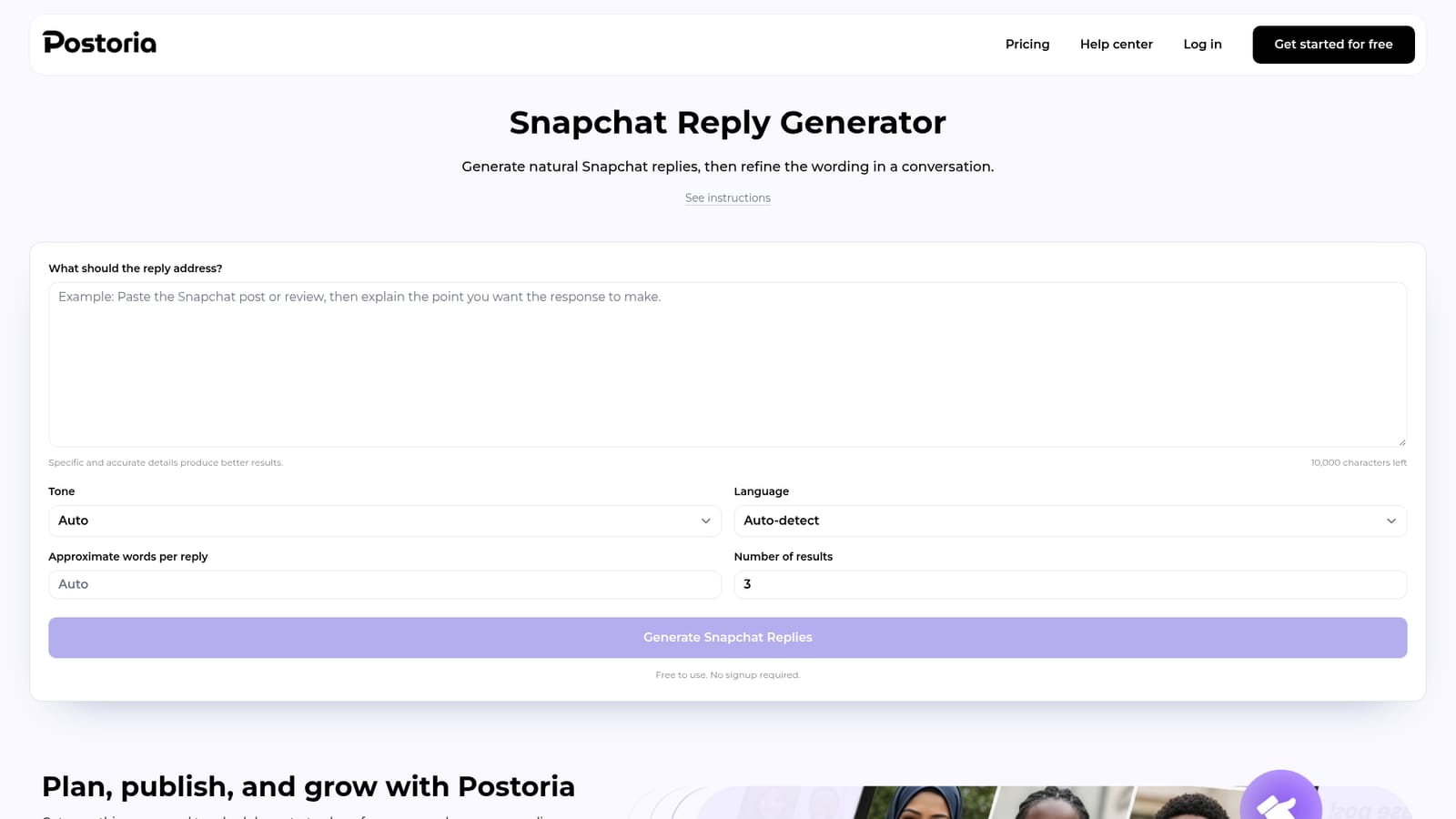
Postoria's Snapchat Reply Generator is a free web tool that drafts replies to Snapchat content from a short written brief. The user pastes a post, review, message or discussion point, states what the reply should communicate, and receives text that responds to the original rather than offering a generic comment. The brief accepts up to 10,000 characters, and the tool is built to preserve the facts and viewpoint supplied in it. Setup is light. Optional controls cover tone (a long list that includes casual, witty, empathetic, professional, sarcastic and urgent), output language (more than fifty options, or auto-detect from the prompt), approximate words per reply and the number of alternatives. Anything left on Auto is chosen by the generator from the source and platform. After the first result appears, a follow-up box lets the user steer the draft in conversation: shorter, warmer, a clearer question, less agreement or a more professional register. That removes the need to rewrite the whole brief for each adjustment. The page targets people who answer on Stories, Spotlight, chats, replies and public profiles: creators, small brand managers, community staff and social media assistants handling customer or partner conversations. Suggested uses include thoughtful responses, professional engagement, follow-up questions that move a discussion forward and polite disagreement. The page also advises against inventing personal experience and recommends checking names, facts and platform conventions before use. The generator only writes text. It does not post to Snapchat, and publishing or scheduling belongs to the wider Postoria product, which the page points to as a separate workflow. No account is needed to generate or refine results. Compared with general chat assistants, it offers a narrower, form-driven setup for one platform, and it sits beside sibling Postoria tools for hashtags, bios, usernames, captions, text formatting and word counting. Buyers who want a general writing assistant with memory or brand voice controls will find this lighter, but for quick platform-specific replies it removes setup friction.
The generator is free to use and requires no signup. The page does not list paid plans for this tool.
Learn moreNo integrations are listed for this tool. It does not publish to Snapchat, and Postoria's separate product handles planning and scheduling for supported social networks.
Brief-based reply generation with up to 10,000 characters of input, a long tone list, more than fifty languages with auto-detect, approximate length control, multiple alternatives and conversational follow-up edits. It writes text only and does not publish.


