Pricing
The homepage gives no prices. Plans, including an annual option for teams, are referenced, with details on the pricing page.
Learn moreAI plugin that automates captions, silence cuts and multicam in Premiere Pro
Own Premiere Assistant by Cutback? Verify ownership to get a dofollow link

Premiere Assistant by Cutback is an Adobe Premiere Pro plugin that automates captions, translation into 29 languages, silence removal, multicam switching, background removal and motion presets for studios, creators and freelancers.
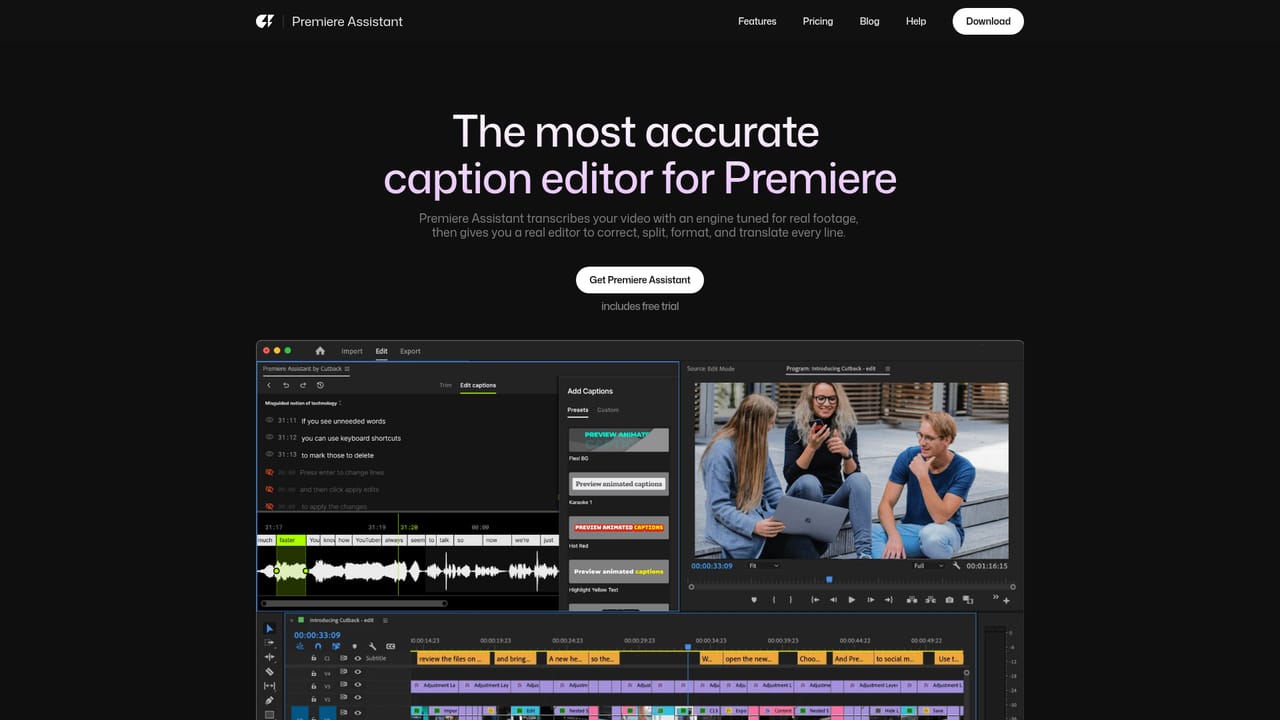
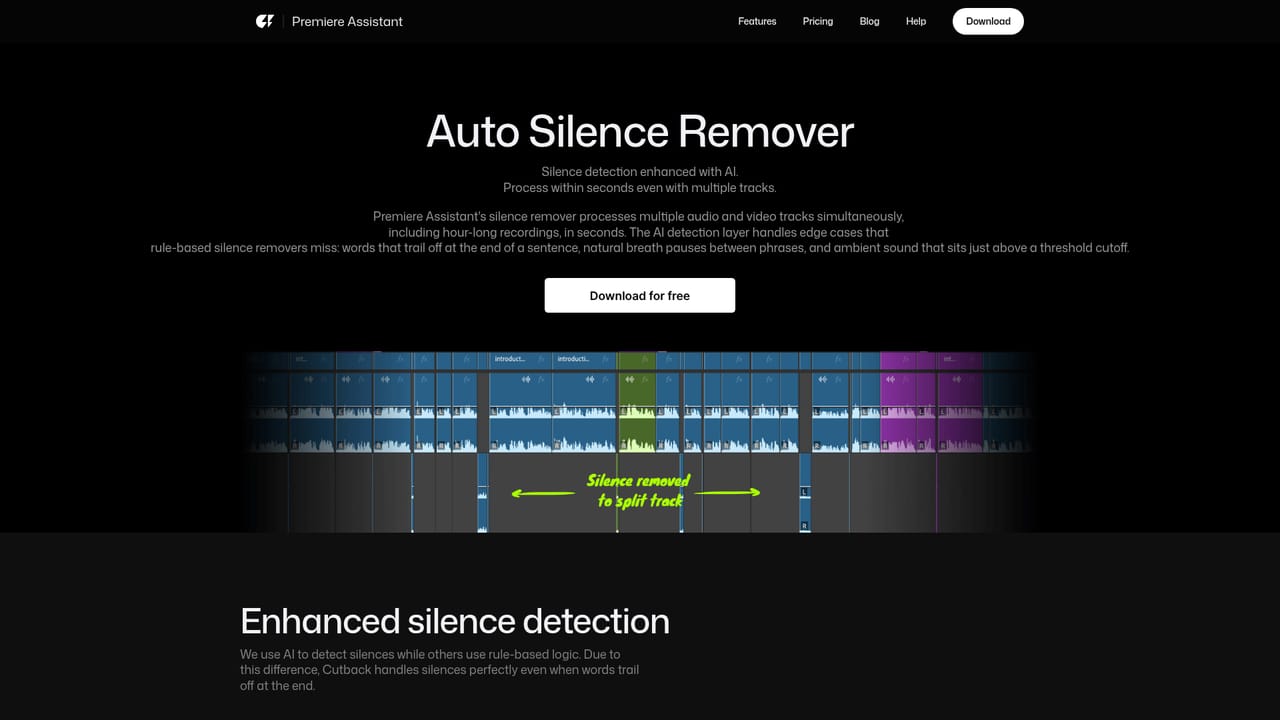
Premiere Assistant is a plugin from Cutback that adds AI-driven automation to Adobe Premiere Pro. It targets the repetitive parts of editing: transcribing dialogue, trimming dead air, choosing the right speaker angle, captioning, and applying simple motion. Everything runs inside the editor the user already works in, so there is no separate application to learn or export to. The caption tool covers transcription, word-by-word editing, multiple speakers, translation and styling. A text-based editing mode lets an editor trim silences, filler words and repeated passages by working on the transcript. The silence remover cuts dead air across multiple video and audio tracks and is described as suited to hours of footage. Auto multicam switching changes video tracks to follow whoever is talking and mutes unneeded audio, so several tracks can be edited in a single sequence. One-click translation covers 29 languages, and the vendor says its speech-to-text is tuned for frame-level accuracy. On the visual side, the plugin offers animated captions (word-for-word, karaoke-style and depth-effect presets), one-click background removal for video and images, basic photo fixes such as improving low-resolution images and changing portrait to landscape, and motion presets that pop, jiggle or bounce images, text and video. These are conveniences rather than a replacement for a dedicated motion graphics tool. The audience is professional and semi-professional editors: studios, freelancers and YouTube creators, with testimonials from an editing education channel and a Netflix content production studio. Cutback is an Adobe video partner and lists SOC 2 Type II compliance, which matters to studios with strict vendor reviews. Compared with Premiere's built-in transcription or standalone AI editors such as CapCut, the main distinction is that Premiere Assistant extends an existing professional timeline instead of asking editors to change tools. Its value depends on the user already paying for and working in Premiere Pro, and exact plan limits are published on the vendor's pricing page.
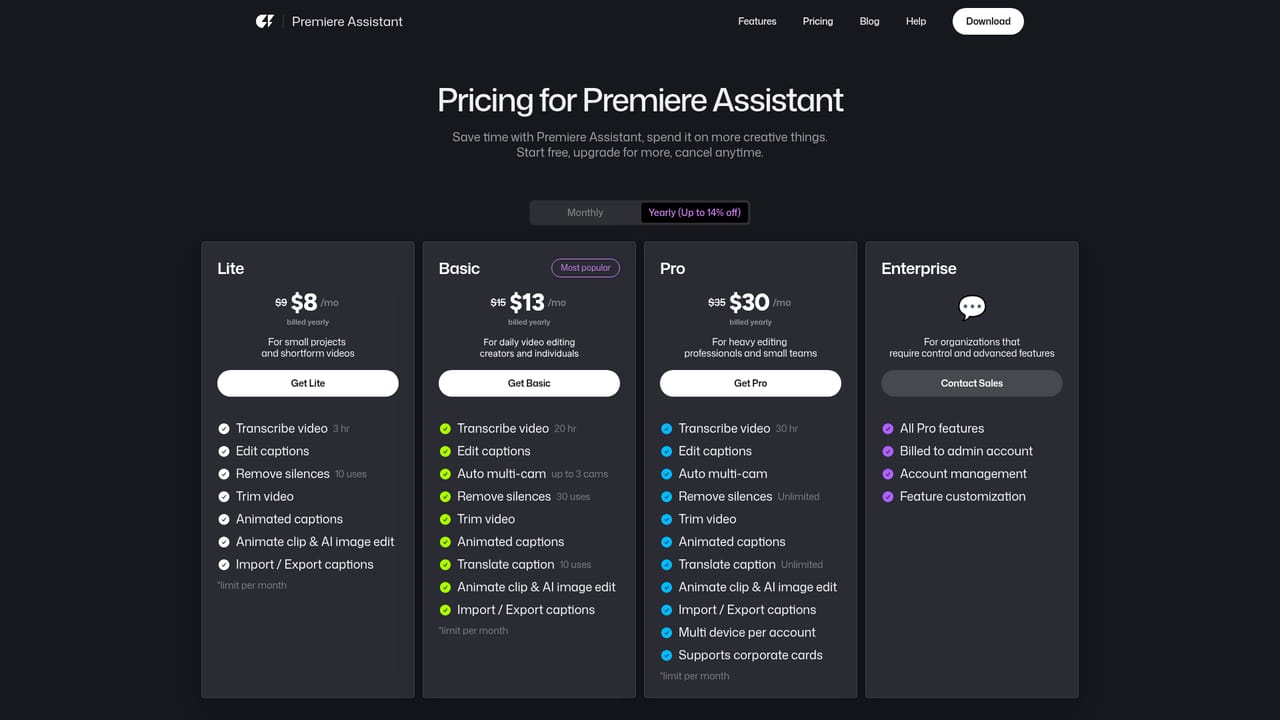
The homepage gives no prices. Plans, including an annual option for teams, are referenced, with details on the pricing page.
Learn moreA help center with a Premiere Assistant guide collection, a blog, and a support email address are provided.
Learn moreRuns as a plugin inside Adobe Premiere Pro. Cutback is listed as an official Adobe Video Partner.
Caption editor with word-level editing, speakers and styling; text-based trimming; silence removal; auto multicam switching; translation to 29 languages; animated captions; background removal; photo fixes; one-click animation presets.
Learn more


